
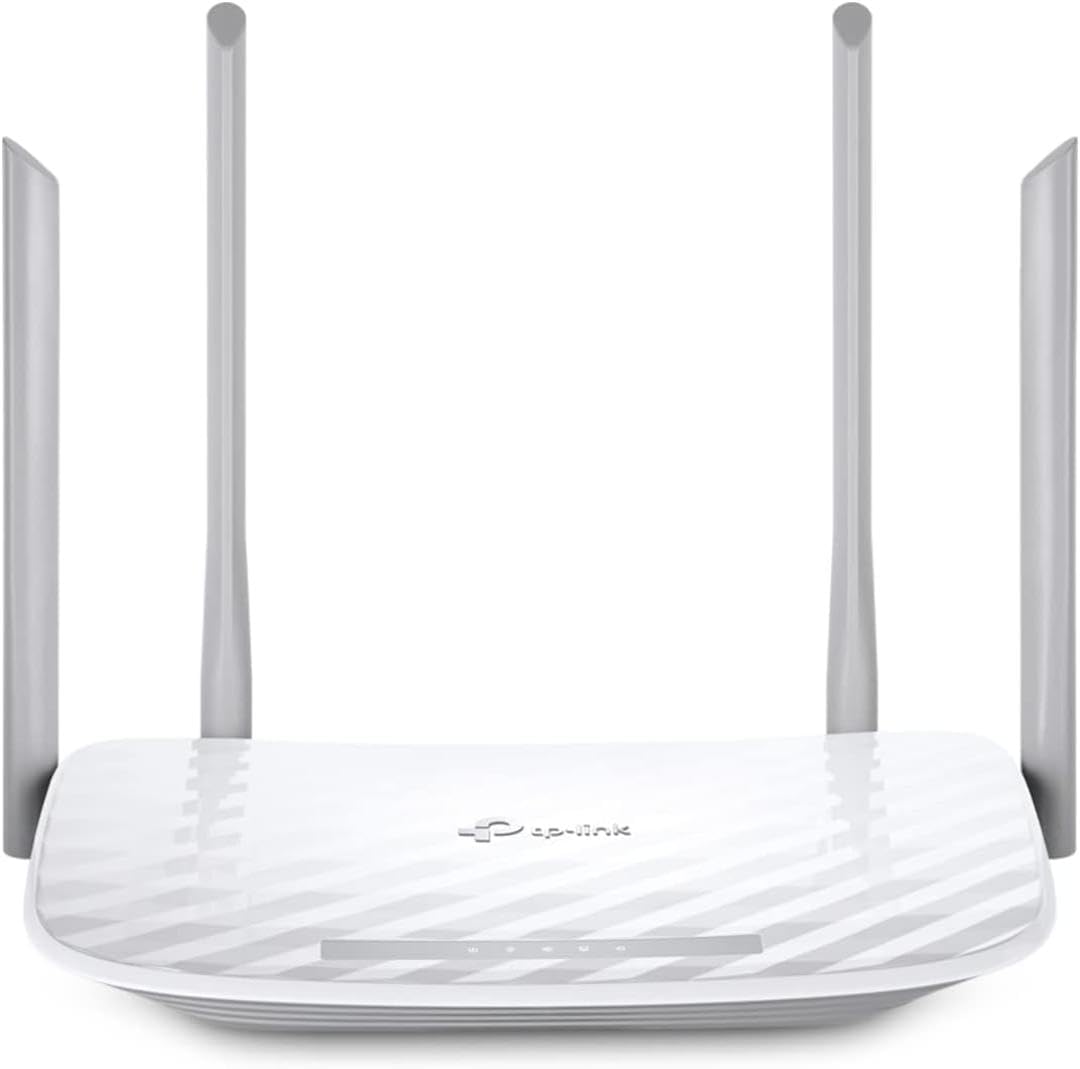
TP-Link AX1800 WiFi 6 Router
4.4Editor score
Wi-Fi 6 technology for efficiency
Total bandwidth up to 1.8 Gbps
Beamforming technology for range
Discover the top 10 cheap WiFi routers of 2026. Compare features, speeds, and real user ratings to find the perfect affordable network solution for your home.
Finding a reliable internet connection does not have to break the bank. Modern budget routers now offer impressive speeds and coverage that rival premium models from years past. Whether you stream movies or work from home, the right device ensures smooth performance.
We compared ten top-rated affordable routers based on speed, coverage, security, and user feedback. Each model was evaluated for its ability to handle multiple devices without lag. Our goal is to help you navigate the market with confidence and clarity.
This guide shows you exactly what each pick offers for your specific needs. We highlight key strengths and honest trade-offs so you can make an informed choice. Remember that availability and pricing can change, so check current listings before buying.
4.4Editor score
4.3Editor score

4.2Editor score
This side-by-side comparison highlights the key specifications and capabilities of each router on our list. By reviewing these details together, you can quickly identify which model offers the best value for your specific internet usage patterns and household size.


The TP-Link Archer A54 stands out as a reliable option for those seeking affordable connectivity. It holds a solid 4.3-star rating and offers dual-band speeds that handle everyday browsing comfortably. Its design focuses on stability and ease of use for the average household.
We may earn a commission when you buy through this link, at no additional cost to you.
This router delivers up to 1200 Mbps of combined bandwidth, splitting traffic between 2.4 GHz and 5 GHz bands. Four external antennas ensure stable connections across rooms up to 1000 square feet. Security is a priority with WPA3, the latest protocol protecting your network from intrusion.
While it lacks Gigabit ports which limits wired speed to 100 Mbps, this is acceptable for most wireless users. The Tether app simplifies management significantly allowing you to update firmware and monitor devices easily. It works with any ISP modem making it versatile for many internet plans.
This device is ideal for small apartments or budget-conscious users who need dependable Wi-Fi without extra cost. If you primarily use Wi-Fi and value simple setup, this model is a strong choice. It balances basic performance with modern security features effectively.
The split between bands ensures streaming devices get priority on 5 GHz while smart home items stay on 2.4 GHz.
EasyMesh compatibility means you can add compatible extenders later without changing your network name or settings.
We may earn a commission when you buy through this link, at no additional cost to you.
The TP-Link Archer AX21 brings next-generation Wi-Fi 6 technology to a budget-friendly price point. With a 4.4 rating, it appeals to users wanting future-proof connectivity without overspending. It manages network congestion better than older models using OFDMA technology effectively.
We may earn a commission when you buy through this link, at no additional cost to you.
Speeds reach up to 1.8 Gbps total ensuring smooth streaming even when multiple devices connect. Beamforming technology focuses signal directly to your devices improving range and reliability. The four high-gain antennas work with the front-end module for consistent coverage in typical homes.
While the router requires a separate modem for internet access this is standard for most setups. It supports VPN server options for secure remote access which adds flexibility for tech-savvy users. Security is built-in with adherence to cybersecurity design pledges from trusted organizations.
This router is perfect for households with several smartphones and tablets needing stable connections simultaneously. If you want Wi-Fi 6 benefits without a high price tag, this model delivers. It offers a balanced mix of performance and reliability for daily use.
OFDMA allows the router to talk to multiple devices at once reducing wait times and lag for everyone.
Built-in VPN server capabilities let you connect to your home network safely from anywhere securely.
We may earn a commission when you buy through this link, at no additional cost to you.
The NETGEAR Nighthawk R6700AX offers premium features at a competitive price for budget shoppers. It covers up to 1500 square feet making it suitable for larger apartments or small homes. A 4.2 rating reflects reliable performance for gaming and streaming tasks without interruption.
We may earn a commission when you buy through this link, at no additional cost to you.
Four Gigabit Ethernet ports allow direct connections for consoles or PCs ensuring maximum speed for wired devices. The Nighthawk app provides intuitive control over guest networks and speed tests from any device. Security includes WPA3 encryption and automatic updates to keep your data safe.
While NETGEAR Armor offers extra protection it requires a subscription after a short free trial. However the basic security features included out of the box are robust enough for most users. It pairs well with existing ISPs and gateways for a smooth transition.
This router is ideal if you need wired connections alongside strong Wi-Fi coverage. If you value brand reliability and app-based management, this model is a solid choice. It brings high-end specs to a more accessible price tier effectively.
Four Gigabit LAN ports ensure your desktop or gaming console gets the fastest speeds possible without wireless limits.
The Nighthawk app lets you pause devices or manage settings remotely with just a few taps.
We may earn a commission when you buy through this link, at no additional cost to you.
The Tenda AC6 is a straightforward router designed for basic internet needs at a low cost. It supports dual-band speeds up to 1200 Mbps which handles typical web browsing and video streaming easily. A 4.0 rating indicates it meets expectations for simple home environments.
We may earn a commission when you buy through this link, at no additional cost to you.
Four powerful 6dbi antennas with beamforming help maintain signal strength even with walls in the way. The Smart App simplifies setup allowing you to manage guest networks and parental controls quickly. It supports IPv6 and Access Point Mode for flexible network configurations.
While it lacks advanced security protocols like WPA3, it provides standard WPA2 protection which is adequate for most. The lack of Gigabit ports is a trade-off for the low price point but suits those on dial-up or slow plans. It is best for basic connectivity needs.
This router fits small spaces or secondary rooms where advanced features are not critical. If you need a spare router for a home office or guest room, it is reliable. It offers essential functions without unnecessary complexity or cost.
Access Point Mode lets you turn this router into an access point to expand existing wired networks easily.
The Smart App allows easy monitoring of connected devices and access scheduling for family members.
We may earn a commission when you buy through this link, at no additional cost to you.
The TP-Link Archer A6 distinguishes itself with full Gigabit Ethernet ports at an affordable price. Its 4.5 rating reflects high user satisfaction with its reliability and ease of use. It delivers dual-band speeds up to 1200 Mbps ensuring smooth data transfer for most applications.
We may earn a commission when you buy through this link, at no additional cost to you.
Four external antennas with beamforming concentrate Wi-Fi signals toward your devices for better stability. The inclusion of Gigabit ports means wired devices can achieve full internet plan speeds without throttling. OneMesh compatibility allows you to expand your network later with extenders seamlessly.
While it does not support the newer Wi-Fi 6 standard, it handles current devices efficiently. Advanced security includes WPA3 which is a notable plus for a router in this price range. It is a solid choice for users wanting wired speed without upgrading to expensive models.
This device is best for households with multiple desktops or consoles that benefit from wired connections. If you value high ratings and modern security on a budget, this is a top pick. It balances wired and wireless performance effectively for daily tasks.
Gigabit ports allow your computers to utilize full internet speeds without wireless interference or limits.
OneMesh technology lets you add compatible extenders to create a unified network with a single Wi-Fi name.
We may earn a commission when you buy through this link, at no additional cost to you.
The TP-Link Archer AX1450 offers Wi-Fi 6 benefits in a renewed package for budget-conscious buyers. With a 4.2 rating, it provides reliable connectivity speeds up to 1.45 Gbps for smooth browsing. The renewed status allows access to newer technology at a reduced cost effectively.
We may earn a commission when you buy through this link, at no additional cost to you.
OFDMA technology helps communicate with multiple devices simultaneously reducing lag during heavy use. Target Wake Time extends device battery life by reducing power consumption when not transmitting data. The Tether app ensures setup is quick and firmware updates are managed easily.
While renewed units may have minor cosmetic imperfections they are tested for functionality. Speeds are slightly lower than the AX1800 but sufficient for most standard internet plans. It remains backward compatible with all older devices ensuring seamless integration.
This router is perfect for those wanting to upgrade to Wi-Fi 6 without the full price tag. If you prioritize modern features over brand new packaging, it is a smart buy. It balances performance and cost efficiently for home networking needs.
Target Wake Time reduces the energy devices spend connected to the router extending their battery life significantly.
Beamforming ensures signals are focused towards your devices for stronger and more stable connections.
We may earn a commission when you buy through this link, at no additional cost to you.
The TP-Link Archer AXE75 introduces Wi-Fi 6E with access to the uncongested 6 GHz band. Its 4.3 rating highlights its capability to handle high-demand tasks like gaming and 4K streaming. Tri-band design provides ample bandwidth for many connected devices without slowing down.
We may earn a commission when you buy through this link, at no additional cost to you.
With speeds up to 5400 Mbps this router ensures minimal latency for responsive gaming. The unique housing design with high RAM and CPU guarantees reliability over long periods. EasyMesh compatibility allows for whole-home coverage expansion without complex setup steps.
While you need compatible devices to use the 6 GHz band, the 5 GHz band still offers great speeds. Security features include basic protection with optional HomeShield services for advanced needs. It is designed for users wanting top-tier performance now and in the future.
This device is ideal for tech enthusiasts or homes with many smart devices needing bandwidth. If you want the latest standards and high capacity, this model is worth the investment. It brings premium features to a more accessible range for future networking.
The 6 GHz band provides a clear path for data reducing interference and improving speeds significantly.
A powerful CPU and ample RAM handle heavy data loads ensuring smooth operation under stress.
We may earn a commission when you buy through this link, at no additional cost to you.
The TP-Link Archer A8 delivers high speeds with its AC1900 classification and Wave 2 technology. A 4.5 rating shows strong user trust in its consistent performance and build quality. It provides up to 1900 Mbps of total bandwidth suitable for heavy internet usage.
We may earn a commission when you buy through this link, at no additional cost to you.
Three simultaneous data streams help devices achieve optimal performance by making communication more efficient. Beamforming technology covers up to 1200 square feet ensuring reliable signal throughout the home. Full Gigabit ports create fast wired connections for PCs and gaming consoles effectively.
While it uses Wave 2 rather than Wi-Fi 6 it still handles multiple devices well. Parental controls allow you to manage screen time and block inappropriate content easily via the app. It is a robust choice for households needing high speeds without Wi-Fi 6 costs.
This router is best for families with many devices needing fast speeds simultaneously. If you prefer proven technology over the latest standards, it offers great value. It balances speed and reliability effectively for everyday digital life.
Three data streams allow the router to handle multiple devices simultaneously reducing lag and buffering.
The Tether App simplifies setup and management with intuitive controls for your network settings.
We may earn a commission when you buy through this link, at no additional cost to you.
The TP-Link Archer BE230 brings the latest Wi-Fi 7 technology to the budget-friendly market. A 4.2 rating indicates it is a solid early adopter choice for future-proof connectivity. It delivers speeds up to 3600 Mbps ensuring ultra-fast browsing and streaming without lag.
We may earn a commission when you buy through this link, at no additional cost to you.
Multi-Link Operation increases reliability by using multiple frequencies simultaneously for better data transfer. It includes 2.5G ports to break the 1G barrier for seamless high-speed wired connections. Coverage extends up to 2000 square feet making it suitable for larger homes effectively.
While it is pricier than older models, it offers significant performance upgrades for heavy users. The processor manages high throughput effortlessly eliminating lag even during heavy data transmissions. It is ideal for smart homes preparing for next-generation internet standards.
This router is perfect for early adopters wanting the fastest possible wireless speeds today. If you want to prepare for future devices and high-speed plans, it is a smart buy. It combines advanced tech with reliable coverage effectively.
The 2.5G ports allow your high-speed internet plan to reach wired devices without bottlenecking.
Support for voice assistants and EasyMesh makes integrating into a smart home simple and effective.
We may earn a commission when you buy through this link, at no additional cost to you.
The ASUS RT-AX1800S focuses on security and extendability for safe network management. A 4.3 rating reflects user trust in its robust protection features and stable performance. It supports Wi-Fi 6 with MU-MIMO and OFDMA for better efficiency and throughput.
We may earn a commission when you buy through this link, at no additional cost to you.
AiProtection Classic powered by Trend Micro provides commercial-grade security anywhere. You can use Instant Guard for a one-click secure VPN when away from home. The built-in VPN server supports PPTP ensuring privacy for remote connections.
AiMesh compatibility allows you to create a mesh network easily without replacing all routers. It includes five Gigabit ports for wired devices and 1024-QAM for faster wireless links. It is a secure choice for those prioritizing data privacy and network control.
This router is ideal for security-conscious households needing strong protection without extra fees. If you value built-in VPN and extendability, it is a top contender. It balances advanced security features with modern connectivity effectively.
AiProtection Classic safeguards your devices from malware and attacks with zero subscription fees for basics.
AiMesh lets you extend your network by adding compatible routers to create a seamless whole-home system.
We may earn a commission when you buy through this link, at no additional cost to you.
Selecting the right router involves balancing speed, coverage, and features with your budget. This guide breaks down key factors to help you identify which model suits your household needs.
Check your internet plan speed and ensure the router supports it. Look for total bandwidth ratings like 1200 Mbps or 1800 Mbps to ensure you get the speed you pay for.
Prioritize models with sufficient total bandwidth to match your internet plan.
Newer standards like Wi-Fi 6 or Wi-Fi 7 handle multiple devices better than older ones. They offer improved efficiency and reduced congestion for households with many gadgets.
Choose Wi-Fi 6 or newer for better performance with multiple devices.
Coverage area is vital for eliminating dead zones. External antennas with beamforming help direct signals to devices. Check square footage ratings to ensure it fits your home size.
Ensure the router covers your entire home size to avoid dead zones.
Security is critical for protecting personal data. Look for WPA3 support which is the latest standard. Avoid older routers that only support outdated security protocols like WPA2.
Select a router with WPA3 security to ensure strong network protection.
If you use wired devices, check for Gigabit ports. These ensure your desktop or console gets full speed. Budget routers often lack these ports so check specs carefully.
Check for Gigabit Ethernet ports if you need fast wired connections.
User-friendly apps simplify setup and monitoring. Features like parental controls or device pausing require easy access. An intuitive app improves daily management and security settings.
Choose a router with a reliable mobile app for easy management.
Some routers support mesh systems for future expansion. Compatibility allows you to add extenders without changing your network name. This is useful if your home grows or changes layout.
Look for Mesh compatibility to allow for future network expansion.
Higher RAM and better CPUs handle heavy data loads better. This prevents lag during peak usage times. Advanced models often highlight these specs for performance assurance.
Opt for models with good RAM and CPU to prevent network lag.
Start by connecting the router to your modem using an Ethernet cable. Plug the router into a power outlet and wait for the lights to stabilize. Use the mobile app or web browser to configure your Wi-Fi name and password securely.
Place the router in a central elevated location to maximize coverage. Avoid hiding it in cabinets or behind thick walls. Keeping it away from microwaves and cordless phones helps reduce signal interference.
Regularly update the firmware through the app to fix security vulnerabilities. If you experience slowdowns restart the router periodically to clear memory. Ensure cables are securely plugged in to prevent connectivity drops.
Yes, all these routers require a separate modem to connect to your internet service provider. The router distributes the signal wirelessly while the modem connects to the ISP cable or fiber line.
Wi-Fi 6 offers faster speeds and handles more connected devices simultaneously compared to Wi-Fi 5. It uses OFDMA technology to communicate more efficiently with multiple gadgets reducing lag during busy times.
You can add a range extender or switch to a router that supports mesh systems like OneMesh or EasyMesh. This allows you to create a seamless network across a larger area.
Yes, most modern cheap routers include WPA3 security which is the latest standard. Always change default passwords and enable firmware updates to keep your network safe from threats.
Yes, these routers work with any ISP like Xfinity AT&T or Verizon provided you have a compatible modem. They are standard devices that connect to modems universally.
Slowdowns can be caused by too many connected devices physical obstacles or outdated firmware. Restarting the router or updating software often resolves these performance issues effectively.
They provide faster wired connections for computers gaming consoles or smart TVs. If your internet plan exceeds 100 Mbps these ports ensure your wired devices get the full speed.
Most routers in this list support Access Point Mode. This allows you to convert a wired connection into a wireless network to expand coverage in specific rooms.
We have reviewed ten top options ranging from the versatile TP-Link Archer A54 to the high-speed ASUS RT-AX1800S. Each model offers unique strengths whether you need basic connectivity or advanced security features.
When making your decision prioritize what matters most to your specific household needs. Consider factors like coverage area supported Wi-Fi generation and wired port availability to find the perfect match.
Remember that prices and availability can change over time. Always verify current listings and specifications before purchasing to ensure you get the best value for your money.