
Inwa Computer Speakers
4.2Editor score
Affordable price under fifteen dollars
Simple clip-on design for monitors
Clear stereo sound with bass
Discover the top clip on speakers for laptop users. Compare features, sound quality, and ease of use with real ratings to find the perfect audio upgrade.
Finding the right clip on speakers for laptop setups can transform your audio experience without cluttering your workspace. These compact devices attach directly to your monitor or desk, offering powerful sound in a space-saving design that fits any office or home environment.
We compared ten top models based on sound quality, connectivity options, ease of installation, and user ratings. Each product was evaluated for its ability to deliver clear audio, robust bass, and reliable performance across various devices and operating systems.
Every pick below highlights key strengths, potential trade-offs, and ideal use cases to help you decide quickly. Prices and availability may change, so always check the latest details on the product pages before making your final purchase decision.
4.2Editor score

4.5Editor score

4.2Editor score
This side-by-side comparison breaks down the key specifications and features of all ten models to help you find the best fit for your specific needs and budget.
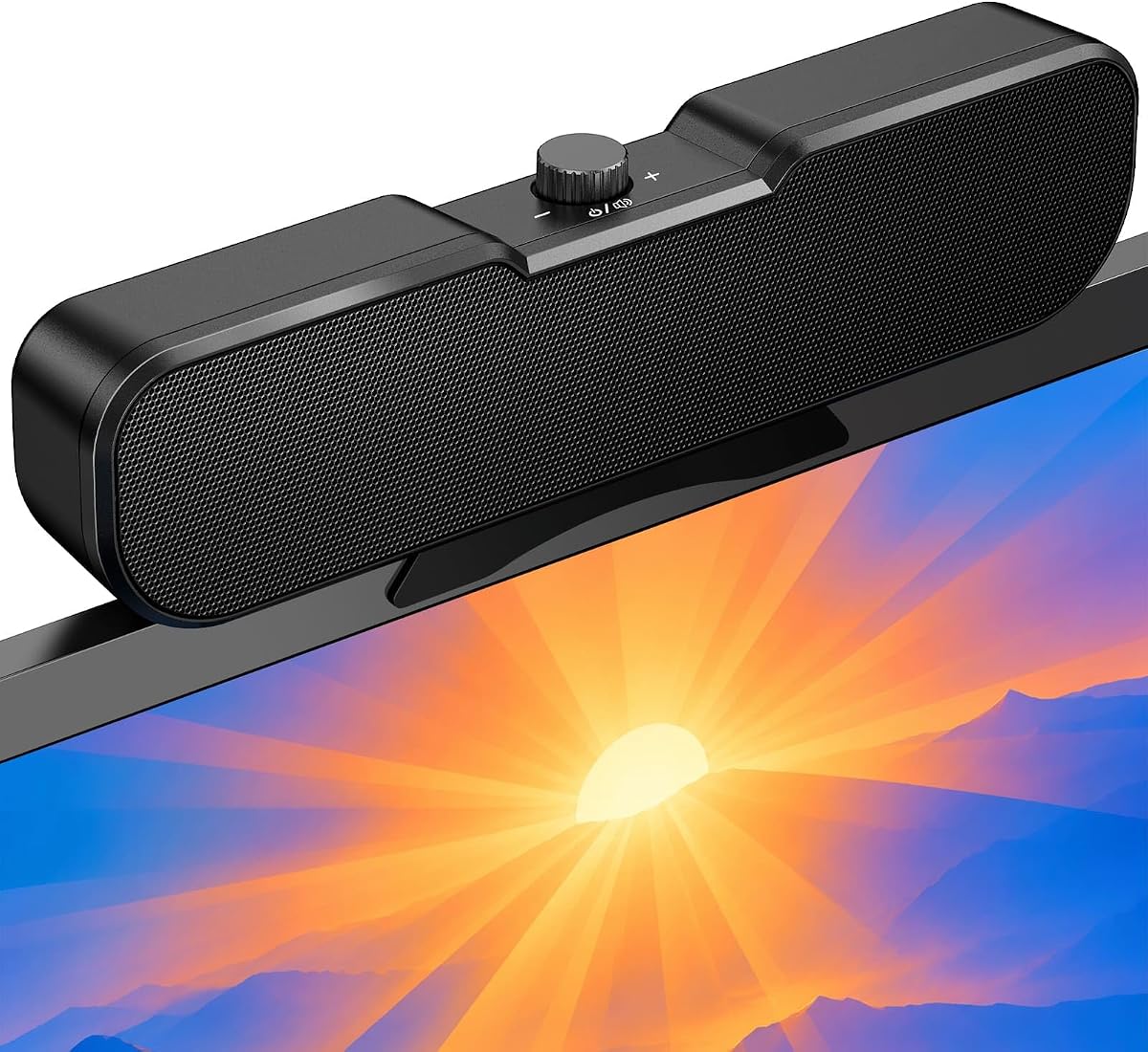


This model delivers impressive audio quality for its size, featuring adaptive channel switching that ensures correct stereo positioning regardless of clamp position. It stands out with its robust bass and clear highs, making it ideal for multimedia and music.
We may earn a commission when you buy through this link, at no additional cost to you.
The USB-C adapter broadens compatibility significantly, allowing seamless connection to modern laptops and tablets. Touch controls add a modern feel, while the clip design saves valuable desk space effectively.
While it lacks wireless connectivity, the wired stability ensures consistent performance without lag. The volume output is strong enough for small to medium rooms without distortion.
Ideal for users seeking a reliable plug-and-play solution with superior sound. Its versatility across operating systems makes it a top choice for home and office setups.
The G-sensor technology automatically adjusts left and right channels, ensuring immersive stereo sound regardless of whether the speaker is mounted on top or bottom of your monitor.
Included USB-C adapter ensures compatibility with the latest devices, removing the need for extra dongles and simplifying your desktop setup.
We may earn a commission when you buy through this link, at no additional cost to you.
OHAYO offers a premium experience with Bluetooth 5.3 connectivity and vibrant RGB lighting that syncs with your music. Its sound profile is rich and clear, perfect for both entertainment and professional calls.
We may earn a commission when you buy through this link, at no additional cost to you.
The G-Sensor ensures accurate stereo imaging, while the built-in microphone enhances video conferencing capabilities. The volume wheel allows precise adjustments without interrupting your workflow.
Although more expensive than basic models, the added features like RGB and Bluetooth justify the cost for users wanting a versatile and stylish audio upgrade.
Perfect for tech enthusiasts and gamers looking to elevate their workspace aesthetics and audio quality simultaneously. The seamless integration with multiple devices adds significant value.
Bluetooth 5.3 enables stable connections up to 20 meters, giving you the freedom to enjoy music without cables cluttering your desk.
Five customizable RGB modes including audio sync create an immersive environment that energizes your workspace or gaming setup.
We may earn a commission when you buy through this link, at no additional cost to you.
Cirqon delivers solid performance for its price point, featuring a simple yet effective design. The easy volume knob simplifies adjustments, making it user-friendly for all skill levels.
We may earn a commission when you buy through this link, at no additional cost to you.
Its compact footprint keeps your desk neat, while the sturdy clamp ensures secure attachment without slipping. The USB-C adapter expands compatibility for newer devices.
While it may not match premium models in sound richness, it meets basic needs for clear audio during calls or casual music listening.
Ideal for budget-conscious users needing reliable sound without extra features. It is a practical choice for students or home offices with limited space.
The single knob design streamlines operations, allowing quick volume adjustments without fumbling through menus or complex button sequences.
Support for both USB and USB-C ensures this speaker works seamlessly with older and newer devices alike.
We may earn a commission when you buy through this link, at no additional cost to you.
This speaker focuses on delivering strong audio with minimal fuss. The deep bass and loud sound make it suitable for movies and games, while the plug-and-play design simplifies installation.
We may earn a commission when you buy through this link, at no additional cost to you.
It includes a USB-C adapter for modern compatibility and features a sturdy clamp for secure mounting. The absence of extra buttons means volume control happens via your system settings.
Users appreciate the straightforward setup and reliable performance, though those wanting physical volume controls may find it limiting.
Best for anyone prioritizing sound quality and simplicity. It offers excellent value for the price without compromising on core audio features.
Equipped with dual drivers and a passive radiator, this speaker produces a balanced sound with pronounced bass that enhances media playback.
No additional software or drivers are needed, allowing you to start enjoying enhanced audio immediately after connecting to your device.
We may earn a commission when you buy through this link, at no additional cost to you.
This model excels in user control with its tactile volume wheel and one-touch mute button. It provides convenient access to essential functions without navigating software menus.
We may earn a commission when you buy through this link, at no additional cost to you.
The spring-loaded clip ensures a tight fit on various monitor thicknesses, while the dual connectivity options support a wide range of devices including smartphones and tablets.
While the bass is decent, it focuses more on clarity and convenience. The build quality feels robust and suitable for daily use.
Ideal for users who frequently adjust audio settings or need quick muting during calls. Its ergonomic design makes it a practical addition to any desk.
The tactile volume wheel offers smooth, precise control that feels more natural and responsive than standard up-down buttons.
The dedicated mute button allows you to silence audio immediately with a single press, perfect for unexpected interruptions during meetings.
We may earn a commission when you buy through this link, at no additional cost to you.
Inwa offers a no-frills approach to audio enhancement, providing clear stereo sound at an accessible price. The top panel buttons allow easy volume and mute adjustments directly on the unit.
We may earn a commission when you buy through this link, at no additional cost to you.
The spring clip design attaches securely to most monitors, saving desk space while projecting sound forward for a better listening experience. USB power ensures it works without extra batteries.
It lacks advanced features like Bluetooth or RGB, but fulfills basic needs effectively. The life time technical support adds peace of mind for buyers.
Best for users seeking an inexpensive upgrade from built-in speakers. It is a practical solution for casual listening and video calls.
The speaker bar design lifts and projects sound forward, creating a more immersive stereo experience than typical flat speakers.
Top-mounted buttons for volume and mute allow quick adjustments without needing to reach for your keyboard or mouse.
We may earn a commission when you buy through this link, at no additional cost to you.
This model focuses on portability and simplicity, making it easy to carry between devices. The ultra-narrow clip ensures it remains unobtrusive while delivering clear audio output.
We may earn a commission when you buy through this link, at no additional cost to you.
One-touch controls for power and volume allow quick management, and the adjustable angle helps direct sound exactly where needed. USB-C compatibility extends its use to tablets and modern laptops.
While sound is balanced, it is not designed for bass-heavy genres. The lightweight design makes it suitable for travel and temporary setups.
Ideal for mobile professionals or students who need reliable audio on the go. It bridges the gap between portability and performance effectively.
Adjustable angle lets you direct the sound precisely towards your ears, improving clarity and reducing distractions from surrounding areas.
All essential controls are consolidated on the top panel, making it simple to power on and adjust volume without searching for hidden buttons.
We may earn a commission when you buy through this link, at no additional cost to you.
Selecting the right clip on speakers involves considering sound quality, connectivity, and build features to match your specific usage needs and environment.
Sound quality is paramount for an enjoyable audio experience. Look for speakers with dual drivers and passive radiators to ensure clear highs and deep bass. This combination improves music, movies, and video calls.
Prioritize models that deliver loud, distortion-free output even at maximum volume to guarantee satisfaction during extended use.
Choose speakers that match your device's ports. USB-A is common, but USB-C adapters are essential for modern laptops. Bluetooth connectivity adds flexibility for wireless setups.
Verify compatibility with your operating system to avoid driver issues and ensure seamless plug-and-play functionality.
The mounting mechanism should be secure yet non-damaging to your monitor. Spring-loaded clips with silicone pads protect the screen while ensuring stability.
A slim profile prevents visual obstruction, while a small footprint saves valuable desk space in crowded work environments.
Convenient controls like volume wheels, mute buttons, and easy-to-reach dials enhance usability. These features save time and effort during daily tasks.
Avoid models that rely solely on system software for volume control if you prefer physical adjustments for speed and precision.
Built-in microphones simplify video conferencing by eliminating the need for external audio devices. Ensure the mic has a clear pickup range and noise reduction capabilities.
This feature is vital for remote workers and students who frequently participate in online meetings and virtual classes.
Balance cost with features to find the best value. Budget models provide essential sound, while premium options offer Bluetooth and RGB lighting.
Invest in a model that meets your core needs without paying for unnecessary extras you will not use regularly.
Build quality affects longevity. Look for sturdy materials and reliable clamps that withstand daily adjustments without wear.
Check manufacturer support policies to ensure you can get assistance if technical issues arise after purchase.
Ensure the speaker works with your specific devices, including Mac, PC, tablets, and smartphones. Cross-platform support increases versatility.
Verify USB-C and USB-A compatibility to avoid needing multiple adapters for different gadgets in your setup.
Start by attaching the speaker securely to the top or side of your monitor using the included clip. Ensure the silicone pads face the screen to prevent scratches and slipping.
Connect the USB cable to your computer's port. If using USB-C devices, attach the included adapter before connecting to ensure proper power and audio transmission.
Adjust the volume using the speaker's controls or your system settings. Periodically check the clamp tightness to maintain stability as you move your monitor or desk.
Most clip on speakers work with standard monitors up to one inch thick. Check the clamp specifications to ensure it fits your specific screen size and curvature without causing damage.
Yes, many models can stand independently on your desk using their flat base. This offers flexibility if you prefer not to attach them directly to your monitor.
Yes, most clip on speakers draw power from the USB port. They do not require batteries or separate power adapters, simplifying your setup and reducing cable clutter.
Many manufacturers offer limited warranties ranging from one to two years. Check the product details or contact customer support for specific terms and coverage information.
Yes, most models are compatible with macOS and other operating systems. Ensure your USB ports match the speaker's requirements or use provided adapters for connection.
Volume can be adjusted using physical knobs or buttons on the speaker. Alternatively, you can control it through your computer's system audio settings.
The OHAYO model stands out for its premium features including Bluetooth and RGB, while the Inwa and Cirqon options offer excellent budget-friendly alternatives.
Prioritize sound quality and connectivity based on your daily tasks. A speaker with a reliable clamp and intuitive controls will enhance your workspace efficiency significantly.
Always verify the latest prices and availability before buying to ensure you get the best deal. With the right pair, your laptop audio experience can be transformed instantly.