
HP Color LaserJet Pro MFP 4301fdw
3.6Editor score
35 color pages per minute
HP Wolf Pro Security
Dual band Wi-Fi
Compare the top 10 Color Laser Mfp for Office models. Read honest reviews, specs, and real user ratings to find the perfect printer for your business needs.
Finding the right Color Laser Mfp for Office can transform your workflow. These devices combine printing, scanning, and copying into one efficient unit. They deliver professional quality documents while saving space and reducing costs.
We evaluated ten leading models based on speed, reliability, and security features. Our analysis includes real user ratings and detailed specifications. This helps you choose the best fit for your specific team size and budget.
Each pick shows key strengths and potential limitations clearly. We highlight what makes each model stand out in the crowded market. Remember that prices change frequently, so check current listings before making your final purchase decision.
3.6Editor score
4.4Editor score

3.7Editor score
This side-by-side comparison highlights the core specifications of all ten models. Use this table to quickly identify which printer matches your speed, connectivity, and feature requirements.


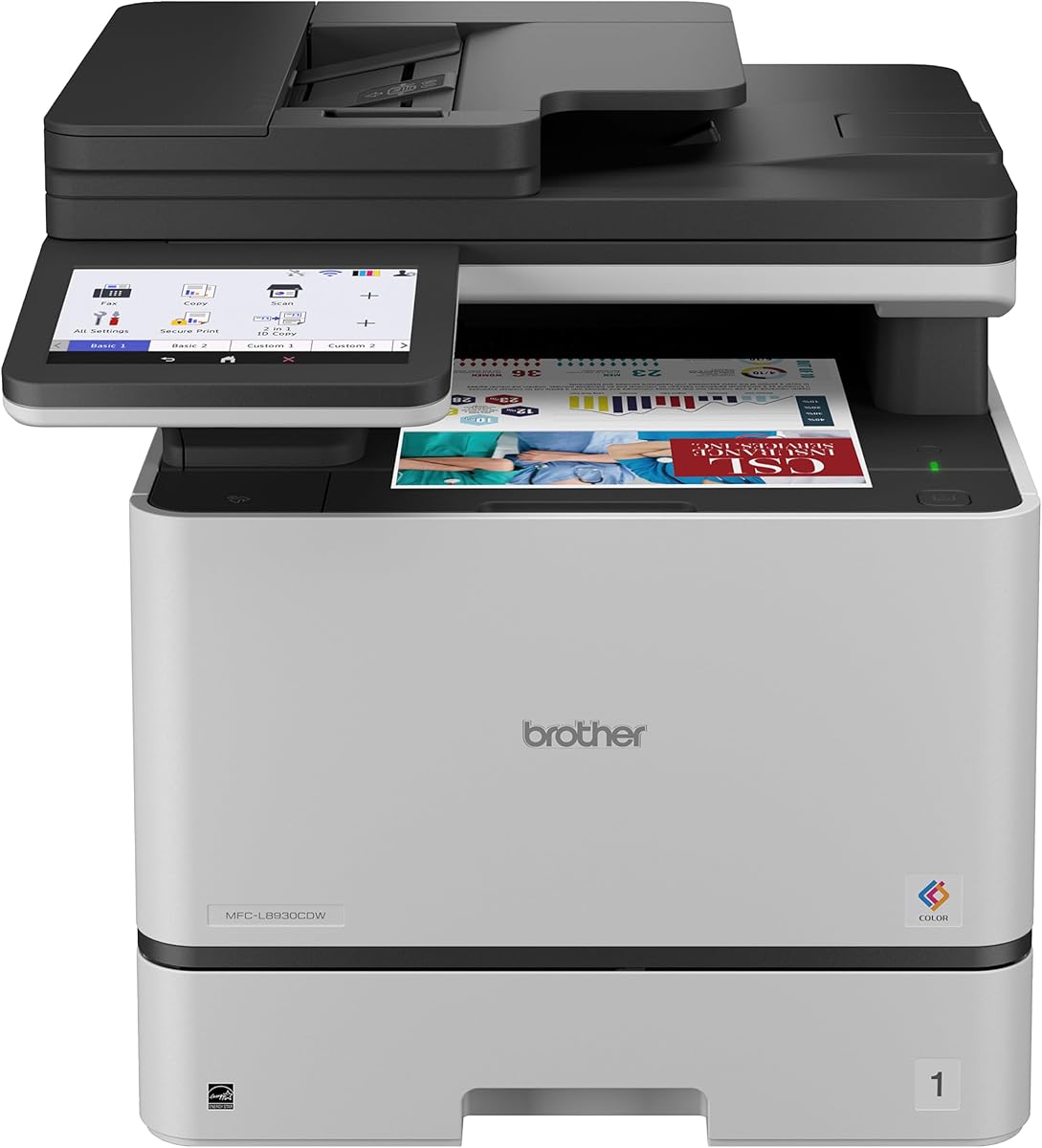
The Brother MFC-L8930CDW earns top marks for its balance of speed and security. With a 4.4 user rating, it stands out among business printers for reliable performance.
We may earn a commission when you buy through this link, at no additional cost to you.
It delivers up to 33 pages per minute and features advanced security like NFC card readers. The included high yield toner helps lower long-term costs significantly.
While the price is higher than entry models, the speed and durability justify the investment. The compact design saves space without sacrificing functionality or paper capacity.
Teams needing fast scanning and robust security should choose this model. It is an excellent choice for medium-sized offices requiring consistent daily output.
Print and copy speeds reach 33ppm while scanning hits 104ipm for maximum throughput.
Triple Layer Security and NFC authentication protect documents and networks from unauthorized access.
We may earn a commission when you buy through this link, at no additional cost to you.
HP's 4301fdw offers blazing fast color printing at up to 35 pages per minute. This model is designed for small teams needing professional quality quickly.
We may earn a commission when you buy through this link, at no additional cost to you.
It includes HP Wolf Pro Security to protect data during printing and transit. Wireless options include Ethernet, Bluetooth, and dual-band Wi-Fi for flexibility.
The cost is significant and toner chips restrict third-party options. However, the speed and security make it a strong premium contender.
Businesses prioritizing speed and security over cost should consider this printer. It suits offices where uptime and protection are top priorities.
Sharp details and incredible color quality are delivered at 35 pages per minute speed.
Flexible connections include Bluetooth and Ethernet alongside standard wireless options.
We may earn a commission when you buy through this link, at no additional cost to you.
This HP model provides essential office functions at a lower entry cost. It is ideal for small teams needing basic printing and scanning tasks.
We may earn a commission when you buy through this link, at no additional cost to you.
The TerraJet toner brings vivid colors while the auto duplex feature saves paper. A 250-sheet tray reduces refill frequency for busy users.
While 26 ppm is slower than premium models, it meets most basic needs. The lower cost offsets the speed difference for lighter workloads.
Budget-conscious buyers should choose this printer for value and reliability. It offers a solid foundation for growing office setups.
Auto 2-sided printing and ADF streamline workflows for faster document processing.
Award-winning reliability ensures the printer is ready for business demands daily.
We may earn a commission when you buy through this link, at no additional cost to you.
Canon's MF753Cdw II is rated 4.2 by users for its ease of use. It combines printing, scanning, copying, and faxing in a compact design.
We may earn a commission when you buy through this link, at no additional cost to you.
This unit supports wireless connections and duplex printing for efficiency. It is well-suited for smaller offices needing versatile functionality.
Lacks advanced security features found in business-class models. The simpler design helps keep costs reasonable while delivering quality output.
Buyers wanting essential features without complex settings will appreciate this device. It fits small teams needing reliable fax capabilities.
Setup requires just a few steps to get wireless connectivity running quickly.
The 4-in-1 design handles print, scan, copy, and fax needs.
We may earn a commission when you buy through this link, at no additional cost to you.
This renewed unit offers high-end features at a reduced cost. Users report a 4.2 rating for its reliable performance despite being refurbished.
We may earn a commission when you buy through this link, at no additional cost to you.
It retains the 35 ppm speed and Wolf Security from the new version. This makes it a smart choice for budget-conscious teams needing security.
Refurbished units may have cosmetic wear but function well. The cost savings allow allocation of funds to other office needs.
Teams needing premium features without premium prices should consider this model. It offers excellent value when reliability is verified.
Maintains blazing fast color speed and sharp details of the new model.
Significant savings compared to buying a brand new printer.
We may earn a commission when you buy through this link, at no additional cost to you.
The 3301fdw adds faxing to the standard MFP features. It targets offices that still rely on fax communication for documents.
We may earn a commission when you buy through this link, at no additional cost to you.
Wireless connectivity includes self-reset dual-band Wi-Fi for stability. Printing speed is 26 ppm which is adequate for low to moderate usage.
User ratings are moderate, suggesting occasional connectivity issues. However, the fax and scanning features fill a specific niche.
Teams requiring fax capabilities should verify network stability first. It is a solid secondary choice for specific workflow needs.
Fax support and auto document feeder handle high volume tasks.
Self-reset Wi-Fi automatically resolves connection issues.
We may earn a commission when you buy through this link, at no additional cost to you.
This refurbished model offers solid performance with official warranty backing. The 3.8 rating reflects consistent quality for small teams.
We may earn a commission when you buy through this link, at no additional cost to you.
It includes HP Wolf Pro Security for network protection. Energy Star certification helps keep power consumption low over time.
Toner yields are standard and require frequent replacements. Still, the cost savings make it attractive for tight budgets.
Buyers needing affordable fax and print options should check this unit. Ensure warranty terms are clear before purchasing.
Built-in HP Wolf Pro Security protects against cyber threats.
Energy Star certified design reduces carbon footprint.
We may earn a commission when you buy through this link, at no additional cost to you.
Canon offers a strong 3-year limited warranty for peace of mind. This model balances ease of use with solid basic features.
We may earn a commission when you buy through this link, at no additional cost to you.
The 5-inch touchscreen simplifies navigation and custom shortcuts. Wireless setup is quick and works with common mobile apps.
Print speed is 26 ppm which is average for this category. The warranty often justifies the higher upfront investment.
Organizations wanting long-term support should prefer this unit. It suits teams needing a reliable device with strong backing.
A 3-year limited warranty covers hardware for extra protection.
The 5-inch color screen provides intuitive access to features.
We may earn a commission when you buy through this link, at no additional cost to you.
This HP model features the FutureSmart platform for fleet consistency. It is designed for environments needing simple cross-device experiences.
We may earn a commission when you buy through this link, at no additional cost to you.
Print speed reaches 35 pages per minute with sharp details. Quantum resistance helps protect against next-gen cyber threats on networks.
No user ratings are available yet as it is newer. Pricing and complexity may be better for medium businesses.
Teams planning fleet expansion should consider this platform. It delivers fast speeds and strong modern security features.
Provides a consistent user experience across all HP devices.
Quantum-resistance protects against next-generation cyberthreats.
We may earn a commission when you buy through this link, at no additional cost to you.
The Enterprise model brings robust security and speed to offices. It supports wired Ethernet for stable network connections.
We may earn a commission when you buy through this link, at no additional cost to you.
FutureSmart delivers consistent management across fleet devices. Quantum resistance offers advanced protection against cyberthreats.
Lacks wireless capability which may limit flexibility. Best suited for IT managed environments needing strict control.
High-security teams should prioritize this wired model. It ensures reliability and consistent security compliance.
Includes HP Wolf Pro Security and quantum-resistance features.
Easy connection via reliable Ethernet for stability.
We may earn a commission when you buy through this link, at no additional cost to you.
Selecting the right office printer requires balancing speed, security, and features. This guide breaks down the key factors to consider.
Speed is critical for office productivity. Look for models with at least 26 ppm to avoid bottlenecks during busy periods.
Prioritize higher speeds like 33 or 35 ppm for larger teams.
Modern offices need built-in security. Tools like Wolf Pro Security and NFC authentication protect data in transit.
Ensure the device meets your organization's security standards.
Flexibility matters for mobile workflows. Choose models with dual-band Wi-Fi, Ethernet, and Bluetooth support.
Check mobile app compatibility for seamless printing.
Capacity affects how often you refill trays. Look for 250-sheet trays and automatic duplex features to save paper.
An ADF with high capacity speeds up scanning tasks.
Calculate cost per page before buying. High yield cartridges reduce long-term expenses significantly.
Check if the brand allows third-party toners or restricts to original chips.
Reliability depends on support coverage. Longer warranties reduce risk and offer peace of mind.
Look for refurbished units with official warranty backing.
Space is often limited in offices. Compact designs save room without sacrificing functionality.
Measure your desk space before selecting larger models.
Ensure all needed features are included. Fax, copy, scan, and print should work seamlessly.
Consider cloud scanning options for remote access.
Set up the printer on a stable surface with clear airflow. Follow the guided setup wizard to connect to your Wi-Fi network securely.
Load paper in the trays ensuring edges are aligned properly. Install toner cartridges according to the manual instructions.
Regularly clean the scanner glass to maintain document quality. Update firmware monthly to keep security features active.
They often have higher toner costs, but yield varies by model. High yield cartridges reduce the cost per page significantly over time.
Most modern models support AirPrint and Android apps. Check for Bluetooth or app-specific support for easier workflow.
Many HP models use chips that restrict non-original cartridges. Check the manual to see if your model allows aftermarket supplies.
Official refurbished models undergo testing and include warranties. They can offer excellent value without compromising functionality.
Many models like the 3301fdw include fax support. Verify if you need this feature before selecting the model.
NFC allows badge authentication for secure printing. This prevents unauthorized access to sensitive documents.
The Brother MFC-L8930CDW offers a strong balance of speed and features. It suits small teams needing reliable performance daily.
Enable auto duplex printing to print on both sides. This feature is standard on most modern office printers.
The top picks offer distinct advantages depending on team size and budget. Brother and HP models lead in speed and security features.
Prioritize speed and security if your team handles sensitive documents daily. Look for high yield toner to manage ongoing costs.
Verify current pricing and warranty details before finalizing your purchase. Prices fluctuate so check the latest listings for accuracy.