HORION 75" 4K UHD Commercial Display
5.0Editor score
75 inch large display
Wireless casting support
Vertical mount ready
Choosing the right conference room monitor is essential for modern business communication. A high-quality display ensures clear visuals during presentations and video calls. It helps teams collaborate effectively without technical distractions.
We compared ten leading models based on resolution, connectivity, and commercial durability. Our analysis focuses on features that matter most in office environments. This list covers options for small huddle rooms and large boardrooms.
Each pick highlights specific strengths like 4K clarity or smart integration. Prices fluctuate frequently so check current listings before buying. These selections represent the best value and performance available today.
5.0Editor score

4.5Editor score

5.0Editor score
As an Amazon Associate we earn from qualifying purchases.
This side-by-side comparison helps you quickly identify the best fit for your space. We list key specs like screen size and resolution for each model.


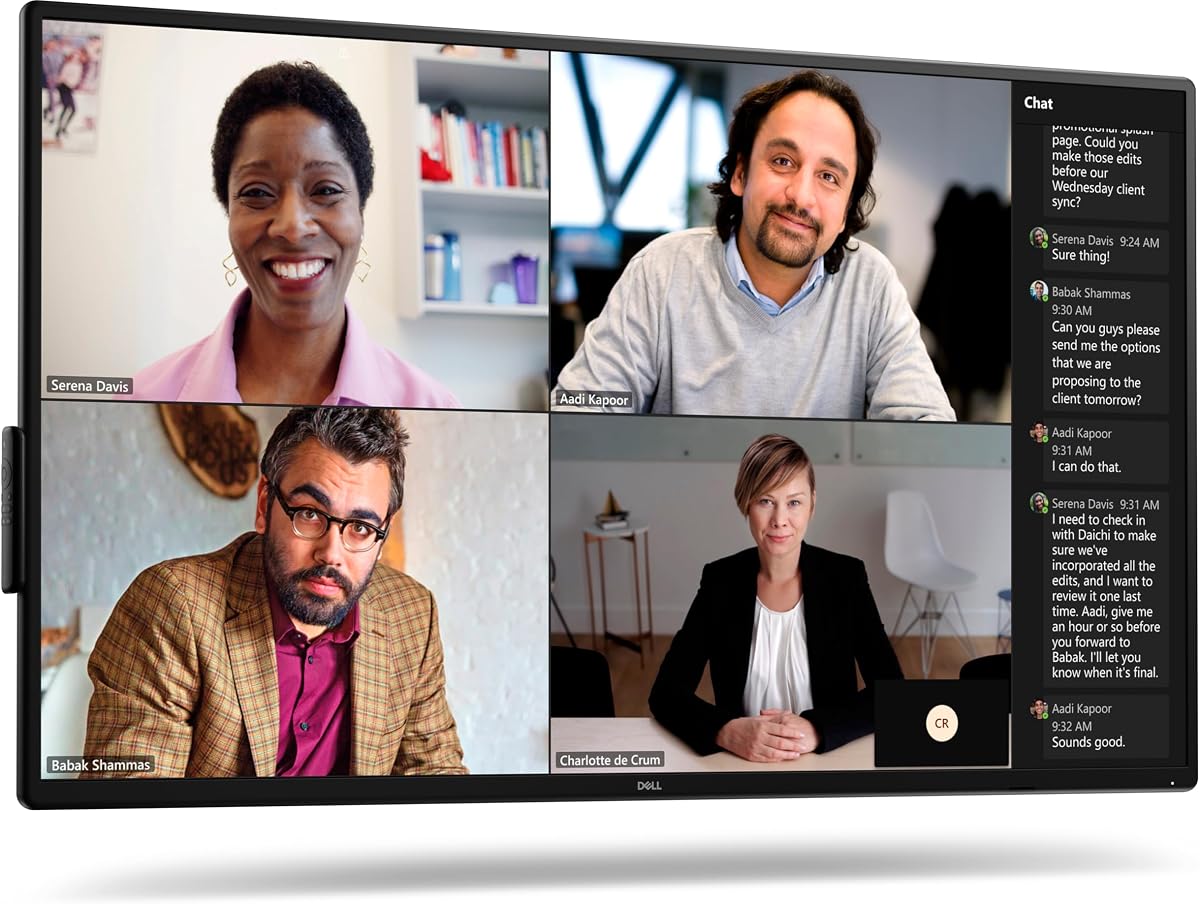


The Dell P5524Q stands out as a top choice for modern meeting rooms. Its 55-inch 4K display ensures every detail is visible to all attendees. The built-in speakers reduce the need for extra hardware.
We may earn a commission when you buy through this link, at no additional cost to you.
Security features like cable locks make it ideal for shared spaces. The anti-glare coating helps maintain visibility even under bright overhead lights. Setup is straightforward thanks to standard VESA mounts.
While the price is higher than basic models, the durability justifies the cost. It is built for daily commercial use rather than occasional home viewing. This makes it a smart long-term investment.
Buy this if you need a reliable central display for presentations. It works well with most video conferencing systems. The balance of features makes it our editor's choice.
Designed for heavy use, this monitor withstands daily demands without performance loss.
The 4K resolution ensures text and graphics remain sharp from any seat.
We may earn a commission when you buy through this link, at no additional cost to you.
The Samsung QB65R offers a massive 65-inch display perfect for boardrooms. Its 4K quality ensures images look vibrant and realistic. The built-in Wi-Fi allows easy connection to mobile devices.
We may earn a commission when you buy through this link, at no additional cost to you.
Compatibility with Cisco WebEx makes it a strong choice for enterprise users. You can control content directly from tablets without extra computers. The slim design fits well in modern offices.
Installation may require professional help due to the screen weight. The system interface is powerful but might need time to master. These are minor trade-offs for the functionality offered.
Choose this for large rooms where visibility is a priority. It handles presentations and video calls with ease. The smart capabilities add significant value for tech-forward teams.
Built-in apps and connectivity reduce the need for external media players.
Certified compatibility with major conferencing platforms simplifies IT deployment.
We may earn a commission when you buy through this link, at no additional cost to you.
The LG UL3G comes as a bundle with cables and accessories. This reduces the hassle of buying separate items for installation. The 43-inch size fits well in smaller conference rooms.
We may earn a commission when you buy through this link, at no additional cost to you.
IPS technology ensures colors look consistent from the sides. Remote monitoring tools allow IT staff to manage multiple screens easily. Compatibility with Crestron adds flexibility for automation.
The screen is smaller than top-tier models which might limit large rooms. However, the included accessories save money over time. It offers a solid balance of cost and capability.
Ideal for teams needing a plug-and-play solution quickly. The bundle ensures you have everything to start using it. Great for offices wanting to upgrade without huge spending.
Includes essential cables and accessories to reduce installation time and cost.
WebOS allows intuitive content management without external computers.
We may earn a commission when you buy through this link, at no additional cost to you.
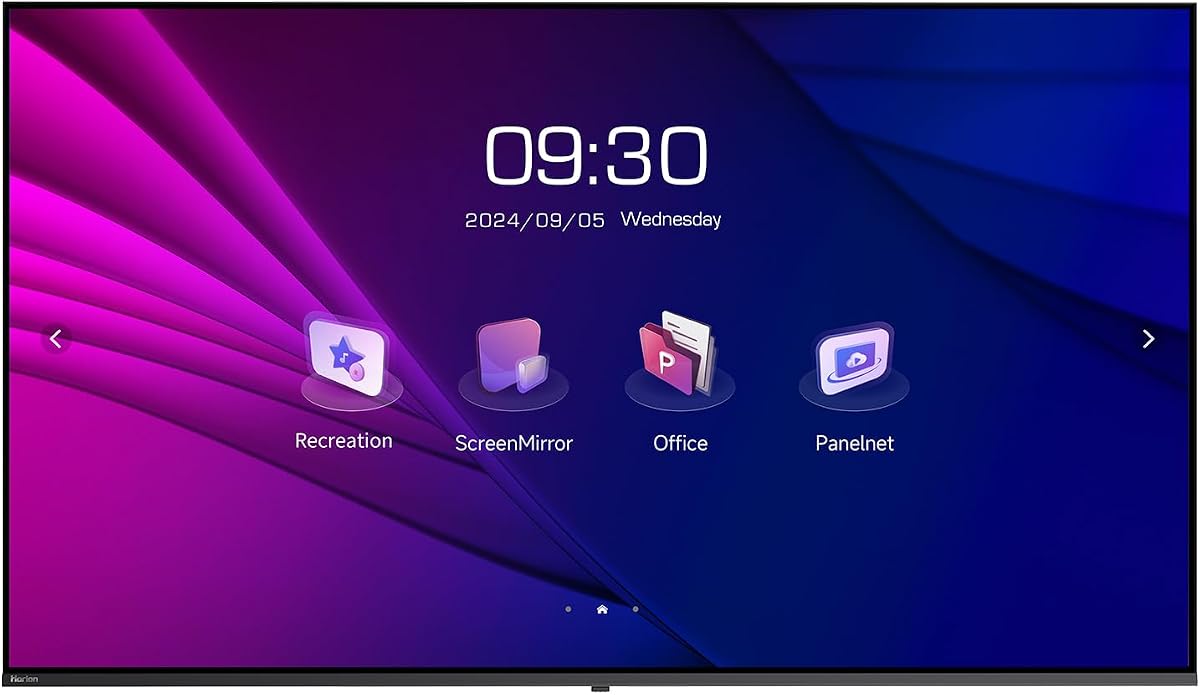
HORION delivers a massive 75-inch screen ideal for dynamic presentations. It supports both landscape and portrait orientations for diverse uses. The dual WiFi system ensures stable connections during critical meetings.
We may earn a commission when you buy through this link, at no additional cost to you.
Wireless casting works with most devices without extra dongles. Low blue light technology protects eyes during long sessions. The build quality suggests it can handle continuous daily operation.
Installation is demanding due to the weight and size. You will need a robust mounting solution for safety. Despite this, the performance makes it a top contender.
Perfect for spaces that need to display large data or ads. Its flexibility allows it to serve as a lobby display too. A premium choice for businesses wanting high impact.
VESA mount supports both vertical and horizontal installation options.
Separate WiFi channels prevent lag during wireless content sharing.
We may earn a commission when you buy through this link, at no additional cost to you.
The P5525QC focuses on reliable connectivity for hybrid teams. Its USB-C port allows single-cable connection for laptops. This simplifies the desk area significantly.
We may earn a commission when you buy through this link, at no additional cost to you.
The 4K resolution handles detailed spreadsheets and charts well. Dell's reputation for build quality ensures longevity in busy rooms. It works seamlessly with existing conference room systems.
It lacks some smart features found in other models which limits autonomy. You need an external computer for advanced media playback. This is acceptable for standard business workflows.
Select this if cable management is a priority for your office. The streamlined setup reduces clutter. It is a practical choice for IT managers.
USB-C provides video and data through one connection to the PC.
Designed for commercial environments with consistent performance standards.
We may earn a commission when you buy through this link, at no additional cost to you.
This Philips monitor suits small huddle spaces where a dedicated camera is needed. The built-in webcam and mic streamline setup. The UltraWide aspect ratio helps with multitasking.
We may earn a commission when you buy through this link, at no additional cost to you.
The curved panel creates a comfortable viewing experience for seated teams. USB-C docking charges laptops while connecting video. It fits on standard desks without needing wall mounts.
It lacks the brightness needed for rooms with bright windows. The camera is convenient but not top-tier for professional broadcasts. It works best in controlled lighting environments.
Choose this for small meeting desks or personal stations. It reduces the need for extra hardware clutter. A practical option for budget-conscious small teams.
Combines display and camera to save space on small desks.
Wide color gamut ensures images look vibrant and realistic.
We may earn a commission when you buy through this link, at no additional cost to you.
The QB43R offers a compact 4K solution for smaller boardrooms. Its system-on-chip design removes the need for external computers. This simplifies the setup process significantly.
We may earn a commission when you buy through this link, at no additional cost to you.
Compatibility with Cisco WebEx is a key benefit for enterprise teams. You can share content via mobile phones easily. The brightness ensures visibility even in lit rooms.
Audio performance is basic so you might want external speakers. The number of ports is limited for multiple inputs. These are manageable limitations for most standard uses.
Ideal for teams wanting a clean setup without extra boxes. It serves well as both a display and digital signage. A strong option for cost-effective professional needs.
Embedded player reduces hardware requirements for video conferencing.
Supports major conferencing room kits for seamless integration.
We may earn a commission when you buy through this link, at no additional cost to you.
Sony is known for display excellence and this model proves it. The HDR support brings depth to visual presentations. It is ideal for design reviews or high-fidelity needs.
We may earn a commission when you buy through this link, at no additional cost to you.
The 75-inch size dominates any room making it great for large groups. It supports both landscape and portrait for creative layouts. The color accuracy ensures data is represented correctly.
The price point is high compared to standard office monitors. It is often overkill for basic slide decks. You pay for the premium display technology.
Choose this if visual fidelity is critical for your work. It elevates the quality of presentations significantly. Best for creative or high-end corporate environments.
Supports High Dynamic Range for richer contrast and detail.
Color accuracy ensures graphics look true to original files.
We may earn a commission when you buy through this link, at no additional cost to you.
The QE50T is built to run continuously without overheating. This makes it perfect for spaces open long hours daily. The media player lets you run loops without external PCs.
We may earn a commission when you buy through this link, at no additional cost to you.
Its size is a good middle ground between 43 and 60 inches. The anti-glare finish helps in bright meeting spaces. It handles dust well thanks to its commercial protection rating.
You may need to add external controllers for full functionality. It is more robust than consumer-grade TVs for office needs. This durability is key for high-traffic areas.
Buy this for areas needing reliable 24/7 visibility like lobbies. It ensures consistent performance under pressure. A workhorse for demanding commercial environments.
Rated for 16 hours a day to handle long shifts.
USB input allows quick content updates without extra devices.
We may earn a commission when you buy through this link, at no additional cost to you.
The Logitech MeetUp complements monitors by adding top audio. It captures voices clearly even from across the room. The 4K camera ensures remote participants see everyone.
We may earn a commission when you buy through this link, at no additional cost to you.
It works with major platforms like Teams and Zoom out of the box. The pan and tilt feature allows dynamic view control. It simplifies setup for small huddle spaces.
This is not a screen so it must be paired with a display. The cost adds to the total room budget. However, the communication quality is unmatched.
Add this to any monitor setup for serious conferencing. It fixes common audio issues in small rooms. Essential for hybrid meetings requiring high engagement.
Beamforming mics reduce background noise for clear calls.
Certified for major meeting platforms for plug-and-play use.
We may earn a commission when you buy through this link, at no additional cost to you.
Selecting the right monitor requires understanding your room size and tech needs. We break down key factors to help you decide.
The size of the monitor should match the room dimensions. For small huddle rooms, a 43 to 55-inch screen is often sufficient. Larger boardrooms may need 65 inches or more to ensure visibility for everyone.
Measure your wall space and viewing distance before buying. Ensure everyone seated can read text clearly without straining.
4K UHD resolution is standard for modern commercial displays. It ensures that detailed charts and text remain sharp. Lower resolutions may appear pixelated from a distance.
Prioritize 4K for professional settings. It future-proofs your investment against higher resolution content.
Check the ports available on the display. HDMI is standard, but USB-C can simplify connections for laptops. Ensure there are enough inputs for multiple devices.
Look for displays with multiple HDMI ports to avoid constant swapping. USB-C docking features can reduce cable clutter.
Commercial monitors are built to last longer than consumer TVs. They often support 16/7 operation which is vital for business use. Check the warranty term to ensure coverage.
Opt for displays with multi-year warranties. This protects your business against unexpected hardware failures.
Your monitor should work well with your video conferencing platform. Some brands offer specific certifications for Teams or Zoom. Compatibility simplifies the integration process.
Choose a display that supports your existing software. Avoiding incompatibility saves time and money during setup.
Built-in speakers can reduce the need for external sound systems. However, quality varies between models. For important meetings, external audio might still be better.
Evaluate the wattage of internal speakers. If they are low, plan for a separate soundbar.
Some displays include built-in apps and systems to reduce PC dependency. This can speed up meeting setup. However, it may limit flexibility if you rely on specific software.
Decide if you need a self-contained system. Traditional monitors offer more control for custom workflows.
Ensure the display supports standard VESA mounting patterns. A slim bezel helps focus attention on content rather than the frame. Consider portrait mode for lobby directories.
Check if your mount supports the weight. A secure installation is critical for safety.
Proper placement ensures everyone in the room can see the screen. Mount it at eye level for seated attendees to avoid neck strain. Position it to avoid glare from windows or lights.
Keep the surface clean using a soft microfiber cloth. Avoid harsh chemicals that could damage the anti-glare coating. Dust ports regularly to prevent connection issues.
Update the firmware periodically if the display supports it. This ensures you get the latest features and security patches. Use remote management tools to monitor status efficiently.
For a 10-person room, a monitor between 55 and 65 inches is ideal. This ensures text is readable from the back. If the room is deep, consider 65 inches for better visibility.
Most commercial monitors work with Zoom when connected to a PC. Some models like Samsung QB65R offer specific kits for seamless integration. Check compatibility lists before purchasing.
While possible, TVs are not built for 24/7 use. Commercial monitors offer better durability and connectivity options. TVs may overheat during long meetings.
4K resolution provides four times the detail of Full HD. This makes text and graphics sharper on large screens. It is essential for professional presentations.
Built-in speakers work for casual calls but not large rooms. For professional audio, external soundbars are recommended. Speakers vary in quality across brands.
Use a VESA mount rated for the display weight. Hire professionals for screens over 60 inches to ensure safety. Mounting hardware usually comes with the monitor.
Choosing the right monitor depends on your room size and budget. The Dell P5524Q and HORION 75" offer top performance for different needs. Samsung provides reliable options for enterprise teams.
Prioritize durability and connectivity to avoid future headaches. A good display enhances communication efficiency significantly. Consider all factors like resolution and size carefully.
Remember to check current prices before buying. Availability and cost can change quickly. Use this guide to make an informed decision for your business.