
Noctua NV-FS2
4.4Editor score
NF-A12x25 PWM fan
Silicone vibration gasket
Universal power supply
Keeping your AV receiver cool is essential for longevity and performance. Overheating can lead to distorted sound, system shutdowns, and costly repairs. A dedicated cooling fan ensures your gear runs at optimal temperatures.
We compared ten top-rated cooling solutions based on airflow, noise levels, and ease of installation. Each product was evaluated for compatibility with standard AV cabinets and receivers. Our analysis helps you find the perfect fit for your setup.
Every pick includes detailed specs, pros, and cons to guide your decision. Prices and availability change frequently so verify current details before purchasing. Read on to protect your investment with the right cooling solution.
4.4Editor score

4.8Editor score

4.7Editor score
As an Amazon Associate we earn from qualifying purchases.
The following table provides a side-by-side comparison of all ten top-rated cooling fans. Use this to quickly identify airflow, noise, and power options for your AV receiver.


The AC Infinity AIRCOM S7 stands out as the top choice for cooling AV receivers. It delivers powerful airflow while keeping noise levels impressively low.
We may earn a commission when you buy through this link, at no additional cost to you.
Its dual-ball bearing fans with PWM-controlled motors ensure long-lasting performance. The thermal trigger modes adjust speed based on temperature changes automatically.
While it needs an AC outlet and has fixed top exhaust, these are minor trade-offs for the performance. Most setups have accessible power near the receiver.
Buy this if you want reliable, quiet cooling for high-end gear. It protects your equipment from overheating without adding unwanted noise to your listening experience.
Smart thermal triggers automatically adjust fan speed based on real-time temperature changes.
PWM-controlled motors and dual-ball bearings keep noise at 19 dBA for peaceful operation.
We may earn a commission when you buy through this link, at no additional cost to you.
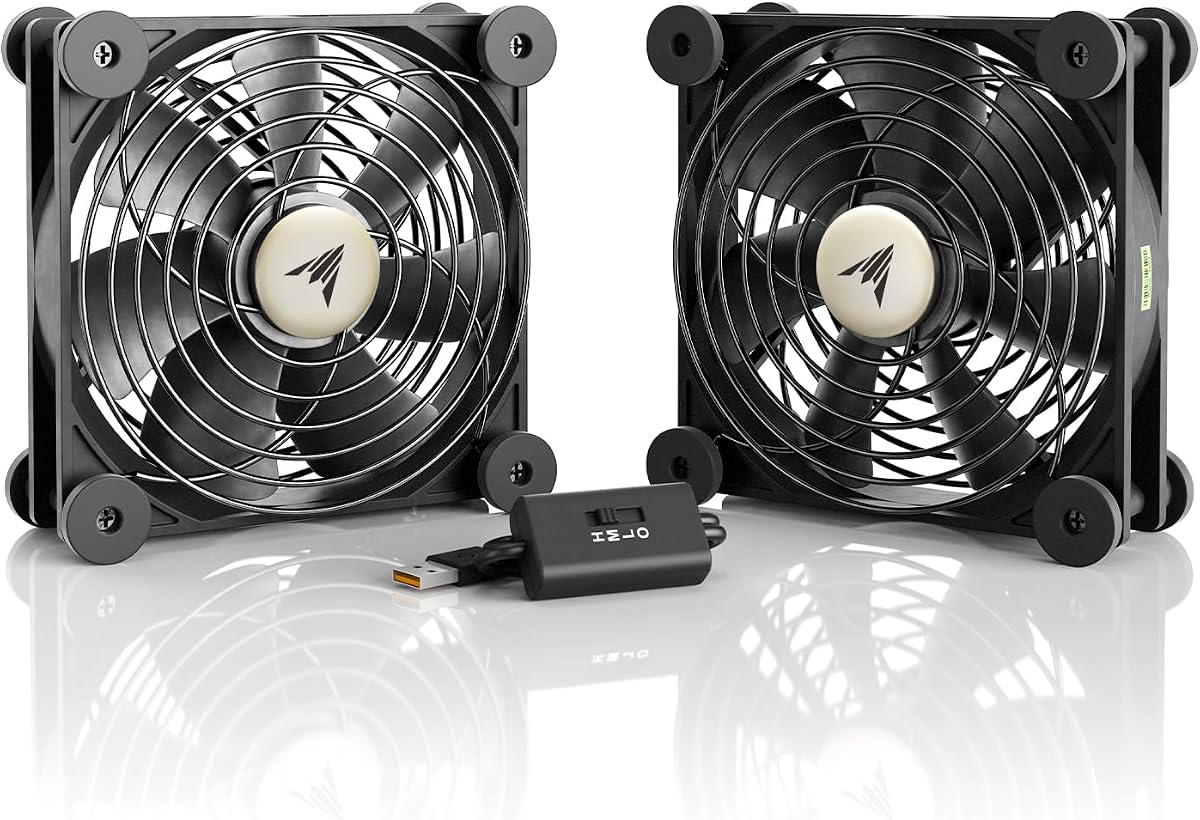
The AC Infinity MULTIFAN S7 is perfect for users who prefer USB-powered solutions. It combines ultra-quiet operation with flexible mounting options.
We may earn a commission when you buy through this link, at no additional cost to you.
Dual-ball bearings allow the fans to stand upright or lay flat. The multi-speed controller gives you full control over noise and airflow levels.
The USB power means fewer outlets needed, but you need a reliable port. Airflow is lower than AC models but still effective for moderate heat.
Ideal for budget-conscious buyers needing simple cooling. Use it behind your receiver or in tight spaces where power outlets are limited.
Dual-ball bearings let fans lay flat or stand upright for versatile placement in cabinets.
Powered by USB ports found behind AV electronics for simple plug-and-play setup.
We may earn a commission when you buy through this link, at no additional cost to you.
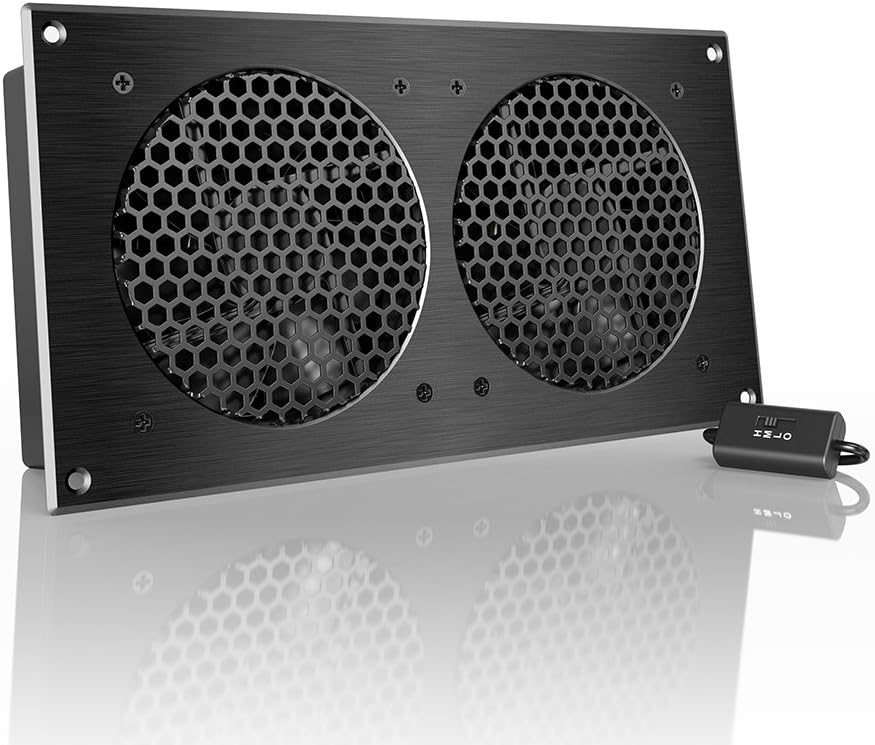
The AC Infinity AIRPLATE S7 brings a premium aesthetic to your AV cabinet. Its CNC-machined aluminum frame fits seamlessly into modern home theater setups.
We may earn a commission when you buy through this link, at no additional cost to you.
Dual-ball bearings ensure 67,000 hours of reliable life. The included Turbo Adapter increases performance by 25 percent when you need extra airflow.
Installation requires fitting into cabinet vents which limits flexibility. But the sleek finish justifies the price for visible enclosures.
Choose this when aesthetics matter alongside performance. It cools enclosed spaces efficiently without sacrificing style in your entertainment center.
CNC machined aluminum frame with modern brushed black finish for a high-end look.
Turbo Adapter increases airflow by 25 percent to handle hotter environments or denser racks.
We may earn a commission when you buy through this link, at no additional cost to you.
This 120mm AC computer cooling fan offers incredible value for money. It plugs directly into wall outlets without any adapters needed.
We may earn a commission when you buy through this link, at no additional cost to you.
The brushless motor runs silently while delivering powerful airflow. The built-in speed controller lets you adjust RPM from gentle breeze to maximum exhaust.
It lacks premium features but gets the job done. At this price it is hard to justify spending more unless you need specific form factors.
Best for DIY projects and simple cooling needs. Mount it on a shelf or use zip ties to cool your receiver effectively.
Plugs directly into any standard wall outlet worldwide without requiring extra adapters.
Brushless motor delivers powerful airflow while staying remarkably quiet for noise sensitive spaces.
We may earn a commission when you buy through this link, at no additional cost to you.
This cabinet fan solves the challenge of cooling enclosed spaces without damaging furniture. It fits existing cabinet gaps perfectly.
We may earn a commission when you buy through this link, at no additional cost to you.
USB 5V power makes setup easy without extra wiring. The built-in speed controller allows you to balance airflow and noise levels.
Lower rating suggests potential quality issues. Users should test carefully and ensure compatibility with their specific cabinet dimensions before buying.
Ideal for renters who cannot drill holes. It provides decent airflow while keeping your media console intact and damage free.
Slim door-gap design fits existing gaps and vents without permanent modifications or drilling.
Powered by standard USB 5V connection from chargers or electronics for easy plug-and-play.
We may earn a commission when you buy through this link, at no additional cost to you.
This cabinet cooling fan is designed for tight spaces where traditional fans cannot fit. Its ultra-slim profile works in narrow cabinets.
We may earn a commission when you buy through this link, at no additional cost to you.
No-drill installation helps protect your furniture while improving airflow significantly. USB powered convenience means you can use any standard 5V connection.
Slim design limits total airflow capacity. But for smaller enclosures it provides efficient cooling without requiring permanent modifications.
Buy this if your cabinet has narrow gaps. It offers reliable cooling while maintaining the aesthetics of your home theater setup.
Ultra-slim profile fits narrow cabinets and media consoles where standard fans cannot be installed.
Mounts securely using existing cabinet gaps or vents without drilling to protect furniture.
We may earn a commission when you buy through this link, at no additional cost to you.
Perfect for renters and DIY enthusiasts, this fan installs in under 60 seconds. The Gap-Flow design utilizes existing door slots effectively.
We may earn a commission when you buy through this link, at no additional cost to you.
Non-destructive mounting brackets secure the fan without hardware. USB power ensures you can plug directly into your receiver or adapter.
Gap-Flow design works best with specific vent types. Check your cabinet vents before purchasing to ensure a snug fit.
Select this for temporary cooling solutions. It protects equipment efficiently without damaging your media console or violating lease agreements.
Tool-free installation attaches securely to vents or door edges in under sixty seconds.
Gap-Flow design excels where standard fans fail by utilizing existing ventilation slots effectively.
We may earn a commission when you buy through this link, at no additional cost to you.
The Noctua NV-FS2 is the ultimate choice for audiophiles demanding top-tier cooling. It features the award-winning NF-A12x25 PWM fan.
We may earn a commission when you buy through this link, at no additional cost to you.
Silicone gaskets reduce vibrations that could affect audio equipment. The NA-FC1 controller lets you adjust fan performance from max airflow to near-silent.
Premium components justify the high price. You get exceptional quietness and efficiency that cheaper fans cannot match for critical listening environments.
Invest in this if budget is not a constraint. It guarantees superior acoustic performance and reliability for high-end stereo systems.
State-of-the-art NF-A12x25 PWM fan combines superior ventilation with outstanding quietness.
Extra-soft silicone gaskets and pads reduce vibrations that could affect sensitive audio components.
We may earn a commission when you buy through this link, at no additional cost to you.
Two 140mm fans provide ample airflow in a compact USB package. Ideal for cooling consoles and receivers simultaneously.
We may earn a commission when you buy through this link, at no additional cost to you.
Three-speed control lets you balance performance and silence. The sleeve bearings keep costs low while offering decent operational lifespan.
Sleeve bearings may wear faster than ball types. But for the price and dual fan design, it remains a strong contender for casual setups.
Choose this for multi-device cooling needs. It fits well under or on top of heat-generating gear with simple USB power.
Two 140mm fans provide ample airflow to cool multiple devices simultaneously in tight spaces.
Universal USB compatibility lets you daisy-chain multiple fans through various electronic devices easily.
We may earn a commission when you buy through this link, at no additional cost to you.
The GDSTIME 240mm fan covers a wider area with its dual 120mm design. It fits well on top of larger AV receivers or routers.
We may earn a commission when you buy through this link, at no additional cost to you.
Hydraulic bearings ensure 24/7 operation quietly. The 3-speed controller includes a low setting that runs nearly inaudible at two feet.
Wider footprint may not fit narrow cabinets. Measure your space carefully before buying to ensure it fits properly without obstruction.
Select this for larger receivers needing broad airflow. The included extension cable offers flexibility for placing the fan optimally.
Dual 120mm fans within 240mm frame provide ample air to cool multiple devices simultaneously.
Low speed setting runs near-silent and is inaudible from two feet away during normal use.
We may earn a commission when you buy through this link, at no additional cost to you.
Choosing the right cooling fan requires considering power sources, noise levels, and installation methods. This guide breaks down the key factors to help you decide.
Fans come in USB or AC powered variants. USB fans are versatile and connect to AV ports but may limit placement. AC fans offer more consistent power but require wall outlets.
Noise is measured in dBA. Look for fans under 20 dBA for quiet operation. High airflow fans may be louder so balance cooling needs with listening experience.
Decide between drop-in, door-gap, or free-standing mounts. Some require drilling while others use gaps. Ensure the fan fits your cabinet without modifications.
Measured in CFM airflow. Higher CFM means more cooling. Match this to your receiver's heat output. Larger fans generally move more air.
Dual-ball bearings last longer than sleeve bearings. Premium models use hydraulic or magnetic bearings. This affects lifespan and operational noise.
Manual or thermal controls adjust fan speed. Thermal triggers save energy. Manual dials offer direct control over noise and cooling intensity.
Position the fan to blow air over hot components. For top exhaust fans, place them directly above the receiver. Ensure ventilation holes align with airflow direction.
Clean dust from fan blades and grilles every few months. Use compressed air gently to prevent buildup. Accumulated dust reduces efficiency and increases noise.
Check power cables and USB connections regularly. Loose connections cause intermittent cooling. Secure cables to avoid tripping hazards and maintain stable airflow.
Yes if your receiver gets hot during use. Overheating causes shutdowns and reduces lifespan. Fans maintain optimal temperatures for consistent performance.
No if you don't open the unit. External fans do not touch internal components. Check warranty terms before drilling permanent holes in furniture.
Measure your receiver's height and clearance. Most fans range from 120mm to 240mm. Larger fans provide more airflow but require more space.
Yes you can daisy-chain USB fans or combine AC units. Ensure power sources handle the load. Proper wiring prevents electrical hazards.
Quality fans stay under 20 dBA which is very quiet. Cheaper models may hum. Look for dual-ball bearing fans for silent operation.
Thermostat controls adjust speed based on heat. They save energy and reduce noise. Manual controllers offer direct adjustment options for users.
The AC Infinity AIRCOM S7 leads the pack with smart features and performance. Noctua NV-FS2 suits premium audiophiles while the 120mm AC fan wins for value.
Prioritize noise levels and mounting method for your space. Ensure airflow matches your receiver's heat output for effective cooling results.
Prices change so verify current deals before purchase. Check availability and read recent user reviews for the latest feedback.