
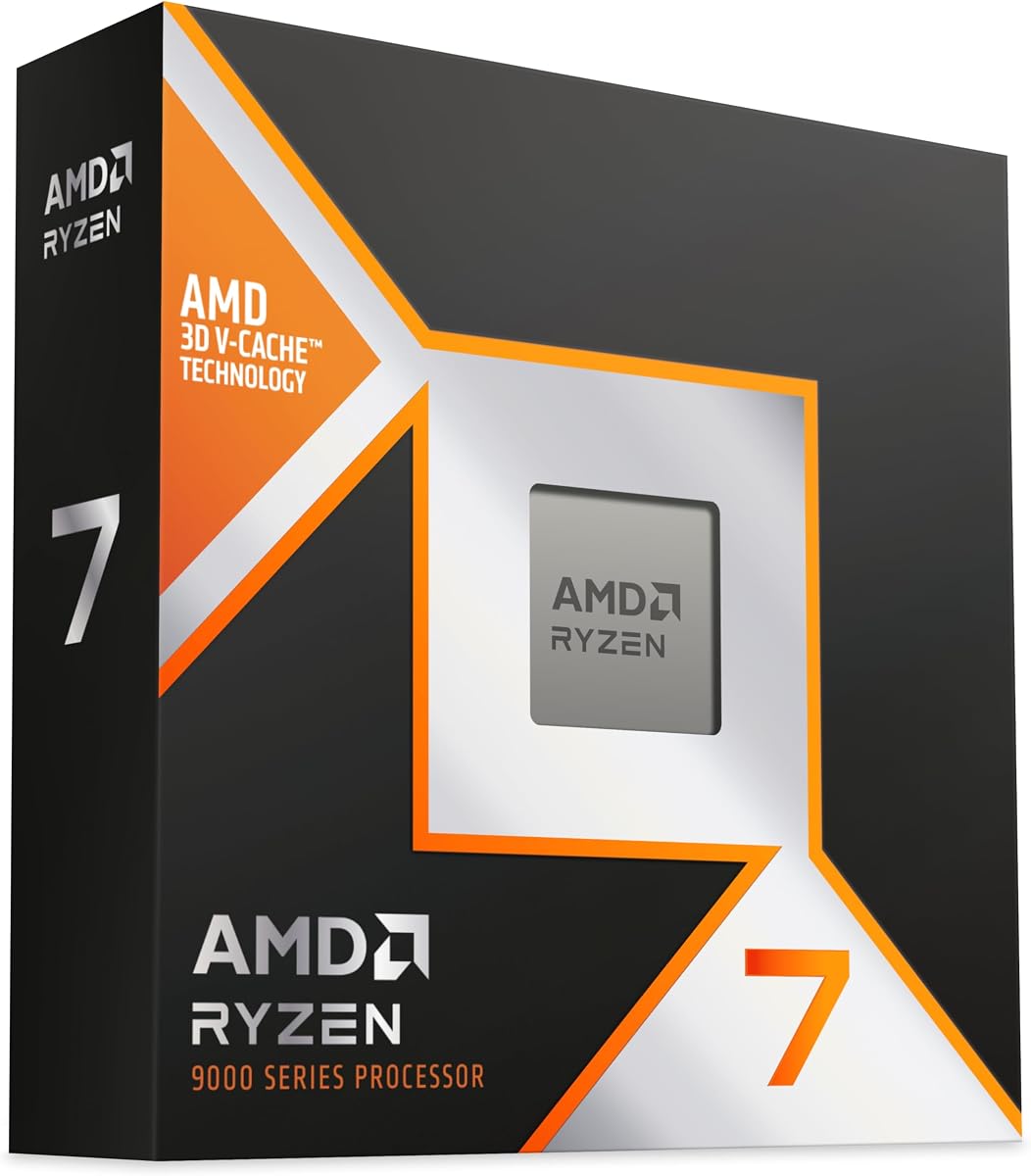
AMD Ryzen 7 7800X3D
4.8Editor score
8 cores and 16 threads
96 MB L3 cache memory
Efficient 5 nm process technology
Explore our expert comparison of the best CPUs for 3D rendering. We review top-rated models from AMD and Intel with real user ratings and performance insights.
Choosing the right processor is critical for 3D rendering workflows. A powerful CPU ensures faster frame times, smoother viewport navigation, and quicker final outputs for complex scenes.
We evaluated ten leading processors based on core counts, cache sizes, clock speeds, and user feedback. Our analysis focuses on performance metrics relevant to rendering tasks and content creation.
Each pick highlights specific strengths and trade-offs for different budgets. Prices fluctuate regularly, so check current listings before purchasing to ensure you get the best value available today.
4.8Editor score

4.7Editor score

4.2Editor score
This table compares the key specifications of all ten processors to help you identify the best match for your rendering needs.



The AMD Ryzen 9 9950X3D stands out as the top choice for professionals needing raw power. With sixteen cores and thirty-two threads, it handles complex rendering tasks efficiently. Users praise its balance of gaming and content creation capabilities.
We may earn a commission when you buy through this link, at no additional cost to you.
This processor leverages Zen 5 architecture to deliver significant IPC improvements. The max boost clock reaches up to 5.7 GHz ensuring quick response times. Large cache memory reduces latency when processing detailed geometry and textures.
While it offers outstanding performance, it does require careful thermal management. The high core count generates substantial heat during sustained loads. A high-quality liquid cooler is recommended to maintain peak frequencies.
For studios or freelancers rendering heavy scenes daily, this chip is worth the investment. It future-proofs your workstation against increasingly demanding software requirements. Check current stock for the best deal today.
The increased core count allows more parallel threads to process light calculations simultaneously.
Fast single-thread performance keeps interactive modeling tools responsive during design phases.
We may earn a commission when you buy through this link, at no additional cost to you.
The AMD Ryzen 7 7800X3D offers impressive value for independent creators. It provides enough core count for moderate rendering workloads without breaking the bank. Users appreciate its stable performance and low power consumption.
We may earn a commission when you buy through this link, at no additional cost to you.
Featuring 5 nm process technology this chip runs cool and quiet. The substantial L3 cache helps speed up repetitive tasks common in modeling. It supports DDR5 memory for fast data transfer rates.
It lacks the extreme multi-core power of high-end workstation parts. This makes it less ideal for heavy enterprise-level rendering farms. However it handles single machine workflows with ease.
For hobbyists or small studios on a budget this processor is an excellent choice. It delivers consistent results and leaves room for GPU upgrades. Verify platform availability before purchasing.
Delivers strong performance per dollar allowing for better overall system balance.
Runs at lower temperatures reducing the need for expensive cooling hardware.
We may earn a commission when you buy through this link, at no additional cost to you.
The AMD Ryzen Threadripper PRO 7975WX is built for the most demanding rendering environments. With thirty-two cores and sixty-four threads it accelerates multi-pass rendering significantly. It targets professionals who cannot afford downtime.
We may earn a commission when you buy through this link, at no additional cost to you.
Supporting up to two terabytes of memory allows handling massive scenes. The wide PCIe bandwidth enables multiple GPUs for rendering tasks. It features automatic overclocking for extra performance headroom.
This level of power comes with a significant investment. Most individual users will not need such extreme multi-core capability. It requires specialized workstations that may be hard to source.
For large studios rendering complex animations this processor is unmatched. It ensures projects finish on time even with heavy effects. Check specific motherboard compatibility before committing.
Handles complex simulations and high resolution outputs without bottlenecking.
Eight-channel DDR5 support ensures data keeps up with compute cores.
We may earn a commission when you buy through this link, at no additional cost to you.
The AMD Ryzen 7 9800X3D brings Zen 5 efficiency to 3D workflows. It excels at tasks needing high clock speeds like viewport manipulation. Users note its smooth operation during mixed workloads.
We may earn a commission when you buy through this link, at no additional cost to you.
With 96MB L3 cache it accesses data quickly for frequent queries. This reduces stuttering in complex scenes. The improved thermal design allows for consistent clock speeds under load.
It may be slower than high core count models on long renders. You will need to buy a separate cooling solution for it. However it is a reliable choice for daily use.
Designers who need a balanced workstation will find it suitable. It handles both editing and rendering tasks without issue. Verify cooling requirements before assembly.
High IPC ensures models update instantly during transformations.
Zen 5 technology provides more compute per watt than older gens.
We may earn a commission when you buy through this link, at no additional cost to you.
The AMD Ryzen 9 9950X delivers high performance for creators. It features 16 cores and 32 threads for rapid multitasking. Users appreciate its unlocked nature for custom tuning.
We may earn a commission when you buy through this link, at no additional cost to you.
Support for DDR5-5600 memory increases data throughput significantly. This benefits workflows involving large assets. The cache layout optimizes instruction access for efficiency.
It is designed to be used with liquid cooling systems. Air coolers might struggle to keep it at max boost. Be sure to plan your thermal solution carefully.
This chip is ideal for those wanting a high-end experience. It scales well with rendering software. Check current listings for compatibility.
Maximizes utilization in rendering engines like Blender and V-Ray.
PCIe 5.0 support ensures compatibility with next-gen GPUs.
We may earn a commission when you buy through this link, at no additional cost to you.
The AMD Ryzen 5 9600X is an entry level option for learning. It offers solid single-thread performance for basic modeling tasks. Users find it efficient for light 3D work.
We may earn a commission when you buy through this link, at no additional cost to you.
Its boost clock of 5.4 GHz keeps operations snappy. It supports DDR5 memory for modern platforms. It is easy to integrate into small workstations.
It falls short on multi-threaded rendering times. Large scenes will take significantly longer to process. It is better suited for preparation work.
Beginners should consider this processor for budget builds. It provides a good foundation to upgrade later. Check for motherboard bundles to save.
Allows beginners to enter 3D without high upfront costs.
Works on AM5 boards with future upgrade paths.
We may earn a commission when you buy through this link, at no additional cost to you.
The AMD Ryzen Threadripper PRO 5955WX is a reliable workstation choice. It offers 16 cores for steady rendering performance. Users trust its stability for continuous operations.
We may earn a commission when you buy through this link, at no additional cost to you.
It supports up to high capacity DDR4 memory. This is useful for large texture files. It handles long rendering cycles without throttling.
It uses DDR4 which is slower than newer generations. This limits peak memory bandwidth speeds. However it remains stable for consistent outputs.
It is suitable for stable environments. Check specific board compatibility before use. Verify stock availability for upgrades.
Designed for 24/7 operation in studio environments.
Ensures data integrity for critical production tasks.
We may earn a commission when you buy through this link, at no additional cost to you.
The AMD Ryzen 7 9850X3D represents the latest in AMD design. It uses Zen 5 architecture for high efficiency. Users expect strong performance for new workflows.
We may earn a commission when you buy through this link, at no additional cost to you.
It is built for the AM5 platform ensuring longevity. It offers balanced multi-thread capabilities. Its design focuses on reducing power usage.
Full benchmark details are still emerging. It may not have specialized cache like others. You should compare specs before buying.
It is a good option for those wanting latest tech. It fits standard AM5 boards well. Check current stock for availability.
Leverages new features for better overall throughput.
AM5 socket ensures long term upgrade options.
We may earn a commission when you buy through this link, at no additional cost to you.
The Intel Core Ultra 7 270K Plus offers strong alternative power. It combines P and E cores for efficient task handling. Users appreciate its fast clock speeds for modeling.
We may earn a commission when you buy through this link, at no additional cost to you.
It supports PCIe 5.0 and DDR5 for modern setups. It features a high boost clock for quick tasks. Its architecture focuses on power efficiency.
It is exclusive to specific regions like Japan. This may limit global purchasing options. You should verify platform compatibility carefully.
For those with Intel preference this is a strong choice. It handles 3D rendering tasks well. Check current local availability for updates.
Balances performance and efficiency cores for rendering loads.
Uses latest interfaces for high speed component transfer.
We may earn a commission when you buy through this link, at no additional cost to you.
The AMD Ryzen 9 5900XT is a budget-friendly workstation choice. It offers 16 cores and 32 threads. Users find it reliable for content creation tasks.
We may earn a commission when you buy through this link, at no additional cost to you.
Its 4.8 GHz boost keeps tasks moving quickly. It supports DDR4 memory which is widely available. It is unlocked for manual tuning.
It uses older Zen 3 architecture which limits IPC. It may not match newer single-core performance. You should consider total cost of ownership.
This processor is great for upgrading older rigs. It provides solid multi-thread performance. Check availability before purchasing.
Fits existing AM4 systems for easy upgrades.
Offers high core counts at a reduced price point.
We may earn a commission when you buy through this link, at no additional cost to you.
Selecting the right CPU requires understanding your workload needs and budget constraints. This guide outlines the key factors to consider before making a purchase.
Higher core counts allow more parallel processing which is crucial for rendering engines. Look for at least 8 cores for smooth general work and 16+ for heavy multi-tasking.
Prioritize processors with multiple threads to maximize efficiency in multi-threaded applications.
L3 cache size impacts how quickly the CPU accesses frequently used data. Larger cache reduces latency during scene calculations and improves overall throughput.
Look for models with high cache per core to ensure consistent performance.
High boost clocks are essential for single-threaded tasks like viewport manipulation and real-time editing. Ensure the processor has a high max boost frequency for responsiveness.
Balance high clock speeds with core counts for a complete workflow experience.
Check that your motherboard supports the chosen socket and features like PCIe 5.0. Modern platforms offer better connectivity for future components.
Ensure the platform aligns with your memory and storage upgrades.
High-performance processors generate heat that must be managed. Ensure you have a capable cooling solution to prevent thermal throttling.
Select a cooler that meets the CPU thermal output specifications.
Rendering software benefits from fast memory bandwidth. Verify support for DDR5 or high-speed DDR4 to keep up with data demands.
Check supported memory speeds and channel configurations.
Power consumption affects running costs and system heat. Look for architectures that provide high performance per watt.
Balance performance needs with energy efficiency for the long term.
Consider the total cost including cooling and motherboard. A balanced budget prevents bottlenecking in other critical areas like GPU.
Dedicate a portion of funds to ensure system stability.
Ensure proper installation of the processor on the motherboard socket and apply thermal paste correctly. Secure the mounting mechanism to maintain even contact with the cooler.
Monitor system temperatures during rendering sessions to avoid overheating. Use software tools to track usage and adjust fan curves if needed for optimal balance.
Update motherboard BIOS and CPU drivers regularly to access new features and stability improvements. Keep the PC clean from dust to maintain airflow efficiency.
For light rendering work, 8 cores are usually sufficient. For professional workloads, 16 to 32 cores provide the best balance of speed and affordability. More cores allow faster multi-pass rendering in engines like Arnold or V-Ray.
It depends on the task. Clock speed is critical for viewport responsiveness, while core count dominates final frame rendering. Ideally, you want a balance of both for smooth workflow performance.
Yes, many gaming CPUs offer strong single-thread performance which helps in modeling. However, dedicated multi-core processors may reduce render times for heavy scenes significantly.
3D V-Cache increases L3 cache capacity, which helps speed up data access. This reduces latency and improves performance in applications that reuse the same data frequently.
High-end models like the Ryzen 9 9950X benefit from liquid cooling to maintain boost clocks. Lower core models may suffice with high-quality air coolers depending on the load.
DDR5 offers higher bandwidth and speeds which accelerates data transfer. This helps when working with large textures and complex geometry in memory-intensive workflows.
Upgrading offers longevity and access to newer features like PCIe 5.0. If your current platform limits performance, moving to a modern socket like AM5 is a solid investment for years to come.
The AMD Ryzen 9 9950X3D and Threadripper PRO models lead the list for professional power. Budget-friendly options like the Ryzen 7 7800X3D remain excellent for smaller teams.
Prioritize core count for rendering speed but do not overlook cache and platform compatibility. A balanced system ensures your workflow remains fast and responsive.
Always check current prices and stock before buying as availability fluctuates. This ensures you secure the best value for your specific needs today.