
Fractal Design Node 804
4.7Editor score
Dual chamber cooling layout
Highly modular interior design
Supports up to 4 radiators
Explore the top 10 cube shaped PC cases of 2026. Compare features, airflow, and ratings to find the perfect compact gaming build solution.
Finding the right enclosure for your custom PC build can be challenging when you want both style and substance. Cube shaped PC cases offer a unique aesthetic that stands out on any desk while providing efficient thermal performance for modern hardware.
We have analyzed the most popular options available in the current market to help you make an informed decision. Our list covers a wide range of form factors, from micro-ATX compact designs to full ATX mid-tower variations that maintain a cubic silhouette.
Each pick highlights key strengths and potential trade-offs so you can align your choice with your specific build requirements. Please note that availability and specifications may vary over time so always verify details before purchasing.
4.7Editor score
4.7Editor score

4.5Editor score
This side-by-side comparison highlights the distinct features and specifications of every model on our list. Use this table to quickly identify which case best matches your motherboard size, GPU length, and cooling requirements.



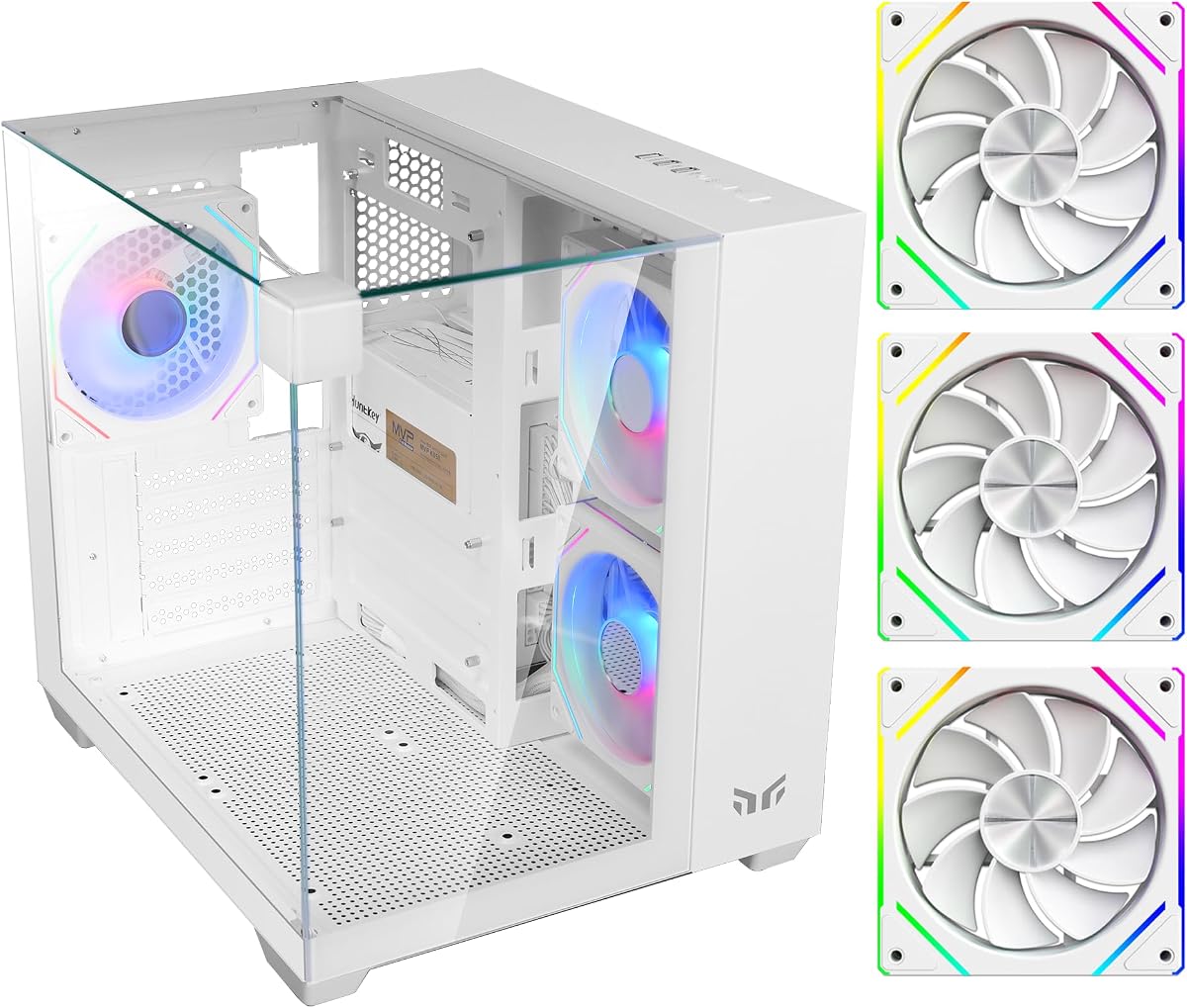
This case stands out for its striking 270-degree glass design that turns your PC into a visual centerpiece. It achieves a 4.7 rating thanks to its balance of aesthetics and compact functionality for modern desktop builds.
We may earn a commission when you buy through this link, at no additional cost to you.
The triple glass panels and pillar-less design offer an unobstructed view of your components and lighting. It supports Micro-ATX and Mini-ITX boards with efficient airflow from three pre-installed ARGB fans.
While the compact size limits GPU length to 325mm, this is a fair trade-off for the sleek look. Cable management is simplified by the dedicated routing channels and PSU shroud design.
It is an ideal pick for gamers and streamers who prioritize visual impact without sacrificing essential performance. We recommend it as the top choice for users seeking a stylish entry into cube style cases.
The glass layout ensures your hardware is the star of the show from any viewing angle.
Despite its small 28.5L volume, it still fits high-performance hardware comfortably.
We may earn a commission when you buy through this link, at no additional cost to you.
This model redefines cube style flexibility with a unique orientation design that works vertically or horizontally. It earns high marks for allowing full-size GPUs up to 415mm without removing the front fan.
We may earn a commission when you buy through this link, at no additional cost to you.
The mesh-optimized airflow ensures your system stays cool even under heavy loads. Compatibility extends to large E-ATX motherboards which is rare for this form factor.
The reversible I/O panel adds convenience for specific desk setups but requires careful planning during assembly. Build quality is solid but assembly can be trickier than standard cases.
Choose this if you need maximum component flexibility in a modern case. It bridges the gap between a standard tower and a specialized cube enclosure effectively.
The case allows you to change its position to fit your workspace layout perfectly.
A full mesh front panel delivers excellent cooling for high-end graphics cards.
We may earn a commission when you buy through this link, at no additional cost to you.
This case brings exceptional value with five pre-installed ARGB PWM fans that light up your build immediately. It features a dual chamber layout that separates components to improve thermal performance.
We may earn a commission when you buy through this link, at no additional cost to you.
The dual glass panels offer a clear view of the setup while maintaining clean cable management on the back. It supports GPUs up to 340mm which covers most standard cards easily.
Some users may find the RGB sync process slightly manual compared to more expensive options. The screw-in PCI covers are convenient but differ from standard removable types.
It is a great option for budget builders who do not want to compromise on lighting or airflow. The included fans save extra costs and simplify the initial setup process.
Separating the motherboard from the power supply enhances overall cooling efficiency.
Five fans ensure adequate airflow without requiring additional purchases for basic cooling.
We may earn a commission when you buy through this link, at no additional cost to you.
This case proves that you can get a compact setup without spending too much. It features a clean desktop footprint and includes three fixed RGB fans for basic visual flair.
We may earn a commission when you buy through this link, at no additional cost to you.
The front I/O offers modern connectivity with USB Type-C which is great for current peripherals. It supports GPUs up to 280mm so most mid-range cards fit comfortably inside.
The RGB lighting is fixed and does not offer the same flexibility as PWM models. This is acceptable for budget builds where customization is less critical than function.
Ideal for office setups or secondary gaming rigs where space is tight. It delivers reliable basic protection and connectivity for entry-level to mid-tier components.
You get essential features without paying for premium extras you might not need.
USB Type-C ensures you can connect the latest devices without adapters.
We may earn a commission when you buy through this link, at no additional cost to you.
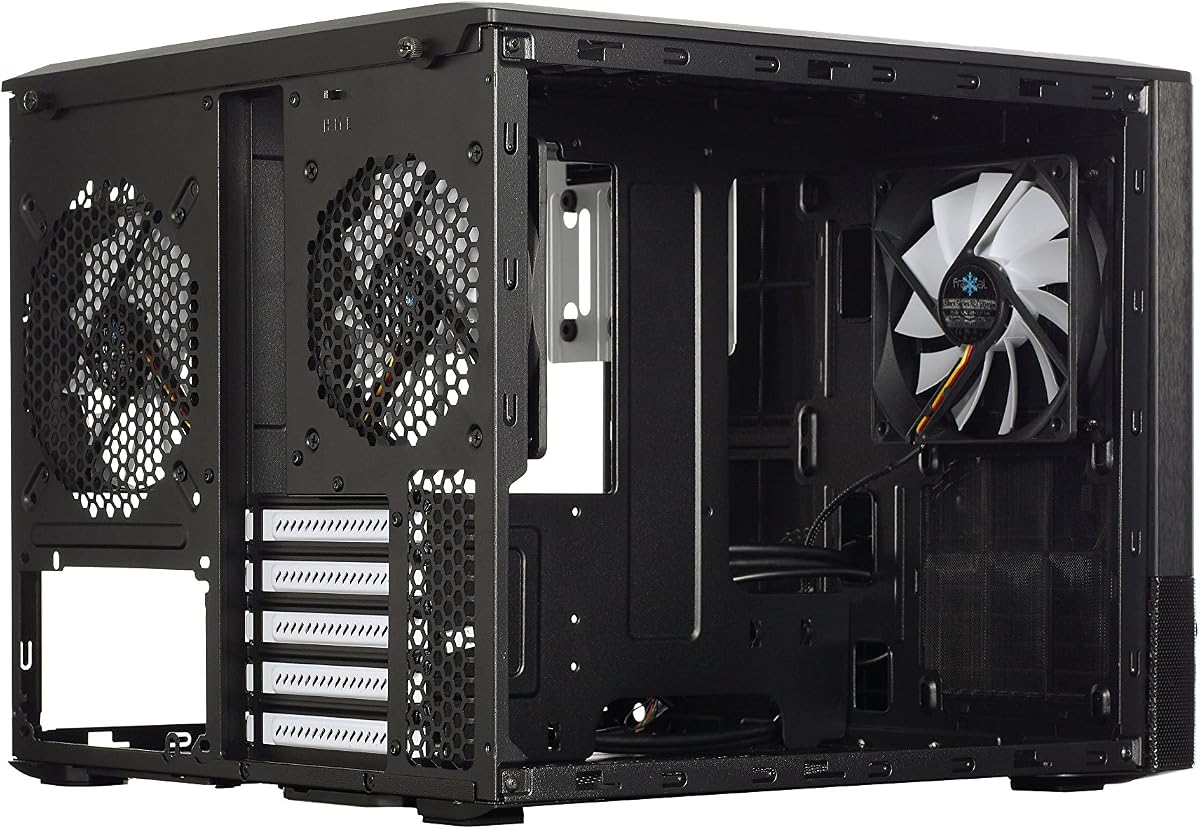
A staple in the cube case market this model is known for its exceptional modularity and cooling performance. Its dual chamber design keeps heat away from sensitive components effectively.
We may earn a commission when you buy through this link, at no additional cost to you.
The minimalist brushed aluminum front offers a clean aesthetic that fits professional environments well. You can fit up to eight drive bays which is unmatched in its class.
It is larger than typical micro-ATX cubes and may not suit small desks. The premium price reflects the build quality and extensive customization options available inside.
Choose this for workstations or storage-heavy builds needing robust cooling. It remains a benchmark for reliability and flexible internal configuration in a compact form.
Isolating hot zones helps maintain stable temperatures during extended usage sessions.
Removable panels and flexible drive cages allow for custom internal layouts.
We may earn a commission when you buy through this link, at no additional cost to you.
This mid tower variant expands the cube concept to accommodate larger components without losing style. It comes with seven ARGB PWM fans to ensure your system stays cool.
We may earn a commission when you buy through this link, at no additional cost to you.
The dual tempered glass setup provides a wide view of the internal hardware and lighting effects. It supports graphics cards up to 400mm making it suitable for massive GPUs.
Build quality and fan consistency vary compared to established brands but the value is there. RGB sync is manual so expect some setup time if using motherboard control.
Best for users wanting a large cube build on a budget. It offers impressive specs on paper though real-world performance may vary slightly.
With space for 400mm cards you can install high-end graphics without worry.
Seven fans provide ample airflow for heavy workloads without extra costs.
We may earn a commission when you buy through this link, at no additional cost to you.
This tiny case is perfect for users with extreme space constraints who still want desktop power. It uses durable 0.8T steel to ensure a long service life despite its small size.
We may earn a commission when you buy through this link, at no additional cost to you.
The perforated front ensures that even a small case breathes well enough for standard usage. It holds GPUs up to 260mm which suits most mid-tier models.
You might need to choose a shorter GPU carefully to avoid fitting issues inside. The I/O is basic but covers the essentials without unnecessary complexity.
Ideal for home theaters or dorm rooms where space is at a premium. It delivers reliability and basic aesthetics at an unbeatable price point.
Its small footprint frees up valuable desk space for other equipment.
Sturdy steel construction protects your components during transport or daily use.
We may earn a commission when you buy through this link, at no additional cost to you.
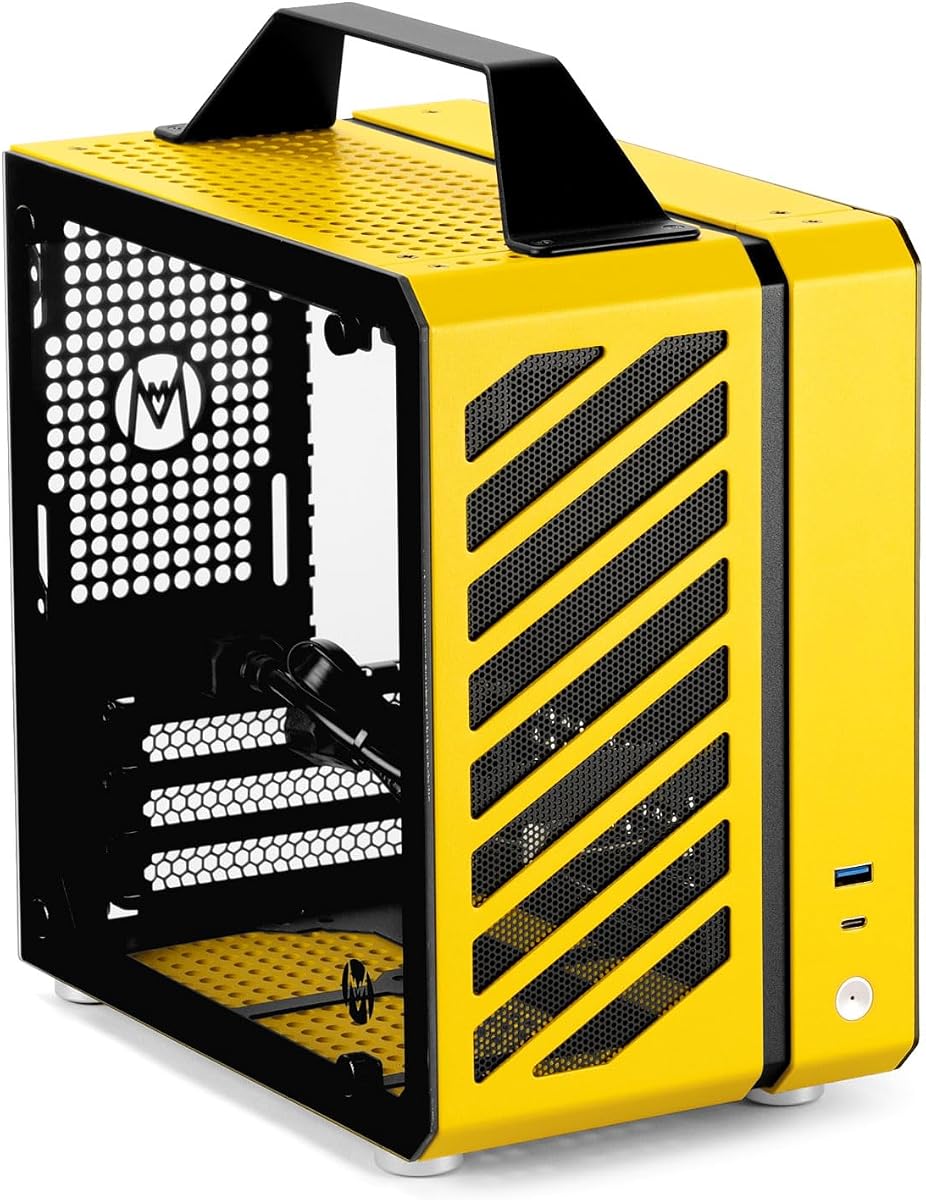
For those who need to move their PC frequently this unit offers a portable solution. It includes a sturdy aluminum handle and an ultra-small 9.9 liter footprint.
We may earn a commission when you buy through this link, at no additional cost to you.
The aluminum-steel hybrid frame ensures durability during travel while keeping the weight manageable. Tool-free installation simplifies access for upgrades on the go.
It has strict size limits on GPUs like the RTX 4060 so check your part carefully. The build is expensive per unit of space but offers unmatched portability.
Choose this for LAN parties or travel needs where mobility is a priority. It combines premium materials with practical design for the mobile enthusiast.
The integrated handle makes it easy to carry your rig safely to new locations.
Hybrid aluminum and steel materials provide a robust yet lightweight chassis.
We may earn a commission when you buy through this link, at no additional cost to you.
This version of the popular Node 804 allows you to use your own power supply. It keeps the same high quality build and modular design of the main model.
We may earn a commission when you buy through this link, at no additional cost to you.
By excluding the PSU you can choose a unit that fits your specific needs and budget better. It still supports MicroATX and Mini-ITX boards comfortably.
The internal bay options remain excellent for storage which is ideal for media centers. This is a niche option for those already owning a compatible power supply.
It is a smart choice for custom PC enthusiasts who want flexibility. You get the same premium features without paying for a power supply you may not need.
Select your own power supply to match specific wattage or cable management needs.
You retain all the modularity and build quality of the full package.
We may earn a commission when you buy through this link, at no additional cost to you.
This variant offers a stunning white finish that looks great in bright setups. It shares the same great features as the standard model like flexible orientation and full ATX support.
We may earn a commission when you buy through this link, at no additional cost to you.
The Moonstone color is eye-catching but it may show dust more than darker options. It supports high airflow designs so you do not lose performance for the look.
The rating is slightly lower likely due to color availability and specific assembly quirks. But it remains a strong choice for those wanting a white aesthetic.
Choose this if a white build is your top priority. It provides the same functionality as the dark version with a fresh visual appeal.
The white Moonstone color gives your desk a clean and modern look.
You do not sacrifice cooling or compatibility for the color choice.
We may earn a commission when you buy through this link, at no additional cost to you.
Selecting the right cube shaped case involves checking size limits airflow needs and aesthetic goals. This section explains the key factors to help you choose wisely.
Check which motherboard sizes are supported such as Mini-ITX Micro-ATX or full ATX. Most compact cubes only support smaller boards so ensure your parts fit.
Always verify the manual before buying to avoid fit issues during assembly.
Cube cases often have tight space around the GPU slot. Measure your graphics card and compare it with the maximum length specified by the manufacturer.
Removing front fans can sometimes add space but reduces cooling efficiency.
Airflow is critical in compact designs. Look for mesh panels and pre-installed fans to keep temperatures low during heavy use.
Ensure the case supports your desired fan configuration or radiator size if using liquid cooling.
Many compact cases use SFX or smaller power supplies instead of standard ATX units. Check the PSU type supported to avoid buying the wrong unit.
Some models allow standard ATX units but they might limit other component space.
Determine how many hard drives or SSDs you need. Some cube cases have specialized mounting systems for multiple drives while others only support two.
Check if 3.5 inch or 2.5 inch drives are supported based on your storage needs.
Good cable routing keeps the build clean and improves airflow. Look for dedicated channels and a PSU shroud to hide excess wires.
Cases with dual chamber designs often offer better separation for cables and components.
Steel and aluminum provide durability but can add weight. Tempered glass panels offer great looks but require careful handling during shipping.
Check the steel thickness to ensure the case is sturdy enough for daily use.
Decide if you want RGB fans and glass panels or a cleaner minimalist look. Some cases include pre-installed fans that sync with your motherboard.
Consider how the color and finish will match your desk setup and other hardware.
Always handle the tempered glass panels with care during installation to prevent cracks. Use soft cloth or gloves when touching the glass to avoid fingerprints and scratches.
Clean dust filters regularly to maintain good airflow and prevent overheating inside the case. Use a soft brush or vacuum to remove dust from mesh panels and fan grills.
Plan your component layout before building to ensure all parts fit securely. Keep extra screws organized to avoid losing small pieces during the assembly process.
Yes many models feature optimized airflow with mesh panels and multiple fan mounts. The compact design can improve heat transfer when fans are arranged correctly.
It depends on the model. Some support standard lengths while others require shorter cards. Always check the maximum length specified in the product specs.
Only specific larger cube cases support full ATX. Most are designed for Micro-ATX or Mini-ITX boards. Verify motherboard compatibility before purchasing.
Build difficulty varies by model. Some offer tool-free designs while others require more effort. Planning your layout beforehand helps simplify the process.
Many models support 240mm or larger radiators on the top or side. Check the manual for specific radiator size limits and mounting locations.
This layout separates the motherboard from the power supply to improve cooling. It also helps hide cables for a cleaner look inside the case.
We hope this guide helps you find the perfect cube case for your build. The top picks cover different needs from budget friendly to high performance options.
Prioritize size limits and airflow to ensure your hardware runs smoothly. A well-chosen case will protect your parts and look great on your desk.
Always double-check current availability and specs before ordering. Prices and stock can change so stay informed to make the best choice today.