
Akko Cat Theme Wireless Gaming Mouse Pink
4.4Editor score
Tri-Mode Connectivity
Cat-Themed Design
Ergonomic Fit
Explore the top 10 cute laptop mice with real ratings. Compare features, designs, and performance to find the perfect stylish mouse for your needs.
Finding a cute laptop mouse that balances style with performance can be challenging. Users often sacrifice functionality for aesthetics, leading to frustration during long work sessions. This guide highlights options that deliver both charm and reliability.
We evaluated ten top-rated models based on user feedback, design uniqueness, and technical specs like connectivity and battery life. Each product was assessed for compatibility across major operating systems and overall build quality.
Every pick includes detailed pros and cons to help you decide quickly. Note that prices and availability fluctuate frequently on Amazon, so check current listings before making your final selection for your desk setup.
4.4Editor score

4.7Editor score

4.6Editor score
This side-by-side comparison breaks down the key specifications of all ten featured mice. Look at connectivity options, battery types, and design themes to find the best match for your workflow.





This donut-shaped wireless mouse combines unique style with practical performance, earning a strong 4.7-star rating from users. It stands out for its rechargeable design and ability to connect to two devices seamlessly via Bluetooth or 2.4G wireless.
We may earn a commission when you buy through this link, at no additional cost to you.
The dual-device connection feature allows you to switch between a laptop and a tablet with one button press. Its silent click mechanism makes it ideal for shared workspaces, while the 1200 DPI sensor ensures smooth tracking on most surfaces.
Some users note it lacks side buttons for back and forward navigation. Additionally, the rechargeable battery means no battery swaps but requires occasional charging. These trade-offs are minimal for those prioritizing convenience and a unique look.
Ideal for professionals and students who want a stylish, travel-friendly mouse that works across multiple platforms, this model offers a balanced blend of aesthetics and functionality for daily productivity.
Seamlessly switch between devices with one button, perfect for multitasking across laptop and tablet setups.
Built-in battery lasts up to 20 days and supports use while charging, eliminating frequent battery replacements.
We may earn a commission when you buy through this link, at no additional cost to you.
This Akko cat-themed mouse brings a playful touch to your desk with its unique shaped design and tri-mode connectivity. Users appreciate its ergonomic comfort and seamless switching between Bluetooth and wireless options for a clutter-free setup.
We may earn a commission when you buy through this link, at no additional cost to you.
Its tri-mode support allows connection via 2.4GHz wireless, BT 3.0, or BT 5.0, offering flexibility across devices. The anti-slip bottom and agile scroll wheel enhance precision and comfort during extended sessions.
The cat shape might not suit larger hands comfortably, and the lack of included batteries is a minor downside. However, the design and versatility make it a standout choice for those who value personality in tech.
Best suited for cat lovers and gamers seeking a cute yet functional mouse, this option combines fun aesthetics with reliable wireless performance for diverse computing needs.
Connect via Bluetooth or 2.4GHz wireless to multiple devices for a clean, cable-free workspace experience.
Designed to fit the palm comfortably with anti-slip features to reduce hand strain during use.
We may earn a commission when you buy through this link, at no additional cost to you.
This compact pink mouse from TECKNET offers exceptional value with its small size and quiet click technology, rated at 4.6 stars. It's designed for comfort and portability, featuring smart power-saving modes that extend battery life significantly.
We may earn a commission when you buy through this link, at no additional cost to you.
Its ambidextrous design fits both left and right hands, while the soft clicks prevent noise disturbances. The three-stage sleep mode ensures minimal power drain during inactivity, supporting up to 15 months on one AA battery.
It only connects via USB A, limiting use with newer USB-C-only devices without adapters. The DPI settings are basic compared to premium models, but for everyday tasks, performance remains reliable.
Ideal for students or travelers seeking an affordable, pocket-friendly mouse, this model delivers solid comfort and long battery life without breaking the bank.
Responsive buttons provide soft clicks that minimize noise, perfect for shared workspaces and quiet environments.
Automatic sleep modes extend battery life significantly, reducing the need for frequent replacements.
We may earn a commission when you buy through this link, at no additional cost to you.
The wegear wireless mouse offers adjustable DPI levels and six buttons, earning 4.4 stars for productivity-focused users. Its ergonomic shape and long battery life make it a practical choice for daily computer tasks.
We may earn a commission when you buy through this link, at no additional cost to you.
With five DPI settings, users can adapt cursor speed for browsing or design work. The side buttons streamline navigation in documents, though they are not recognized on Mac systems. Battery life reaches up to 24 months on one AA battery.
Mac users may find the side buttons non-functional, and the USB receiver storage could be easily misplaced. However, overall comfort and reliability remain strong points for Windows and Linux environments.
Best for professionals who need customizable cursor speeds and extra buttons, this mouse balances performance and affordability for everyday workflows.
Switch between five DPI levels to tailor cursor speed for tasks from browsing to detailed design.
Up to 24 months on one AA battery with auto-sleep to conserve power during inactivity.
We may earn a commission when you buy through this link, at no additional cost to you.
This Unipows mouse stands out with its sleek gradient finish and slim profile, rated 4.6 stars for its blend of aesthetics and performance. It features silent clicks and a durable build suitable for extensive use.
We may earn a commission when you buy through this link, at no additional cost to you.
The ergonomic shape provides comfort, while the nano receiver stores inside the mouse for travel convenience. It tracks well on most surfaces and includes power-saving sleep modes after inactivity.
It requires a USB A port and AA battery, which may limit use with modern ultra-slim laptops. However, its unique look and portability make it a favorite for style-conscious users.
Ideal for those seeking a slim, attractive mouse for casual or professional use, this model delivers reliable wireless performance in a compact form.
Features a smooth gradient pink to purple surface for a distinctive, romantic look on your desk.
Nano receiver stored in the back ensures no lost parts when taking your mouse on the go.
We may earn a commission when you buy through this link, at no additional cost to you.
This HuGuWdy mouse offers a playful twist with its sports car shape and LED lights, rated 4.4 stars for its novelty appeal. It's designed for fun and style, delivering lag-free browsing with simple wireless connectivity.
We may earn a commission when you buy through this link, at no additional cost to you.
The car design adds personality to your setup, and the power-saving switch helps conserve battery. It works reliably across many systems, making it a versatile choice for casual use.
It requires AAA batteries and lacks charging capability, and the unusual shape might affect comfort during long sessions. Still, its unique look makes it a standout gift or accent piece.
Best for users who value fun and creativity in their accessories, this mouse provides reliable performance with a distinctive, eye-catching design.
Sports car shape with LED lights adds a fashionable, playful twist to your workspace setup.
Bottom switch allows turning off the mouse to save power when not in use.
We may earn a commission when you buy through this link, at no additional cost to you.
The JUHOO wireless mouse is praised for its portability and silent clicks, with a 4.5-star rating for comfort. Its nano receiver stores inside the mouse, ensuring you never lose it during travel.
We may earn a commission when you buy through this link, at no additional cost to you.
Automatic sleep mode kicks in after eight minutes of inactivity to save power. It offers reliable wireless connectivity and works across Mac and Windows systems without extra software.
Some users may find the receiver storage slightly inconvenient, and it lacks advanced features like programmable buttons. However, for basic use, it's a dependable, quiet option.
Ideal for commuters and those needing a travel mouse that's quiet and simple, this model delivers hassle-free connectivity and comfort on the go.
Special soundless design keeps button clicks quiet, avoiding distractions in shared spaces.
No software needed, just plug in the hidden receiver for instant wireless connectivity.
We may earn a commission when you buy through this link, at no additional cost to you.
This TENMOS mouse features a colorful flower design and silent clicks, rated 4.4 stars for its balance of style and functionality. Its optical sensor ensures accurate tracking across various surfaces.
We may earn a commission when you buy through this link, at no additional cost to you.
It automatically enters sleep mode after ten minutes to conserve battery, using just one AA battery. The silent clicks make it ideal for quiet environments where noise should be minimized.
The lack of included batteries and basic feature set may limit power users. However, its aesthetic appeal and reliable performance suit casual users well.
Best for those seeking a cheerful, distraction-free mouse, this model combines a vibrant design with essential wireless functionality for daily use.
Special soundless design ensures clicks do not disturb others during work or study sessions.
Flower-inspired design suits modern young users looking to personalize their workspace with style.
We may earn a commission when you buy through this link, at no additional cost to you.
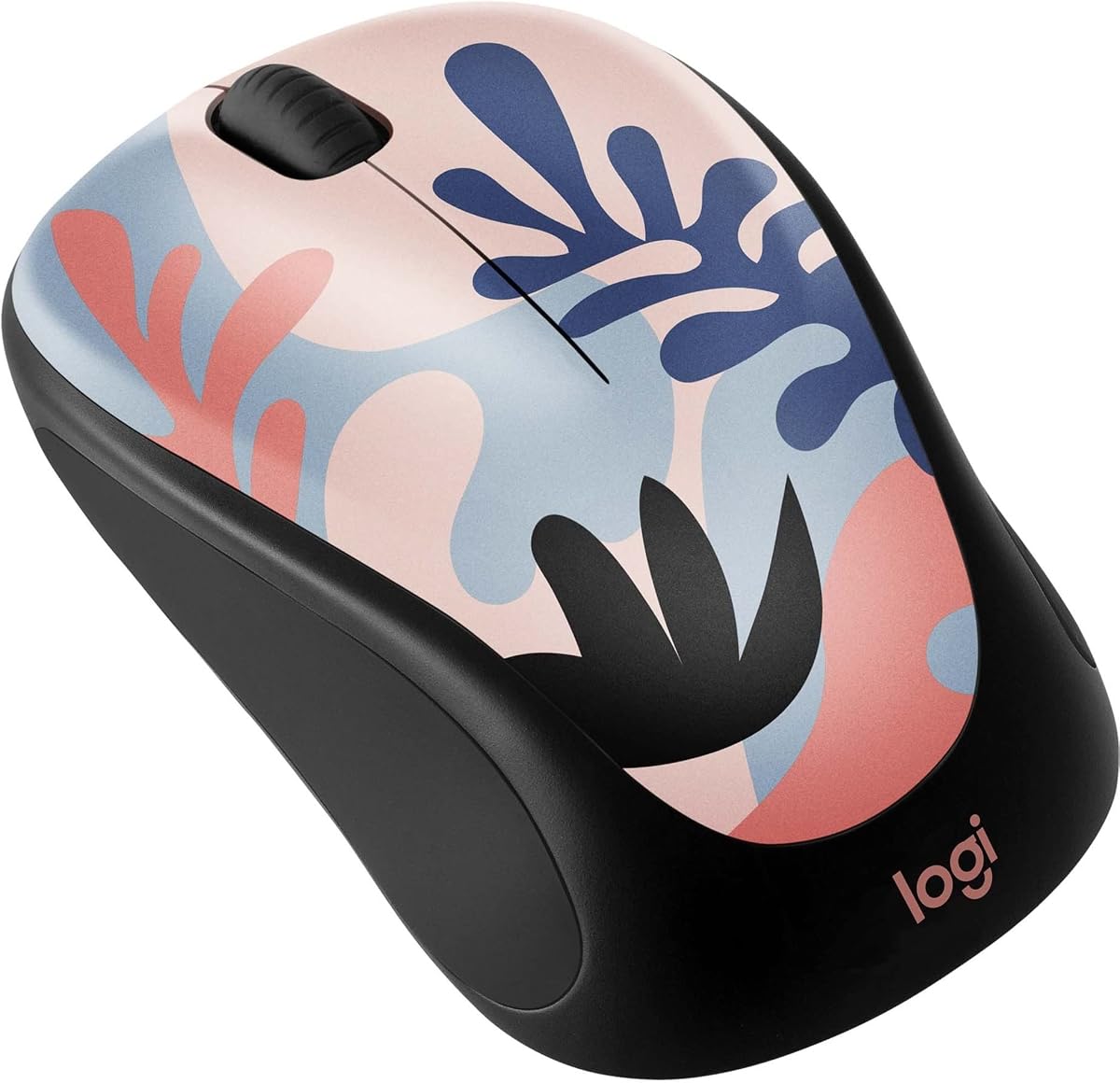
Logitech's Design Collection mouse brings vibrant, limited-edition colors to your desk with a 4.6-star rating for reliability. It features a Unifying receiver that can connect up to six compatible devices for a tidy workspace.
We may earn a commission when you buy through this link, at no additional cost to you.
Its lightweight design includes soft rubber side-grips for comfort, and it offers up to 12 months of battery life. Made partially from recycled plastic, it appeals to environmentally conscious users.
It still requires a USB port for the receiver, which may be limited on newer devices. For casual users, its comfort and brand trust outweigh this minor drawback.
Ideal for Logitech fans wanting colorful, durable accessories, this model combines quality engineering with personal style for everyday computing.
Connect multiple devices like keyboards and mice with one USB receiver for a clutter-free desk.
Plastic parts include post-consumer recycled material, reflecting a commitment to environmental responsibility.
We may earn a commission when you buy through this link, at no additional cost to you.
This FMOUSE mouse features a beloved cat meme design and dual Bluetooth/2.4G connectivity, earning 4.6 stars for its versatility. Its ergonomic shape fits smaller hands comfortably and works across multiple devices seamlessly.
We may earn a commission when you buy through this link, at no additional cost to you.
Silent clicks are 90% quieter than standard mice, perfect for meetings or quiet offices. The auto-reconnect feature ensures stable connections without constant manual pairing, offering convenience for multitaskers.
It runs on AA batteries without a charging option, which some users may find less convenient than rechargeable models. Still, its cute aesthetic and functionality make it a strong contender.
Best for remote workers and cat lovers needing a quiet, stylish mouse, this model delivers reliable dual-mode performance with a fun, memorable design.
Switch between Bluetooth for tablets and 2.4G for laptops with ease for flexible setups.
Up to 90% quieter than standard mice for distraction-free work in shared environments.
We may earn a commission when you buy through this link, at no additional cost to you.
Choosing the right cute laptop mouse involves evaluating design, comfort, connectivity, and battery type to match your workflow and preferences.
Cute laptops mice come in various themes like animals, colors, or shapes. Select a design that inspires creativity and fits your workspace vibe without compromising functionality.
Prioritize options with unique looks that reflect your personal style while maintaining ergonomic comfort.
Most cute mice offer 2.4GHz wireless with USB receivers or Bluetooth connectivity. Bluetooth models suit modern laptops without USB A ports, while 2.4GHz ensures stable connections for gaming or multitasking.
Choose Bluetooth for versatility or 2.4GHz for reliable low-latency performance based on your devices.
Look for mice shaped to support natural hand positions, especially for long hours. Contoured or ambidextrous designs reduce strain, particularly important for small-handed users.
Ensure the mouse fits your palm comfortably to avoid fatigue during daily use.
Batteries can be AA/AAA disposable or built-in rechargeable. Rechargeable models reduce waste and ongoing costs, while AA options allow quick swaps if needed.
Assess usage patterns to decide between rechargeable convenience and battery flexibility.
Silent click technology minimizes noise, making these mice ideal for shared offices or quiet study environments. This feature enhances focus without disturbing others around you.
Prioritize silent models if noise sensitivity is a concern for your work setting.
Verify compatibility with your operating system (Windows, macOS, Linux) and devices like iPads or Android tablets. Dual-mode mice offer broader connectivity for seamless switching.
Confirm OS support to avoid driver issues and ensure smooth performance across your tech ecosystem.
Compact, lightweight mice are easier to carry for travelers or students. Consider dimensions and weight to ensure it fits comfortably in your bag or pocket.
Opt for smaller sizes if you frequently work outside your main desk setup.
Extra buttons, adjustable DPI levels, or programmable shortcuts enhance productivity. Evaluate which features matter most based on your typical tasks and applications.
Balance extra features with simplicity to avoid overwhelming usability needs.
Start by installing any required batteries or charging the mouse via its port. Connect the USB receiver or pair via Bluetooth in your device settings for immediate use.
Keep the mouse surface clean by wiping with a soft cloth to maintain smooth tracking. Store it in a dry place when not in use to prevent dust buildup on sensors.
Update drivers or firmware if available for optimal performance. Adjust settings like DPI or button functions in your system preferences to suit your workflow.
A cute laptop mouse combines unique designs like pastel colors or animal shapes with essential features such as reliable wireless connectivity, ergonomic comfort, and silent clicks. The goal is to balance aesthetic appeal with usability for daily tasks without sacrificing performance.
Bluetooth mice offer flexibility with devices lacking USB A ports, while 2.4GHz mice provide more stable connections suitable for gaming or multitasking. Choose based on your device's ports and need for low-latency performance.
Battery life varies by model but typically ranges from 15 to 24 months for AA-powered mice. Rechargeable options may last 20 days to several weeks per charge depending on usage patterns and features.
Most featured cute mice support both macOS and Windows through plug-and-play compatibility. Always verify specific OS support before purchase, as some advanced button functions may be limited on Mac.
Yes, silent click mice reduce noise by up to 90% compared to standard buttons, making them ideal for shared workspaces. This feature helps maintain focus and prevents distractions during meetings or work sessions.
Compact models like TECKNET are ideal for small to medium hands, while ergonomic shapes in Akko fit average palms comfortably. Consider hand size when selecting to ensure comfort during extended use.
No, most operate plug-and-play without drivers. Advanced features like DPI adjustments may require software, but basic use works immediately upon connecting the receiver or pairing via Bluetooth.
Use a dry microfiber cloth to wipe surfaces gently and a cotton swab for hard-to-reach crevices. Avoid harsh chemicals or excessive moisture to prevent damage to internal electronics.
Our top picks like the Bluetooth Donut mouse, Akko Cat theme, and TECKNET Compact offer standout blends of style and practicality for diverse needs.
When deciding, prioritize factors such as connectivity type, battery life, and ergonomic comfort to match your daily workflow and device setup effectively.
Always verify current prices and availability on Amazon since offers change regularly, ensuring you get the best value for your chosen cute laptop mouse.