
der8auer Delid-Die-Mate X
4.1Editor score
Designed for Skylake-X and Kaby Lake-X
High quality aluminium and stainless steel build
Anodised black finish for durability
Compare the top 10 delidding kits for CPUs and GPUs. Expert reviews, real ratings, and detailed specs to help you choose the right tool for your build.
Delidding kits are essential tools for enthusiasts looking to maximize their processor cooling potential. These specialized sets allow users to remove the integrated heat spreader for better thermal interface contact and reduced temperatures.
We analyzed the current market to compile this comprehensive list of the most reliable and effective delidding solutions available today. Each product was evaluated based on build quality, compatibility, and user feedback from real-world applications.
Each pick in this guide highlights specific strengths and ideal use cases for different hardware configurations. Please note that availability and pricing may vary over time so check the latest details before purchasing.
4.1Editor score

4.5Editor score
4.6Editor score
This table provides a side-by-side look at all ten kits to help you compare key specifications and compatibility quickly.


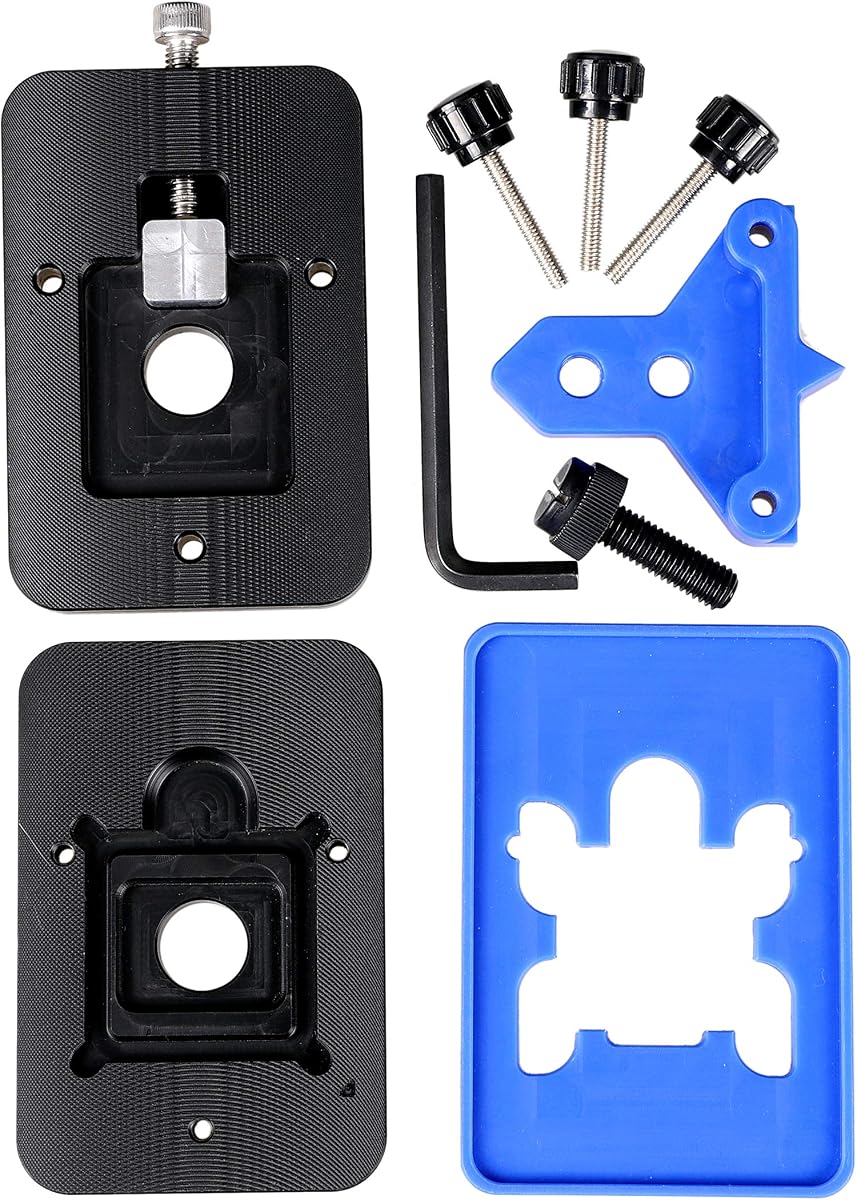
This tool stands out as a top choice for enthusiasts seeking reliable performance with modern Intel processors. It boasts a strong user rating and is engineered to enable direct die cooling effectively.
We may earn a commission when you buy through this link, at no additional cost to you.
Developed by Roman der8auer Hartung it features a robust design that ensures the heat spreader is removed without unnecessary stress on the processor. The materials used contribute to a long-lasting tool that maintains precision over time.
While the tool is highly effective it does require users to verify their cooler compatibility due to the reduced mounting height after delidding. This trade-off is generally acceptable given the significant thermal gains reported by users.
If you are building a high-performance PC with compatible Intel chips this tool offers the best balance of safety and efficiency. It is the recommended pick for those prioritizing thermal optimization without compromising hardware integrity.
Enabling direct die cooling results in temperature reductions that can reach 10 to 20 degrees Celsius for better system stability.
Made from black and red anodized aluminum it provides a durable and aesthetically pleasing experience for your workspace.
We may earn a commission when you buy through this link, at no additional cost to you.
This premium tool is designed for users working with high-end Intel processors like the Skylake-X series. It offers a professional approach to removing the heat spreader safely and effectively.
We may earn a commission when you buy through this link, at no additional cost to you.
The build quality is exceptional featuring aluminium and stainless steel components that ensure durability. The anodised black finish adds a touch of professionalism and resists wear during the process.
Users should note that this tool is specific to certain sockets which limits its universal application. However for those with compatible hardware the investment is worthwhile for the precision and reliability it provides.
For enthusiasts targeting maximum performance on supported platforms this tool delivers a premium experience. It transforms a risky task into a routine operation when used with the correct precautions.
Originally developed to address early CPU cooler mounting issues it has evolved into a trusted standard for modern hardware modification.
The design ensures the integrated heat spreader is removed cleanly allowing for direct contact with high-performance thermal materials.
We may earn a commission when you buy through this link, at no additional cost to you.
This kit offers an excellent entry point for users looking to delid older or mainstream Intel CPUs without spending a fortune. It supports a vast range of socket types from legacy to modern models.
We may earn a commission when you buy through this link, at no additional cost to you.
The design focuses on safety and ease of use ensuring that even less experienced users can attempt the process with confidence. It includes necessary tools for both removal and reinstallation of the spreader.
While it may not have the premium finish of higher-end options it gets the job done effectively when used correctly. Care must be taken to ensure the aluminum block is positioned properly to avoid board damage.
For budget-conscious builders seeking to optimize their existing hardware this tool is a strong recommendation. It provides the essential functionality needed for thermal improvement at a very accessible price point.
Supporting everything from LGA 775 to 1151 sockets makes it a versatile choice for retro builds and modern upgrades alike.
Including a relid tool allows you to reattach the heat spreader later if needed for resale or safety reasons.
We may earn a commission when you buy through this link, at no additional cost to you.
This tool is specifically crafted for console enthusiasts dealing with overheating issues on PlayStation 3 systems. It addresses the unique challenges of removing the heat spreader on this specific hardware.
We may earn a commission when you buy through this link, at no additional cost to you.
Version 3 features improved blades that are sharper and more flexible to ensure clean removal without damaging the underlying components. The inclusion of three blades ensures you have backups if needed.
While not for PC CPUs it fills a critical niche for repair technicians and hobbyists. The design reduces the risks associated with improvised tools making the process safer for the console.
If you are looking to restore the performance of a PS3 this tool is an essential addition. It offers the precision required for delicate console maintenance without compromising safety.
Designed specifically for the PS3 structure it ensures accurate delidding to address performance and heat issues effectively.
Replaceable blades ensure the tool remains useful over time providing consistent performance for multiple repair sessions.
We may earn a commission when you buy through this link, at no additional cost to you.
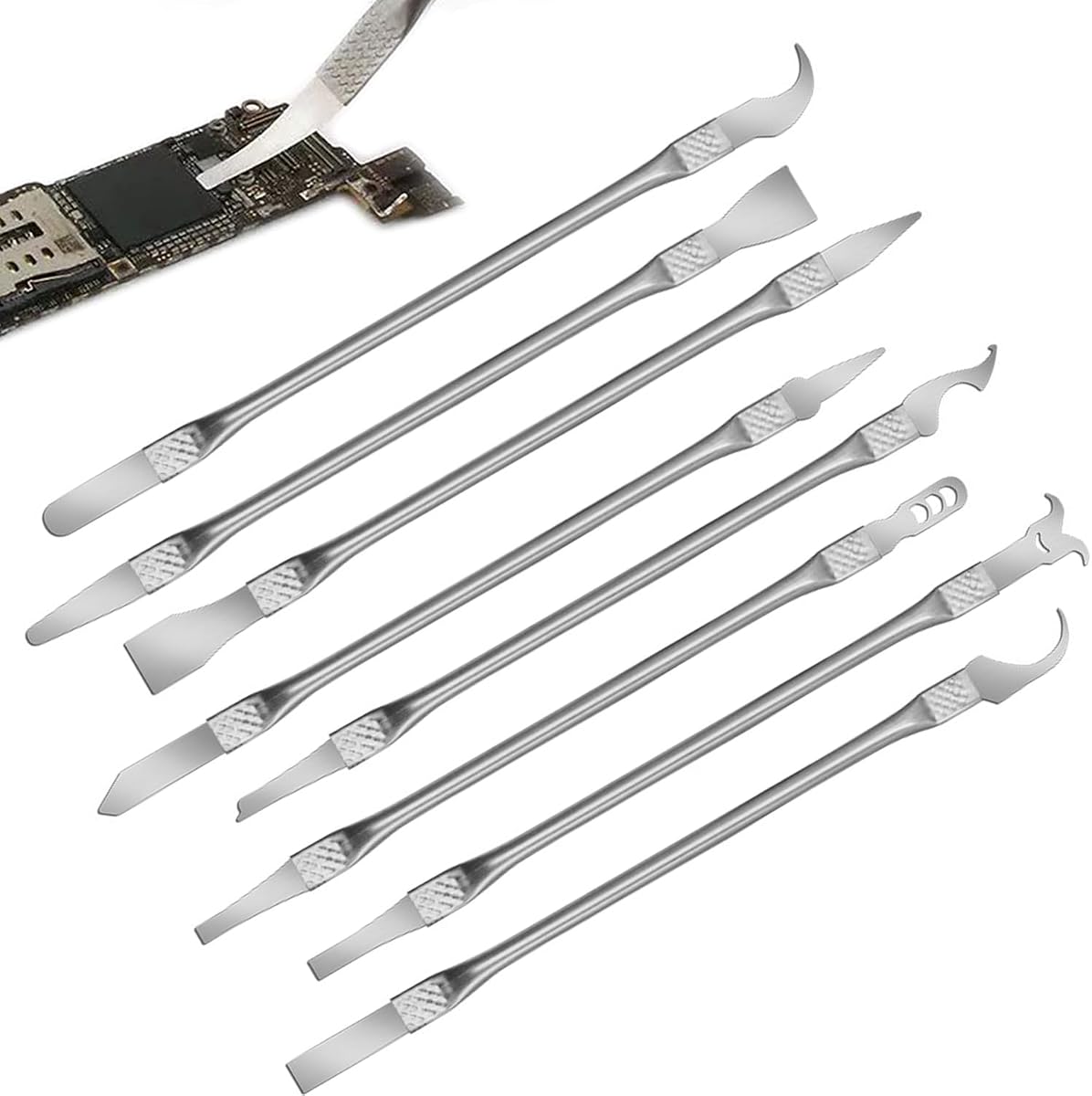
This kit is designed for professionals dealing with complex chip repairs and circuit board maintenance. It offers the precision needed for delicate tasks like removing adhesives and lifting chips.
We may earn a commission when you buy through this link, at no additional cost to you.
The blades are made from SK5 steel which offers excellent durability and heat tolerance. The ultra-thin design allows movement between components without causing accidental damage.
While it can be used for delidding tasks it requires a steady hand and experience. It is best suited for those who already have soldering or micro-soldering skills.
For technicians needing a reliable tool for various motherboard repairs this kit is a solid choice. It provides the necessary precision for tasks that standard tools cannot handle safely.
Ideal for removing power supply units and cutting glue bonding strips with surgical accuracy for reliable repairs.
Special quenching processed SK5 steel ensures the blades stay sharp and resistant to oxidation during extended use.
We may earn a commission when you buy through this link, at no additional cost to you.
This scraper is perfect for the cleaning phase after you have removed the heat spreader. It helps remove silicone adhesive and indium solder residue without scratching the sensitive surfaces.
We may earn a commission when you buy through this link, at no additional cost to you.
Made from premium acrylic it ensures that delicate components are not damaged during the cleaning process. The narrow tip allows access to small areas around the die.
While not a tool for the actual delidding it is an essential companion for a safe workflow. Its high rating indicates strong satisfaction among users who need precise cleaning tools.
Anyone performing delidding should include this in their kit to ensure the die is perfectly clean before applying new thermal interface material. It adds a layer of safety to the process.
Designed to reduce the risk of scratching the CPU package when used with care for a clean surface.
Comfortable grip lets you maintain control even when working with very small electronic components for precise results.
We may earn a commission when you buy through this link, at no additional cost to you.
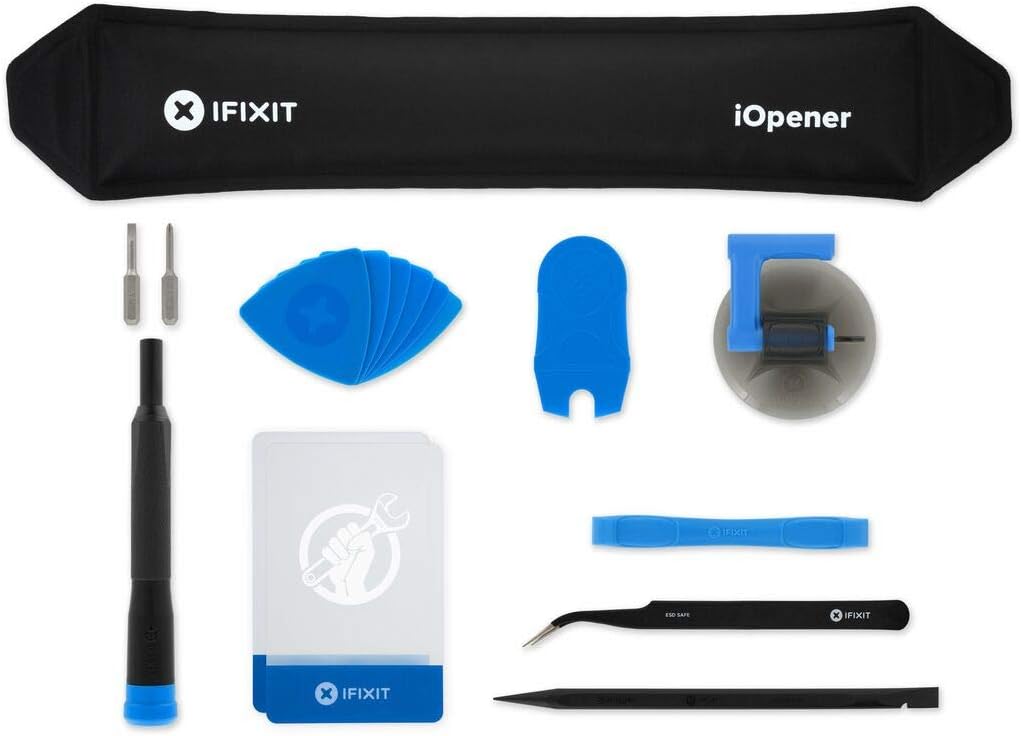
This versatile set is engineered for a wide range of repair tasks from smartphone screens to motherboard maintenance. It provides the tools needed for removing adhesive and cleaning solder pads.
We may earn a commission when you buy through this link, at no additional cost to you.
The handle is sturdy and professional-grade offering perfect balance for intricate work. You can swap blades quickly to handle different stages of a repair project efficiently.
While it can serve as a delidding tool the user must choose the right blade for the specific task. This flexibility makes it valuable for techs who work on various devices.
For those who want a comprehensive repair station this set is a strong addition. It simplifies workflows and provides the precision needed for delicate electronic components.
Streamline your repair process with a single comprehensive set that handles everything from glue removal to chip lifting.
Non-slip design ensures maximum control and stability reducing hand fatigue and minimizing risk of slips.
We may earn a commission when you buy through this link, at no additional cost to you.
This tool is dedicated to the RSX GPU chip in PlayStation 3 consoles. It allows users to remove the heat spreader for thermal maintenance without touching the CPU component.
We may earn a commission when you buy through this link, at no additional cost to you.
The design helps keep the working edge away from the main board during the process reducing the risk of damage to nearby components. This focus on safety is crucial for console repairs.
It is important to note that this tool is for the GPU only and cannot be used for the CPU. Users must be clear about which component needs maintenance before starting.
If you are repairing a PS3 to address overheating this tool provides the necessary access to the thermal interface. It is a specialized utility that saves effort compared to improvised methods.
Provides access to the thermal interface material between the RSX chip and IHS allowing users to replace aged paste effectively.
The tool is designed to assist with removal while helping keep the working edge positioned away from the main board.
We may earn a commission when you buy through this link, at no additional cost to you.
This multi-function set is perfect for safely removing small components from various devices including smartphones and computers. It is designed to save time during repairs.
We may earn a commission when you buy through this link, at no additional cost to you.
The tools are made from high-quality alloy which is resistant to corrosion and bending. The integrated design eliminates the need for assembly making repairs quicker.
While it is a general tool set it provides reliable functionality for basic CPU removal tasks. The ergonomic design ensures a comfortable grip during extended use.
For those who need a versatile tool for multiple device types this set offers good value. It covers essential needs without excessive complexity for straightforward repairs.
Integrated blade and handle design eliminates the need for assembly making repairs quicker and more efficient.
Made from high-quality alloy resistant to corrosion and bending ensuring longevity for regular repair tasks.
We may earn a commission when you buy through this link, at no additional cost to you.
While not a traditional delidding tool this heat pad is useful for loosening adhesives during disassembly. It applies heat evenly to make removal safer for screens and components.
We may earn a commission when you buy through this link, at no additional cost to you.
It is designed to be safe and non-toxic making it a reliable choice for DIY repairs. The pad works on a wide range of devices from phones to laptops.
It may not perform the mechanical removal of a heat spreader but it aids in the prep work for some repairs. It is a supportive tool for opening cases without damage.
For those looking to simplify their repair workflow this tool adds a level of safety. It ensures adhesives are softened before force is applied to components.
This separator is designed to apply heat directly and evenly to screens to loosen the adhesive for removal.
Works with tablets phones and laptops making it a versatile addition for any repair station.
We may earn a commission when you buy through this link, at no additional cost to you.
Selecting the right kit depends on your specific hardware needs and technical comfort level.
Ensure the tool supports your specific CPU generation or console model. Check socket types and supported processors before purchasing to avoid incompatibility issues.
Always verify that your cooler can accommodate the reduced height after delidding.
Look for tools made from durable materials like aluminum or steel that resist bending and wear. High quality materials ensure safety during the delicate removal process.
Premium materials often translate to better precision and a longer tool lifespan.
Consider how straightforward the tool is to handle especially if you are new to the process. Ergonomic designs reduce hand fatigue and improve control during repair.
Tools with clear instructions or proven designs help minimize risks during operation.
Some kits offer multi-function capabilities for various chips and repairs. Decide if you need a specialized tool or a general set for broader tasks.
Versatile tools can save money if you plan to work on multiple devices.
Prioritize tools designed to protect the motherboard and CPU during removal. Safety features like board protection edges reduce the risk of accidental damage.
Safety is critical when dealing with expensive and delicate electronic components.
Compare the cost against the features offered to find a balance that fits your budget. Often a mid-range tool provides the best value for most users.
Investing in a reliable tool can save money by preventing damage to hardware.
Check ratings and feedback from other buyers to gauge real-world performance. High ratings indicate satisfaction with effectiveness and durability of the tool.
Reading reviews helps identify any common issues or specific use cases.
Consider if the kit includes replaceable blades or parts for long-term use. Having backups ensures you can maintain consistent performance over time.
Replaceable components extend the useful life of the tool significantly.
Always start by ensuring your system is powered off and unplugged to avoid any electrical issues during the process.
Follow the tool instructions carefully to position the blade and apply steady pressure without slipping.
Clean your tools after use with a soft cloth and store them in a dry place to maintain their sharpness and condition.
Delidding carries risks so it should only be attempted by those comfortable with hardware modification. Use a dedicated tool designed for your hardware to minimize damage. Always ensure your cooler supports the lower height before starting.
Many users report reductions of 10 to 20 degrees Celsius depending on the original thermal setup. Direct die contact allows for much more efficient heat transfer to the cooler.
Yes it is essential to apply a high-quality thermal paste directly onto the exposed CPU die. This ensures optimal heat transfer between the processor and the cooler mount.
Generic tools may increase the risk of damage due to improper fit or thickness. Using a purpose-built kit for your specific hardware reduces these risks significantly.
Isopropyl alcohol and a soft lint-free cloth work well for cleaning residual adhesive. For stubborn residues use a dedicated acrylic scraper to avoid scratching the die surface.
Removing the integrated heat spreader typically voids the manufacturer warranty on the CPU. Proceed with caution and consider whether the thermal gains are worth the loss of coverage.
Replace blades when they show signs of wear or bending to maintain precision and safety. Dull blades can slip and cause more damage than a fresh sharp one.
Stop immediately and assess the damage carefully. Minor scratches may be acceptable but structural damage usually renders the CPU unusable. Always proceed with steady hands.
We have reviewed the top ten options available today ranging from specialized tools to versatile repair sets. The Thermal Grizzly Delid-Die-Mate stands out for modern Intel users while others serve niche console needs.
Choose a kit that aligns with your specific hardware and skill level to ensure a safe and effective process. Prioritize quality and compatibility to avoid unnecessary risks.
Please keep in mind that product availability and offers may change over time so verify current details before making a purchase.