
Uncaged Ergonomics Retractable
5.0Editor score
Retractable auto-rewind cord
Mountable feet for flexibility
320 joule surge protection
Discover the top desk mounted outlet towers for 2026. Compare features, ratings, and safety specs to find the perfect charging station for your workspace.
Desk mounted outlet towers are essential for modern workspaces that demand efficient power management without sacrificing aesthetics. These vertical charging stations consolidate multiple outlets into a compact footprint, reducing cable clutter on your desk or nightstand. Whether you work from home, manage a busy office, or study in a dorm, having reliable access to power is crucial for productivity.
We evaluated ten top-rated power strip towers based on port variety, surge protection, build quality, and user feedback. Our analysis focuses on real-world usability, safety features like overload protection, and design elements such as flat plugs or desk clamps. This list helps you navigate the options to find a unit that fits your specific electrical and spatial needs.
Each pick highlights unique strengths, from high-wattage USB-C charging to space-saving retractable cords. Prices and availability change frequently, so verify current details before purchasing. By understanding the trade-offs between port counts and physical size, you can select a tower that keeps your devices powered and your environment organized for the long term.
5.0Editor score

4.8Editor score

4.8Editor score
This side-by-side comparison highlights the key specifications of all ten models to help you quickly identify which tower meets your power and space requirements.




The Anker Nano Power Strip stands out as a premium choice for professionals who need reliable power access without cluttering their desk surface. With a strong 4.8 rating, users praise its ability to charge laptops via USB-C at up to 70W while keeping cords organized through its dual-zone design.
We may earn a commission when you buy through this link, at no additional cost to you.
Its standout feature is the adjustable desk clamp, which secures the strip to the edge of your desk, freeing up valuable workspace. This design allows for one-handed plugging and unplugging without shifting the unit. The 10-port layout includes six AC outlets and four USB ports, catering to diverse device needs simultaneously.
Trade-offs include the higher cost compared to standard towers and compatibility limitations with curved desk edges. However, the stability and space-saving design make these acceptable for most office setups where desk real estate is at a premium.
Ideal for users with high-value electronics like laptops and monitors, this unit provides safety through 1500J surge protection. If you value a clean workspace and fast charging, this Anker model is a top recommendation for modern workstations.
By clamping to the desk edge, the strip hangs freely, keeping your surface clear for writing or placing other items.
GaN technology ensures efficient power delivery, allowing the USB-C port to charge devices quickly without excessive heat generation.
We may earn a commission when you buy through this link, at no additional cost to you.
This Uncaged Ergonomics tower achieves a perfect 5.0 rating by solving the common problem of cord clutter. Its retractable extension cord pulls out only the length needed and rewinds on release, ensuring your desk or floor remains free of tripping hazards or tangled cables.
We may earn a commission when you buy through this link, at no additional cost to you.
The design supports both desktop and wall mounting through its mountable feet, offering flexibility for dorms or home offices. With four AC outlets and four USB ports, it handles multiple devices efficiently. The 320 joule surge protection provides a safety net for connected electronics during power fluctuations.
While the price is somewhat higher than standard models, the convenience of the retractable cord justifies the cost for those who move devices frequently. The mechanism is durable and ensures that excess cable never coils awkwardly on your workspace.
Recommend for environments like conference tables or shared desks where cable management is critical. This tower combines ergonomic design with practical charging solutions to maintain a tidy and efficient power setup.
Simply pull the cord to the required length and release; the built-in spring mechanism rewinds it neatly into the base automatically.
Feet allow you to secure the tower to walls or under-desk surfaces, reclaiming floor or desk space in compact areas.
We may earn a commission when you buy through this link, at no additional cost to you.
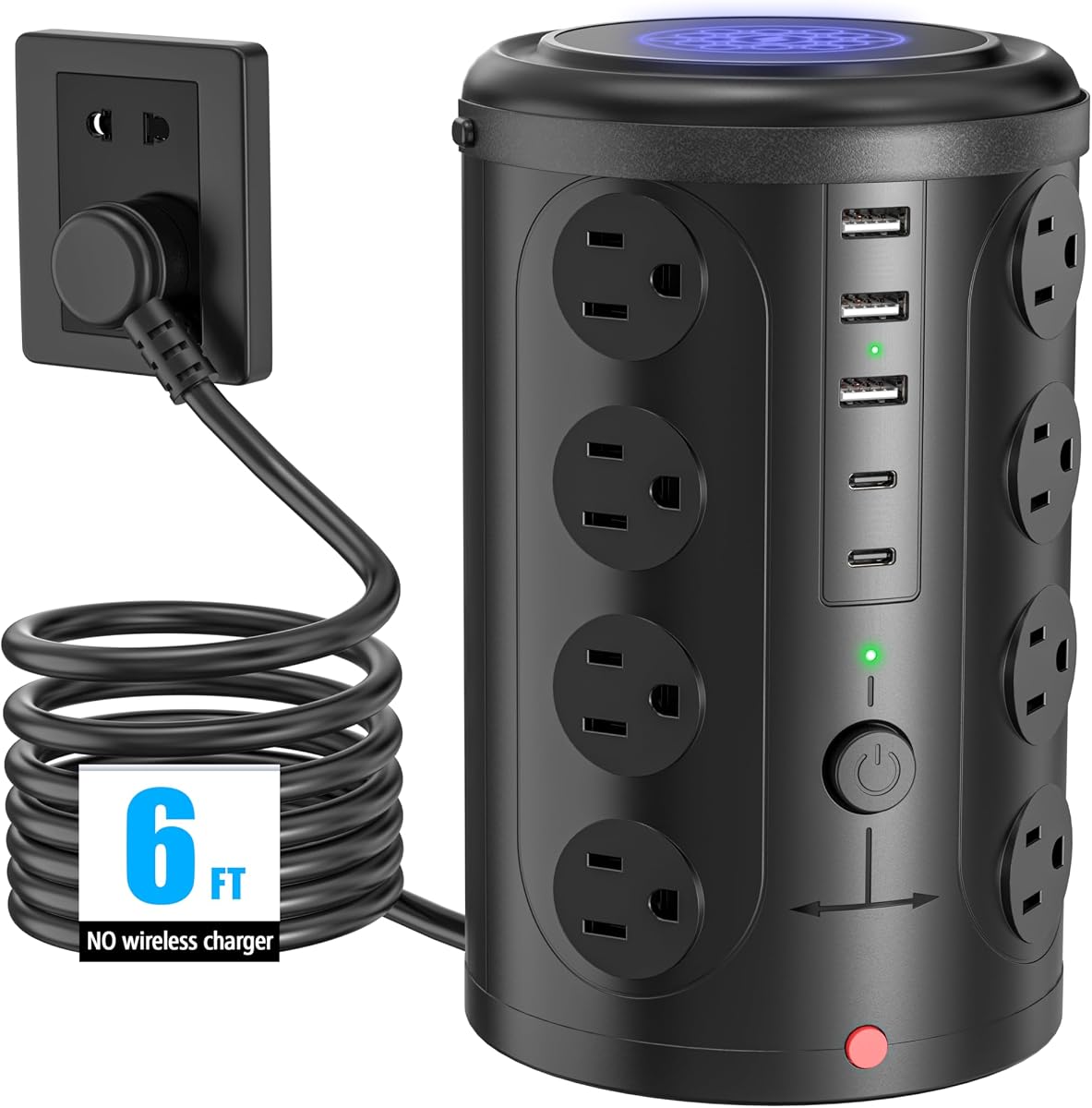
Offering a powerful combination of affordability and performance, this tower secures a 4.8 rating with its 16-in-1 capacity. It supports twelve AC outlets and four smart USB ports, making it an ideal budget option for homes or offices requiring extensive power access.
We may earn a commission when you buy through this link, at no additional cost to you.
The unit includes robust safety features such as overload and short-circuit protection, ensuring devices remain safe during electrical fluctuations. Its flat plug design allows it to sit flush against walls, reducing obstruction behind furniture. The braided cord adds durability and a decorative touch to the setup.
While the design is utilitarian compared to premium options, the functionality is unmatched in this price range. The 1875W rating ensures it can handle high-demand appliances without tripping, making it suitable for diverse device types.
Perfect for students or budget-conscious buyers who need maximum outlets without compromising on safety. This tower delivers reliable power management that adapts to various charging needs effectively.
With twelve AC outlets and four USB ports, you can connect numerous devices simultaneously without needing additional extension cords or adapters.
The 0.35-inch ultra-slim plug fits easily behind furniture or in tight wall sockets, minimizing space obstruction near your power source.
We may earn a commission when you buy through this link, at no additional cost to you.
The TenTrend tower offers a balanced mix of power and portability, earning a 4.5 rating for its ability to charge laptops and phones simultaneously. With 230W total output and eight USB ports, it addresses the diverse charging needs of modern users efficiently.
We may earn a commission when you buy through this link, at no additional cost to you.
Its slim 0.31-inch plug fits snugly against walls, making it ideal for spaces where outlets are crowded. The compact 3.15×5.12 inch footprint maintains a clean desk look while housing twelve ports total. Safety features like overvoltage and short-circuit protection add peace of mind for daily use.
The cord is five feet long, which may be less than competitors but sufficient for most desk setups. Users appreciate the color-coded USB ports that indicate different charging speeds, simplifying device selection for optimal performance.
Ideal for those needing fast USB-C charging for laptops alongside regular phone charging. This tower provides a practical solution for maintaining organized and rapid power access in home or office environments.
Orange USB-C ports signal 65W fast charging, while green and blue ports indicate standard speeds, helping you identify the right outlet quickly.
Measuring just 3.15 inches square, this tower occupies minimal desk real estate while still providing twelve charging options.
We may earn a commission when you buy through this link, at no additional cost to you.
This SMALLRT tower is designed for users needing extra cord length and control over power distribution. With a 6.5-foot cord and four separate switches, it allows you to manage different zones of devices without unplugging everything manually.
We may earn a commission when you buy through this link, at no additional cost to you.
The vertical design accommodates large power bricks effectively, and the automatic overload cut-off ensures safety during irregularities. The 12 AC outlets support multiple high-demand appliances simultaneously. This setup is particularly useful for dorm rooms or home offices with scattered devices.
While the base is slightly bulkier than some compact towers, its stability prevents tipping on uneven surfaces. The switches provide energy savings by turning off unused groups completely, reducing phantom power usage over time.
Best suited for environments requiring long reach and individual circuit control. This model balances flexibility with safety features to support diverse electronics reliably.
Four independent switches allow you to turn off specific sections of outlets, saving energy when certain devices are not in use.
The 6.5-foot cord allows placement across desks or behind furniture without needing additional extension solutions.
We may earn a commission when you buy through this link, at no additional cost to you.
With a 4.8 rating, this model emphasizes fast USB-C charging and safety materials. The USB-C port delivers up to 3A, enabling up to 30% faster charging for compatible devices compared to standard ports.
We may earn a commission when you buy through this link, at no additional cost to you.
Pure copper wiring ensures efficient power transmission, while the fire-resistant PC shell adds protection against overheating. The tower includes 12 AC outlets and 4 USB ports, supporting up to 16 devices simultaneously. Overload protection automatically cuts power to prevent damage.
While the design is straightforward, the focus on electrical quality makes it reliable for daily heavy use. The anti-slip mat on the bottom keeps the tower stable even when multiple plugs are attached.
Recommended for those prioritizing charging speed and material safety. This tower offers a practical blend of capacity and durability for office or dorm use.
Internal pure copper conductors reduce electrical resistance, ensuring stable power delivery to all connected devices.
Constructed from PC shell rated for high temperatures, the tower resists flames and reduces fire risks during overheating.
We may earn a commission when you buy through this link, at no additional cost to you.
This tower is designed to accommodate large power bricks without blocking adjacent outlets. Its wide-spaced layout allows you to plug in multiple bulky adapters, such as those for monitors or gaming consoles, simultaneously without interference.
We may earn a commission when you buy through this link, at no additional cost to you.
With 1875W capacity and 16 AC outlets, it supports high-load setups. Lightning protection ensures safety during storms, while the 5 USB ports handle smaller devices. The compact vertical design keeps cords organized and clutter-free.
The larger footprint may not suit tiny nightstands but is ideal for desks with ample space. Users appreciate the ability to use all ports effectively without worrying about blocking neighbors.
Ideal for offices with multiple large electronics. This tower maximizes outlet utility through thoughtful spacing and robust safety features.
Generous spacing between sockets ensures that large adapters or plugs do not block adjacent ports, maximizing usable capacity.
Included lightning protection guards connected electronics from damage caused by voltage spikes during storms or grid switching.
We may earn a commission when you buy through this link, at no additional cost to you.
This TESSAN tower excels in tight wall spaces due to its ultra-thin flat plug. A 45-degree right angle creates extra room for adjacent outlets, making it ideal for areas behind furniture or in crowded sockets.
We may earn a commission when you buy through this link, at no additional cost to you.
It offers 11 AC outlets and 3 USB ports, totaling 14 devices. The 1050J surge protection is reliable for daily safety. Rubber feet prevent slipping, ensuring stability on smooth surfaces. The grey finish blends subtly into most environments.
While it lacks high-wattage USB-C, it provides solid charging for phones and tablets. The flat design is a standout feature for users who struggle with standard plugs sticking out.
Best for home offices or living rooms with limited wall clearance. This tower offers practical connectivity with a focus on spatial efficiency and safety.
The 45-degree angle allows access to neighboring outlets below or beside the plug without obstruction.
At 0.31 inches thick, the plug sits flush against the wall, reducing tripping risks and aesthetic interference.
We may earn a commission when you buy through this link, at no additional cost to you.
This VILONG tower offers a dual-layer design that supports both under-desk and desktop charging. Its secure clamp installation keeps the unit attached firmly, allowing easy access to outlets without moving the base.
We may earn a commission when you buy through this link, at no additional cost to you.
With 10 AC outlets and 3 USB ports, it manages multiple devices efficiently. The dual independent switches allow you to power specific groups separately. The 20W USB-C port ensures smartphones charge quickly. Fire-resistant ABS plastic adds durability.
Clamp compatibility is limited to desks up to 1.6 inches thick, so check your desk edges first. For compatible setups, it provides a stable and efficient power solution that reduces clutter significantly.
Recommended for desk-bound professionals needing flexible access. This unit balances portability with functionality to maintain a streamlined workspace.
Design accommodates both under-desk and desktop placement, offering versatile options for managing cables and outlets.
Two separate switches let you control different outlet groups independently, saving energy and improving convenience.
We may earn a commission when you buy through this link, at no additional cost to you.
This tower combines compact design with wide-spaced outlets to handle various plug sizes. With 12 AC outlets and 4 USB ports, it offers versatile connectivity while maintaining a small footprint suitable for desks or nightstands.
We may earn a commission when you buy through this link, at no additional cost to you.
The 1800J surge protection provides strong safety against spikes. The 45-degree right angle plug ensures it sits flush against walls. Rubber feet ensure stability on smooth surfaces, preventing sliding during use.
While the cord is six feet, users requiring longer reach might prefer extended models. However, the combination of safety features and space efficiency makes it a strong contender for general office use.
Ideal for users needing a balance of capacity and size. This tower delivers reliable protection and organization for diverse electronic setups.
Takes up less floor or desk space than horizontal strips while supporting twelve simultaneous power connections.
The 45-degree right angle creates extra space for other plugs below, preventing blocking at the wall socket.
We may earn a commission when you buy through this link, at no additional cost to you.
Selecting the right tower involves evaluating port counts, power capacity, mounting options, and safety features to ensure compatibility with your devices and workspace.
Determine how many AC and USB ports you need. Look for models with USB-C if you plan to charge laptops or tablets quickly. Ensure the total number of ports matches your simultaneous device requirements to avoid overloading or needing additional adapters.
Choose a tower with enough USB-C and USB-A ports to handle phones, laptops, and accessories efficiently.
Check the total wattage rating to ensure it can handle your devices safely. High-wattage USB-C ports are essential for fast laptop charging. Ensure the AC power rating meets the needs of high-demand appliances without causing circuit breaks.
Opt for higher wattage ratings if you use multiple power-hungry devices like monitors and desktop computers.
Consider whether you prefer a standalone tower or a desk clamp. Standalone units offer flexibility, while clamps save desk space. Flat plugs are beneficial for tight wall spaces or behind furniture to reduce obstruction.
Select a design that fits your physical environment, such as flat plugs for wall sockets or clamps for desk edges.
Surge protection safeguards expensive electronics from voltage spikes. Look for ratings above 1000 joules for robust safety. Ensure the tower includes overload and short-circuit protections to prevent overheating and damage.
Prioritize towers with at least 1000 joules of surge protection to protect your valuable devices effectively.
Cord length impacts placement flexibility. Longer cords like 6.5 feet allow you to position the tower further from the wall. Retractable cords are ideal for reducing clutter in shared workspaces.
Ensure the cord length suits your desk layout and reach requirements to avoid stretching or tripping hazards.
Individual or grouped switches allow you to control power to specific outlets. This feature helps save energy by turning off unused devices completely. Check if the switches cover all outlets or just specific sections.
Look for separate switches to manage power zones and reduce phantom power consumption in your workspace.
High-quality materials like fire-resistant PC shells and pure copper wiring improve durability and safety. Check for anti-slip mats to prevent the tower from tipping. Robust construction ensures longevity under daily use.
Choose units with fire-resistant materials and stable bases to ensure safety and longevity.
Consider the balance between price and features. Higher-end models may offer faster charging and better build quality. Ensure the product comes with a warranty and reliable customer support for peace of mind.
Verify warranty terms and customer support responsiveness before making your final purchase decision.
When installing your tower, ensure the wall outlet is rated for the power requirements. For clamp models, secure the clamp tightly to a flat desk edge to prevent wobbling. Avoid placing heavy objects on top of the unit to maintain stability and prevent damage to the housing.
To extend the life of the tower, avoid overloading it with high-wattage devices beyond its rated capacity. Regularly check the cord for wear and tear, and unplug it during power outages to avoid surge damage. Clean the unit with a dry cloth to prevent dust buildup in the ports.
Use USB-C ports for devices requiring fast charging to maximize efficiency. Group devices by power needs across AC outlets and USB ports to optimize performance. Periodically reset the circuit breaker switch if it trips due to temporary overload.
Yes, many models include USB-C ports with high wattage capable of charging laptops. Look for ports rated at least 30W to 65W for efficient charging. Ensure the AC outlets can handle the power draw if you use an AC adapter for the laptop.
Most towers include surge protection and automatic shut-off features that make them safe for overnight use. However, ensure they have certified safety features like overload and short-circuit protection. Always check the manufacturer's recommendations for extended use.
Many modern towers feature flat plugs or right-angle designs specifically to prevent blocking adjacent outlets. Look for models with slim plugs to ensure you can still use wall sockets behind the tower effectively.
Measure the distance between your wall outlet and your desk or workspace. Standard cords range from 5 to 6.5 feet. Choose a length that allows you to position the tower without stretching the cord or requiring additional extension cords.
USB-A ports typically provide standard charging speeds, while USB-C ports support faster charging and power delivery. USB-C is essential for modern laptops and tablets. Check the wattage ratings to ensure fast charging capabilities for your devices.
Some models include mountable feet or clamp designs that allow wall or under-desk mounting. Check the product specifications for mounting options. If mounting, ensure the weight is supported and the cord reaches comfortably.
No, they work with standard household outlets. However, ensure the outlet is grounded for safety. Avoid plugging high-draw devices into the same outlet as the tower if your electrical system is outdated or unreliable.
Replace the unit if you notice signs of wear such as cracked housing or frayed cords. Typically, a quality tower can last several years with proper care. Monitor the circuit breaker switches for responsiveness and replace if functionality declines.
The best desk mounted outlet towers combine high port counts with robust safety features and flexible designs. Models like the Anker Nano Power Strip and Uncaged Ergonomics Retractable offer premium solutions for space saving and cable management.
Prioritize features that match your specific needs, such as USB-C fast charging for laptops or flat plugs for tight wall spaces. Evaluating surge protection and cord length will ensure the unit performs reliably over time.
Prices and availability change frequently, so check current listings to confirm details before purchasing. Investing in a quality tower now ensures your workspace remains organized and powered efficiently for years.