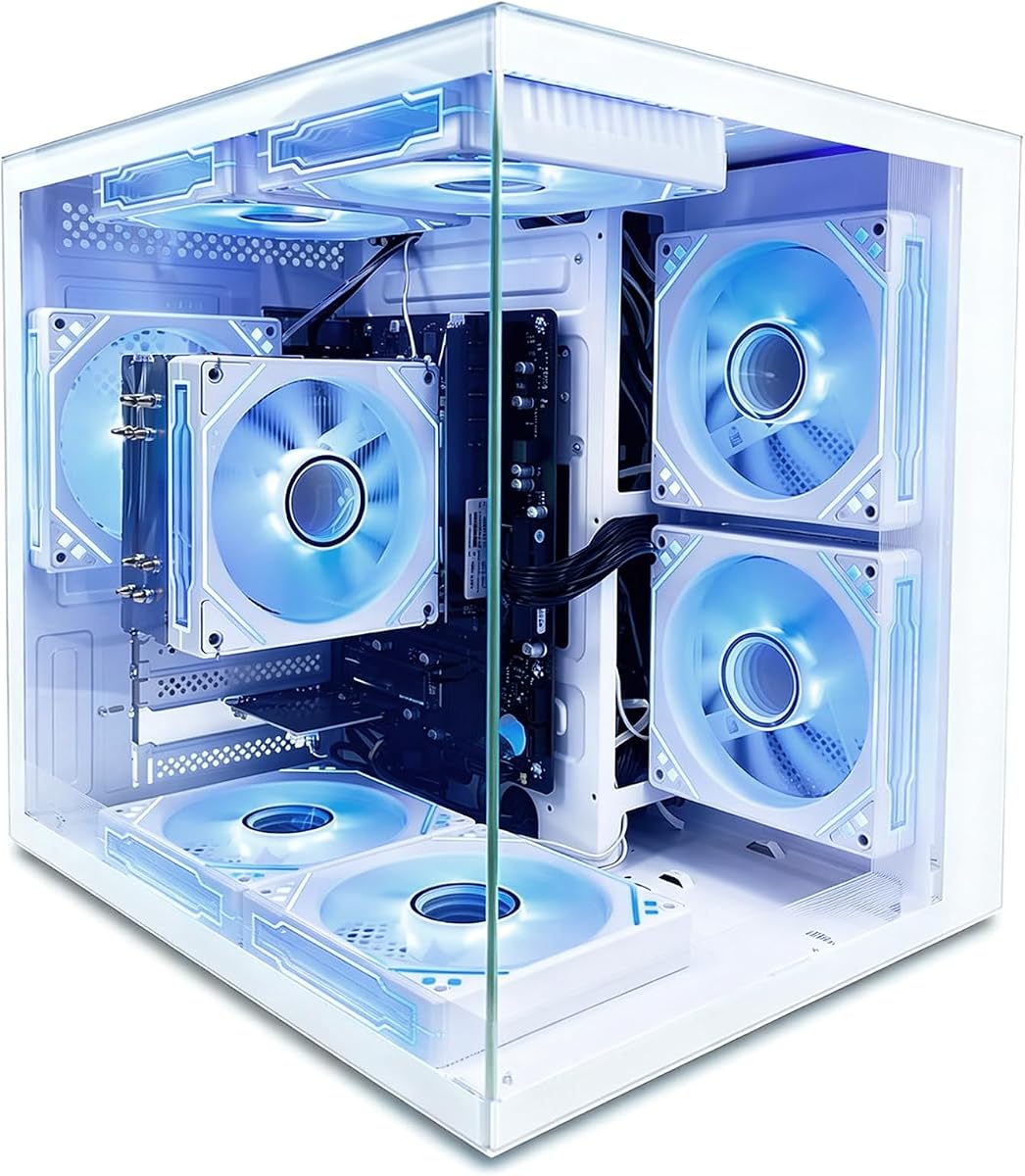
suevery Prebuilt Desktop PC Tower
4.3Editor score
AMD Ryzen 5 APU
Wi-Fi 6 Connectivity
RGB Lighting Effects
Discover the top 10 Desktop PC for Teens options. Compare specs, ratings, and features to find the perfect machine for study and gaming in 2026.
Finding the right desktop PC for teens involves balancing performance, durability, and cost. You need a machine that handles homework, creative projects, and gaming without breaking the bank or requiring constant upgrades.
We evaluated ten carefully selected models based on processor power, memory capacity, storage speed, and connectivity options. Each entry includes real user ratings and detailed specs to help you make an informed decision.
Every pick showcases key strengths and potential limitations so you know exactly what you get. Prices fluctuate often, so check the latest offers before buying to ensure you secure the best deal available.
4.3Editor score

4.0Editor score

4.2Editor score
This side-by-side comparison highlights the core specifications of each desktop option. Use this table to quickly identify which model meets your specific needs for speed, storage, and connectivity.




This Dell desktop stands out with its 32GB RAM and fast i7 processor, making it ideal for heavy multitasking. Users appreciate the speed and reliability for schoolwork and media streaming.
We may earn a commission when you buy through this link, at no additional cost to you.
The 512GB NVMe SSD ensures quick access to files and applications, reducing wait times significantly. The inclusion of wireless keyboard and mouse adds convenience right out of the box.
While it lacks a dedicated graphics card, the integrated graphics handle everyday tasks well. For teens focused on productivity rather than high-end gaming, this balance is acceptable.
We recommend this for students who need a reliable workstation. It offers professional performance in a compact package suitable for small desks.
With 32GB of RAM, this system can run dozens of browser tabs and applications simultaneously without slowing down.
The NVMe SSD delivers read speeds that traditional hard drives cannot match, ensuring your system feels snappy.
We may earn a commission when you buy through this link, at no additional cost to you.
This unit offers a complete bundle with a monitor, which simplifies setup for budget-conscious buyers. It is suitable for basic web browsing and document editing.
We may earn a commission when you buy through this link, at no additional cost to you.
The 8GB DDR3 RAM works fine for light tasks but may struggle with heavy multitasking. The HDD storage means boot times will be slower compared to modern SSDs.
Users who need an all-in-one solution without buying extra screens will find this convenient. The RGB bundle adds a nice visual touch to the setup.
It is a practical choice for students who prioritize having a display included. However, expect longer loading times for apps compared to newer models.
The included 20-inch monitor means you can start using the PC immediately without additional purchases.
While not designed for high-end tasks, this system handles standard office and educational software with ease.
We may earn a commission when you buy through this link, at no additional cost to you.
This prebuilt tower features a modern look with RGB lighting that appeals to younger users. It runs on an AMD Ryzen processor with integrated graphics.
We may earn a commission when you buy through this link, at no additional cost to you.
The Wi-Fi 6 support ensures fast and reliable internet connections. 16GB RAM allows for smooth multitasking during online classes and streaming.
It is a versatile machine for home and leisure. The low power consumption makes it efficient for daily use without high electricity costs.
We recommend this for teens who value aesthetics and connectivity. It offers a balanced mix of style and performance for the price.
The RGB lighting effects can be customized to match personal style or turned off for a more professional look.
Wi-Fi 6 technology provides better speed and stability than older wireless standards for online gaming and video calls.
We may earn a commission when you buy through this link, at no additional cost to you.
The small form factor design makes this unit perfect for tight desk spaces. It houses a capable i7 processor and fast storage in a compact chassis.
We may earn a commission when you buy through this link, at no additional cost to you.
Performance is robust for most school and light gaming tasks. The included peripherals ensure you are ready to work immediately upon setup.
While it is not easily upgradable, the current specs are sufficient for many years of use. The build quality remains high thanks to its business origins.
Consider this if space is limited but you still need power. It delivers reliable performance without taking up much room in a bedroom.
The slim profile allows you to mount the PC behind a monitor or place it on a small desk easily.
Built for enterprise environments, this unit is designed to run continuously without overheating issues.
We may earn a commission when you buy through this link, at no additional cost to you.
This package includes a 24-inch monitor and headset, making it a full workstation ready to go. The RGB elements add a fun touch for teens.
We may earn a commission when you buy through this link, at no additional cost to you.
The system performs well for everyday tasks with 16GB RAM. Boot times are quick thanks to the SSD storage included.
While it lacks a dedicated GPU, it handles basic gaming and media well. It is a good choice if you want everything in one box.
We suggest this for families setting up a home office. It provides necessary components without requiring separate purchases.
Getting a monitor and audio peripherals included means you spend less time shopping for additional accessories.
The RGB panel lets you adjust lighting effects to suit your mood or room decor.
We may earn a commission when you buy through this link, at no additional cost to you.
This model is one of the most affordable options without sacrificing key features. It offers 16GB RAM which is excellent for the price.
We may earn a commission when you buy through this link, at no additional cost to you.
The SSD ensures the system boots quickly and runs smoothly for web browsing. It supports 4K dual displays if you want a larger workspace.
It is not the latest generation hardware but still performs well for education and basic work. The refurbished status ensures cost savings.
Buy this if you are on a tight budget but need reliable performance. It covers the essentials well for students.
Priced lower than many competitors, this unit still delivers 16GB of RAM which is rare at this price level.
The ability to connect two monitors at 4K resolution allows for efficient multitasking setups.
We may earn a commission when you buy through this link, at no additional cost to you.
This desktop offers a huge 1TB SSD which is rare in refurbished units. Combined with 32GB RAM, it is ready for heavy data storage needs.
We may earn a commission when you buy through this link, at no additional cost to you.
The system handles media streaming and multitasking with ease. Bluetooth support allows for easy connection of wireless speakers or mice.
It is a strong choice for creative students who need to store many files. Performance is balanced and consistent for daily use.
We recommend it for those who need space for large project files. It removes the need for external hard drives.
The 1TB SSD lets you store thousands of documents, photos, and media without worrying about running out of space.
Built-in Bluetooth allows you to connect headphones or controllers without using USB ports.
We may earn a commission when you buy through this link, at no additional cost to you.
This is one of the few units in the list with a dedicated graphics card. It runs popular esports titles like CS GO at decent frame rates.
We may earn a commission when you buy through this link, at no additional cost to you.
The kit includes a monitor and headset so you can start playing right away. RGB lights give it a gaming vibe that teens enjoy.
While the GPU is not high end, it is enough for casual gaming. It bridges the gap between office and gaming PCs effectively.
Consider this if your teen plays games but does not need ultra settings. It offers a balanced experience for the price.
The dedicated GPU handles rendering better than integrated graphics, allowing for playable gaming on modern titles.
With peripherals and monitor included, there is no need to search for extra gear before enjoying your new PC.
We may earn a commission when you buy through this link, at no additional cost to you.
This model boasts the latest specs with an i7 processor and Wi-Fi 6E for future proofing. It is powerful enough for complex projects and streaming.
We may earn a commission when you buy through this link, at no additional cost to you.
The 1TB SSD offers ample space for all your files. 32GB RAM ensures smooth operation even with heavy software like video editors.
It is one of the most capable units on this list. The wireless peripherals add convenience to a high-performance machine.
Buy this if you want the best performance without upgrading later. It is a great investment for advanced students.
Wi-Fi 6E ensures your connection stays fast even as internet speeds improve over the coming years.
The 8-core processor handles intensive tasks like rendering or coding efficiently without thermal throttling.
We may earn a commission when you buy through this link, at no additional cost to you.
This unit provides a stable balance of specs and price. It has all the essentials for general use with no major drawbacks.
We may earn a commission when you buy through this link, at no additional cost to you.
The 512GB SSD is a good size for most apps. Bluetooth allows for easy pairing with headphones for private listening.
It handles homework and media consumption well. While not the fastest, it is reliable and consistent for school years.
We recommend this for teens who need a workhorse for daily tasks. It delivers value without unnecessary extras.
Bluetooth connectivity means you can connect wireless devices without needing external dongles or adapters.
The i5 processor and 16GB RAM are enough to keep the system running smoothly during online classes.
We may earn a commission when you buy through this link, at no additional cost to you.
Choosing the right desktop PC for teens involves considering several key factors that impact daily use and longevity. Here are the main aspects to evaluate before purchasing.
The processor is the brain of your computer. For teens, an Intel Core i5 or i7 provides enough power for multitasking and basic creative work.
Look for multi-core processors to ensure smooth performance when running multiple applications at once.
RAM determines how many programs you can run simultaneously. 16GB is the sweet spot for modern use, allowing for gaming, browsing, and streaming.
Avoid systems with less than 8GB of RAM as they may lag during heavy usage.
Solid State Drives (SSD) are much faster than traditional Hard Disk Drives (HDD). An SSD ensures your computer boots up quickly.
Aim for at least 512GB of storage to accommodate games, school files, and media without needing external drives.
Integrated graphics are fine for school work, but gaming requires a dedicated graphics card. Check if the model includes a GPU if gaming is a priority.
Some prebuilts allow upgrades later, which is useful for expanding capabilities as needs change.
Modern PCs should have USB ports for peripherals and HDMI for monitors. Wi-Fi and Bluetooth are essential for wireless devices.
Ensure the unit has enough ports for your mouse, keyboard, and other devices without needing hubs.
Windows 11 offers the latest security and interface improvements. Most refurbished units come with a valid license pre-installed.
Verify that the system comes with a clean install of the OS without unwanted bloatware.
Refurbished products usually come with a limited warranty ranging from 90 days to a year. Check the warranty terms before buying.
Support availability is crucial if you encounter issues with setup or software later.
Desktops come in small form factors or towers. Small form factors save space but may limit upgrades.
Choose a size that fits your desk comfortably while meeting your space requirements.
Start by connecting all peripherals securely to the correct ports. Ensure your monitor is connected via HDMI or DisplayPort and that power cords are plugged into a surge protector.
Keep the computer in a well-ventilated area to prevent overheating. Dust can block airflow so clean the vents periodically with compressed air to maintain performance.
Install updates regularly to keep the system secure and running smoothly. Use strong passwords to protect your data and avoid downloading files from untrusted websites.
Desktops generally offer better performance and upgradeability for the same price. However, laptops provide portability which some students need for school. Consider where the computer will be used primarily.
Most of the standard models listed are towers only and do not include a monitor. Some bundles do include screens so check the product details carefully before buying.
Many models allow for memory and storage upgrades but some have limits on CPU replacement. Small form factors may restrict the types of graphics cards you can add later.
Yes Certified refurbished units undergo testing to ensure they function like new. They often include a warranty for protection which makes them a reliable choice for budget buyers.
16GB is the standard for modern gaming and multitasking. 8GB may work for older games but will struggle with newer titles that require more memory resources.
You can add an external hard drive for extra storage. Some desktops have internal slots where you can install a larger drive if the case allows for it.
We recommend the DELL Optiplex 7060 SFF for its strong balance of power and reliability. It handles multitasking well and offers a professional build quality for students.
For those needing more gaming features, the Dell Gaming OptiPlex provides a dedicated GPU and bundle accessories. It is a great all-in-one solution for entertainment and study.
Remember that prices change frequently so check the links for current offers before purchasing. Investing in the right specs now can save you money on upgrades later.