
Beelink Mini PC SER9 Pro AMD Ryzen 7 255
4.0Editor score
Pre-Installed Openclaw and Ubuntu
AMD Radeon 780M Graphics
24GB LPDDR5X Memory
Find the best desktop PC with Ubuntu pre installed. Compare mini PCs and business towers with Linux for developers and creators. Real ratings and specs.
Finding a desktop PC with Ubuntu pre installed can streamline your workflow. Whether you are a developer or a power user, having Linux ready to go saves time. These systems offer performance and reliability for professional tasks.
We compared top models based on processor power, memory, and storage. Our list includes mini PCs and traditional towers suitable for different needs. Each entry provides detailed specs to help you make an informed choice.
Each pick shows key features and real user ratings. We highlight strengths like AI capabilities or expandability. Keep in mind that prices and availability can change frequently so check links for current details.
4.0Editor score
5.0Editor score
4.0Editor score
This side by side comparison helps you quickly identify key differences. We list processors, memory, and storage options across all ten models. Review the table to find the right balance of performance and price.






This NIMO Mini PC stands out as the top choice for users needing a desktop PC with Ubuntu pre installed alongside Windows. Its perfect rating reflects excellent performance and versatility. The dual OS setup removes the need for complex manual installations.
We may earn a commission when you buy through this link, at no additional cost to you.
Powered by the AMD Ryzen AI Max+ 395, it handles heavy multitasking and AI workloads with ease. The dedicated NPU boosts local LLM execution without cloud reliance. High bandwidth memory supports virtual machines and containerized apps effectively.
While the price is steep, the performance justifies it for professionals. The triple display output and WiFi 7 ensure future proof connectivity. This system is designed for demanding workflows in development or data science.
Buy this if you need raw power and open source flexibility. It is ideal for developers and AI researchers. The reliable support and tested drivers make it a hassle free premium solution.
Switch between Win11 Pro and Linux Ubuntu instantly for different workflows without setup hassle.
Integrated NPU delivers exceptional TOPS performance for local LLM execution and AI assisted coding.
We may earn a commission when you buy through this link, at no additional cost to you.
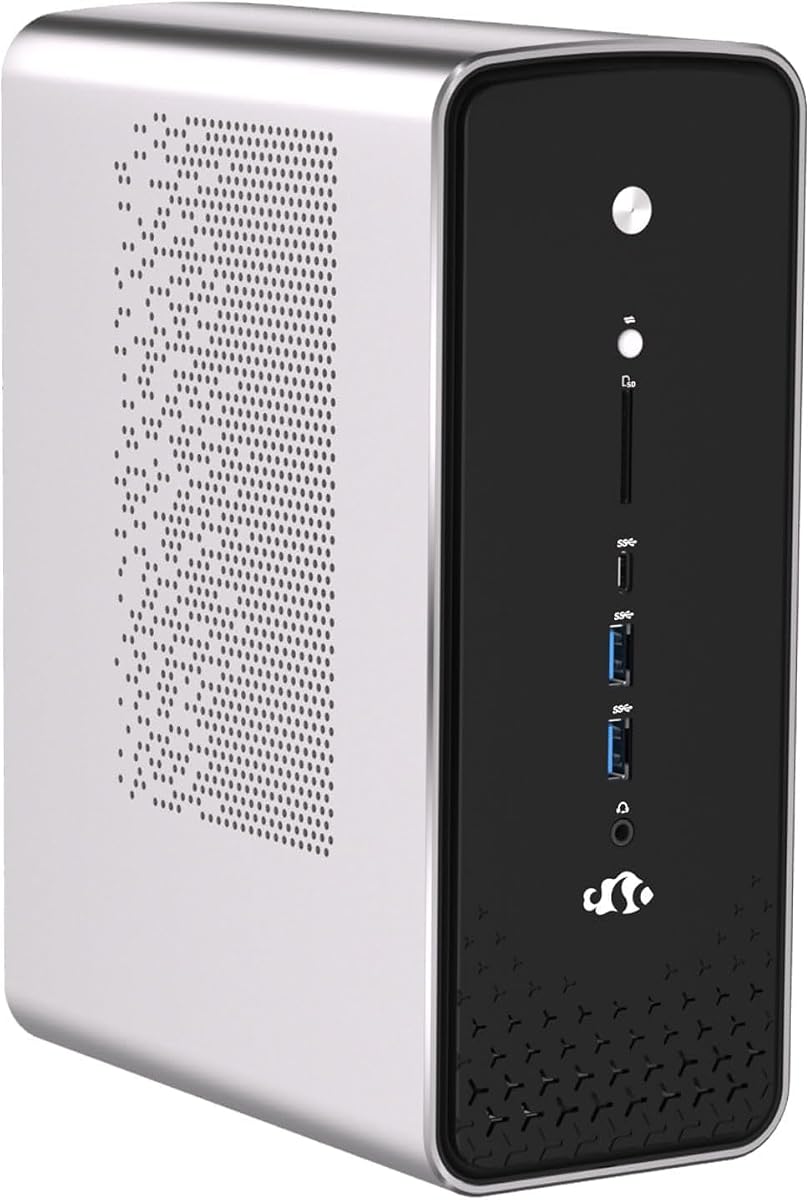
The Beelink SER9 Pro offers a unique mix of hardware and software integration. It comes with Ubuntu and Openclaw pre installed to support AI and productivity tasks. The 24GB LPDDR5X memory ensures smooth performance for development work.
We may earn a commission when you buy through this link, at no additional cost to you.
Its AMD Ryzen 7 255 delivers strong multi threaded performance. The Radeon 780M graphics handle gaming and multimedia well. Triple display support with 4K 240Hz makes it great for multi monitor setups.
While it has excellent features, storage expansion has some limits. The cooling system operates quietly but may get louder under heavy load. These trade offs are acceptable for a mini PC this powerful.
Choose this if you want a compact PC with strong AI features. It suits developers and power users who need Ubuntu ready to go. The robust connectivity and high refresh rate displays add to its value.
Pre-installed Openclaw supports diverse application scenarios from development to marketing operations.
Built-in dual speakers and AI voice processing enhance audio clarity without external equipment.
We may earn a commission when you buy through this link, at no additional cost to you.
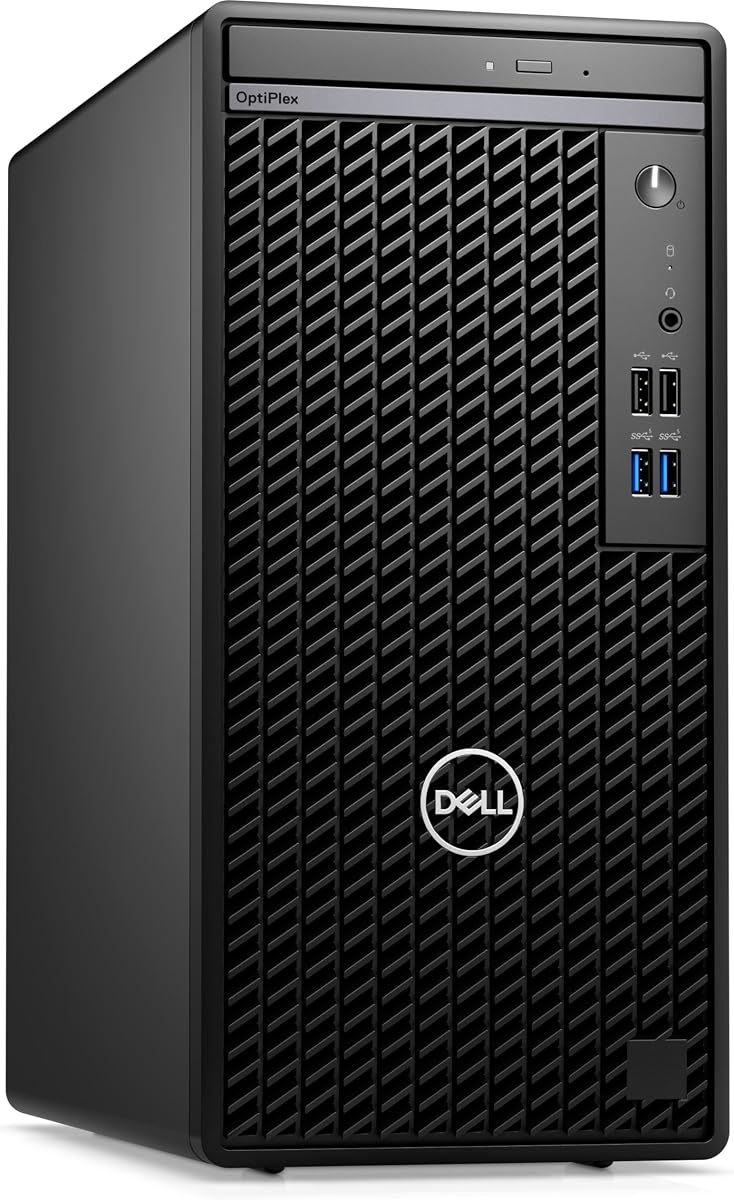
The Dell Optiplex 7010 provides a reliable entry point for Ubuntu desktop users. It features a modern 14th gen i5 processor for efficient multitasking. The system comes with Ubuntu Linux 22.04 pre installed for easy setup.
We may earn a commission when you buy through this link, at no additional cost to you.
This mini tower offers excellent expandability for future needs. It includes essential ports like HDMI and DisplayPort for monitors. The included keyboard and mouse add value for immediate use.
Base memory and storage might need upgrades for heavy workloads. However, the powerful CPU makes up for this deficit in many tasks. It remains a solid choice for office or home office setups.
Ideal for businesses wanting Ubuntu ready to go at a low cost. It handles daily tasks well and allows for upgrades. Check current prices before buying to ensure it fits your budget.
14 core i5-13500 handles multiple applications smoothly for daily productivity tasks.
Includes USB, HDMI, DisplayPort, and Ethernet for versatile connectivity in any setup.
We may earn a commission when you buy through this link, at no additional cost to you.
This renewed Dell offers a robust configuration for professional use. It comes with 32GB RAM and a fast 1TB NVMe SSD for smooth performance. While it runs Windows, it can be converted to Ubuntu if needed.
We may earn a commission when you buy through this link, at no additional cost to you.
The 9th gen i7 processor is capable of handling daily workloads efficiently. WiFi 6E ensures stable wireless connectivity. The wireless keyboard and mouse add convenience for users.
Buying a renewed unit saves money but carries some risk. Ensure the warranty covers your needs before purchasing. The specs are strong enough for most office and developer tasks.
Consider this if you need high RAM at a lower price. It is a good alternative if you are willing to install Ubuntu yourself. Check the seller rating for confidence in the product quality.
Suitable for business computing with roomy tower case for future expansion options.
Includes USB 3.1, USB 2.0, and DisplayPorts for two displays setup.
We may earn a commission when you buy through this link, at no additional cost to you.
This renewed Dell Optiplex provides strong multitasking capabilities. With 32GB RAM and a 1TB SSD, it handles files and apps efficiently. Dual monitor support is ideal for productivity workflows.
We may earn a commission when you buy through this link, at no additional cost to you.
The processor is older but still capable for everyday tasks. It supports dual displays easily via HDMI and DisplayPort. The renewed condition ensures excellent functionality for general use.
It lacks Ubuntu pre installation so you will need to install it manually. The hardware is reliable enough for this operation. Consider the warranty terms for long term peace of mind.
A good choice for budget conscious buyers needing dual screens. It suits office environments well. Verify the condition details upon arrival to confirm it meets expectations.
Supports dual displays with HDMI and DisplayPort for extended workspace productivity.
Small form factor desktop tower allows for future expansion in any office space.
We may earn a commission when you buy through this link, at no additional cost to you.
This renewed Dell offers a balanced mix of speed and storage. The NVMe SSD ensures faster boot speeds than traditional drives. With 32GB RAM, multitasking is smooth for various applications.
We may earn a commission when you buy through this link, at no additional cost to you.
The 8th gen i7 processor provides efficient performance for office work. Bluetooth and WiFi keep you connected without extra dongles. The included wireless keyboard and mouse are convenient for setup.
It does not come with Ubuntu pre installed but supports upgrades. The hardware is solid for running Linux if you prefer. Always check the renewal warranty for coverage details.
Buy this if you value fast storage and high RAM. It is a dependable choice for home or business use. Verify the condition before confirming your purchase to avoid issues.
512GB M.2 NVMe SSD supports rapid boot and data transfer rates for efficiency.
Suitable for both home and business computing with reliable workstation design.
We may earn a commission when you buy through this link, at no additional cost to you.
This slim business desktop is efficient for small workspaces. It features a 16GB RAM and a 512G NVME SSD for good performance. The renewed status ensures tested functionality for daily tasks.
We may earn a commission when you buy through this link, at no additional cost to you.
The processor handles standard office applications well. It includes wired keyboard and mouse for stability. The slim design saves desk space effectively in any room.
It does not have Ubuntu pre installed so manual installation is needed. The hardware supports most modern operating systems. Check the warranty terms for peace of mind on renewed units.
Choose this for a compact solution for business use. It is affordable and reliable. Verify the seller reputation and warranty before buying online.
Space saving design ideal for limited desk space or clutter free setups.
Professionally renewed with tested components for consistent office computing.
We may earn a commission when you buy through this link, at no additional cost to you.
This Dell Pro Micro offers modern processing power in a tiny form. It comes with Ubuntu Linux 18.04 pre installed for open source users. The DDR5 RAM ensures fast data processing for daily tasks.
We may earn a commission when you buy through this link, at no additional cost to you.
The processor supports efficient multitasking and office workflows. It is ideal for space constrained environments. The compact design frees up valuable desk space efficiently.
The Ubuntu version is older so you might want to upgrade it. The memory is limited but sufficient for basic use. Check availability and pricing for current details.
A great pick for space conscious buyers needing Ubuntu. It is modern and efficient. Ensure the OS version meets your needs before purchasing online.
Extremely compact footprint fits any setup and frees valuable desk space.
15th Gen Ultra processor provides efficient multitasking and stable performance.
We may earn a commission when you buy through this link, at no additional cost to you.
This ASUS NUC offers a secure open source environment with Linux Mint. It handles coding and cloud native development with strong AI acceleration. The mini PC design is efficient and quiet.
We may earn a commission when you buy through this link, at no additional cost to you.
Advanced cooling allows 24/7 operation without overheating. Multiple displays and Thunderbolt 4 enable flexible workflows. The included bundle adds value for immediate setup.
Some users might find the rating lower than other models. The OS is great for privacy but less flexible than pure Ubuntu. It remains a solid choice for professionals.
Ideal for those seeking Linux Mint and high performance. It suits home offices well. Review current specs to ensure it meets your specific requirements.
Linux Mint ensures a clutter free experience with powerful open-source tools.
Supports up to four 4K HDR displays via Thunderbolt and USB-C.
We may earn a commission when you buy through this link, at no additional cost to you.
The ASUS PB64 is a powerful mini PC with modern specs. It features a toolless chassis for easy upgrades. TPM ensures secure data protection for professional environments.
We may earn a commission when you buy through this link, at no additional cost to you.
The design is visually impressive with support for up to four 4K displays. This makes it great for complex visual workflows. Reliable connectivity keeps you stable across work.
It does not offer Ubuntu pre installed so manual changes are needed. However the hardware supports Linux well. Check availability for the best deal available online.
Consider this for business integration and security. It is a solid choice for any professional setup. Verify the current configuration before purchasing.
Space-saving toolless design for effortless upgrades and reducing downtime.
TPM 2.0 protects data and personal information with advanced encryption.
We may earn a commission when you buy through this link, at no additional cost to you.
Selecting the right PC for Linux requires considering several factors. We break down the key aspects to help you make the best decision.
A strong processor is vital for smooth multitasking and AI workloads. Look for latest gen CPUs like Ryzen AI or Intel Core Ultra.
Prioritize cores and threads for better performance across tasks.
Sufficient RAM ensures you can run multiple apps and containers without lag. 16GB is a good start for most users.
Opt for 32GB or more if you handle heavy virtualization or data processing.
NVMe SSDs provide faster boot times and data access. Aim for 512GB minimum for comfortable usage.
Higher capacity like 1TB allows room for large files and projects.
Modern Wi-Fi and USB ports are essential for stable connections. Check for USB4 or Thunderbolt 4 support.
Ensure enough ports for your peripherals to avoid extra hubs.
Verify the Ubuntu version or Linux distribution included. Newer versions offer better hardware support.
Consider if the system allows easy updates or switching.
Mini PCs save space but may limit cooling and expansion. Towers allow more flexibility for upgrades.
Choose based on your workspace needs and upgrade plans.
Reliable technical support and warranty terms protect your investment. Look for vendors with good reputations.
Ensure the seller offers help if you face software issues.
Compare specs and pricing to find the best value. Premium models cost more but deliver higher performance.
Set a budget and prioritize features that matter most to your workflow.
Start by connecting all peripherals and power cables securely. Allow the system to boot and update Ubuntu to the latest version.
Install essential software via the Ubuntu Software Center or terminal. Use tools to optimize system performance and security.
Regularly clean the physical case to prevent dust buildup and overheating. Backup your data to external drives or cloud services.
Most models in our list come with Ubuntu or Linux pre installed. Some offer dual OS options like Windows and Linux. Check the product title for confirmation before buying.
Yes you can install Ubuntu on most PCs after purchase. You will need to create a bootable USB drive. Follow the installer steps carefully during setup.
For development choose at least 16GB RAM and 512GB SSD. A modern multi-core processor like Ryzen or Intel Core is ideal. This setup handles containers and virtual machines well.
Many of the featured mini PCs support dual or triple monitors via HDMI and DisplayPort. Verify the specific ports listed for each model. This allows extended workspace setups.
Most modern hardware works well with Ubuntu out of the box. Drivers for WiFi Bluetooth and graphics are typically included. Check compatibility notes if you have rare components.
Business class desktops typically last 5 to 7 years. Mini PCs depend on cooling and usage intensity. Regular updates and maintenance help extend longevity.
We reviewed ten top models ranging from mini PCs to business towers. The NIMO Mini PC leads with powerful AI features and dual OS support.
For budget users the Dell Optiplex 7010 offers a solid entry point with Ubuntu included. Consider your specific needs when selecting a model.
Prices and availability change so check the current links before purchasing. Choose the system that best fits your workflow and budget.