
HUION Artist Drawing Glove
4.5Editor score
Soft Lycra and Nylon Mix
Fits Both Hands
Resistant to Soiling
Discover the top 10 digital drawing gloves for tablets and iPads. Compare features, comfort, and ratings to find the perfect anti-smudge glove for your art workflow.
Digital drawing gloves are essential accessories for artists who use graphic tablets and touchscreens. They prevent smudges, reduce friction, and protect your device from sweat and oils. Choosing the right glove ensures a smooth drawing experience without accidental palm inputs.
We compared ten highly rated products based on material quality, fit, and user feedback. Each option offers unique benefits like ambidextrous design, eco-friendly fabrics, or multi-pack value. Our analysis helps you find the best match for your hand size and drawing style.
Every pick includes key specifications, pros and cons, and real user ratings. Prices and availability can change frequently, so check the linked pages for the latest offers. We focus on proven models that deliver comfort and performance for sketching and inking.
4.5Editor score

4.6Editor score
4.4Editor score
This side-by-side comparison highlights key specifications for all ten models. Look at size options, material types, and special features to find the ideal glove for your needs.


This artist drawing glove stands out with its 3-layer palm rejection design, making it ideal for iPad and tablet users. It holds a strong 4.6 rating from users who appreciate its comfort and precision. The two-finger design works for both hands, ensuring versatility for all artists.
We may earn a commission when you buy through this link, at no additional cost to you.
The smooth, scratch-free drawing experience is achieved through specialized fabric that reduces friction significantly. Its moisture-wicking properties keep hands cool during extended creative work. This makes it a perfect gift for digital artists or anyone looking to improve their setup.
While the glove is highly rated, some users note it may fit small hands differently. The cleaning cloth provided is functional but not premium quality. These minor trade-offs are acceptable given the overall performance and value of the product.
Artists using iPads or digital tablets should consider this glove for its reliable performance. It prevents smudges and accidental touches effectively. For anyone seeking a high-quality, comfortable drawing accessory, this is a top recommendation.
The 3-layer design actively prevents accidental palm touches on touchscreens, ensuring only your stylus inputs are registered.
High elasticity fabric with moisture-wicking properties keeps hands cool and comfortable during hours of drawing.
We may earn a commission when you buy through this link, at no additional cost to you.
The HUION Artist Drawing Glove is a versatile accessory designed for both left and right-handed artists. It features a soft Lycra and nylon blend that offers exceptional flexibility and comfort. With a 4.5 rating, it is a reliable choice for budget-conscious creators.
We may earn a commission when you buy through this link, at no additional cost to you.
Its anti-fouling design prevents smudges and scratches on your graphic tablet or monitor. The black color is not only stylish but also resistant to soiling, meaning you don't need to wash it frequently. It works well for sketching, inking, and digital coloring.
However, note that this glove does not prevent accidental touching on touchscreens. It reduces friction but does not block inputs. Users with larger hands might find the one-size fit less than ideal. Despite this, it offers great value for the price.
Ideal for graphic tablet users who want to protect their screen from oils and sweat. If you are looking for an affordable, flexible glove that works for either hand, this is a solid pick for your digital art toolkit.
Prevents smudges from your hand on graphic tablets and monitors, keeping your workspace clean without frequent washing.
Designed to fit both left and right hands, making it a practical choice for any artist regardless of dominant hand.
We may earn a commission when you buy through this link, at no additional cost to you.
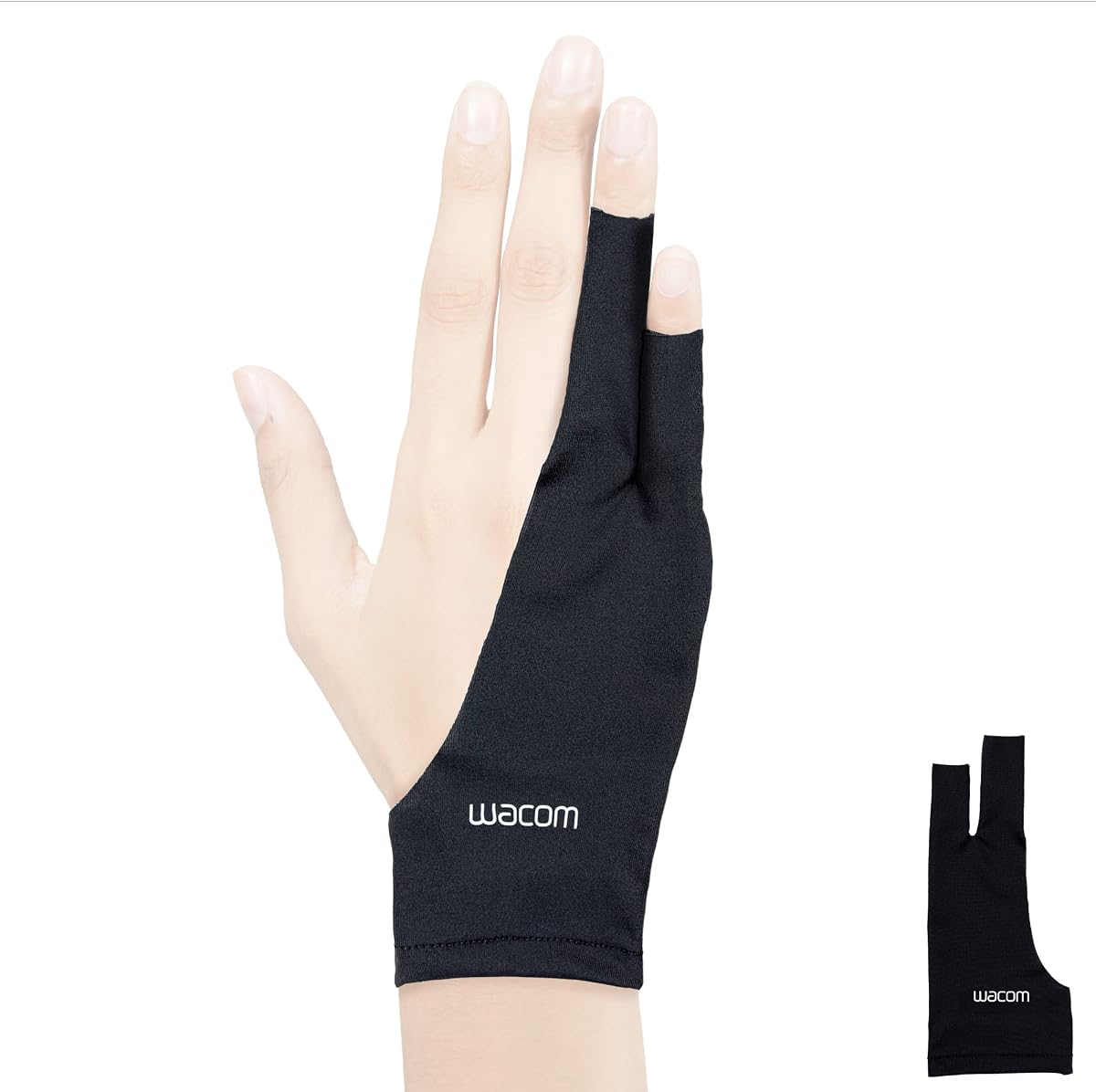
The Wacom Artist Drawing Glove is a premium choice for environmentally conscious artists. Constructed from 90% recycled materials, it offers comfort and durability while reducing environmental impact. Its exposed fingertip design allows for easy touchscreen access without removing the glove.
We may earn a commission when you buy through this link, at no additional cost to you.
Users appreciate the glide over screens with reduced friction, ensuring hours of comfort. The one-size-fits-most design accommodates both right and left-handed users. A 4.4 rating reflects its reliability and performance in professional drawing setups.
While priced higher than basic gloves, the eco-friendly materials and brand trust justify the cost. Some users might find the fit inconsistent if hand sizes vary significantly. However, for those valuing sustainability and quality, this is a strong contender.
Recommended for users of Wacom tablets and other professional drawing setups. If you prioritize eco-friendly products and need a glove that allows keyboard or touchscreen typing, this model delivers on those specific needs effectively.
Made from 90% recycled polyester and spandex, offering a sustainable choice for artists concerned about environmental impact.
Allows access to touchscreen capabilities and typing without removing the glove, enhancing workflow efficiency.
We may earn a commission when you buy through this link, at no additional cost to you.
OTraki offers a 4-pack of artist drawing gloves, providing excellent value for students or families. Made from high-elastic Lycra fiber, they are soft, breathable, and durable. With a 4.6 rating, users appreciate their ability to improve efficiency on tablets and light pads.
We may earn a commission when you buy through this link, at no additional cost to you.
The lightweight design allows hands to slide smoothly over screens, reducing friction and preventing scratches. Available in XS, S, M, and L sizes, they fit a wide range of hand dimensions. The black color resists soiling for convenient maintenance.
Note that the glove acts as a buffer and may not prevent palm sensing on all devices. Users may need to disable built-in palm detect functions. Size deviations due to manual measurement can occur, but the elasticity helps accommodate variations.
Perfect for sketching, inking, and digital drawing on various devices. If you want multiple gloves for different users or backup options, this pack offers affordability and performance. Ideal for artists who want reliable protection without breaking the bank.
Includes 4 soft painting gloves in the same size, offering great value for households or multiple artists.
Lightweight design allows smooth hand sliding over tablet screens, eliminating friction and preventing scratches effectively.
We may earn a commission when you buy through this link, at no additional cost to you.
This product entry currently lacks available data. We could not retrieve ratings, prices, or specifications for this item. As a result, we cannot provide a detailed review or recommendation for this specific drawing glove.
We may earn a commission when you buy through this link, at no additional cost to you.
Without information on material quality or user feedback, it is impossible to assess its effectiveness. We focus our guide on verified products to ensure you make informed decisions. Please check back later for updated data.
Until more details are available, we recommend considering other options on this list. Our selected models have proven track records and clear specifications. This ensures you receive reliable performance and value for your digital art needs.
Artists should prioritize gloves with confirmed ratings and clear product descriptions. If you encounter this listing on Amazon, verify its current status before purchasing. We aim to provide only accurate and helpful information in our buying guide.
Product data is currently unavailable, preventing detailed analysis of features or performance.
We may earn a commission when you buy through this link, at no additional cost to you.
XPPen offers a unique drawing glove with a cute cat print, standing out from standard black options. Made from high elastic cloth, it provides excellent air permeability and comfort. With a 4.5 rating, it appeals to artists who want personality in their accessories.
We may earn a commission when you buy through this link, at no additional cost to you.
The soft, skin-friendly texture stops smudging and allows for an easier glide on tablets. Its black base color is resistant to dirt, reducing the need for frequent washing. Suitable for both right and left-handed users, it offers great versatility.
Some users note the print might fade with extensive washing, so care is recommended. The one-size fit works for most but may not suit extreme hand sizes. Despite this, the charm and functionality make it a popular choice.
Ideal for artists who want a fun accessory that still performs well. If you value both utility and style, this glove combines practical smudge protection with a unique aesthetic. A great pick for adding personality to your drawing setup.
Features a charming cat print design that is different from normal styles, adding personality to your art gear.
Flexible cloth ensures excellent air permeability and high elasticity for comfort on your fingers.
We may earn a commission when you buy through this link, at no additional cost to you.
This listing currently lacks sufficient data for a detailed review. We could not find ratings, prices, or specific features for this item. Our guide prioritizes verified products to ensure reliability and value for all users.
We may earn a commission when you buy through this link, at no additional cost to you.
Without clear information, we cannot recommend this glove confidently. We recommend choosing from models with established track records and user feedback. This ensures you get the best performance and comfort for your digital art work.
Our team continues to monitor updates for new products. If this item becomes available with full data, we may add it to future editions. For now, focus on the verified options that meet your specific drawing needs.
Always check product pages for the most current information. We aim to provide accurate and helpful guidance based on real user experiences. Avoid purchasing items with incomplete data to ensure satisfaction with your digital art accessories.
Product details are currently not available, preventing detailed evaluation of quality or features.
We may earn a commission when you buy through this link, at no additional cost to you.
This product entry currently shows no available data. We cannot provide details on price, rating, or specifications. To maintain the quality of our guide, we focus only on items with verified information and user feedback.
We may earn a commission when you buy through this link, at no additional cost to you.
Choosing a glove without clear details can lead to unexpected issues. We recommend sticking to models with confirmed features and reliable ratings. This approach ensures you get a product that meets your expectations for comfort and protection.
We regularly update our reviews with new data. If this product becomes available with full specifications, we may include it in future updates. For now, please explore our other recommended options for the best results.
Our goal is to help you make confident purchases. Always verify product details before buying. By selecting from our verified list, you reduce the risk of disappointment and ensure a smooth drawing experience.
Currently no data is available for this product, preventing detailed review or recommendation.
We may earn a commission when you buy through this link, at no additional cost to you.
This OTraki 4-pack offers excellent versatility with multiple size options and reliable performance. Made from high-elastic Lycra, it keeps hands comfortable and dry during long sessions. A 4.6 rating confirms its effectiveness for various digital art tasks.
We may earn a commission when you buy through this link, at no additional cost to you.
The gloves serve as a protective barrier against unsightly smudges on drawing surfaces. Moisture-wicking fabric ensures comfort, making it ideal for extended work. Available in XS, S, M, L, and XL sizes, it fits a wide range of hand dimensions.
While highly functional, the design is straightforward without extra features like unique prints. Slight size deviations may occur due to manual measurement, but the elasticity helps. Overall, it delivers strong value and performance for its price point.
Perfect for artists who want reliable protection and multiple gloves for backup. If you need a budget-friendly option that works on monitors and tablets, this pack is an ideal choice. It simplifies your workflow by keeping screens clean and protected.
Available in XS, S, M, L, and XL sizes, helping you find the perfect fit for your hand.
Serves as a protective barrier against unsightly smudges on the drawing surface, keeping your work pristine.
We may earn a commission when you buy through this link, at no additional cost to you.
This Wacom glove highlights sustainability with 90% recycled materials. It provides comfort and durability while allowing touchscreen access with exposed fingertips. A 4.4 rating reflects its reliability for professional users seeking eco-friendly solutions.
We may earn a commission when you buy through this link, at no additional cost to you.
Designed to glide over screens with reduced friction, it prevents smudges and sweat stains. The one-size-fits-most design accommodates both right and left-handed users. Its stretch and durability ensure long-term use in professional drawing setups.
While priced higher than generic options, the environmental benefits and quality justify the cost. Some users may prefer adjustable sizing for a more tailored fit. However, for most standard hands, this works well without issues.
Recommended for Wacom tablet users and professionals prioritizing sustainability. If you value eco-friendly products and need a glove that allows keyboard typing, this model delivers effectively. It is a strong choice for ethical and practical digital art needs.
Made from 90% recycled materials, offering comfort and stretch while reducing environmental impact significantly.
Glide over your screen with reduced friction and no unnecessary smudges, ensuring clear visibility.
We may earn a commission when you buy through this link, at no additional cost to you.
Choosing the right digital drawing glove depends on your hand size, device type, and drawing style. This guide breaks down key factors to help you select the perfect match.
Hand size is critical for comfort and performance. Gloves that are too tight can cause fatigue, while loose ones may slip or bunch up during use. Check the product dimensions and size chart carefully before purchasing to ensure a snug fit. Most brands offer S, M, and L sizes, but some have universal fits that rely on elasticity. If you have large or small hands, prioritize models with multiple size options.
Always measure your hand length and width against the manufacturer's guidelines. A proper fit ensures the two-finger design stays in place without restricting movement. Comfort depends largely on this initial fit.
Material determines breathability, durability, and skin feel. Look for high-elastic Lycra, nylon, or recycled polyester blends that offer softness and stretch. Breathable fabrics prevent sweat buildup during long sessions, which keeps your hands cooler. Avoid rough or synthetic materials that might cause irritation over time.
Moisture-wicking properties are a plus for artists working for hours. Quality material maintains its shape after washing and resists wear and tear. This ensures your glove remains effective and comfortable through daily use.
Not all gloves offer active palm rejection. Some act only as a friction buffer, meaning you still need to disable device palm detection. For touchscreens, a 3-layer or specialized design helps block accidental inputs. Verify whether the glove works passively or actively with your specific tablet model.
If you use a touch-enabled device like an iPad, prioritize gloves with dedicated rejection features. This prevents unintended strokes and ensures smooth workflow without extra steps. Proper rejection technology enhances precision significantly.
Most gloves cover the index and middle fingers while leaving the palm exposed. This design allows you to use your fingers for touch commands while preventing smudges on the screen. It also reduces friction between your hand and the drawing surface. Ensure the cutouts align with your natural resting position.
The two-finger setup balances protection and dexterity. It lets you interact with the screen freely while keeping oils away from your artwork. Look for reinforced stitching at the finger tips to prevent premature wear.
If you switch between hands or work with a partner, an ambidextrous glove is essential. Universal fits accommodate both left and right hands without needing separate purchases. Check product descriptions for mentions of universal fit or ambidextrous design.
This versatility makes the glove more practical for shared workspaces or artists who prefer switching hands. It eliminates the need to buy specific hand versions. One glove that works for both is often more cost-effective.
Some brands offer multiple sizes like XS, S, M, L, and XL. This ensures a better fit across different hand dimensions. Look for products that list specific measurements in inches or centimeters. The more size options available, the higher the chance of a perfect fit.
A precise fit avoids bunching or sliding during work. This reduces distraction and fatigue during long drawing sessions. Always compare your hand measurements with the product's size chart before ordering.
Digital drawing gloves range from budget-friendly multi-packs to premium branded versions. Consider whether you need one glove or several for backups. Multi-pack options like 4-packs offer great value for students or families sharing devices.
Higher prices often mean better materials or specialized features like eco-friendly recycled fabrics. Determine your budget and compare what features you prioritize. Value is not just about cost but also durability and comfort over time.
Reputable brands like HUION, XPPen, and Wacom often provide reliable quality and support. Check user reviews for real feedback on fit, durability, and performance. A high rating with many reviews suggests consistent quality. Avoid products with few or no verified purchases.
Feedback from other artists can reveal hidden issues like sizing inconsistencies or wear patterns. Trust established brands with proven track records in digital art accessories. This reduces the risk of buying a subpar product.
To start using your glove, wash your hands first to remove oils. Slip the glove onto your dominant hand, ensuring the palm and two fingers cover smoothly. Pull the edges gently so they sit flat against your skin without wrinkles. Adjust the fit so it feels snug but not tight around the wrist.
Before drawing, test the glove on your tablet. Check if accidental palm touches occur and disable palm rejection settings if needed. Move your hand across the surface to feel the friction level. If your device has touch features, use your uncovered fingertips for navigation.
For maintenance, hand wash the glove in cold water with mild detergent to preserve elasticity. Lay it flat to dry instead of using a dryer which can shrink the material. Wash only when visibly dirty since soiling-resistant colors reduce frequent cleaning needs. Store it flat or rolled to avoid stretching.
Not all gloves prevent accidental touches. Some work as a friction buffer only. For touchscreens, look for models with specialized palm rejection layers. Check if your device requires disabling palm detection settings for best results. Advanced designs offer better protection against unintended inputs.
Many gloves have exposed fingertips allowing touchscreen and keyboard use. Models with two-finger designs leave other fingers free for commands. Check the product details for exposed tip features if typing is a priority. This ensures workflow flexibility without removing the glove.
Measure your hand length from wrist to middle finger tip and width across knuckles. Compare these with the brand's size chart in inches or cm. Ensure the glove fits snugly but allows comfortable movement. A precise fit prevents slipping or bunching during work.
Many gloves are ambidextrous and fit both hands. Universal designs allow one glove for either hand without special sizing. Check product descriptions for 'ambidextrous' or 'for both hands' keywords. This offers flexibility for artists sharing devices or switching hands.
Quality gloves are designed to reduce friction and prevent scratches. Look for soft, scratch-free materials like Lycra or high-elastic fabric. The glove should glide smoothly without leaving marks. Check reviews for reports of screen damage to ensure safety.
Gloves can last months or years depending on usage and care. High-quality materials with proper washing endure longer. Hand washing and air drying preserve elasticity better than machines. Inspect regularly for thinning fabric to replace before it fails.
This guide covered ten top-rated digital drawing gloves to suit various needs and budgets. Whether you need palm rejection for touchscreens or eco-friendly materials, there is a match for you. Prioritize comfort and fit to ensure long sessions remain enjoyable.
Consider how you use your device when selecting a model. Active palm rejection is vital for touchscreens, while simple friction reduction works for standard tablets. Brand reputation and verified user feedback help avoid unreliable options.
Always check current prices and stock on product pages as they may change. We hope this expert review helps you find the perfect accessory for your art journey. Happy drawing!