
Eyoyo 5 Portable Digital Video Magnifier
4.0Editor score
4X to 32X zoom range
17 customizable color modes
4500mAh battery life
Finding the right digital magnifier for low vision can transform how you read and interact with the world. These devices use cameras and screens to enlarge text and images, offering clarity that traditional glasses cannot match for many users.
We analyzed ten top-rated models based on screen size, zoom range, color modes, and user feedback. Our comparison focuses on portability, ease of use, and performance across different tasks like reading menus or books.
Each pick highlights key strengths and trade-offs to help you decide. Note that availability and features may vary, so check current listings before purchasing to ensure the model meets your specific needs today.
4.0Editor score

4.6Editor score

4.4Editor score
As an Amazon Associate we earn from qualifying purchases.
This side-by-side comparison helps you see how each model stacks up on key features like zoom, screen size, and usability to find the best fit.




This digital magnifier offers a reliable experience for everyday reading tasks. With a 4.6 rating, users appreciate its straightforward design and effective zoom capabilities that enhance text visibility.
We may earn a commission when you buy through this link, at no additional cost to you.
The adjustable color modes help reduce strain and improve readability for different visual needs. The ability to lock the screen and capture images adds value for keeping notes or reading recipes.
While the 3.5-inch screen is compact, it may feel small for extensive reading sessions. However, for quick tasks like checking labels or documents, it remains efficient and practical for users on the go.
Ideal for those seeking a budget friendly solution without sacrificing core features. It balances portability and functionality well, making it a strong choice for low vision assistance in daily life.
The lightweight and foldable bracket make it easy to store and carry anywhere you go without taking up much space.
Eight color modes let you find the right contrast to reduce eye fatigue and improve text clarity quickly.
We may earn a commission when you buy through this link, at no additional cost to you.
This model offers a substantial 5-inch screen paired with high zoom capabilities for detailed viewing. Users with macular degeneration find it helpful for reading menus and books without strain.
We may earn a commission when you buy through this link, at no additional cost to you.
The simplified buttons are designed for ease of use, which benefits elderly users who want straightforward operation. It remembers settings so you do not have to adjust preferences every time you turn it on.
Some users report mixed results with setup and battery consistency. However, the screen size and zoom power make it a solid contender if you prioritize visual clarity over compact size.
Best for users who need a larger display and higher magnification power. It provides a clear experience for those requiring more room to see text clearly in various settings.
The 2X to 32X range allows for extreme zoom on small text that would be impossible to read otherwise.
Settings stay saved even after shutdown so you can pick up the device and read immediately.
We may earn a commission when you buy through this link, at no additional cost to you.
This magnifier emphasizes comfort and clarity for extended reading sessions. The 4.3 rating highlights user satisfaction with its ergonomic features and high resolution LCD screen that shows details clearly.
We may earn a commission when you buy through this link, at no additional cost to you.
The foldable handle lets you position the device at the ideal angle without hunching over, which is crucial for posture. It also supports TV connection so you can enjoy a bigger screen at home.
While the higher price point may be a consideration, the build quality and resolution justify the cost for many users. The color modes ensure you can adapt to different lighting and contrast needs easily.
Suitable for those seeking a balance between comfort and performance. It delivers reliable magnification with thoughtful design that reduces physical strain during daily reading and viewing tasks.
The integrated handle allows a comfortable grip and adjustable angle that reduces neck and back strain.
Advanced image processing restores true colors and details without distorting fonts even at higher zoom levels.
We may earn a commission when you buy through this link, at no additional cost to you.
This device focuses on making magnification easy for daily needs without complicated controls. It is suitable for those who want immediate functionality with simplified buttons and auto focus capabilities.
We may earn a commission when you buy through this link, at no additional cost to you.
The high resolution screen helps prevent eye strain, and the DSP image processing maintains quality. Users can adjust settings and save them for quick access during future use without frustration.
While some users find the experience satisfactory, others mention variability in performance. The device works well for basic reading but may require patience if you need more advanced settings.
Best for users who prioritize ease of use over advanced features. It is a solid entry point for those new to digital magnifiers and need a straightforward reading aid.
Buttons are large and simple so you can operate the device without needing to read complex manuals.
It remembers your preferred settings so you do not have to reconfigure after shutting down the device.
We may earn a commission when you buy through this link, at no additional cost to you.
This magnifier stands out with dual lenses for near and far viewing tasks. It is designed for versatile use where you need to see both text and distant objects without switching tools.
We may earn a commission when you buy through this link, at no additional cost to you.
The 48X zoom provides exceptional power for minute details, and the HDMI output lets you connect to modern TVs easily. Brightness and LED lighting are adjustable to suit different environments.
Despite strong features, the lower rating suggests some inconsistency in performance or user satisfaction. It may take time to get accustomed to the interface compared to simpler models.
Recommended for users who need versatile zoom options and high definition display. It balances technical features with practical use for those willing to navigate a more complex interface.
Near lens for reading and far lens for distant objects give you flexibility across different reading and viewing tasks.
HDMI and AV outputs allow you to display images on larger screens for enhanced visibility at home.
We may earn a commission when you buy through this link, at no additional cost to you.
This model brings advanced OCR and text to speech technology to portable magnification. It is a powerful tool for converting printed text into audible words for independent reading and accessibility.
We may earn a commission when you buy through this link, at no additional cost to you.
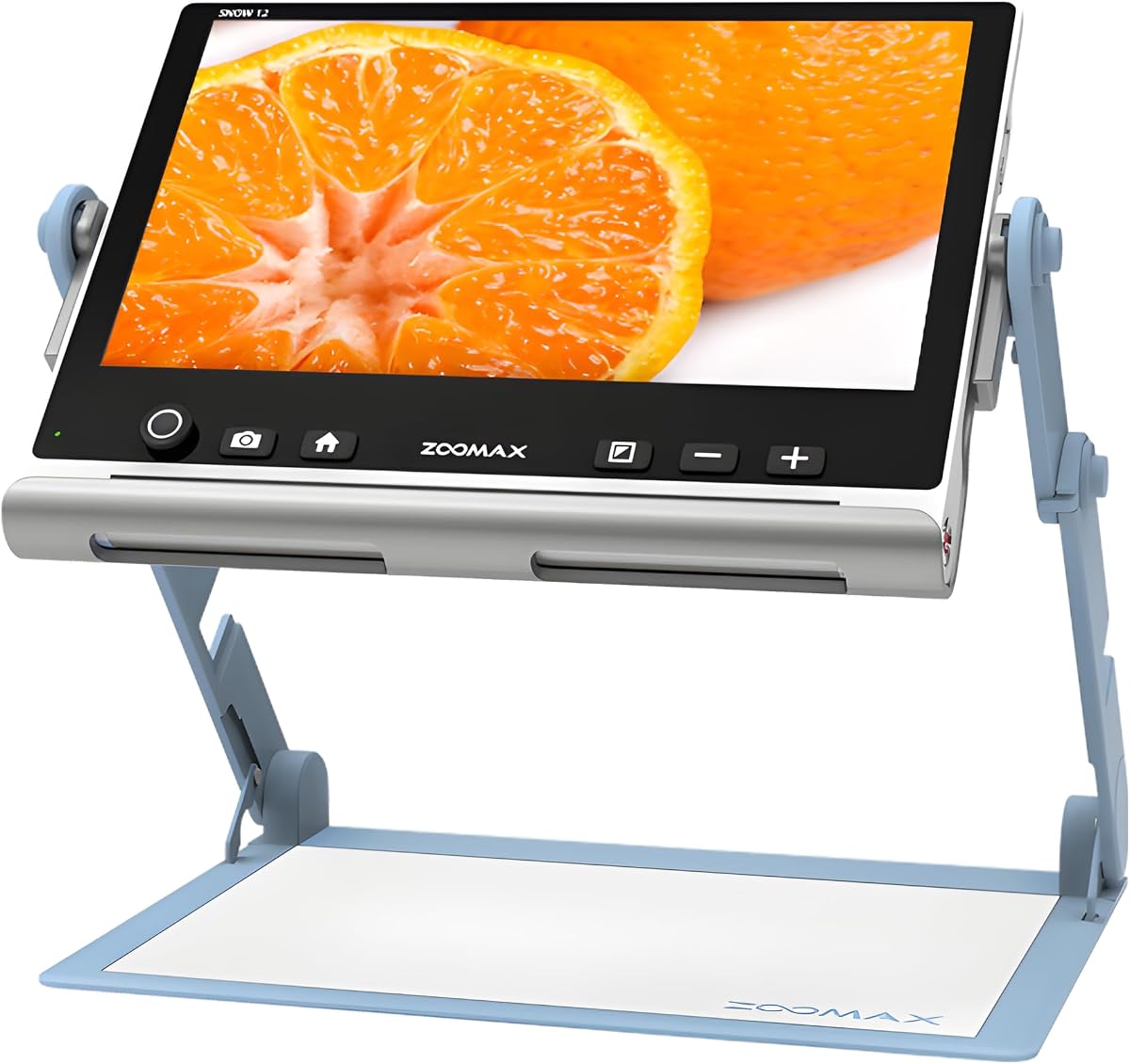
The 12-inch screen provides a comfortable viewing area for long sessions, and the foldable stand offers stability. It supports multiple languages making it versatile for diverse reading needs.
The high price reflects its advanced capabilities, which may be worth it for those requiring audio feedback. However, it is bulkier than smaller handheld models and may require more careful storage.
Best for users needing high-level accessibility features like text to speech. It provides a comprehensive reading solution for those who benefit from both visual and auditory text processing.
Convert text to speech in over 20 languages so you can listen to documents, menus, or books on the go.
The 12-inch HD display provides a big window to read comfortably without needing to squint.
We may earn a commission when you buy through this link, at no additional cost to you.
This model delivers solid performance with a large screen and long battery life. It is a practical choice for those who want extended reading time without worrying about charging often.
We may earn a commission when you buy through this link, at no additional cost to you.
The foldable handle improves comfort and the color modes help customize the view for clarity. The 4500mAh battery ensures you can use it for hours on end without interruption.
While it lacks advanced features like OCR, it covers essential reading needs well. Users appreciate the balance between screen size and price which makes it accessible to many.
Ideal for those seeking a reliable everyday magnifier without extra bells and whistles. It offers a consistent experience for daily reading tasks and document viewing.
With over four hours of operation on a single charge, it keeps you reading longer without interruption.
Seventeen color modes let you find the right contrast to reduce eye fatigue during reading.
We may earn a commission when you buy through this link, at no additional cost to you.
This device offers a wide range of color settings to suit diverse visual preferences. It is designed to provide clarity for users with varying degrees of visual impairment and reading needs.
We may earn a commission when you buy through this link, at no additional cost to you.
The HD display preserves detail and the simplified buttons make it easy to navigate menus. The memory function saves your habits so you spend less time adjusting and more time reading.
While not the most budget friendly option, the clarity and customization make it worthwhile for those who need specific visual settings. It balances power and usability effectively.
Best for users who need precise color control and a comfortable reading angle. It supports long term use by reducing strain and keeping text sharp and clear.
Twenty six color modes allow you to switch contrasts to suit different lighting and sensitivity levels.
The device remembers your preferred settings so you can pick it up and start reading right away.
We may earn a commission when you buy through this link, at no additional cost to you.
This magnifier offers a sleek handheld design with high definition capture capabilities. It focuses on simplicity and portability for users who need reliable magnification on the go.
We may earn a commission when you buy through this link, at no additional cost to you.
The lightweight build makes it easy to hold for extended periods. Five viewing modes and up to 12x magnification help for everyday tasks like reading labels or menus.
Though the zoom is lower compared to other models, the ease of use and build quality are notable. It is a premium option for those who value simplicity and comfort over extreme magnification.
Best for users prioritizing portability and ease of use. It provides a clean experience for quick viewing tasks without complex setup or heavy weight.
Handheld and lightweight, it fits easily into bags for quick access whenever you need it.
Image capture lets you save important documents to review later without needing to print.
We may earn a commission when you buy through this link, at no additional cost to you.
This model offers a high zoom range for detailed viewing. It is lightweight and designed for portability, making it suitable for dining out or shopping where small text appears.
We may earn a commission when you buy through this link, at no additional cost to you.
The simplified buttons make navigation easy, and the memory function ensures settings are saved. External battery life supports over four hours of use for various reading tasks.
It is not ideal for long novels due to battery and weight but works well for menus and labels. The high zoom provides clarity for even the smallest text.
Best for those needing high magnification for daily quick reading. It balances power and portability for tasks like reading prescription labels and price tags.
Up to 48X zoom allows you to read extremely small print like medicine instructions clearly.
It remembers your habits so you do not have to adjust settings every time you turn it on.
We may earn a commission when you buy through this link, at no additional cost to you.
Choosing the right magnifier depends on your visual needs and lifestyle. Use this guide to focus on the features that matter most to you.
Screen size affects readability and portability. Larger screens reduce strain but add weight. Resolution determines clarity and sharpness of text and images.
Look for a screen that fits your reading distance without feeling bulky. Aim for HD resolution to avoid blurry text.
A broader zoom range allows you to read small details and view larger objects. Some models offer up to 48X while others max at 25X.
Choose based on your daily reading tasks. Higher zoom is useful for labels while moderate zoom works for books.
Adjustable color modes help reduce eye strain by increasing contrast. Look for at least eight modes to suit different lighting conditions.
More modes give flexibility to find your preferred contrast for comfort and readability.
Battery life determines how long you can use the device on the go. Models vary from three to five hours depending on brightness and zoom usage.
Prioritize longer battery life if you plan to use the magnifier for extended periods away from power.
Comfort during use is critical. Foldable handles or stands help maintain a natural posture while reading.
Choose designs that reduce bending or squinting to prevent neck and eye fatigue.
TV output or HDMI allows you to connect to larger displays at home. TF card slots let you save captured text or images.
These features increase versatility for home use and note keeping.
Simplified buttons and auto focus settings reduce the learning curve. Look for memory functions that save your preferences.
A user friendly interface ensures you spend time reading rather than adjusting settings.
Higher prices often bring advanced features like OCR or larger screens. Balance cost with the actual benefits you need.
Select a model that meets your core needs without unnecessary extras.
To start, place the magnifier on the text and adjust the zoom until it feels comfortable. Use the color mode options to find the best contrast for your eyes.
When using for long periods, take breaks to rest your eyes. Use the memory function to save your settings for quick access next time.
Clean the lens and screen with a soft cloth to maintain clarity. Store the device in a dry place to avoid damage to the electronics.
A range of 2X to 32X is sufficient for most daily reading tasks. Higher magnification is useful for extremely small print but may reduce the viewing area.
Yes, most models come with built-in LED lights to illuminate text in dim environments. Ensure you can adjust the brightness to avoid glare on the screen.
Many models support AV or HDMI output to connect to a TV. Check the product specifications to confirm connectivity options for larger screen use.
Battery life typically ranges from three to five hours depending on usage and brightness settings. Some models allow you to connect to an external power source for continuous use.
Yes, some advanced models feature OCR and text to speech technology. These options convert printed text into spoken words for added accessibility.
A five inch screen or larger provides better comfort for extended reading. Smaller screens are more portable but may require frequent movement to view full lines of text.
Use a soft, lint-free cloth to wipe the lens and screen gently. Avoid harsh chemicals that could damage the lens coatings or screen finish.
Yes, they are designed to enhance visibility for conditions like macular degeneration. Adjusting contrast and magnification helps make text clearer for users with central vision loss.
Our top picks cover a range of needs from portability to advanced accessibility features. Whether you want a budget friendly option or a premium device, there is a model that fits your lifestyle.
Focus on factors like screen size and color modes that directly impact your daily use. Balancing ease of use with zoom power ensures a comfortable reading experience.
Always check current listings to confirm specs and availability before purchasing. Prices and features may change so verify the product meets your needs today.