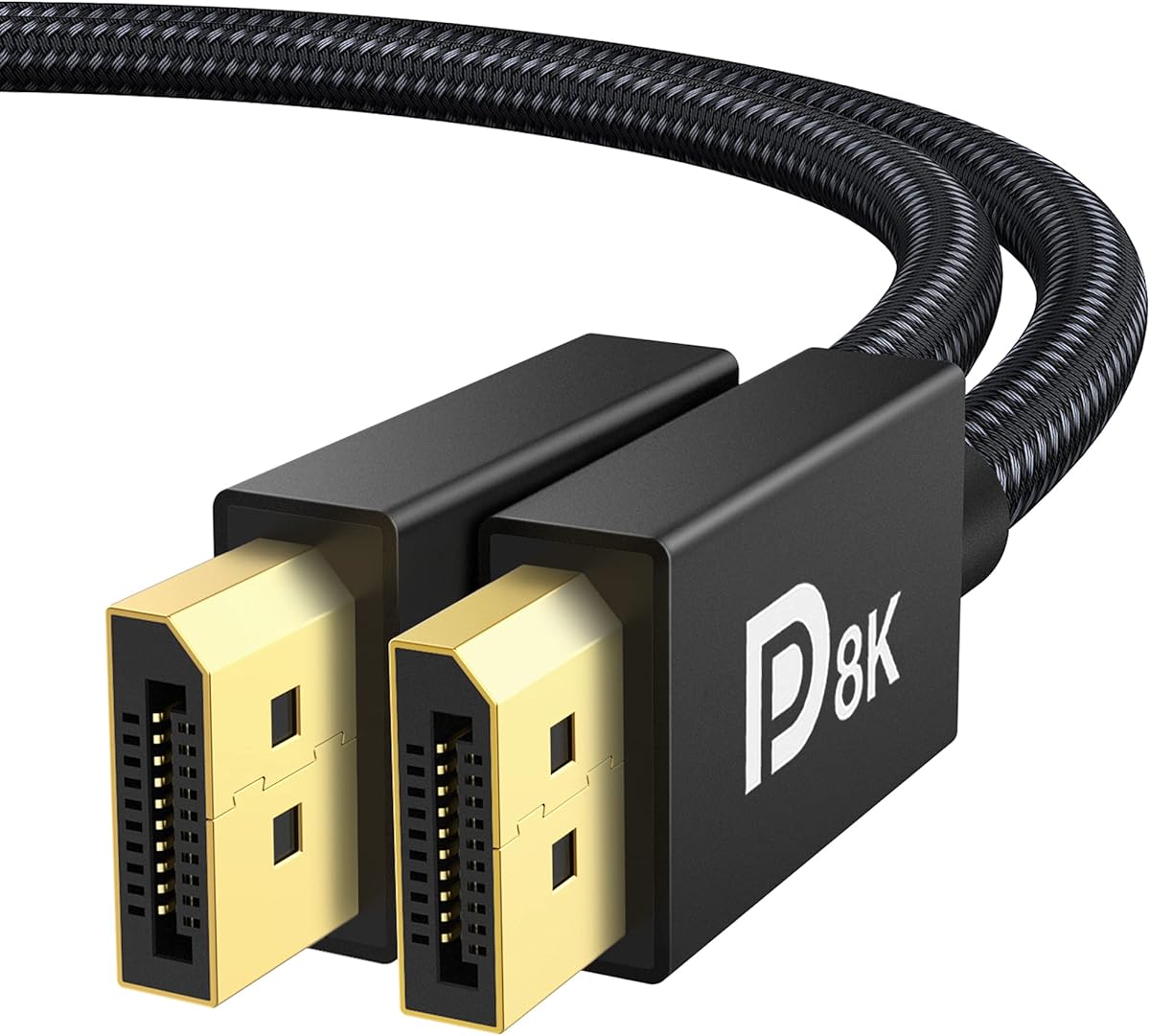
IVANKY VESA Certified 8K DisplayPort Cable 1.4
4.7Editor score
Cost Effective High Performance
32.4 Gbps Bandwidth
Latch Free Design
Compare the top 10 Displayport cables for 144Hz gaming. Find VESA certified options with high bandwidth, durability, and real user ratings for your setup.
Finding the right Displayport cable for 144Hz ensures your monitor runs smoothly without flickering or signal loss. You need high bandwidth and solid construction to handle modern graphics cards effectively.
We evaluated ten top-rated cables based on VESA certification, bandwidth capacity, build quality, and user feedback. This list helps you choose the best option for your specific gaming or professional needs.
Each pick shows key specs like refresh rate support and connector type to simplify your decision. Prices and availability change often so check current listings before you buy your new cable today.
4.7Editor score

4.6Editor score

4.7Editor score
This side-by-side comparison highlights key specifications across all ten models to help you quickly identify the best match for your display and graphics card requirements.


The Silkland 54Gbps 16K cable earns top marks with a 4.6 rating for its reliable 144Hz performance. It meets VESA standards ensuring stable signals for high refresh rate gaming.
We may earn a commission when you buy through this link, at no additional cost to you.
Its 54Gbps bandwidth handles 4K at 240Hz easily. Triple shielding reduces interference while gold connectors maintain clear audio and video transmission over time.
The nylon jacket adds durability against daily bending but the latching design may require more force to disconnect than non-latching models.
Gamers needing a future-proof cable should choose this for its balance of speed and build quality without breaking the budget.
Supports 4K at 240Hz ensuring smooth visuals during competitive gaming sessions without screen tearing.
Double nylon braided jackets protect against wear while tinned copper conductors ensure consistent signal integrity.
We may earn a commission when you buy through this link, at no additional cost to you.
IVANKY offers a budget friendly option with a 4.7 rating that handles 144Hz refresh rates flawlessly. It is VESA certified for reliable connectivity across major monitor brands.
We may earn a commission when you buy through this link, at no additional cost to you.
The 32.4 Gbps bandwidth supports 4K at 240Hz which suits most gamers. A slim nylon braided jacket offers durability without bulk on your desk.
Its latch free design prevents accidental damage during unplugging though you must ensure your monitor supports DP 1.4 for full features.
If you want quality without spending much this cable provides excellent value for standard 144Hz setups.
Delivers high refresh rate performance at a fraction of the cost of newer 2.1 models.
Latch free connectors make swapping setups quick and reduce risk of port damage over time.
We may earn a commission when you buy through this link, at no additional cost to you.
This premium 80Gbps cable carries a 4.7 rating and leads in raw speed for future setups. It is VESA certified DP80 ensuring it meets strict industry standards.
We may earn a commission when you buy through this link, at no additional cost to you.
With support for 16K at 60Hz you will not need another cable soon. The triple shielding and gold connectors guarantee signal stability even at max rates.
Higher costs make it less ideal for entry level 144Hz users but professionals with top tier monitors benefit most.
Choose this for extreme resolutions or high bandwidth workflows where performance is non-negotiable.
80Gbps bandwidth prepares your rig for next generation monitors beyond current 4K limits.
Tinplate shielding minimizes interference ensuring crystal clear video and audio across all channels.
We may earn a commission when you buy through this link, at no additional cost to you.
UGREEN delivers strong 4.7 rated performance with aluminum housing for heat resistance. It supports 54Gbps bandwidth ideal for 4K at 240Hz gaming setups.
We may earn a commission when you buy through this link, at no additional cost to you.
The triple shielding and tinplate design maintain signal integrity. Nylon braided jacket ensures longevity while connectors handle high frequencies without loss.
Metal housing adds bulk which may not fit tight setups but helps with stability. Price is competitive for 2.1 features.
Perfect for users prioritizing build quality and thermal management in a premium cable.
Aluminum alloy housing dissipates heat faster preventing signal degradation during long gaming sessions.
Metal housing protects internal conductors from physical damage better than plastic alternatives.
We may earn a commission when you buy through this link, at no additional cost to you.
Capshi offers a reliable 4.6 rated cable with VESA certification for 4K at 144Hz. It is a great option for standard gaming monitors.
We may earn a commission when you buy through this link, at no additional cost to you.
The 32.4 Gbps bandwidth supports high refresh rates without compression. Gold plated connectors ensure clean signal transmission.
Design is functional but basic compared to premium options. It does not support future 2.1 standards but covers current needs.
Ideal for budget conscious gamers needing a certified cable for 144Hz refresh rates.
Handles 4K at 144Hz smoothly ensuring tear free visuals for most modern titles.
VESA certification guarantees compatibility and signal stability across supported hardware.
We may earn a commission when you buy through this link, at no additional cost to you.
Ubluker brings a 4.6 rated 54Gbps cable capable of 4K at 240Hz. It supports key gaming features like FreeSync and G-Sync.
We may earn a commission when you buy through this link, at no additional cost to you.
The nylon braided jacket adds flexibility. DSC compression helps maintain high resolutions. Gold connectors ensure stable audio video.
Some users note length limitations. Build quality is good but not top tier. Brand support varies compared to bigger names.
A solid alternative for those seeking 2.1 features at a mid-range price point.
Supports adaptive sync technologies to reduce input lag and screen tearing in games.
DSC enables higher resolutions without requiring extra bandwidth beyond the cable capacity.
We may earn a commission when you buy through this link, at no additional cost to you.
IVANKY 80Gbps model earns a 4.6 rating for extreme bandwidth needs. It supports 16K at 60Hz for top tier displays.
We may earn a commission when you buy through this link, at no additional cost to you.
The 30AWG tinned copper provides flexibility. Aluminum housing resists rust. Supports VRR and ALLM for smoother gaming.
Latch free design prevents port damage. Higher cost suits professionals. Ensure your GPU supports 2.1 features.
Best for users needing maximum bandwidth now rather than waiting for future hardware.
80Gbps enables resolutions beyond 4K for professional workflows or extreme gaming.
30AWG conductors offer a slimmer profile making routing easier in tight spaces.
We may earn a commission when you buy through this link, at no additional cost to you.
This Silkland 4.7 rated cable uses a secure latch to prevent accidental disconnects. It supports 54Gbps bandwidth for 4K 240Hz.
We may earn a commission when you buy through this link, at no additional cost to you.
Triple shielding ensures signal integrity. Nylon jacket resists wear. Good for gaming setups with pets or active use.
Latch requires button press to release which is safe but less convenient. Ensure ports match before buying.
Great choice for stable connections where accidental unplug is a concern.
Locking design prevents accidental unplugging keeping your stream stable during intense gameplay.
Triple shielding minimizes electromagnetic interference for clear video and audio output.
We may earn a commission when you buy through this link, at no additional cost to you.
This listing currently shows N/A for most product details. It may be a new cable awaiting full information.
We may earn a commission when you buy through this link, at no additional cost to you.
No specs or images are available yet. Check back later for updates on performance or features.
Avoid buying until details are clear. Monitor page for changes.
Consider verified alternatives until this one is fully listed.
Awaiting full product data to determine if this matches your 144Hz needs.
We may earn a commission when you buy through this link, at no additional cost to you.
Choosing the right cable depends on your monitor resolution refresh rate and graphics card capabilities.
Ensure the cable supports at least 32.4 Gbps for 4K at 144Hz. Higher bandwidth prevents signal loss and tearing.
Select cables with enough bandwidth for your refresh rate to avoid frame drops.
VESA certification confirms the cable meets industry standards for performance and compatibility.
Certified cables reduce risks of flickering or compatibility issues.
Choose a length that fits your desk without excess slack. Longer cables may require higher gauge conductors.
Measure your setup before buying to avoid short cables.
Gold plated connectors resist corrosion and ensure stable electrical contact over time.
Secure latches prevent accidental disconnection but may be harder to remove.
Triple shielding protects against electromagnetic interference keeping signals clean.
Braided jackets resist physical wear and tear from daily use.
Verify your monitor supports 1.4 or 2.1 standards depending on your needs.
Not all cables support every feature like HDR or high refresh rates.
Most Displayport cables carry audio signals alongside video for all-in-one connections.
Ensure your setup uses this for sound without extra cables.
Higher specs cost more but pay off if you plan to upgrade monitors soon.
Balance your budget with long-term needs when selecting a cable.
Connect the cable directly from your GPU to monitor ports avoiding adapters for best performance.
Gently press the latch button if present before unplugging to avoid damaging connectors.
Coil excess cable neatly and avoid sharp bends to maintain internal wire integrity.
Displayport 1.4 supports 4K at 144Hz which covers most gaming needs. Higher refresh rates require 2.1 bandwidth.
Longer cables can lose signal if not built well. Choose certified cables for runs over 6 feet to ensure stability.
Old 1.2 cables often cap at 60Hz. Check your cable specs before using with high refresh monitors.
Gold connectors resist corrosion ensuring stable contact over time. They help maintain signal quality but are not the only factor.
Certification guarantees tested performance. Non-certified cables may work but carry higher risks of failure.
Yes Displayport carries both audio and video signals in one connection. Ensure your monitor has speakers or audio output.
Top picks like Silkland and IVANKY offer reliable performance with VESA certification for smooth 144Hz gaming.
Prioritize bandwidth and build quality to avoid flickering or connection drops in your setup.
Always check current prices and availability since cable models change often in the market.