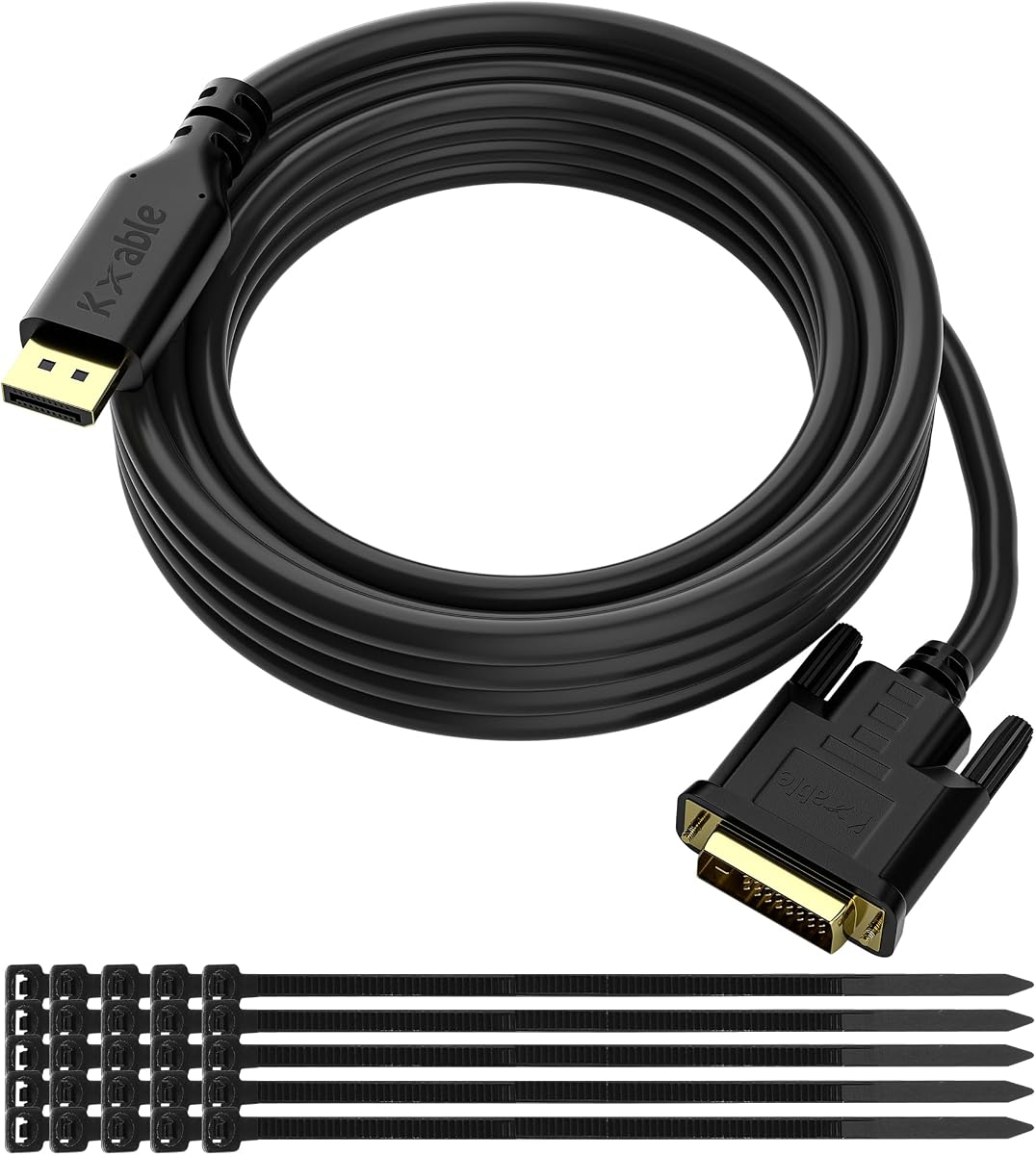
Gold-Plated DisplayPort to DVI Cable
4.8Editor score
25 FT length option
Pure copper wire core
Includes cable ties
Compare the top 10 Displayport to DVI cables based on real ratings and specs. Find the best option for your monitor or projector today.
Finding the right Displayport to DVI cable ensures your monitor receives a clean signal without unnecessary adapters. This guide helps you identify reliable options for your setup.
We analyzed customer feedback, technical specifications, and build quality to compare the leading cables available. Our list covers various lengths and shielding types for different needs.
Each pick highlights key features and real user ratings to help you decide quickly. Note that product availability and pricing can change frequently on retailer sites.
4.8Editor score

4.6Editor score

4.6Editor score
The following table offers a side-by-side comparison of the top ten Displayport to DVI cable options available this month.


The BENFEI DisplayPort to DVI cable offers reliable signal transmission for modern setups. Users appreciate its solid build quality and consistent performance during daily use.
We may earn a commission when you buy through this link, at no additional cost to you.
This cable features gold plated connectors that resist corrosion over time. The advanced IC chip ensures accurate data streaming without signal loss or flickering issues.
It is not bi-directional, meaning it cannot convert DVI to DisplayPort signals. This limitation is common for passive cables but limits flexibility if you need reverse conversion.
For most users connecting a PC to a DVI monitor, this cable provides excellent value. The latches keep the connection secure while allowing easy removal when needed.
Multiple shielding layers protect against interference from nearby electronic devices.
The release button on the connector makes unplugging simple without damaging the port.
We may earn a commission when you buy through this link, at no additional cost to you.
This cable stands out for its pure copper wire construction which improves conductivity compared to clad alternatives. It is ideal for setups requiring longer distances without signal degradation.
We may earn a commission when you buy through this link, at no additional cost to you.
Reviewers note that the jacket feels soft yet durable enough for daily handling. The inclusion of cable ties helps maintain a tidy workspace when routing cables across desks.
While it supports high resolutions like 1080p, the price is higher than standard six foot options. The extra cost is justified by the premium materials and accessory bundle.
Choose this model if you need a reliable cable for home theater or office setups requiring extra length. The multi-layer shielding ensures clean video even in electrically noisy environments.
High quality pure copper ensures better signal transmission than copper clad steel alternatives.
Complimentary cable ties help keep your desk organized and cables untangled.
We may earn a commission when you buy through this link, at no additional cost to you.
Cable Matters is known for straightforward connectivity solutions that prioritize performance. This cable offers bare copper conductors for efficient signal transfer to your display device.
We may earn a commission when you buy through this link, at no additional cost to you.
The foil and braid shielding combination helps minimize interference from other electronic devices. Users report stable connections for streaming video or extended desktop configurations.
At a competitive price point, it may lack the extra accessories found in premium bundles. However, the core function of transmitting video signals is handled effectively.
This option suits users seeking a reliable six foot cable without unnecessary features. It is a solid choice for standard office desks where cable management is already handled.
A release button on the connector ensures you do not force the cable out of the port.
Dual layer shielding provides a strong barrier against electromagnetic interference.
We may earn a commission when you buy through this link, at no additional cost to you.
This cable is designed for users needing multi-monitor support such as Eyefinity modes. The active Altmode feature allows complex display configurations that passive cables cannot handle.
We may earn a commission when you buy through this link, at no additional cost to you.
The construction includes tinned copper conductors which resist oxidation better than bare copper. The ABS shell adds strength while keeping the overall weight of the cable low.
While it offers strong performance, the active nature may introduce slight latency in specific gaming scenarios. Most users find this negligible compared to the flexibility it offers.
Consider this cable if you need to connect multiple screens to a single graphics card. The warranty and technical support provide additional peace of mind for business users.
Supports up to six screens in Eyefinity configurations for expanded workspace.
ABS shell construction ensures the connector housing remains durable during frequent plugging.
We may earn a commission when you buy through this link, at no additional cost to you.
This product listing currently lacks detailed specifications and user ratings. Before purchasing please review the current product page for the most up to date information.
We may earn a commission when you buy through this link, at no additional cost to you.
When data is missing it is wise to verify compatibility with your specific monitor and computer. Contacting the seller can confirm if it meets your resolution requirements.
Lack of information may indicate a new listing or a change in manufacturer specifications. Always check for recent feedback to ensure the product meets quality standards.
Proceed with caution if you rely on specific technical features. A known brand might be a safer choice if this listing remains incomplete.
Contact the seller directly to ask about shielding and conductor materials.
Consider the higher rated models in this guide if this product lacks details.
We may earn a commission when you buy through this link, at no additional cost to you.
This listing similarly lacks complete specifications and ratings for buyers to review. Please check the product description for length and connector type details.
We may earn a commission when you buy through this link, at no additional cost to you.
Without user feedback it is difficult to assess long term durability or signal quality. Look for any available manufacturer documentation to understand the cable limits.
Missing information should be a signal to consider more established options. If the price is lower than standard models verify the warranty coverage carefully.
Use this option only if you need a quick temporary solution and risk is acceptable. Otherwise prioritize models with clear specifications and strong user ratings.
Ensure you understand the return policy before purchasing items with incomplete data.
Search for external reviews or contact the brand for more technical specifics.
We may earn a commission when you buy through this link, at no additional cost to you.
As with previous incomplete entries this product requires further verification before purchase. Ensure the connector types match your display and graphics card exactly.
We may earn a commission when you buy through this link, at no additional cost to you.
Lack of ratings makes it impossible to gauge community satisfaction. You may miss critical issues like connector fit or cable flexibility without testing.
Consider reaching out to customer support on the retailer site for more details. Reliable cables usually have detailed specs visible on the listing page.
If you are unsure stick to the top rated options in this guide. They offer proven performance and clearer warranty coverage for your investment.
Verify if you need a DVI-I or DVI-D connector for your monitor model.
Check the return window in case the cable does not fit your setup.
We may earn a commission when you buy through this link, at no additional cost to you.
This listing follows the pattern of missing specifications and user feedback. It is critical to confirm the exact length and connector type before ordering.
We may earn a commission when you buy through this link, at no additional cost to you.
Without performance data there is a risk of receiving a sub par cable. This could lead to signal flickering or connection issues during use.
If you are considering this for a mission critical setup look for alternatives with detailed specs. The cost difference is rarely worth the uncertainty.
When in doubt choose a cable from a brand known for reliable electronics. This reduces the chance of compatibility issues with your hardware.
Ensure your computer supports the resolution you intend to output via this cable.
Branded cables often undergo stricter testing than generic unverified options.
We may earn a commission when you buy through this link, at no additional cost to you.
This product entry remains incomplete regarding technical details and ratings. Always verify the cable specifications to avoid mismatched connector types.
We may earn a commission when you buy through this link, at no additional cost to you.
Missing user reviews make it hard to judge how well the cable performs in real environments. Look for external data if possible before proceeding.
If the price is significantly lower than standard cables it may lack proper shielding. This can result in interference issues especially near power sources.
Consider the established options in this guide for peace of mind. They offer verified performance that matches the standards of modern displays.
Proper shielding prevents signal noise that can degrade image quality.
Reputable brands typically offer better warranty support and return policies.
We may earn a commission when you buy through this link, at no additional cost to you.
This final listing lacks critical details needed for an informed purchase decision. Ensure you verify the exact model numbers and specifications before clicking buy.
We may earn a commission when you buy through this link, at no additional cost to you.
Incomplete data often suggests a new or less established product. It is safer to choose a model with a track record of user satisfaction.
If you need this urgently check if a local store carries a similar known brand. Waiting for a verified product may save you time dealing with returns.
Prioritize reliability when connecting your main display to avoid workflow interruptions. The top rated models in this guide provide that reliability consistently.
Compare the return policy of this item with more established models.
Choose the cable that matches your specific technical requirements and budget.
We may earn a commission when you buy through this link, at no additional cost to you.
Selecting the right cable requires understanding a few technical factors to ensure compatibility and performance.
Most passive cables are uni-directional and only convert DisplayPort to DVI. Ensure the cable direction matches your source device and monitor inputs to avoid signal failure.
Verify that the cable converts DisplayPort signal to DVI and not the reverse before purchasing.
DVI comes in different variants such as DVI-D and DVI-I. Your monitor determines which type you need based on whether it supports analog or digital signals.
Check your monitor manual to confirm the exact DVI connector variant required for proper connection.
Measure the distance between your computer and monitor to select the correct cable length. Longer cables may require better shielding to maintain signal integrity over distance.
Choose a length that fits your desk layout without leaving excess slack or tension on the connectors.
Good shielding protects the signal from electromagnetic interference caused by other devices. Look for cables with foil or braided shielding for cleaner video output.
Prioritize cables with multiple shielding layers if your setup is near power supplies or routers.
Gold plated connectors resist corrosion and ensure stable conductivity over time. This is especially important if the cable is frequently disconnected and reconnected.
Look for terms like gold plated on the product description to ensure better durability.
Ensure the cable supports the maximum resolution of your monitor. Most cables support up to 1920×1080 but verify if higher refresh rates are needed.
Check the product specs for resolution limits to match your monitor capabilities.
A warranty indicates the manufacturer stands behind the quality of the cable. Longer warranty periods often correlate with better customer support and product reliability.
Prefer brands that offer at least one year of warranty coverage for peace of mind.
The internal conductor material affects signal quality and durability. Pure copper conductors generally offer better performance than clad alternatives.
Review the materials section to confirm the cable uses quality conductors.
Plug the DisplayPort connector into your computer source and ensure the latch clicks into place for a secure fit. Then connect the DVI end to your monitor input and press firmly until the connection feels solid.
Avoid bending the cable sharply near the connector ends as this can damage internal wires. Route the cable along the edge of your desk using clips to prevent accidental tugs.
Periodically check the connectors for dust or debris that may affect performance. Use compressed air to clean the ports gently and unplug the cable by the connector not the wire.
Yes, these cables work well for connecting laptops to projectors with DVI inputs. Ensure your laptop has a DisplayPort output and the projector supports DVI signals.
Standard DVI cables do not carry audio. You will need a separate audio cable or a graphics card with digital audio output to handle sound.
DVI-D carries digital signals only while DVI-I supports both digital and analog signals. Check your monitor to see which type it requires.
No, these cables are plug and play and do not require additional drivers. Your operating system will recognize the monitor automatically once connected.
Flickering can happen if the resolution settings are incorrect or the cable is damaged. Check your display settings and try a different cable to isolate the issue.
Yes, these cables support standard gaming resolutions and refresh rates. Ensure your monitor refresh rate does not exceed what the cable supports.
Most cables in this guide support up to 1920×1080 at 60Hz. Verify the specific specs of the model you choose to match your display.
If your monitor displays a clear image without flickering or signal loss it is working correctly. Check the LED indicator on the connector if available.
The top picks in this guide offer reliable performance for most users. The BENFEI and Gold-Plated models stand out for their build quality and user ratings.
Prioritize cables with proper shielding and connector plating to ensure longevity. Directionality and resolution support are key technical points to verify before purchase.
Check the current price and stock status as availability may vary. Select the option that best fits your desk setup and budget requirements.