
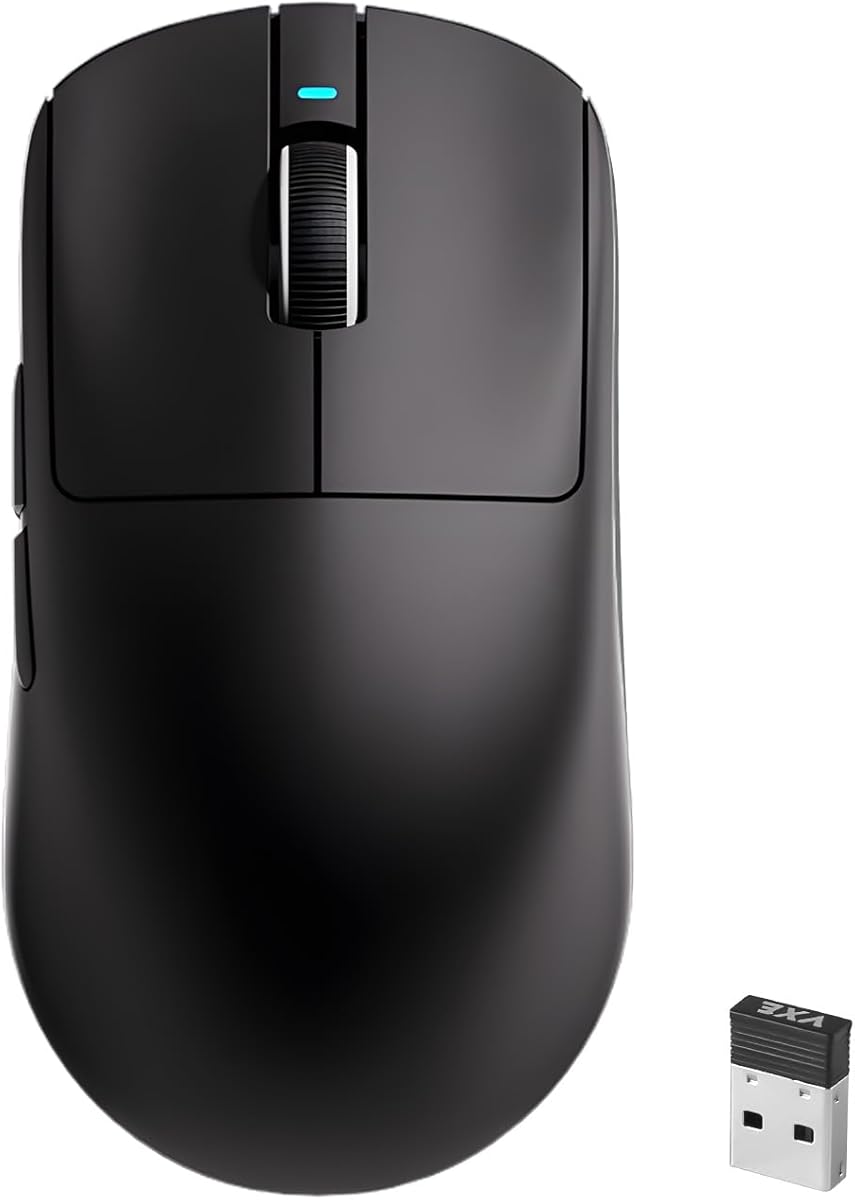
Razer Viper V3 Pro 8Khz Wireless
4.6Editor score
Ultra lightweight 54g design
8000 Hz polling rate
Optical switches Gen-3
Discover the top 10 drag click mice for gaming and productivity. Compare features, ratings, and specs to find the perfect mouse for your needs.
Finding the right drag click mouse can transform your gaming experience by enhancing precision and reducing fatigue during intense sessions. These specialized devices offer unique features tailored for competitive play and everyday use, ensuring you stay ahead of the curve.
We have carefully evaluated ten leading options based on performance, durability, and user feedback. Our comparison highlights key differences in sensors, connectivity, and ergonomics to help you make an informed decision without feeling overwhelmed by choices.
Each selection below showcases standout qualities and potential trade-offs to consider before purchasing. Please note that availability and pricing may change frequently, so checking current listings is recommended before finalizing your order for the best value.
4.6Editor score

4.6Editor score

4.5Editor score
This side-by-side comparison outlines the core specifications of each model to highlight differences in sensor capabilities, connectivity options, and ergonomic designs suitable for various hand sizes and grip styles.



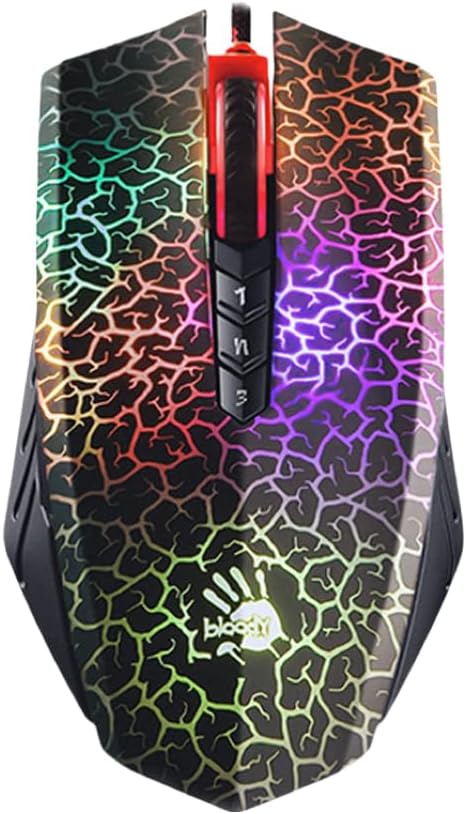


The Redragon M612 stands out as a versatile option for gamers seeking precision and comfort without breaking the bank. Its 8000 DPI sensor ensures smooth tracking across various surfaces, while the frosted coating provides a secure grip even during intense gaming sessions.
We may earn a commission when you buy through this link, at no additional cost to you.
With five redefinable DPI levels and nine programmable buttons, users can tailor settings to specific game types or workflows. The ergonomic claw-grip design reduces fatigue over long periods, making it suitable for both competitive play and daily tasks.
While the wired connection limits mobility compared to wireless models, it ensures zero lag and consistent power delivery. Some users may find the software interface basic, but it offers sufficient functionality for most customization needs.
This mouse is ideal for budget-conscious gamers or professionals who prioritize reliability and comfort. Its blend of features and build quality makes it a top recommendation for those exploring drag click capabilities for the first time.
The streamlined shape supports natural hand positioning, minimizing strain during extended use.
Five backlit modes allow users to personalize their setup with vibrant colors matching their theme.
We may earn a commission when you buy through this link, at no additional cost to you.
The M923 PRO offers freedom of movement with its triple-mode connectivity, supporting Bluetooth, 2.4G wireless, and wired connections. This flexibility ensures reliable performance whether you are gaming competitively or working across multiple devices.
We may earn a commission when you buy through this link, at no additional cost to you.
Its sensor supports up to 24000 DPI with five adjustable levels, allowing for precise aim adjustments. The eight programmable buttons can be remapped to fit complex macros or shortcuts, enhancing productivity and gameplay efficiency.
Although it is not the lightest model available, its ergonomic design ensures comfort during marathon sessions. Users should note that enabling RGB lighting may reduce battery life, so balancing aesthetics with endurance is key.
For those needing a versatile mouse for both work and play, the M923 PRO delivers excellent value. Its robust feature set and reliable wireless performance make it a strong contender in its price range.
Seamlessly switch between Bluetooth, 2.4G wireless, and wired modes for optimal performance in any scenario.
Dedicated software allows detailed tuning of button functions and DPI settings for personalized control.
We may earn a commission when you buy through this link, at no additional cost to you.
Designed with esports pros, the Viper V3 Pro delivers unmatched speed and precision with its 54g lightweight chassis. The Focus Pro 35K sensor ensures flawless tracking on any surface, including glass, providing competitive players with a reliable edge.
We may earn a commission when you buy through this link, at no additional cost to you.
HyperPolling technology offers a true 8000 Hz polling rate, reducing input lag to near zero. Optical switches Gen-3 provide rapid actuation without debounce delay, ensuring clicks register instantly even during rapid-fire sequences.
Battery life reaches up to 95 hours on a single charge, supporting extended tournament play without interruption. However, the premium price may be a barrier for casual users who do not need these extreme performance metrics.
Serious competitors seeking the absolute best wireless performance should consider this model. Its balance of weight, sensor quality, and wireless reliability sets a high standard for esports peripherals.
HyperPolling ensures ultra-low latency for faster response times compared to standard 1000 Hz mice.
The durable build remains lightweight at 54g, allowing swift movements without sacrificing structural integrity.
We may earn a commission when you buy through this link, at no additional cost to you.
The ATK R1 SE+ combines a lightweight build with advanced sensor technology to deliver responsive control. Its PAW3395SE sensor supports DPI settings up to 18000, ensuring precise tracking for fast-paced gaming scenarios.
We may earn a commission when you buy through this link, at no additional cost to you.
A unique web-driven interface allows users to adjust settings without installing local software, streamlining customization. The ergonomic shape accommodates various grip styles, reducing hand fatigue during prolonged use.
Users should note that accessing web features requires an internet connection, which may limit offline adjustments. Additionally, macro options are more limited compared to competitors offering extensive scripting tools.
This mouse suits gamers prioritizing weight and sensor accuracy over complex macros. Its reliable performance and flexible connectivity make it a strong choice for modern FPS titles.
Settings adjust via a browser interface for quick access without software installation.
Designed to fit natural hand curves, ensuring comfort across palm, claw, and fingertip grips.
We may earn a commission when you buy through this link, at no additional cost to you.
The M910-K offers exceptional value for gamers needing advanced features without a premium price tag. Its fire button enables rapid clicking with a single press, which is particularly useful for competitive games requiring fast inputs.
We may earn a commission when you buy through this link, at no additional cost to you.
Nine programmable buttons and five user profiles allow extensive customization for different games or users. RGB lighting adds visual flair, with adjustable brightness and color options to match personal setups.
While the wired connection may limit flexibility, it ensures consistent performance without battery concerns. Some users may find the software requires time to master but offers robust control once configured.
Ideal for budget-focused buyers, this mouse delivers reliable performance and versatile options. It is a practical choice for those seeking drag click capabilities at an affordable entry point.
One-click rapid fire feature enhances speed in games requiring frequent clicking actions.
Five distinct profiles let different users store personalized settings for quick switching.
We may earn a commission when you buy through this link, at no additional cost to you.
The MOJO Pro Performance stands out for its silent buttons, making it ideal for shared spaces where noise is a concern. Despite being silent, it retains precision with a capable sensor and adjustable polling rate for reliable tracking.
We may earn a commission when you buy through this link, at no additional cost to you.
Its ergonomic build supports comfortable hand positioning during long sessions. The force adjustable feature allows users to tailor click resistance to personal preference, reducing accidental clicks during play.
However, the weight is higher than lightweight gaming mice, which may affect quick movements. The wired-only design also limits mobility, though it ensures consistent performance without power interruptions.
Best suited for quiet environments like offices or late-night gaming, this mouse balances silence with functionality. Users prioritizing noise reduction should find it a practical and comfortable choice.
Eliminates click noise without sacrificing tactile feedback or performance speed.
Customizable click force helps prevent accidental triggers during intense gameplay.
We may earn a commission when you buy through this link, at no additional cost to you.
Designed for MMO enthusiasts, the M913 Impact Elite features sixteen programmable buttons including twelve on the side for complex macro setups. This extensive control layout supports intricate skill chains and quick access to frequent commands.
We may earn a commission when you buy through this link, at no additional cost to you.
The wireless design offers freedom of movement, with a battery lasting up to forty-five hours per charge. RGB lighting enhances aesthetics, allowing users to coordinate the mouse with their setup theme.
Due to its size and weight, it may not suit users with smaller hands or those preferring ultra-light models. However, the ergonomic shape supports a comfortable grip despite the added bulk from extra buttons.
This mouse is excellent for players needing extensive macro support and wireless convenience. It delivers robust features at a competitive price for the MMO gaming community.
Twelve side buttons provide rapid access to skills and items without reaching for keyboard keys.
Wireless connectivity ensures clutter-free setups while maintaining sufficient battery for daily use.
We may earn a commission when you buy through this link, at no additional cost to you.
The A70 II leverages Light Strike optical switches to deliver ultra-fast response times of 0.2ms. This technology eliminates metal bouncing noise, providing a crisp click experience that enhances accuracy and speed.
We may earn a commission when you buy through this link, at no additional cost to you.
Equipped with X Glide Armor, the mouse feet ensure smooth movement across surfaces, reducing friction for agile tracking. Advanced macro support allows deep customization for users seeking complex command sequences.
While the unique design and aggressive branding may not appeal to everyone, performance remains top-tier for speed-focused gamers. The optical engine pairs well with specialized surfaces to maximize glide capabilities.
For players prioritizing speed and click precision, this mouse offers distinct advantages. Its durability and response speed make it a strong contender for high-performance gaming.
Light Strike switches provide faster actuation and eliminate double-click issues associated with mechanical switches.
X Glide Armor improves mobility and longevity of the mouse feet for smoother movement.
We may earn a commission when you buy through this link, at no additional cost to you.
The G PRO X2 SUPERSTRIKE introduces Haptic Inductive Trigger System to provide real-time feedback, creating an immersive interaction between player and device. This technology enhances control by delivering physical cues during actions.
We may earn a commission when you buy through this link, at no additional cost to you.
Powered by the HERO 2 sensor, it delivers tracking precision at extreme speeds, ensuring no loss of accuracy during rapid movements. The lightweight frame supports quick flicks and sustained aim stability during critical moments.
Battery life spans between sixty to ninety hours depending on usage, supporting long sessions without interruption. While advanced features may require specific software, they unlock the full potential of the device.
Competitors seeking the cutting edge in feedback and precision will appreciate this model. Its combination of haptics and sensor performance positions it as a top choice for elite esports environments.
Real-time tactile feedback enhances engagement and control by providing physical responses to in-game actions.
The sensor tracks at high IPS and DPI levels to ensure pixel-accurate movement without smoothing.
We may earn a commission when you buy through this link, at no additional cost to you.
The Basilisk V3 combines ergonomic support with high performance through its Focus Plus 26K DPI sensor. The thumb rest design ensures stability and comfort, making it suitable for users with larger hands or longer usage patterns.
We may earn a commission when you buy through this link, at no additional cost to you.
HyperScroll tilt wheel allows switching between free-spin and tactile modes, ideal for navigating content or selecting weapons. Optical switches Gen-2 provide reliable actuation with minimal latency, enhancing response times during gameplay.
Thirteen RGB lighting zones enable extensive customization to match game events or personal themes. While wired, the cable remains lightweight to reduce drag during movement and maintain consistent connectivity.
For users prioritizing ergonomics and customization over wireless mobility, this mouse delivers a premium experience. It is an excellent choice for gamers valuing comfort and detailed lighting effects.
Tilt and free-spin modes allow rapid scrolling while maintaining tactile control when needed.
Designed thumb rest reduces strain and supports stable grip positioning during long sessions.
We may earn a commission when you buy through this link, at no additional cost to you.
Selecting the right drag click mouse involves evaluating key factors such as sensor accuracy, button programmability, connectivity options, and ergonomic design to suit your specific gaming or professional needs.
The sensor is the heart of any mouse, determining how well it tracks movement across surfaces. High-quality optical sensors like Focus Pro or HERO ensure precise tracking without acceleration or jitter, which is critical for drag click techniques requiring consistent sensitivity.
Connectivity determines how the mouse interfaces with your PC, whether via wired USB, 2.4G wireless, or Bluetooth. Wired connections offer zero latency, ideal for competitive play, while wireless models provide freedom of movement with modern tech like HyperSpeed ensuring lag-free performance.
Ergonomic design ensures comfort during extended sessions by supporting natural hand positions. Lightweight designs reduce fatigue and allow quicker movements, while heavier mice may offer stability. Consider your hand size and preferred grip style when choosing a form factor.
Drag click often relies on custom macros or rapid input sequences. Mice with multiple programmable buttons allow you to map complex commands, enhancing efficiency in games or productivity tasks. Software support is essential to configure these bindings effectively.
Durability ensures the mouse withstands frequent clicks and long-term use without failure. Look for mice with high-click-rated switches and reinforced materials. Optical switches can also offer longer lifespans and faster actuation compared to traditional mechanical ones.
For wireless models, battery life affects usability between charges. Models offering 60+ hours or support for fast charging minimize interruptions. Some advanced options include wireless charging pads for seamless power management during gameplay.
Comprehensive software allows deep customization of DPI, lighting, and macros. User-friendly interfaces make adjustments accessible without technical hurdles. Ensure the manufacturer provides regular updates to maintain compatibility with new operating systems and games.
Balance features with your budget to find the best value. Budget models offer essential functions for entry-level users, while premium models deliver cutting-edge tech for competitive scenarios. Consider long-term durability and software support when evaluating total cost.
Set up the included software to remap buttons and adjust DPI levels according to your preferred sensitivity. Ensure you configure any specific drag click macros or keybindings to streamline your workflow and optimize performance.
Keep the mouse feet clean and free from debris to maintain smooth gliding on your surface. Regularly wipe down the surface and coating to prevent oil buildup that could reduce grip or affect sensor accuracy over time.
Store the mouse in a dry, dust-free environment when not in use to protect internal components. For wireless models, fully charge the battery before storage to prevent degradation and ensure readiness for future use.
A suitable mouse has low actuation force on buttons, allowing multiple clicks from a single press. Optical switches often provide cleaner feedback and reduce bounce, making them ideal for rapid input techniques.
Modern wireless tech like HyperPolling offers latency levels comparable to wired models. Users should look for 1000Hz polling or higher to ensure responsiveness is not compromised during high-speed actions.
Most models include physical buttons on the top or bottom to cycle through preset levels. Alternatively, manufacturer software allows custom DPI steps and profiles stored in mouse memory for quick access.
Optical switches eliminate debounce delay and mechanical wear, offering faster and cleaner actuation. This makes them highly reliable for repetitive inputs and reduces the likelihood of missed or double clicks.
Yes, most models support full RGB customization through dedicated apps. You can select colors, lighting zones, and effects to sync with games or other peripherals for a cohesive aesthetic.
Many high-end models feature advanced sensors capable of tracking on glass. Check product specifications for glass compatibility before use to avoid tracking issues on reflective or smooth surfaces.
Our top picks highlight the Redragon M612, Razer Viper V3 Pro, and Redragon M910-K for their balance of performance, features, and value. These models excel in sensor precision, ergonomic comfort, and customizable controls to enhance drag click experiences.
When making your choice, prioritize factors like connectivity, weight, and button programmability based on your specific gaming or work needs. A mouse tailored to your workflow will deliver superior comfort and control over time.
Remember to verify current availability and promotions before purchasing as options and pricing may change. With the right choice, you can achieve consistent performance and enjoy a more engaging experience in every session.