
Logitech B100 Ambidextrous Wired Mouse
4.6Editor score
Zero setup connectivity
Precise 800 dpi
Ergonomic shape
Finding a reliable computer mouse is essential for productivity and comfort. A durable mouse withstands daily wear and tear while maintaining precision. Whether you work from home or in a busy office, the right tool matters.
We evaluated ten top-rated models based on build quality, ergonomics, and longevity. Each product was analyzed for its construction materials, switch durability, and user feedback. Our goal is to help you invest in a mouse that lasts.
Each pick highlights unique strengths and potential trade-offs for different users. We include detailed reviews, comparison tables, and buying advice. Keep in mind that availability and stock may change over time.
4.6Editor score

4.4Editor score

4.5Editor score
As an Amazon Associate we earn from qualifying purchases.
This side-by-side comparison highlights key specifications across all ten selected models. Review the build quality, connectivity options, and unique features to determine which mouse aligns best with your workflow and budget.





The Logitech M185 is a compact wireless mouse that balances reliability with simplicity. With a 4.4 rating, it appeals to users seeking a no-fuss tool. Its small size makes it ideal for travel or tight workspaces.
We may earn a commission when you buy through this link, at no additional cost to you.
This model features a contoured shape that works for both left and right hands. The nano USB receiver stays plugged into your computer, ensuring a strong connection. Battery life extends up to one year, reducing maintenance needs.
While it lacks advanced programmable buttons, its plug-and-play setup is a major plus. The scroll wheel operates line-by-line, which is sufficient for most document work. Some users might find it too small for extended daily use.
It is an excellent choice for students or casual users needing a durable backup mouse. Its compatibility with Windows and Mac systems adds to its versatility. We recommend it for those prioritizing portability over customization.
Its compact footprint fits easily into laptop bags for on-the-go work.
Smart sleep mode helps conserve power, extending usage between battery changes.
We may earn a commission when you buy through this link, at no additional cost to you.
The Logitech M510 delivers a full-size experience with ergonomic support. Its 4.6 rating reflects high user satisfaction with comfort and functionality. This mouse is built for all-day use without causing hand fatigue.
We may earn a commission when you buy through this link, at no additional cost to you.
It includes soft rubber grips and broad palm support for stable control. The side-to-side scrolling is perfect for wide spreadsheets or maps. Battery life spans two years, which is exceptional for a wireless device.
Some features like zoom and app switching require Logitech SetPoint or Control Center software. Users who prefer simple setups might find this a minor hurdle. The Unifying receiver allows multiple devices to share a single port.
This mouse is ideal for office workers who need extra control buttons. The battery longevity reduces waste and maintenance. We suggest it for those seeking a reliable mid-range wireless solution.
Contoured shape and rubber grips support natural hand positioning.
Horizontal scrolling enhances navigation through large files and maps.
We may earn a commission when you buy through this link, at no additional cost to you.
The Logitech B100 is a straightforward wired mouse designed for reliability. With a 4.6 rating, it proves that simplicity can deliver excellent results. It is a perfect solution for stationary workstations.
We may earn a commission when you buy through this link, at no additional cost to you.
Its flexible USB or PS/2 connectivity ensures it works with older systems or modern PCs. The 800 dpi sensor provides precise enough cursor control for general tasks. No setup is required, making it ready instantly.
Because it is wired, there are no battery replacements or wireless interference issues. The ambidextrous design ensures comfort for all users. However, its cable length might be restrictive for some desk setups.
This model is perfect for schools or offices needing many mice on a budget. Its durability and ease of use make it a staple. We recommend it for those needing a hassle-free pointing device.
Supports both USB and PS/2 ports for broad system support.
Plug directly into the port and start working immediately.
We may earn a commission when you buy through this link, at no additional cost to you.
The TECKNET USB Wired mouse offers high precision with adjustable settings. Its 4.5 rating highlights strong performance in tracking and durability. This model stands out for its versatility in different tasks.
We may earn a commission when you buy through this link, at no additional cost to you.
With four adjustable dpi levels, you can switch from browsing to detailed editing easily. The six buttons include large back and forward keys for quick navigation. Tru-Wave technology ensures smooth tracking even on glass surfaces.
The soft rubber grips conform to your hand, reducing strain during long sessions. The five-foot cable provides ample range for most desks. Mac users should note that side buttons may not function as expected.
This mouse suits power users who need customizable controls without wireless complexity. Its tested lifespan of over six million clicks adds to its durability. We recommend it for those valuing performance and affordability.
Shift between dpi levels to match your specific workflow needs.
Tru-Wave technology enables reliable movement on various surfaces.
We may earn a commission when you buy through this link, at no additional cost to you.
The Logitech M550 L is a full-size wireless mouse optimized for larger hands. Its 4.5 rating confirms its success in delivering comfort and functionality. The large form factor ensures a secure grip for extended use.
We may earn a commission when you buy through this link, at no additional cost to you.
It connects via Bluetooth Low Energy or a Logi Bolt receiver for flexibility. SmartWheel allows you to switch between precise line-by-line and fast scrolling. SilentTouch technology reduces noise by ninety percent for quieter environments.
The battery life extends up to 24 months on a single AA battery. This reduces the frequency of replacements and environmental impact. However, its size might not be suitable for travelers with limited space.
This mouse is excellent for home offices or shared workspaces where noise is a concern. Its compatibility with Linux and Android broadens its utility. We recommend it for users needing a quiet, large ergonomic mouse.
SilentTouch technology minimizes click noise for better focus.
Flick the wheel to switch between precision and speed modes.
We may earn a commission when you buy through this link, at no additional cost to you.
The Logitech M705 Marathon is designed for endurance and high performance. Its 4.5 rating reflects its status as a premium workhorse. This mouse is built to last through years of intensive daily usage.
We may earn a commission when you buy through this link, at no additional cost to you.
Its standout feature is the three-year battery life, reducing maintenance to a minimum. The hyper-fast metal scroll wheel lets you fly through long documents instantly. Laser grade tracking works on polished or wood-grain tables.
The sculpted right-hand shape guides your hand to a natural resting position. Customizable buttons provide quick access to common tasks. While expensive, the longevity and features justify the investment for many users.
It is a top pick for professionals who value time and comfort. The Unifying receiver allows pairing with multiple devices easily. We recommend it for those seeking the ultimate in wireless reliability.
Three years of battery life reduces waste and cost over time.
Laser sensor ensures accuracy on surfaces where optical mice struggle.
We may earn a commission when you buy through this link, at no additional cost to you.
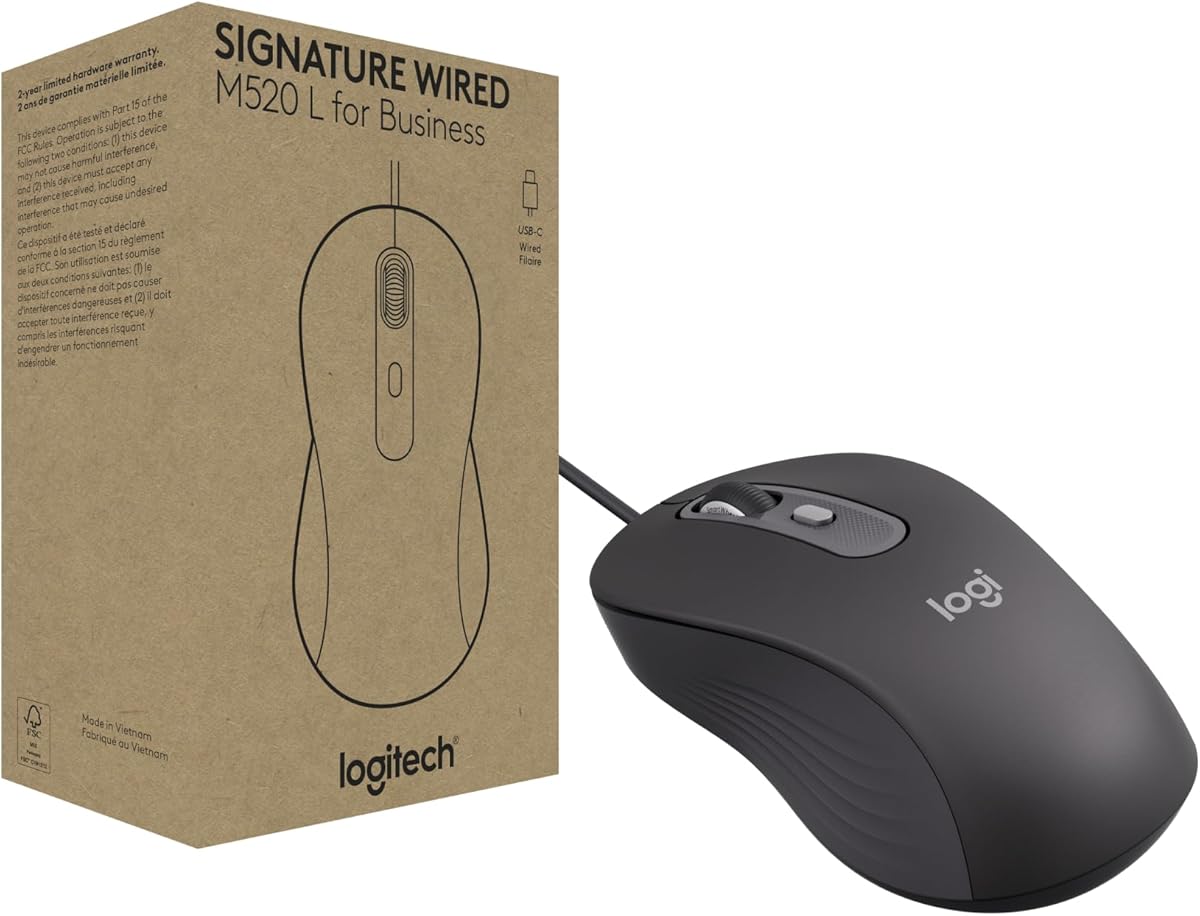
The Logitech M520 L is a wired business mouse with modern connectivity. Its 4.3 rating suggests solid performance for office environments. This model aligns with sustainability and efficiency goals.
We may earn a commission when you buy through this link, at no additional cost to you.
It features a USB-C cable which fits newer devices and docks. Silent Touch technology reduces noise by ninety percent, ideal for quiet offices. The ambidextrous design ensures comfort for all left or right-handed users.
Power efficiency is improved by sixty-eight percent compared to older models. The plastic parts contain a high percentage of post-consumer recycled material. Customization is available via Logi Tune or Logi Options+ software.
This mouse is well-suited for corporate deployments needing eco-friendly options. It balances functionality with environmental responsibility. We recommend it for businesses prioritizing sustainability and quiet operation.
Plastic parts include a minimum of 73% post-consumer recycled plastic.
Modern USB-C cable ensures compatibility with current hardware.
We may earn a commission when you buy through this link, at no additional cost to you.
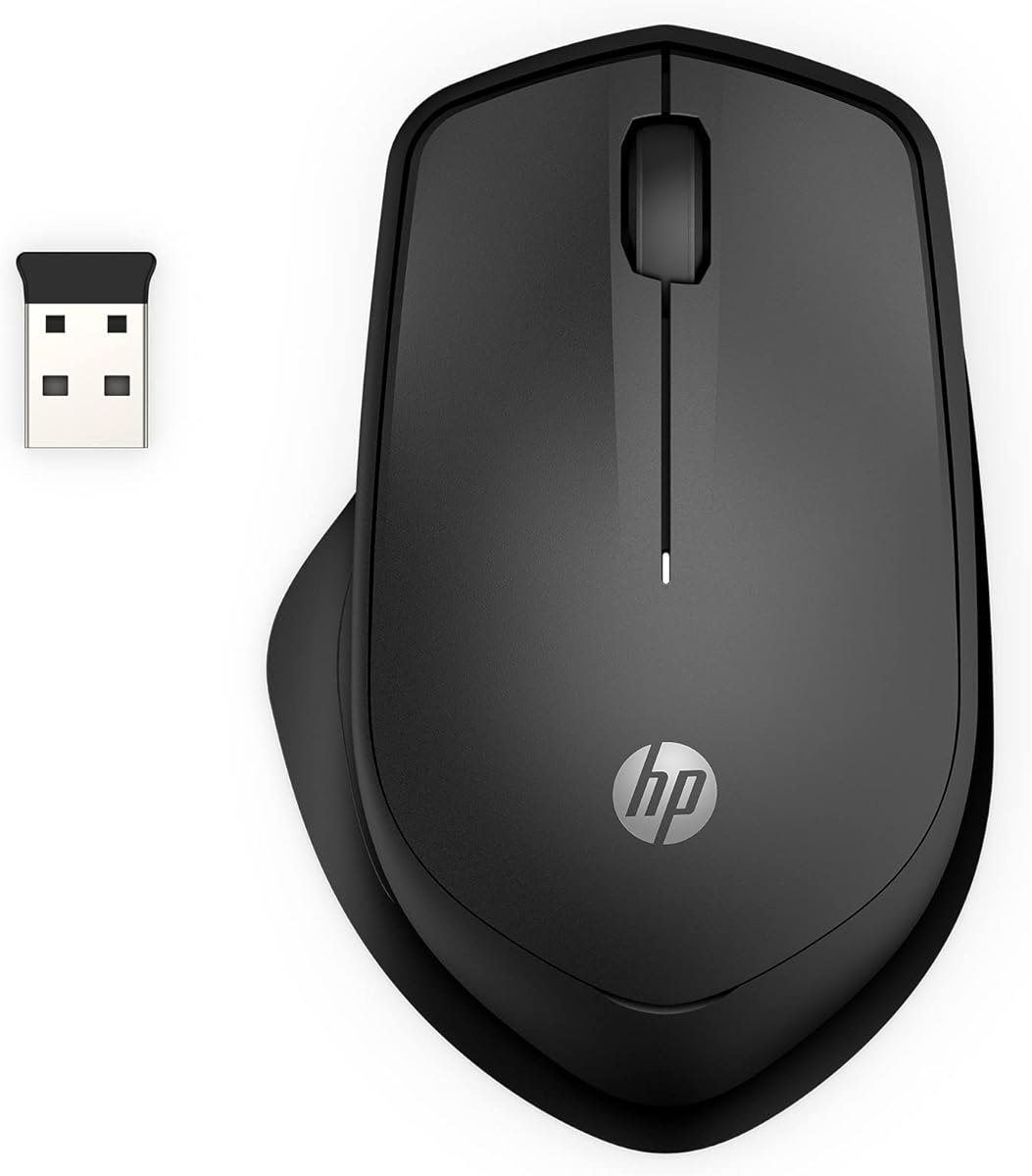
The HP 280 Silent Wireless Mouse focuses on quiet performance and battery life. Its 4.5 rating highlights user appreciation for its noise reduction. This mouse is perfect for shared workspaces.
We may earn a commission when you buy through this link, at no additional cost to you.
It delivers up to 90% noise reduction on left and right buttons. The ergonomic design supports comfortable all-day use. A reliable 1600 dpi optical sensor ensures smooth tracking across various surfaces.
Power consumption is efficient, offering up to 18 months on a single AA battery. The nano receiver stores inside the mouse for easy portability and safety. However, it is designed for right-handed use only.
This mouse is ideal for libraries or open offices where click noise is disruptive. Its simplicity and battery longevity make it a reliable daily driver. We recommend it for users prioritizing silence.
Quiet clicks allow for focus without disturbing nearby colleagues.
Nano receiver stows inside the mouse to prevent loss.
We may earn a commission when you buy through this link, at no additional cost to you.
The Logitech M650 L offers a large full-size wireless design. Its 4.5 rating reflects strong satisfaction with comfort and usability. It is designed to enhance focus and reduce distraction during long sessions.
We may earn a commission when you buy through this link, at no additional cost to you.
It features SilentTouch technology for 90% less click noise. The rubber side grips keep your hand secure and comfortable. Customizable side buttons allow shortcuts for back forward or copy paste functions.
Battery life extends up to 24 months on a single AA battery. It supports multiple platforms including Windows macOS and Android. This makes it versatile for diverse device environments.
This mouse is a great investment for home offices or professional setups. Its build quality ensures long-term durability. We recommend it for users who need silence and customization.
Enjoy quiet operation that supports a focused work environment.
Assign shortcuts to side buttons via Logitech Options+ software.
We may earn a commission when you buy through this link, at no additional cost to you.
The Acer Wireless Mouse is built for flexibility and long-term use. With a 4.3 rating, it offers solid value for budget-conscious buyers. Its durable design supports heavy daily usage.
We may earn a commission when you buy through this link, at no additional cost to you.
It includes five adjustable dpi levels for different sensitivity needs. A visual indicator light shows current settings and battery status. Click to wake saves power after inactivity, extending battery life further.
The receiver stores in the battery compartment for easy transport. With forward and backward buttons, web navigation becomes faster. However, you must purchase a battery separately before first use.
This mouse is ideal for students or travelers who need a reliable tool. Its high click rating promises longevity. We recommend it for those seeking an affordable durable wireless option.
Lights indicate dpi settings and battery status for easy monitoring.
Click to wake feature restores operation efficiently after standby.
We may earn a commission when you buy through this link, at no additional cost to you.
Choosing the right durable mouse involves considering build quality, ergonomics, and connectivity. This guide helps you identify the most critical factors for your specific needs.
Durability starts with the materials used in the casing and internal switches. Look for mice rated for high click counts, such as those over 6 million. Recycled plastics often indicate environmental consciousness without sacrificing strength.
Prioritize models with reinforced hinges and high-quality rubber grips that resist wear over time.
An ergonomic mouse reduces strain on your wrist and hand during long sessions. Contoured shapes and soft grips support natural hand positioning. Ambidextrous designs allow flexibility for left-handed users.
Ensure the size fits your hand comfortably to prevent fatigue and improve precision.
Decide between wireless and wired options based on your workspace. Wireless mice offer mobility but require battery management. Wired mice provide consistent power but limit movement to cable length.
Choose USB-C for modern systems or 2.4 GHz receivers for stable wireless connections.
Long battery life reduces downtime and waste. Look for models promising one year or more. Some advanced models even extend to three years.
"Smart sleep modes and efficient power circuits help extend battery duration between changes.
A reliable sensor ensures accurate cursor movement across different surfaces. Adjustable DPI levels let you switch between precision and speed. Laser sensors often work on more surfaces than standard optical ones.
Higher DPI is useful for detailed design work, while lower DPI suits general browsing.
Extra buttons enhance workflow efficiency. Back and forward buttons simplify browsing, while customizable keys can launch apps. Check compatibility with your operating system for software support.
Look for intuitive placement that allows easy access without awkward finger movements.
Quiet clicks are vital for shared environments. Technologies like SilentTouch reduce noise by up to 90%. This feature allows focused work without disturbing others around you.
If you work in a library or open office, a silent mouse is a valuable investment.
Ensure the mouse supports your specific OS. Most options work with Windows and Mac, but Linux or Chromebook support may vary. Cross-platform compatibility provides future flexibility.
Check product descriptions for explicit mentions of supported operating systems.
Start by adjusting the DPI settings to match your screen resolution and personal preference. Proper sensitivity prevents hand strain and improves accuracy during daily tasks.
Keep the surface clean and free of debris. Periodically wipe the mouse bottom and optical sensor to ensure smooth tracking and avoid tracking issues.
For wireless models, turn off the power switch when not in use to extend battery life. Store the USB receiver safely to prevent loss during travel or cleaning.
A durable mouse typically features high-quality materials, reinforced internal switches, and a solid build. Look for products rated for millions of clicks and reliable sensor performance over time.
Yes, modern wireless mice are built to withstand daily use. While they rely on batteries, the structural design and internal components match or exceed wired counterparts in reliability.
A quality mouse should last several years with proper care. Battery life and switch durability are key indicators of overall longevity in your daily workflow.
Basic functions work without software. However, advanced features like button customization or scroll modes often require proprietary drivers from the manufacturer.
Laser sensors generally perform on more surfaces than optical ones, reducing tracking issues. High-end optical sensors are also durable and precise for standard office use.
Turn off the power when not in use and adjust brightness or sensitivity settings. Models with smart sleep modes automatically conserve power during inactivity.
We have reviewed ten top models that offer excellent durability for various needs. From the compact Logitech M185 to the premium M705 Marathon, each option has unique strengths for different workflows.
Prioritize ergonomics and build quality when making your final decision. A comfortable mouse improves productivity, while a durable one ensures long-term value and reliability.
Prices and stock availability may change. Please check the provided links for the most current information before purchasing your next durable computer mouse.