
Ubiquiti U6+
4.6Editor score
3 Gbit/s wireless transmission speed
IEEE 802.11 a/b/g/n/ac/ax
PoE+ port up to 25.5W
Compare top enterprise wireless access points for business. Read real ratings, specs, and expert reviews to choose the right WiFi solution for your network.
Choosing the right enterprise wireless access point is critical for maintaining a reliable and secure business network. Modern workplaces rely heavily on stable connectivity for communication, transactions, and cloud services. A high-quality access point ensures that employees and guests experience seamless internet access without interruptions or security vulnerabilities.
We analyzed the top-rated enterprise wireless access points available on the market to help you make an informed decision. Our comparison considers performance, scalability, security features, and ease of management. Each product listed here has been evaluated based on its technical specifications and user feedback to ensure it meets enterprise standards.
This guide provides detailed insights into each model, highlighting key features and potential limitations. You will find honest assessments to help you match the right device to your specific business needs. Please note that prices and availability can change frequently, so always verify the latest details before purchasing.
4.6Editor score
4.7Editor score

4.5Editor score
This side-by-side comparison highlights the key specifications and features of the top five enterprise wireless access points. Use this table to quickly identify which model best fits your network requirements and budget constraints.


The Ubiquiti UniFi nanoHD stands out as a robust solution for medium to large enterprise networks requiring reliable connectivity. With a high rating of 4.7, it has earned trust among IT professionals for its consistent performance. This access point is designed to handle dense environments where many devices connect simultaneously without dropping signals.
We may earn a commission when you buy through this link, at no additional cost to you.
Its four-stream 802.11AC Wave2 technology ensures that bandwidth is distributed efficiently across all connected clients. The device supports over 200 concurrent users, making it ideal for busy offices or retail spaces. The MU-MIMO technology allows the AP to communicate with multiple devices at once, reducing latency and improving overall network speed.
While the nanoHD lacks the latest Wi-Fi 6 standard, it remains a highly capable device for businesses not yet ready to upgrade their entire infrastructure. The requirement for a UniFi controller might be a slight hurdle for very small setups, but the management interface is intuitive and powerful. Optional covers allow the unit to blend seamlessly into various decor styles.
Businesses looking for a balance between performance and manageability should consider the nanoHD. It is particularly well-suited for organizations already invested in the Ubiquiti ecosystem. The ability to scale the network by adding more units ensures that your infrastructure can grow alongside your business needs.
The UniFi controller software provides a centralized dashboard to monitor traffic, configure settings, and troubleshoot issues across all access points effortlessly.
The compact form factor and optional color-matched covers ensure the device does not stand out, maintaining the professional aesthetic of your office environment.
We may earn a commission when you buy through this link, at no additional cost to you.
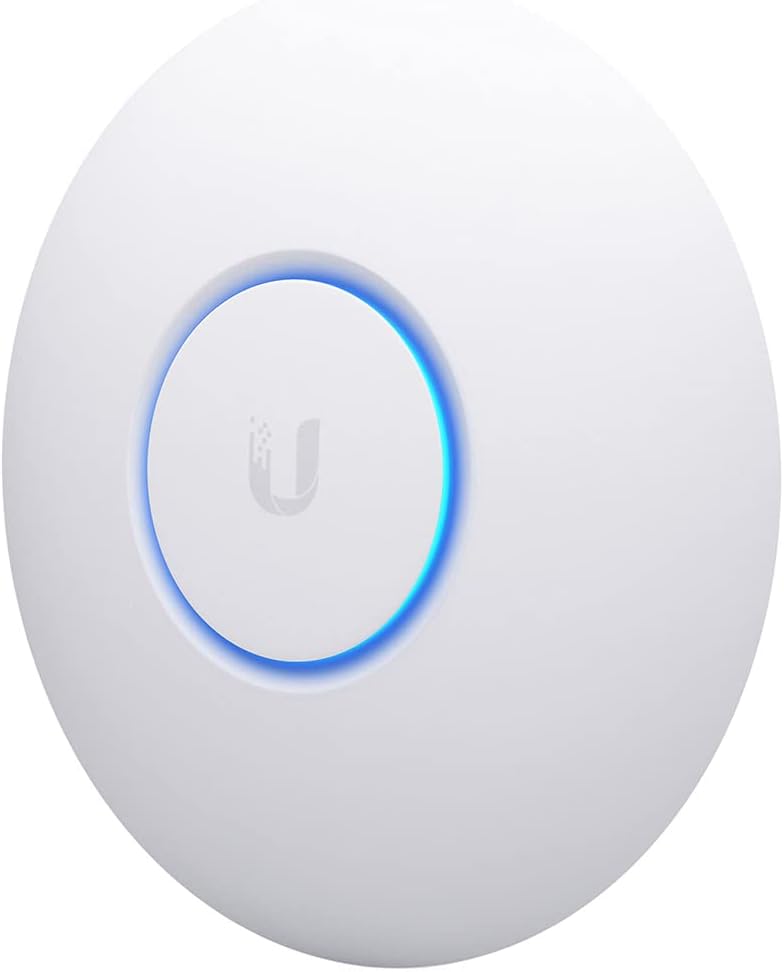
The Ubiquiti U6+ represents the cutting edge of wireless access point technology with its support for IEEE 802.11ax standards. Rated 4.6, it delivers a maximum wireless transmission speed of 3 Gbit/s, which is significantly faster than many competitors. This speed ensures that data-intensive applications run smoothly without bottlenecks.
We may earn a commission when you buy through this link, at no additional cost to you.
Security is a paramount concern for enterprises, and the U6+ addresses this with robust data encryption features. This protects valuable business information from unauthorized access while it travels over the wireless network. The Gigabit Ethernet port ensures that the connection back to your router or switch is never the limiting factor in your network speed.
Installation is simplified by the PoE+ port, which allows the device to receive both data and power through a single cable. This is particularly useful in ceilings or walls where electrical outlets are not easily accessible. The wall-mountable form factor ensures maximum comfort during installation and operation, reducing fatigue for technicians.
For businesses that demand the highest possible wireless speeds and modern standards, the U6+ is an excellent investment. It is future-proofed to handle emerging technologies and increased device density. The reliability and speed make it a top choice for mission-critical environments where downtime is not an option.
The 3 Gbit/s transmission speed provides efficient communication, ensuring that large file transfers and video conferencing are handled with maximum efficiency.
Support for PoE+ means you can deploy the access point in optimal locations without worrying about proximity to power outlets, simplifying cabling.
We may earn a commission when you buy through this link, at no additional cost to you.
The Omada EAP650 offers exceptional value by combining advanced Wi-Fi 6 technology with free cloud management. With a 4.5 rating, it is highly regarded for its balance of performance and cost. The device supports speeds up to 2976 Mbps, making it a powerful choice for budget-conscious businesses that refuse to compromise on speed.
We may earn a commission when you buy through this link, at no additional cost to you.
One of the standout features is the free Omada Essentials Cloud Management, which eliminates the need for additional hardware or software controllers. You can simply launch the Omada app and scan the S/N code to get started. This centralized cloud management allows you to control your whole network from different sites using a single interface.
Installation is flexible due to multiple powering options, including 802.3at PoE plus, Passive PoE, or a DC power supply. This adaptability ensures that you can deploy the access point in various environments without needing specific switches. The ultra-slim design ensures it blends into any modern office, hotel, or classroom setting discreetly.
This access point is ideal for small to medium businesses looking to upgrade to Wi-Fi 6 without breaking the bank. The 5-year warranty provides peace of mind, ensuring that your investment is protected. It is a smart choice for those who need reliable connectivity and the freedom to manage their network remotely.
Advanced wireless technology supports seamless roaming and mesh networks, ensuring clients stay connected as they move throughout the building.
The free cloud management platform reduces total cost of ownership by removing the need for expensive controllers or licensing fees.
We may earn a commission when you buy through this link, at no additional cost to you.
The HPE Instant On AP22 brings the latest WiFi 6 technology to the Instant On portfolio, specifically targeting SMBs and small businesses. With a 4.4 rating, it is recognized for its ease of use and robust security features. It is designed to meet the mobile, IoT, and security needs of modern offices and retail environments.
We may earn a commission when you buy through this link, at no additional cost to you.
Performance is optimized for up to 75 active devices, with a total throughput of 1774 Mbps across both bands. This makes it suitable for environments where the device count is moderate but performance is critical. The Aruba Instant On Cloud app management system allows you to get setup and running in just minutes.
Security is emphasized with two-factor authentication enabled, which adds a layer of protection against unauthorized access. The device supports Smart Mesh, allowing for easy expansion of the network without complex wiring. However, potential buyers should note that power sources may need to be verified depending on the specific package variant.
This AP is a strong choice for small businesses transitioning to a managed cloud network. It offers a balance of security, performance, and ease of management that is hard to beat in its class. The award-winning status further validates its reliability and value in the SMB market segment.
Recognized as the CRN 2021 SMB Product Of The Year, this access point demonstrates excellence in delivering security and performance for small businesses.
The Instant On Cloud app provides a user-friendly interface that simplifies network configuration and monitoring for IT staff without deep expertise.
We may earn a commission when you buy through this link, at no additional cost to you.
The Ubiquiti UniFi nanoHD 5-Pack offers the highest user rating of 4.8 in this comparison, reflecting strong satisfaction among buyers. This bundle is perfect for businesses needing to cover multiple floors or large areas without purchasing units individually. It provides the same robust performance as the single unit but with significant cost savings.
We may earn a commission when you buy through this link, at no additional cost to you.
With 4×4 MU-MIMO on the 5GHz band, this pack delivers a max PHY rate of 1733Mbps. This ensures high throughput for demanding applications like video streaming or large data transfers. The consistency across all five units ensures a uniform network experience, which is crucial for enterprise environments where coverage gaps are unacceptable.
One limitation is that the PoE injector is not included for the 5-pack, so existing infrastructure must support 802.3af PoE compatibility. However, the cost benefit of buying a multi-pack often outweighs this minor inconvenience. The same mount options as the UAP-AC-Lite ensure flexibility in installation across different building structures.
Businesses looking to deploy a comprehensive network across a large facility should consider this 5-pack. It is an efficient way to scale your wireless network quickly and economically. The high rating confirms that the units deliver reliable performance that meets enterprise expectations consistently.
The 1733Mbps max PHY rate ensures that bandwidth-intensive tasks are handled efficiently, keeping productivity high across the network.
Buying in a 5-pack reduces the overall cost per access point, making it a smart financial decision for larger deployments.
We may earn a commission when you buy through this link, at no additional cost to you.
Selecting the right enterprise wireless access point requires careful consideration of several technical and practical factors. This guide breaks down the most important aspects to evaluate before making your purchase.
Modern enterprises should look for access points that support at least Wi-Fi 6 (802.11ax) to ensure future-proofing and high throughput. Newer standards provide better efficiency in crowded environments and faster data rates for connected devices. Check the maximum PHY rate to ensure it meets your bandwidth needs for file transfers and streaming.
Determine the maximum number of devices that will connect to each access point simultaneously. High-density environments like conference rooms need APs that can handle hundreds of connections without performance degradation. Look for specifications that explicitly state concurrent user support to avoid network congestion during peak hours.
Enterprise networks require robust security to protect sensitive data from unauthorized access. Ensure the access point supports WPA3 encryption and other advanced security protocols. Features like guest network isolation and two-factor authentication can add an extra layer of protection for your business assets.
Consider how the access point will be powered, especially if mounting it in ceilings or walls. PoE (Power over Ethernet) is the standard for enterprise deployment as it simplifies cabling. Check if the device supports 802.3af or 802.3at to ensure compatibility with your existing network switches.
Ease of management is crucial for IT teams that may have limited resources. Cloud-based management allows you to monitor and configure APs remotely, which is ideal for multi-site businesses. Some systems offer local controllers for those who prefer on-premise management. Choose a system that matches your technical comfort level.
Your network should be able to grow as your business expands. Ensure the access points can be easily added to the existing network without complex reconfiguration. Mesh support allows for flexible coverage extensions without running new cables to every new unit, offering significant flexibility.
Reliability is key, so check the warranty period and technical support options offered by the manufacturer. A longer warranty indicates confidence in product quality and reduces long-term costs. Ensure that support is available during your business hours to minimize downtime in case of issues.
The form factor of the access point should suit your environment. Some offices require discreet devices that blend into the ceiling or walls. Look for optional covers or mounting kits that allow for aesthetic integration. This ensures the technology does not disrupt the visual design of your workspace.
Start by mounting the access point in a central location to ensure optimal coverage. Avoid placing it near thick walls or metal objects that can block signals. Use the provided mounting kit to secure it firmly to the ceiling or wall using the recommended hardware.
Connect the device to your network using an Ethernet cable and ensure PoE is enabled on your switch. Once powered, access the management interface via the provided URL or mobile app. Follow the on-screen prompts to configure your SSID, password, and security settings according to your business policies.
Regularly update the firmware of your access points to patch security vulnerabilities and improve performance. Monitor the device health through the management dashboard to identify any connectivity issues early. Keep the device clean and free of dust to ensure it operates efficiently over time.
An access point extends an existing wired network wirelessly, allowing multiple devices to connect to the internet. A router directs traffic between devices on a network and connects to the internet modem directly. In enterprise settings, routers handle traffic routing while access points manage wireless coverage.
Many enterprise access points offer cloud-based management which eliminates the need for a physical controller. However, some systems require a software or hardware controller for advanced features. Always check the product specifications to see if a controller is included or optional.
The number of access points depends on the office size and the number of devices connecting simultaneously. A general rule is one access point for every 1,000 square feet in standard offices. Conduct a site survey to determine exact coverage needs before purchasing.
Yes, standard Cat5e or Cat6 Ethernet cables support PoE technology for delivering power and data. Ensure your cable is high quality to support the required bandwidth for your network speed. Longer cables may suffer from power loss, so keep runs under 100 meters.
Wi-Fi 6 offers better efficiency and speed which benefits businesses with many connected devices or heavy data usage. While older standards work, investing in Wi-Fi 6 future-proofs your network for emerging technologies. It is recommended if you have the budget and anticipate growth.
Seamless roaming allows devices to move between access points without losing connection or needing to reconnect manually. This is essential for environments where employees move between floors or rooms while on calls. Ensure your system supports protocols like 802.11k and r for this feature.
Use strong encryption like WPA3 and change default credentials immediately upon setup. Enable network segmentation to separate guest traffic from internal business data. Regularly update firmware and monitor logs for suspicious activity to maintain a secure environment.
Advertised speeds are theoretical maximums often achieved in ideal conditions. Interference from other electronics, physical obstructions, and distance can reduce real-world speeds. Ensure you are using the correct frequency band and have updated firmware to optimize performance.
Choosing the right enterprise wireless access point is about balancing speed, security, and manageability. The Ubiquiti UniFi nanoHD and U6+ stand out for their robust performance and ecosystem, while the Omada EAP650 offers fantastic value with cloud management included.
Prioritize security features and user capacity to ensure your network can handle daily operations without issues. Look for solutions that support PoE and offer flexible management options to simplify your IT operations over time.
Prices and availability change frequently so verify the current details on the product pages before buying. Investing in quality infrastructure today will pay off in reliability and productivity for your business in the long run.