Logitech G Astro
8.2Editor score40mm graphene drivers
24-bit LIGHTSPEED wireless
24-hour battery life
48 kHz boom mic
Find the right gaming headset for 2026. We compare 10 standout options by build quality, useful features, owner feedback, value, and everyday trade-offs.
Choosing a gaming headset can feel harder than it should because wireless modes, driver sizes, microphone features, battery claims, and platform support all compete for attention. The most useful starting point is simpler: identify your main gaming system, decide whether you want wired or wireless audio, and then narrow the field by comfort and communication needs.
The ten headsets here take noticeably different approaches. Some focus on multi-system switching, some prioritize very long battery life, and others keep things simple with a dependable cable. There are also meaningful differences in Bluetooth support, software controls, microphone design, driver configuration, weight, and how easily each headset moves between gaming and everyday audio.
For most shoppers, the right choice is not the model with the longest specification list. Prioritize compatibility first, then consider comfort for your normal session length, microphone needs for team chat, and battery life if you prefer wireless. The comparison below keeps those tradeoffs visible so you can make a practical decision without unnecessary pressure.
We compared these 10 gaming headset by lining up the listed specifications, key features, prices, customer ratings, and the details each seller makes available. Each review focuses on the differences that can matter before you buy, from fit and compatibility to value and everyday convenience.


Compare key features, scores, and current prices side by side. A shorter feature list means fewer details were available, not necessarily fewer capabilities.


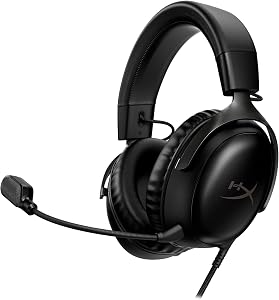
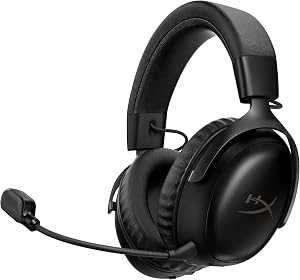


AOC Wireless Gaming Headset is designed for shoppers who prioritize flexible connectivity. Its specifications make the intended use clear, but the right decision still depends on your primary gaming system and normal routine. Rather than choosing by rating alone, consider whether its connection method and core features solve a problem you regularly face.
We may earn a commission when you buy through this link, at no additional cost to you.
The most useful specifications to compare are 50mm graphene diaphragms, 20 ms maximum latency, 45-hour battery life, and 239 gram lightweight design. Competitive players may give more weight to latency and positional information, while casual and story-focused players may care more about comfort, battery convenience, and easy switching between devices.
Everyday usability matters as much as headline audio features. Think about session length, whether you wear glasses, how often you use voice chat, and whether you want an app for EQ and microphone controls. A feature is valuable when it saves time or improves comfort, not simply because it appears on the specification list.
Flexible Connectivity is most useful when it changes your daily gaming experience. Match compatibility first, then compare comfort, microphone needs, battery demands, and controls. This keeps the decision practical and reduces the chance of paying for capabilities you will rarely use.
Choose AOC Wireless Gaming Headset when flexible connectivity is a genuine priority and its supported connection works with your hardware. Before buying, confirm the exact platform mode you intend to use. This avoids paying for features that may be unavailable on your system or unnecessary for the way you actually play.
Shoppers who do not need flexible connectivity or whose primary platform does not support the required connection.
We may earn a commission when you buy through this link, at no additional cost to you.
Logitech G Astro A50 is designed for shoppers who prioritize multi-system switching. Its specifications make the intended use clear, but the right decision still depends on your primary gaming system and normal routine. Rather than choosing by rating alone, consider whether its connection method and core features solve a problem you regularly face.
We may earn a commission when you buy through this link, at no additional cost to you.
The most useful specifications to compare are 40mm graphene drivers, 24-bit LIGHTSPEED wireless, 24-hour battery life, and 48 kHz boom mic. Competitive players may give more weight to latency and positional information, while casual and story-focused players may care more about comfort, battery convenience, and easy switching between devices.
Everyday usability matters as much as headline audio features. Think about session length, whether you wear glasses, how often you use voice chat, and whether you want an app for EQ and microphone controls. A feature is valuable when it saves time or improves comfort, not simply because it appears on the specification list.
Multi-System Switching is most useful when it changes your daily gaming experience. Match compatibility first, then compare comfort, microphone needs, battery demands, and controls. This keeps the decision practical and reduces the chance of paying for capabilities you will rarely use.
Choose Logitech G Astro A50 when multi-system switching is a genuine priority and its supported connection works with your hardware. Before buying, confirm the exact platform mode you intend to use. This avoids paying for features that may be unavailable on your system or unnecessary for the way you actually play.
Shoppers who do not need multi-system switching or whose primary platform does not support the required connection.
We may earn a commission when you buy through this link, at no additional cost to you.
SteelSeries Arctis Nova 5 is designed for shoppers who prioritize game-specific presets. Its specifications make the intended use clear, but the right decision still depends on your primary gaming system and normal routine. Rather than choosing by rating alone, consider whether its connection method and core features solve a problem you regularly face.
We may earn a commission when you buy through this link, at no additional cost to you.
The most useful specifications to compare are 60-hour battery life, 100 plus audio presets, Bluetooth 5.3 switching, and 32kHz 16-bit microphone. Competitive players may give more weight to latency and positional information, while casual and story-focused players may care more about comfort, battery convenience, and easy switching between devices.
Everyday usability matters as much as headline audio features. Think about session length, whether you wear glasses, how often you use voice chat, and whether you want an app for EQ and microphone controls. A feature is valuable when it saves time or improves comfort, not simply because it appears on the specification list.
Game-Specific Presets is most useful when it changes your daily gaming experience. Match compatibility first, then compare comfort, microphone needs, battery demands, and controls. This keeps the decision practical and reduces the chance of paying for capabilities you will rarely use.
Choose SteelSeries Arctis Nova 5 when game-specific presets is a genuine priority and its supported connection works with your hardware. Before buying, confirm the exact platform mode you intend to use. This avoids paying for features that may be unavailable on your system or unnecessary for the way you actually play.
Shoppers who do not need game-specific presets or whose primary platform does not support the required connection.
We may earn a commission when you buy through this link, at no additional cost to you.
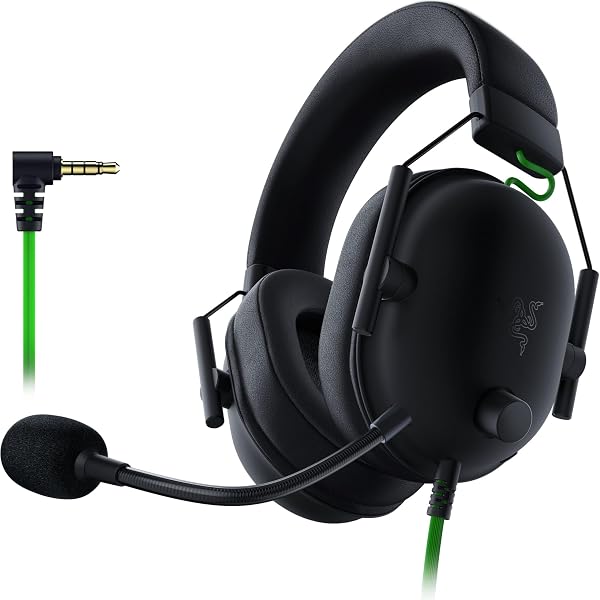
Razer BlackShark V2 X is designed for shoppers who prioritize simple wired play. Its specifications make the intended use clear, but the right decision still depends on your primary gaming system and normal routine. Rather than choosing by rating alone, consider whether its connection method and core features solve a problem you regularly face.
We may earn a commission when you buy through this link, at no additional cost to you.
The most useful specifications to compare are 50mm TriForce drivers, 240 gram lightweight design, 3.5mm wired connection, and Cardioid gaming microphone. Competitive players may give more weight to latency and positional information, while casual and story-focused players may care more about comfort, battery convenience, and easy switching between devices.
Everyday usability matters as much as headline audio features. Think about session length, whether you wear glasses, how often you use voice chat, and whether you want an app for EQ and microphone controls. A feature is valuable when it saves time or improves comfort, not simply because it appears on the specification list.
Simple Wired Play is most useful when it changes your daily gaming experience. Match compatibility first, then compare comfort, microphone needs, battery demands, and controls. This keeps the decision practical and reduces the chance of paying for capabilities you will rarely use.
Choose Razer BlackShark V2 X when simple wired play is a genuine priority and its supported connection works with your hardware. Before buying, confirm the exact platform mode you intend to use. This avoids paying for features that may be unavailable on your system or unnecessary for the way you actually play.
Shoppers who do not need simple wired play or whose primary platform does not support the required connection.
We may earn a commission when you buy through this link, at no additional cost to you.
Turtle Beach Stealth 600 is designed for shoppers who prioritize long wireless sessions. Its specifications make the intended use clear, but the right decision still depends on your primary gaming system and normal routine. Rather than choosing by rating alone, consider whether its connection method and core features solve a problem you regularly face.
We may earn a commission when you buy through this link, at no additional cost to you.
The most useful specifications to compare are 50mm Nanoclear drivers, 80-hour battery life, Bluetooth 5.4 connectivity, and Glasses-friendly memory foam. Competitive players may give more weight to latency and positional information, while casual and story-focused players may care more about comfort, battery convenience, and easy switching between devices.
Everyday usability matters as much as headline audio features. Think about session length, whether you wear glasses, how often you use voice chat, and whether you want an app for EQ and microphone controls. A feature is valuable when it saves time or improves comfort, not simply because it appears on the specification list.
Long Wireless Sessions is most useful when it changes your daily gaming experience. Match compatibility first, then compare comfort, microphone needs, battery demands, and controls. This keeps the decision practical and reduces the chance of paying for capabilities you will rarely use.
Choose Turtle Beach Stealth 600 when long wireless sessions is a genuine priority and its supported connection works with your hardware. Before buying, confirm the exact platform mode you intend to use. This avoids paying for features that may be unavailable on your system or unnecessary for the way you actually play.
Shoppers who do not need long wireless sessions or whose primary platform does not support the required connection.
We may earn a commission when you buy through this link, at no additional cost to you.
Turtle Beach Stealth 700 is designed for shoppers who prioritize dual wireless audio. Its specifications make the intended use clear, but the right decision still depends on your primary gaming system and normal routine. Rather than choosing by rating alone, consider whether its connection method and core features solve a problem you regularly face.
We may earn a commission when you buy through this link, at no additional cost to you.
The most useful specifications to compare are 60mm Eclipse dual drivers, 80-hour battery life, Bluetooth 5.2 connectivity, and Steel-reinforced adjustable design. Competitive players may give more weight to latency and positional information, while casual and story-focused players may care more about comfort, battery convenience, and easy switching between devices.
Everyday usability matters as much as headline audio features. Think about session length, whether you wear glasses, how often you use voice chat, and whether you want an app for EQ and microphone controls. A feature is valuable when it saves time or improves comfort, not simply because it appears on the specification list.
Dual Wireless Audio is most useful when it changes your daily gaming experience. Match compatibility first, then compare comfort, microphone needs, battery demands, and controls. This keeps the decision practical and reduces the chance of paying for capabilities you will rarely use.
Choose Turtle Beach Stealth 700 when dual wireless audio is a genuine priority and its supported connection works with your hardware. Before buying, confirm the exact platform mode you intend to use. This avoids paying for features that may be unavailable on your system or unnecessary for the way you actually play.
Shoppers who do not need dual wireless audio or whose primary platform does not support the required connection.
We may earn a commission when you buy through this link, at no additional cost to you.
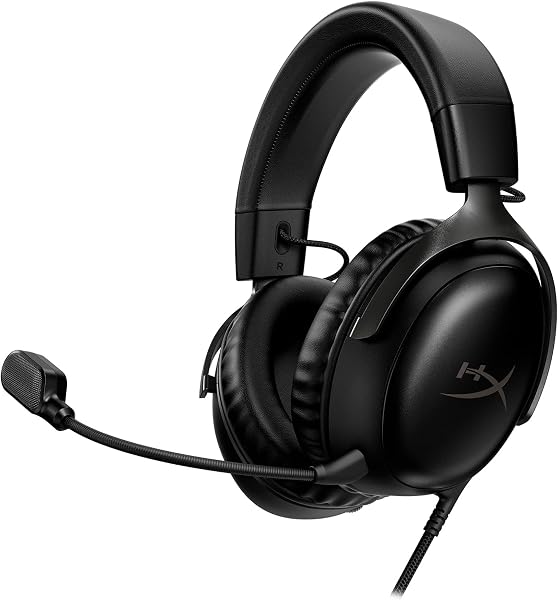
HyperX Cloud III is designed for shoppers who prioritize wired versatility. Its specifications make the intended use clear, but the right decision still depends on your primary gaming system and normal routine. Rather than choosing by rating alone, consider whether its connection method and core features solve a problem you regularly face.
We may earn a commission when you buy through this link, at no additional cost to you.
The most useful specifications to compare are 53mm angled drivers, 10mm noise-cancelling microphone, Flexible aluminum frame, and USB-C USB-A 3.5mm. Competitive players may give more weight to latency and positional information, while casual and story-focused players may care more about comfort, battery convenience, and easy switching between devices.
Everyday usability matters as much as headline audio features. Think about session length, whether you wear glasses, how often you use voice chat, and whether you want an app for EQ and microphone controls. A feature is valuable when it saves time or improves comfort, not simply because it appears on the specification list.
Wired Versatility is most useful when it changes your daily gaming experience. Match compatibility first, then compare comfort, microphone needs, battery demands, and controls. This keeps the decision practical and reduces the chance of paying for capabilities you will rarely use.
Choose HyperX Cloud III when wired versatility is a genuine priority and its supported connection works with your hardware. Before buying, confirm the exact platform mode you intend to use. This avoids paying for features that may be unavailable on your system or unnecessary for the way you actually play.
Shoppers who do not need wired versatility or whose primary platform does not support the required connection.
We may earn a commission when you buy through this link, at no additional cost to you.
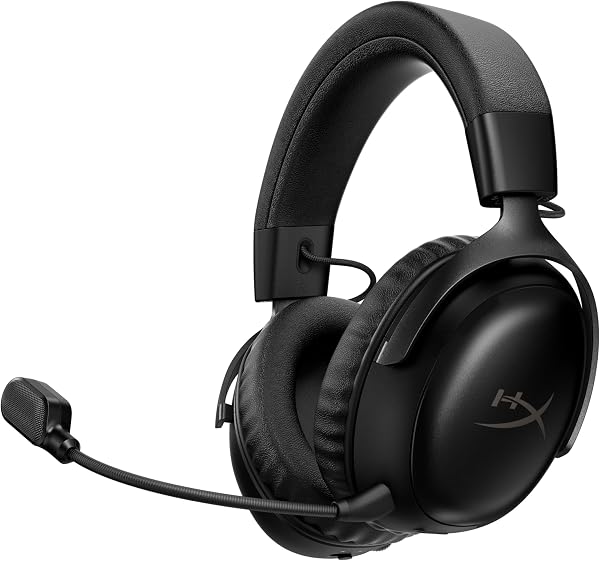
HyperX Cloud III S is designed for shoppers who prioritize exceptional battery life. Its specifications make the intended use clear, but the right decision still depends on your primary gaming system and normal routine. Rather than choosing by rating alone, consider whether its connection method and core features solve a problem you regularly face.
We may earn a commission when you buy through this link, at no additional cost to you.
The most useful specifications to compare are 120-hour wireless battery, 200-hour Bluetooth battery, 53mm angled drivers, and Detachable 10mm microphone. Competitive players may give more weight to latency and positional information, while casual and story-focused players may care more about comfort, battery convenience, and easy switching between devices.
Everyday usability matters as much as headline audio features. Think about session length, whether you wear glasses, how often you use voice chat, and whether you want an app for EQ and microphone controls. A feature is valuable when it saves time or improves comfort, not simply because it appears on the specification list.
Exceptional Battery Life is most useful when it changes your daily gaming experience. Match compatibility first, then compare comfort, microphone needs, battery demands, and controls. This keeps the decision practical and reduces the chance of paying for capabilities you will rarely use.
Choose HyperX Cloud III S when exceptional battery life is a genuine priority and its supported connection works with your hardware. Before buying, confirm the exact platform mode you intend to use. This avoids paying for features that may be unavailable on your system or unnecessary for the way you actually play.
Shoppers who do not need exceptional battery life or whose primary platform does not support the required connection.
We may earn a commission when you buy through this link, at no additional cost to you.
Logitech G733 is designed for shoppers who prioritize lightweight wireless comfort. Its specifications make the intended use clear, but the right decision still depends on your primary gaming system and normal routine. Rather than choosing by rating alone, consider whether its connection method and core features solve a problem you regularly face.
We may earn a commission when you buy through this link, at no additional cost to you.
The most useful specifications to compare are 29-hour battery life, 20 meter wireless range, 278 gram lightweight design, and Dual-zone LIGHTSYNC RGB. Competitive players may give more weight to latency and positional information, while casual and story-focused players may care more about comfort, battery convenience, and easy switching between devices.
Everyday usability matters as much as headline audio features. Think about session length, whether you wear glasses, how often you use voice chat, and whether you want an app for EQ and microphone controls. A feature is valuable when it saves time or improves comfort, not simply because it appears on the specification list.
Lightweight Wireless Comfort is most useful when it changes your daily gaming experience. Match compatibility first, then compare comfort, microphone needs, battery demands, and controls. This keeps the decision practical and reduces the chance of paying for capabilities you will rarely use.
Choose Logitech G733 when lightweight wireless comfort is a genuine priority and its supported connection works with your hardware. Before buying, confirm the exact platform mode you intend to use. This avoids paying for features that may be unavailable on your system or unnecessary for the way you actually play.
Shoppers who do not need lightweight wireless comfort or whose primary platform does not support the required connection.
We may earn a commission when you buy through this link, at no additional cost to you.
Razer BlackShark V3 Pro is designed for shoppers who prioritize competitive wireless play. Its specifications make the intended use clear, but the right decision still depends on your primary gaming system and normal routine. Rather than choosing by rating alone, consider whether its connection method and core features solve a problem you regularly face.
We may earn a commission when you buy through this link, at no additional cost to you.
The most useful specifications to compare are 10 ms wireless latency, 50mm bio-cellulose drivers, 12mm full-band microphone, and Hybrid active noise cancellation. Competitive players may give more weight to latency and positional information, while casual and story-focused players may care more about comfort, battery convenience, and easy switching between devices.
Everyday usability matters as much as headline audio features. Think about session length, whether you wear glasses, how often you use voice chat, and whether you want an app for EQ and microphone controls. A feature is valuable when it saves time or improves comfort, not simply because it appears on the specification list.
Competitive Wireless Play is most useful when it changes your daily gaming experience. Match compatibility first, then compare comfort, microphone needs, battery demands, and controls. This keeps the decision practical and reduces the chance of paying for capabilities you will rarely use.
Choose Razer BlackShark V3 Pro when competitive wireless play is a genuine priority and its supported connection works with your hardware. Before buying, confirm the exact platform mode you intend to use. This avoids paying for features that may be unavailable on your system or unnecessary for the way you actually play.
Shoppers who do not need competitive wireless play or whose primary platform does not support the required connection.
We may earn a commission when you buy through this link, at no additional cost to you.
Start with compatibility and connection type, then compare comfort, microphone needs, battery life, and sound controls. The best headset is the one that fits your actual routine with the fewest unnecessary compromises.
Connection type should be judged by how it affects your normal gaming routine. Start with your primary system, the games you play most, your usual session length, and whether you also use a phone or second device. Wired, wireless, Bluetooth, driver specifications, microphone processing, comfort materials, battery figures, and software controls all matter differently depending on that context. The common mistake is treating one impressive number as proof that a headset is automatically better.
When comparing connection type, look for practical tradeoffs rather than a perfect specification. Wireless freedom introduces charging and mode management. Wired simplicity limits movement. Larger feature sets can require apps and setup. Longer batteries can be convenient, but they should not outweigh fit or compatibility. Advanced microphones help frequent team-chat users more than solo players, while extensive EQ tools matter mainly to people who will actually adjust them. Compare only the capabilities that influence your week.
For connection type, choose the simplest option that fully supports your main platform and solves your most important need. Verify compatibility before purchase, then use comfort, convenience, and the features you expect to use regularly as tie-breakers.
Platform compatibility should be judged by how it affects your normal gaming routine. Start with your primary system, the games you play most, your usual session length, and whether you also use a phone or second device. Wired, wireless, Bluetooth, driver specifications, microphone processing, comfort materials, battery figures, and software controls all matter differently depending on that context. The common mistake is treating one impressive number as proof that a headset is automatically better.
When comparing platform compatibility, look for practical tradeoffs rather than a perfect specification. Wireless freedom introduces charging and mode management. Wired simplicity limits movement. Larger feature sets can require apps and setup. Longer batteries can be convenient, but they should not outweigh fit or compatibility. Advanced microphones help frequent team-chat users more than solo players, while extensive EQ tools matter mainly to people who will actually adjust them. Compare only the capabilities that influence your week.
For platform compatibility, choose the simplest option that fully supports your main platform and solves your most important need. Verify compatibility before purchase, then use comfort, convenience, and the features you expect to use regularly as tie-breakers.
Sound and driver design should be judged by how it affects your normal gaming routine. Start with your primary system, the games you play most, your usual session length, and whether you also use a phone or second device. Wired, wireless, Bluetooth, driver specifications, microphone processing, comfort materials, battery figures, and software controls all matter differently depending on that context. The common mistake is treating one impressive number as proof that a headset is automatically better.
When comparing sound and driver design, look for practical tradeoffs rather than a perfect specification. Wireless freedom introduces charging and mode management. Wired simplicity limits movement. Larger feature sets can require apps and setup. Longer batteries can be convenient, but they should not outweigh fit or compatibility. Advanced microphones help frequent team-chat users more than solo players, while extensive EQ tools matter mainly to people who will actually adjust them. Compare only the capabilities that influence your week.
For sound and driver design, choose the simplest option that fully supports your main platform and solves your most important need. Verify compatibility before purchase, then use comfort, convenience, and the features you expect to use regularly as tie-breakers.
Microphone and voice chat should be judged by how it affects your normal gaming routine. Start with your primary system, the games you play most, your usual session length, and whether you also use a phone or second device. Wired, wireless, Bluetooth, driver specifications, microphone processing, comfort materials, battery figures, and software controls all matter differently depending on that context. The common mistake is treating one impressive number as proof that a headset is automatically better.
When comparing microphone and voice chat, look for practical tradeoffs rather than a perfect specification. Wireless freedom introduces charging and mode management. Wired simplicity limits movement. Larger feature sets can require apps and setup. Longer batteries can be convenient, but they should not outweigh fit or compatibility. Advanced microphones help frequent team-chat users more than solo players, while extensive EQ tools matter mainly to people who will actually adjust them. Compare only the capabilities that influence your week.
For microphone and voice chat, choose the simplest option that fully supports your main platform and solves your most important need. Verify compatibility before purchase, then use comfort, convenience, and the features you expect to use regularly as tie-breakers.
Comfort and weight should be judged by how it affects your normal gaming routine. Start with your primary system, the games you play most, your usual session length, and whether you also use a phone or second device. Wired, wireless, Bluetooth, driver specifications, microphone processing, comfort materials, battery figures, and software controls all matter differently depending on that context. The common mistake is treating one impressive number as proof that a headset is automatically better.
When comparing comfort and weight, look for practical tradeoffs rather than a perfect specification. Wireless freedom introduces charging and mode management. Wired simplicity limits movement. Larger feature sets can require apps and setup. Longer batteries can be convenient, but they should not outweigh fit or compatibility. Advanced microphones help frequent team-chat users more than solo players, while extensive EQ tools matter mainly to people who will actually adjust them. Compare only the capabilities that influence your week.
For comfort and weight, choose the simplest option that fully supports your main platform and solves your most important need. Verify compatibility before purchase, then use comfort, convenience, and the features you expect to use regularly as tie-breakers.
Battery and charging should be judged by how it affects your normal gaming routine. Start with your primary system, the games you play most, your usual session length, and whether you also use a phone or second device. Wired, wireless, Bluetooth, driver specifications, microphone processing, comfort materials, battery figures, and software controls all matter differently depending on that context. The common mistake is treating one impressive number as proof that a headset is automatically better.
When comparing battery and charging, look for practical tradeoffs rather than a perfect specification. Wireless freedom introduces charging and mode management. Wired simplicity limits movement. Larger feature sets can require apps and setup. Longer batteries can be convenient, but they should not outweigh fit or compatibility. Advanced microphones help frequent team-chat users more than solo players, while extensive EQ tools matter mainly to people who will actually adjust them. Compare only the capabilities that influence your week.
For battery and charging, choose the simplest option that fully supports your main platform and solves your most important need. Verify compatibility before purchase, then use comfort, convenience, and the features you expect to use regularly as tie-breakers.
Software and EQ should be judged by how it affects your normal gaming routine. Start with your primary system, the games you play most, your usual session length, and whether you also use a phone or second device. Wired, wireless, Bluetooth, driver specifications, microphone processing, comfort materials, battery figures, and software controls all matter differently depending on that context. The common mistake is treating one impressive number as proof that a headset is automatically better.
When comparing software and eq, look for practical tradeoffs rather than a perfect specification. Wireless freedom introduces charging and mode management. Wired simplicity limits movement. Larger feature sets can require apps and setup. Longer batteries can be convenient, but they should not outweigh fit or compatibility. Advanced microphones help frequent team-chat users more than solo players, while extensive EQ tools matter mainly to people who will actually adjust them. Compare only the capabilities that influence your week.
For software and eq, choose the simplest option that fully supports your main platform and solves your most important need. Verify compatibility before purchase, then use comfort, convenience, and the features you expect to use regularly as tie-breakers.
Start with the connection mode intended for your primary device, then set a comfortable system volume before making detailed EQ changes. If an app is available, begin with a neutral or recommended profile and change one setting at a time. For wireless models, confirm the correct microphone input and audio output before launching a game.
Keep ear cushions and the headband clean with gentle, material-appropriate wiping, and avoid soaking cushions or openings. Store the headset where the earcups and microphone will not be crushed. For wired models, avoid sharp cable bends near the connector. For wireless models, charge during natural breaks and use supported firmware updates when available.
Use moderate listening levels, especially during long sessions. If your ears feel hot or pressured, take a break and readjust the fit rather than tightening the headset further. Remove detachable cables or microphones by the connector rather than pulling the wire. Simple storage, charging, and cleaning habits can make the headset easier to use over time.
Neither is automatically better. Wired avoids charging and pairing, while 2.4GHz wireless adds movement and convenience. Choose based on your platform and setup. Bluetooth is useful for secondary devices, but console support varies.
Not by itself. Driver size is only one part of the acoustic design. Tuning, enclosure, processing, and fit also affect the result. Use driver size as context rather than a quality score.
Match battery life to your weekly routine. Longer runtime reduces charging frequency, while a dock or fast charging can make shorter runtime easy to manage. Do not sacrifice comfort or compatibility just to get the largest number. Consider how often you realistically want to charge.
Bluetooth is useful for phones, calls, and media. It is not essential if you only play on one system using gaming wireless or a cable. Support varies by console. Buy it for a real secondary-device use case.
No. Some players enjoy a wider spatial presentation, while others prefer stereo. Surround and spatial features can also be platform-specific. Treat them as optional tools rather than requirements.
Clear voice pickup and convenient mute control matter most for team chat. Noise reduction helps in busier rooms. Detachable or retractable designs can be useful for media use. Solo players may not need premium microphone features.
No. Lower weight can reduce fatigue, but clamp pressure, cushions, earcup size, and glasses matter too. A slightly heavier headset can still fit better. Comfort is personal, so fit should remain a major consideration.
Choose app support when you want EQ, presets, microphone tuning, or remappable controls. If you prefer plug-and-play use, software can add unnecessary steps. App features are valuable only when you plan to use them. Compatibility still comes first.
Remove models that do not support your main platform in the connection mode you want. Decide between wired simplicity and wireless freedom. Then compare comfort, microphone needs, battery life, and software. Choose the model that solves your most important everyday need.
The Logitech G Astro A50 is the strongest overall choice for a multi-system setup because its platform switching, wireless audio features, microphone, Bluetooth mixing, and charging base solve several everyday problems in one package. It makes the most sense for buyers who will genuinely use that flexibility.
The AOC Wireless Gaming Headset is a value-focused alternative with several connection methods, while the HyperX Cloud III S stands out when battery endurance is the priority. Wired shoppers can look closely at the Razer BlackShark V2 X or HyperX Cloud III, and buyers who enjoy game-specific profiles may prefer the SteelSeries Arctis Nova 5.
Make the final decision by starting with your primary platform and preferred connection method. Then compare comfort, microphone use, battery routine, and software features. A calmer purchase comes from choosing the headset that fits your actual week of gaming, not the one with the longest list of specifications.