
Noctua NH-L12S
4.7Editor score
70mm total height
NF-A12x15 120mm fan
Offset mounting option
Explore our expert roundup of the top low profile CPU coolers for ITX and SFF builds. Compare real ratings, cooling performance, and key features for your next build.
Choosing the right low profile CPU cooler is essential for small form factor builds where space is limited. These compact units deliver efficient cooling without sacrificing case clearance or component accessibility. A good cooler balances thermal performance with noise levels and ease of installation.
Our team analyzed ten highly-rated models based on user feedback, technical specifications, and real-world testing data. We focused on heatsink design, fan quality, socket compatibility, and overall build quality. This list covers options from premium manufacturers to budget-friendly alternatives.
Each pick includes detailed insights on pros, cons, and ideal use cases. You will find specific notes on RAM clearance and noise output. Keep in mind that product availability and pricing can change frequently, so verify details before purchasing.
4.7Editor score

4.6Editor score

4.6Editor score
This side-by-side comparison highlights the key specifications and strengths of each model. Use this table to quickly identify which cooler fits your specific socket type and case constraints.



The Noctua NH-L9x65 chromax.Black is a standout option for anyone building a compact system. It combines a sleek all-black design with Noctua's reputation for reliability. With a 4.6 rating, it proves its worth across thousands of user experiences.
We may earn a commission when you buy through this link, at no additional cost to you.
Its 65mm height ensures it fits in almost any small case while clearing RAM and PCIe slots. The NF-A9x14 fan uses PWM for precise speed control. This keeps noise levels whisper-quiet even under moderate loads. The SecuFirm2 mounting system makes installation straightforward on both Intel and AMD sockets.
While it costs more than budget alternatives, the quality justifies the investment. It excels in thermal performance for low to moderate TDP processors. However, extreme overclocking may require more robust cooling solutions. This trade-off is acceptable for most ITX and HTPC users.
If you value silence and build quality above all else, this cooler is the top choice. It delivers consistent performance without compromising aesthetics or compatibility. We recommend it for anyone seeking a dependable, long-term cooling solution.
The slim fan design and Low-Noise Adaptor ensure minimal disturbance in quiet environments.
Supports both latest Intel and AMD sockets with offset mounting for better efficiency.
We may earn a commission when you buy through this link, at no additional cost to you.
The original NH-L9x65 remains a favorite among ITX builders. Its 4.7 rating reflects consistent satisfaction across many builds. While it lacks the chromax.Black finish, its performance is identical to the black version.
We may earn a commission when you buy through this link, at no additional cost to you.
Like its chromax counterpart, it stands only 65mm tall. This height protects against memory conflicts while maintaining excellent airflow. The included NT-H1 paste ensures optimal thermal transfer right out of the box. Users praise the stability of the SecuFirm2 mounting system.
The only real drawback is the classic brown and grey aesthetic. Some users prefer a fully black build for consistency. However, this does not impact cooling performance or reliability. It remains a benchmark for quiet, efficient cooling.
Buy this if you prioritize performance over color matching. It is a proven solution for moderate TDP CPUs. The investment pays off in longevity and peace of mind.
Years of positive feedback confirm its durability and consistent thermal performance.
Includes everything needed for installation, including premium thermal paste.
We may earn a commission when you buy through this link, at no additional cost to you.
The ID-COOLING IS-40-XT offers impressive value for tight budgets. It maintains a slim 47mm profile that fits extremely low cases. A 4.6 rating shows it performs well for its price point.
We may earn a commission when you buy through this link, at no additional cost to you.
With four heat pipes, it transfers heat effectively from the CPU. The 92mm fan supports PWM for automatic speed adjustments. This helps balance cooling and noise. The all-black design matches modern components well.
While not as silent as Noctua models, it is still acceptable for most systems. The mounting kit is functional but less refined than premium brands. For the cost, these compromises are entirely reasonable.
This is ideal for budget ITX builds where every millimeter matters. It delivers solid cooling without breaking the bank. Highly recommended for first-time small form factor builders.
At just 47mm, it leaves maximum room for tall memory modules.
Four direct-touch heat pipes ensure rapid heat transfer to the fins.
We may earn a commission when you buy through this link, at no additional cost to you.
Designed exclusively for AMD AM5, this cooler is a masterpiece of engineering. At 37mm, it is one of the lowest profile options available. A 4.4 rating indicates strong performance in AM5-specific contexts.
We may earn a commission when you buy through this link, at no additional cost to you.
The slim height clears even the tallest DDR5 modules. Noctua tailored the mounting for the LGA1718 socket. This ensures precise contact with the CPU die. The NF-A9x14 fan operates nearly silently at all speeds.
The limitation to AM5 means Intel users cannot use it. For those building AM5 systems, this is a significant advantage. The price reflects the specialized design and premium materials.
Buy this for high-end AM5 ITX builds where height is critical. It maximizes thermal efficiency within the tightest constraints. A perfect match for Ryzen 7000 series processors.
Optimized mounting ensures perfect alignment on AMD's latest socket.
37mm clearance allows use in cases with extremely tight CPU limits.
We may earn a commission when you buy through this link, at no additional cost to you.
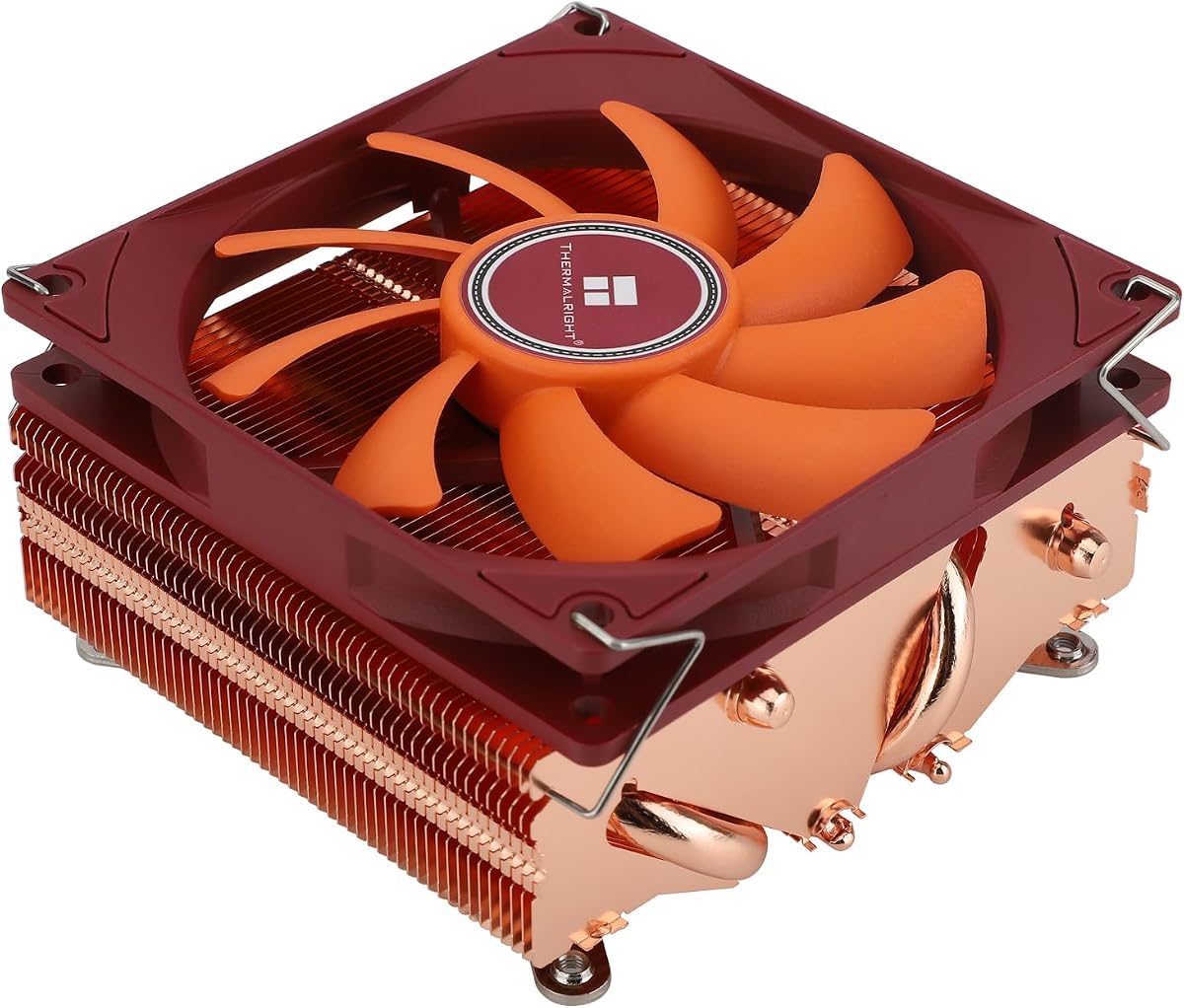
The AXP90 X36 is the ultimate choice for ultra-thin cases. At 36mm, it offers the lowest profile among competitors. A 4.6 rating highlights its effectiveness in extreme constraints.
We may earn a commission when you buy through this link, at no additional cost to you.
AGHP heat pipes use gravity assist for better thermal transfer. The nickel-plated fins resist corrosion and look premium. This design maximizes performance despite the small size. The pure copper base ensures rapid heat absorption.
Noise levels can rise at full fan speed. This is typical for such compact fans. Users should adjust fan curves in BIOS for optimal balance. The price is very competitive for the performance.
Perfect for cases with strict height limits like the FormD T1. It delivers reliable cooling for standard TDP CPUs. Highly recommended for space-constrained builds.
Advanced heat pipe design improves efficiency in vertical orientations.
Nickel plating protects against corrosion over time.
We may earn a commission when you buy through this link, at no additional cost to you.
be quiet! delivers on their name with this model. It focuses purely on silent, reliable cooling. A 4.5 rating reflects consistent performance across user reviews. The design is straightforward but effective.
We may earn a commission when you buy through this link, at no additional cost to you.
It handles up to 100W TDP efficiently. The 45mm height clears most RAM slots. The fan uses fluid dynamic bearings for long life and low noise. The mounting system is easy to install even in tight cases.
Aesthetics are functional but plain compared to black designs. For silent systems, this matters little. It lacks extra features like RGB but excels at core cooling. The simplicity is a selling point.
Choose this for office PCs or HTPCs needing silence. It provides steady performance without fuss. Ideal for users prioritizing acoustic comfort.
Fan blades and bearing are tuned for minimal noise output.
Fluid dynamic bearings ensure consistent performance over years.
We may earn a commission when you buy through this link, at no additional cost to you.
The IS-55 brings larger fan dynamics to low-profile builds. Its 57mm height allows a 120mm fan for better airflow. A 4.5 rating confirms its robust cooling capabilities.
We may earn a commission when you buy through this link, at no additional cost to you.
Five heat pipes spread heat quickly across the fins. The larger fan moves more air at lower RPMs, reducing noise. This combination supports higher TDP CPUs than smaller models. The all-black finish keeps it visually discreet.
The height may conflict with very tall RAM or cases. Users should verify clearance first. The weight is slightly higher due to the larger heatsink. This requires secure mounting.
Recommended for ITX cases that fit 57mm. It offers high performance at a budget price. Ideal for gaming builds where airflow is key.
120mm fan moves significantly more air than standard 92mm units.
Five direct contact heat pipes maximize heat dissipation efficiency.
We may earn a commission when you buy through this link, at no additional cost to you.
For Intel users seeking the lowest height, this is the pick. It is designed specifically for LGA1700 and 1851 sockets. A 4.5 rating shows strong performance and stability.
We may earn a commission when you buy through this link, at no additional cost to you.
At 37mm, it fits cases with strict CPU clearance. The SecuFirm2 system adapts perfectly to Intel's LGA layout. The fan uses Noctua's advanced design for silence. NT-H1 paste ensures optimal transfer.
Intel-only compatibility limits broader use. However, for Intel ITX systems, it is unmatched. The cost reflects the specialized engineering and premium quality.
Buy for Intel LGA1700 builds with tight spaces. It offers the best fit and finish for this platform. Highly recommended for premium silent PCs.
Mounting hardware is calibrated for Intel LGA1700/1851 precision.
37mm profile fits cases where taller coolers simply cannot.
We may earn a commission when you buy through this link, at no additional cost to you.
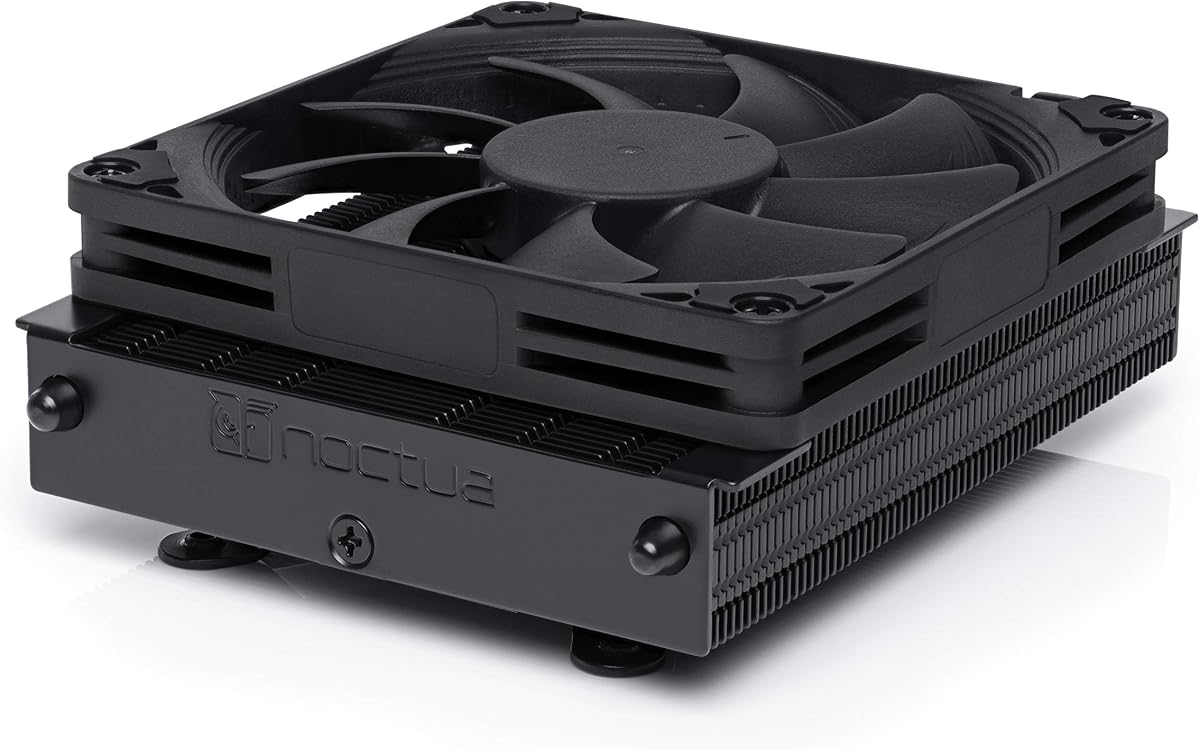
The NH-L12S leads in performance. It uses a 120mm fan for exceptional airflow. A 4.7 rating reflects user satisfaction with its robust design. It is the top choice for cooling.
We may earn a commission when you buy through this link, at no additional cost to you.
At 70mm, it needs more clearance but delivers more. The NF-A12x15 fan is one of the best on the market. You can add a second fan for push-pull cooling. This increases performance further.
Weight is higher due to the large heatsink. Secure mounting is essential. The price is high, but it justifies the premium quality. It is built to last.
Ideal for high-end ITX gaming systems. It balances low profile with high cooling potential. Highly recommended for enthusiasts.
Supports a second 120mm fan for push-pull configurations.
NF-A12x15 fan sets new standards for airflow and noise balance.
We may earn a commission when you buy through this link, at no additional cost to you.
The AXP90-X53 offers a balanced height for most cases. At 53mm, it fits most ITX builds. A 4.7 rating shows strong performance in daily use.
We may earn a commission when you buy through this link, at no additional cost to you.
It uses a pure copper base for rapid heat transfer. AGHP technology improves performance in any orientation. The 92mm fan keeps noise low at stock speeds. It includes thermal paste for easy setup.
Installation may require adjustments for backplate clearance. Users may need to swap screws if conflicts arise. This is manageable with patience. The cooling performance is excellent.
Recommended for versatile ITX builds. It handles higher TDP CPUs than smaller models. Great for users seeking a middle ground.
Direct contact base transfers heat faster from CPU to fins.
AGHP works effectively in any case orientation.
We may earn a commission when you buy through this link, at no additional cost to you.
Selecting the right cooler requires balancing height, thermal performance, and noise. This guide covers key factors to consider before buying.
The total height determines if the cooler fits your case and clears RAM. Measure your case's CPU clearance limit before choosing. Aim for at least 5mm below the maximum to avoid contact. Models under 47mm are safest for tall memory.
Ensure the cooler supports your CPU socket. Modern coolers cover LGA1700, 1851, AM4, and AM5. Some are specific to Intel or AMD. Always check the manufacturer's compatibility list to avoid installation issues.
Match the cooler to your CPU's TDP. High-end CPUs need more heat pipes or larger fans. Low to moderate TDP units work well with slim designs. Check reviews for real-world temperature data.
Larger fans like 120mm are quieter at lower speeds. Small fans may spin faster to move air. PWM support allows automatic speed control. Consider noise levels for HTPC or office use.
Complex mounting systems can be challenging in small cases. Look for models with easy-to-secure brackets. Backplate access matters in ITX builds. Thermal paste inclusion saves a separate purchase.
Premium materials like pure copper or nickel plating improve longevity. Check for robust heat pipes and solid fins. Budget units may have thinner materials. Quality affects both performance and durability.
A long warranty indicates manufacturer confidence. Most premium brands offer 6 years. Budget models may have less coverage. Keep your receipt for claims. Support responsiveness is crucial for troubleshooting.
Higher prices often mean better acoustics and materials. Budget options can still perform well for stock CPUs. Decide if silence or savings matters more. Consider long-term value over initial cost.
Install the cooler on a clean CPU surface. Apply a small dot of thermal paste if not pre-applied. Follow the mounting instructions carefully to avoid uneven pressure. Secure the backplate firmly before attaching the heatsink.
Connect the fan header to the CPU_FAN header on the motherboard. Configure fan curves in BIOS to balance noise and cooling. Use software tools to monitor temperatures under load. Adjust PWM settings if the fan spins too fast.
Clean dust from the fins every six months with compressed air. Check mounting screws annually for tightness. Keep the intake area unblocked to maintain airflow. Avoid placing the system on carpeted surfaces that trap debris.
The ideal height depends on your case. Most ITX cases support up to 70mm. If you use tall RAM, aim for under 47mm. Always measure your specific case's CPU clearance before buying. Manufacturers list this in their case manuals.
They work for moderate TDP chips like Intel 7700 or AMD 7700X. For high-end CPUs like the 7950X3D, ensure you check compatibility. The NH-L12S is a good example for higher needs. Avoid overclocking beyond what the cooler supports.
Noctua and be quiet! models lead in silence. The NH-L9x65 is especially quiet even under load. Look for fans with PWM and fluid dynamic bearings. Lower RPM means lower noise.
Start by mounting the backplate if required. Attach the mounting brackets to the heatsink. Place the heatsink on the CPU and secure with screws. Connect the fan header. Keep steps simple and avoid forcing components.
Some models support push-pull setups like the NH-L12S. This requires extra space. Check if the cooler includes fan mounting clips. Adding a fan boosts cooling but adds height.
Most coolers include high-quality paste like NT-H1. Reapply every few years or if you notice higher temps. Avoid using too much as it can block fins. Stick to non-conductive pastes for safety.
We highlighted top picks like the NH-L9x65 for balance and the NH-L12S for performance. Each option serves specific case and CPU needs. Your final choice depends on priority.
Focus on height limits and noise levels first. High-end CPUs need robust airflow. Budget builds benefit from value picks like the IS-40-XT. Always verify socket compatibility before ordering.
Prices and availability change often. Check current offers and stock before purchasing. Your system's thermal stability depends on a proper cooler. Choose wisely for years of reliable use.