
Lian Li LANCOOL 217
4.7Editor score
Five pre-installed high airflow fans
Real wood accent finishes available
Dual power button configurations
Discover the top mid tower PC cases for 2026. Compare airflow, build quality, and ratings across 10 expert picks to find your perfect chassis.
Selecting the right mid tower PC case is crucial for balancing performance, aesthetics, and value. A well designed chassis ensures optimal airflow, supports high end components, and provides the durability needed for long term stability.
This guide compares ten leading models based on real user ratings, cooling capabilities, and build features. We analyzed fan configurations, motherboard compatibility, and unique design elements to highlight the best options available today.
Each pick showcases specific strengths like modularity, wood accents, or panoramic glass views. Note that prices fluctuate frequently so check current listings before purchasing to secure the best deal for your next build.
4.7Editor score

4.8Editor score
4.6Editor score
This side-by-side comparison highlights key specifications for all ten selected models to help you quickly identify which case matches your specific build requirements and budget constraints.






The Lian Li V100RX stands out as a top contender in the mid tower category with its impressive 4.8 rating. It comes fully equipped with four pre-installed PWM-controlled 120mm ARGB fans and an integrated LED strip that offers full spectrum color control for a truly polished look.
We may earn a commission when you buy through this link, at no additional cost to you.
Key strengths include its ability to support high-end hardware with clearance for GPUs up to 420mm and CPU coolers up to 178mm. The tool-less mounting mechanisms on both side panels make accessing internal components incredibly fast and straightforward for any build.
Trade-offs exist such as limited drive bay options compared to older full tower designs which might restrict users needing extensive internal storage. However for most modern gaming or workstation builds this is rarely an issue given the trend towards external SSDs.
This case is ideal for enthusiasts who want premium aesthetics without sacrificing performance. If you prioritize RGB integration and high-end component support the V100RX delivers exceptional value and should be at the top of your shortlist.
The hydraulic bearing fans operate between 1800 RPM with noise levels kept under 31 dBA ensuring efficient cooling without excessive noise.
The daisy-chain connectivity and motherboard software sync allow you to manage lighting easily across all connected devices for a cohesive setup.
We may earn a commission when you buy through this link, at no additional cost to you.
The Lian Li LANCOOL 217 earns its premium status with a sophisticated design featuring real walnut or beech wood accents that elevate any setup. It includes five pre-installed fans providing exceptional airflow from the outset.
We may earn a commission when you buy through this link, at no additional cost to you.
Versatile fan configuration allows you to mount the large 170mm front fans in a CPU focused mode which directs air specifically where it is needed most for improved cooling efficiency during intensive tasks.
The inclusion of dual power buttons offers convenient access regardless of how the case is positioned on your desk or floor. While the premium materials add to the cost the aesthetic and functional benefits justify the investment.
Consider this case if you value a blend of modern technology and classic elegance. It is perfect for those building a high-end PC where style is just as important as raw performance capabilities.
Flexible mounting locations for the front fans allow you to adjust airflow direction to target either the CPU or GPU zones effectively.
The toolless fan mounting combined with support for back-connect motherboards ensures hidden cables and a streamlined professional appearance inside the chassis.
We may earn a commission when you buy through this link, at no additional cost to you.
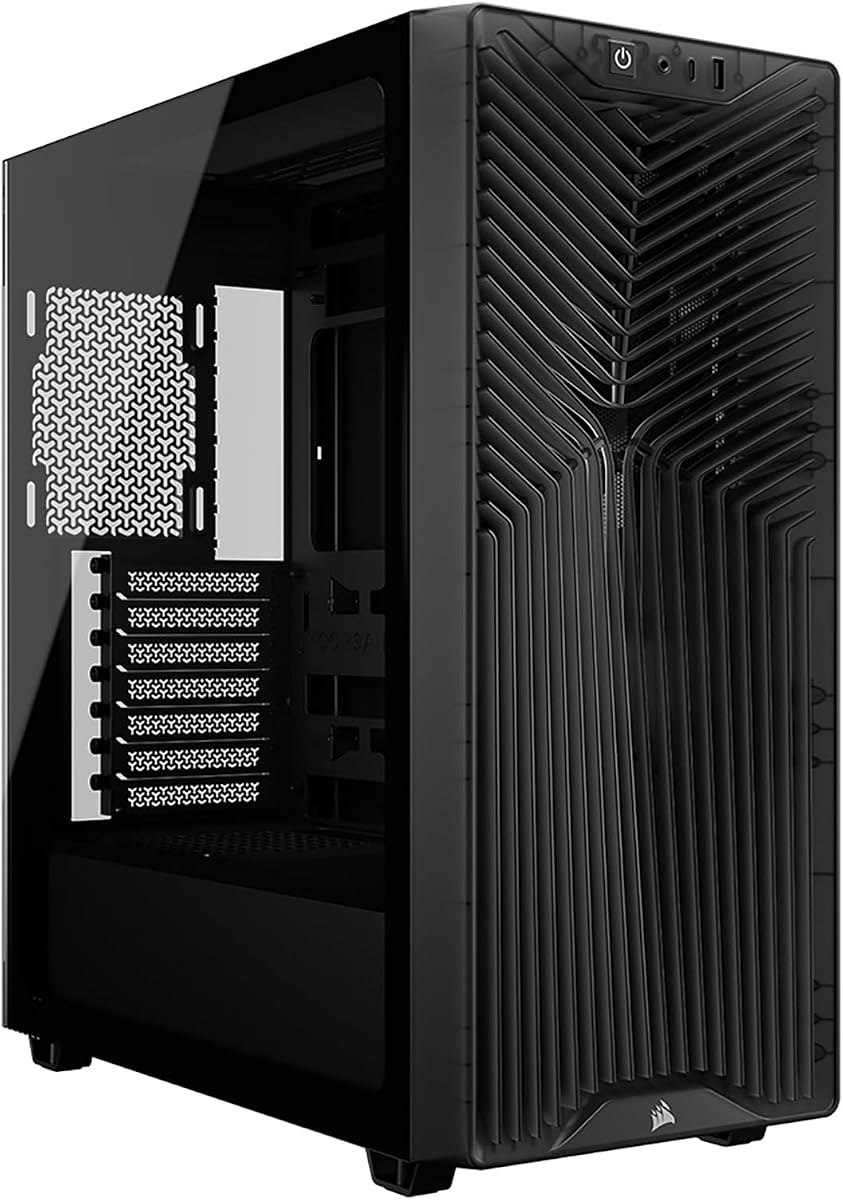
The CORSAIR 3200D RS delivers impressive value as a budget-friendly option that does not skimp on essential features. It includes three RS120 ARGB fans and supports reverse-connector motherboards for cleaner internal routing.
We may earn a commission when you buy through this link, at no additional cost to you.
Useful DIY features include a built-in shroud to hide cables and tie-down locations that make organizing wires manageable. The included GPU anti-sag stabilization arm is a significant benefit for users planning to install heavy graphics cards.
While the smoke tint on the panel restricts visibility compared to clear glass the case still supports powerful cooling solutions including top-mounted 360mm radiators. This makes it a practical choice for high-performance builds on a strict budget.
Buy this case if you need reliable cooling and modern connectivity like USB Type-C without breaking the bank. It remains a solid foundation for gamers who prioritize component support over premium aesthetics.
The dedicated GPU anti-sag arm ensures your heavy graphics card stays secure preventing any sagging issues that could damage the slot over time.
Single connector front cables and tie-down locations reduce clutter making the build process easier and improving airflow through the chassis interior.
We may earn a commission when you buy through this link, at no additional cost to you.
The Fractal Design North distinguishes itself with a focus on natural aesthetics combining genuine oak or walnut wood with mesh ventilation. It includes two 140mm Aspect PWM fans to provide immediate cooling upon installation.
We may earn a commission when you buy through this link, at no additional cost to you.
Design highlights include the open front with integrated mesh which ensures natural ventilation while maintaining a stylish look. The seven bridgeless expansion slots allow for extensive customization including vertical GPU mounting or specialized add-in cards.
Users should note that wood panels require careful handling to avoid scratches but the visual reward is significant. The side panels are removable and pop off easily using integrated tabs for convenient access to internal components.
Select this model if you want a case that looks like a piece of furniture rather than a tech box. It suits minimalist setups where quiet operation and premium materials are highly valued by the owner.
The fine-patterned mesh ventilation ensures airflow remains high without the harsh noise often associated with standard steel perforations in other cases.
Combined 3.5 and 2.5 inch drive mounts out of the box provide practical storage options for hybrid setups needing both HDD and SSD space.
We may earn a commission when you buy through this link, at no additional cost to you.
The CORSAIR 4000D RS ARGB features a revolutionary FRAME system that allows you to customize the case components to match your needs. It comes with three pre-installed RS ARGB PWM fans and supports daisy-chainable connections for easy control.
We may earn a commission when you buy through this link, at no additional cost to you.
The InfiniRail fan mounting system offers unmatched flexibility letting you slide rails to mount fans wherever you need them for targeted airflow. This adaptability ensures you can optimize cooling based on your specific component layout.
You can remove the side cable cover to mount fans directly to the side for increased cooling potential or keep it for clean lines. The 3D Y-Pattern airflow panel is optimized for high airflow with minimal restriction for cool air intake.
Choose this case if you plan to upgrade your setup over time or want unique customization options. It is ideal for builders who appreciate flexibility and want a chassis that grows with their hardware upgrades.
Upgrade the motherboard tray to billet aluminum or swap the front I/O panel for more ports without changing the entire case structure.
The perforated steel front panel with a Y-pattern provides a low-obstruction path ensuring maximum air reaches your critical components efficiently.
We may earn a commission when you buy through this link, at no additional cost to you.
The NZXT H5 Flow offers a compact design that maximizes airflow through ultra-fine mesh on the top front and side panels. It comes equipped with two 120mm Quiet Airflow fans ensuring solid out-of-the-box performance right away.
We may earn a commission when you buy through this link, at no additional cost to you.
Exceptional GPU cooling is achieved via a perforated PSU shroud that allows optimal air intake from fans placed on the sides or bottom of the unit. This design ensures your graphics card stays cool even during demanding gaming sessions.
Cable management is made easy with wide channels hooks and straps that help route and conceal wires seamlessly. The case supports up to a 360mm radiator in the front which is impressive for its compact size.
This case is perfect for users with limited desk space who still want high performance. It balances sleek modern aesthetics with functional design making it a strong contender for minimalist gaming setups.
The perforated PSU shroud allows cool air to reach the GPU directly improving thermals without needing a massive case footprint.
The clean lines and mesh panels provide a modern look while keeping dust filtered and airflow unobstructed for steady system cooling.
We may earn a commission when you buy through this link, at no additional cost to you.
The CORSAIR 3500X RS ARGB delivers a stunning wraparound glass aesthetic that pairs cooling benefits with essential features for a great build. It includes three RS120-R ARGB fans that provide high-performance cooling and lighting control via a simple +5V header.
We may earn a commission when you buy through this link, at no additional cost to you.
High cooling capacity is maintained despite the glass front due to mounting points on the side roof and PSU fan areas that accommodate up to 10 fans total. This ensures you do not sacrifice airflow for the stunning look of the case.
Tempered glass panels on the front and side are removable for easy access during building or maintenance. The case supports motherboard form-factors ranging from Mini-ITX to EATX making it versatile for various build sizes.
Consider this case if you want to showcase your hardware in the best possible way. It is ideal for users who prioritize a premium visual experience and need room for powerful cooling solutions.
The panoramic design allows you to view your components from multiple angles ensuring your RGB and components are visible from any angle.
From Mini-ITX to EATX the case supports a wide range of boards so you can upgrade to larger systems without needing a new chassis.
We may earn a commission when you buy through this link, at no additional cost to you.
The MUSETEX Y6 offers a high-end black matte texture with 270-degree fully transparent dual tempered glass panels for an impressive visual experience. It comes pre-installed with four 120mm non-LED fans to provide immediate heat dissipation.
We may earn a commission when you buy through this link, at no additional cost to you.
The case features a dual-chamber design that improves overall thermal performance by separating components effectively. The power supply compartment has an independent ventilation channel to ensure your PSU stays cool during extended use.
IO ports include a Type-C connector plus USB 3.0 and 2.0 which keeps modern connectivity needs covered. While the fans are non-LED this allows you to customize your lighting setup however you prefer without unwanted stock RGB.
Pick this case if you want a panoramic view without paying a premium price. It is perfect for users who want a clean dark look with ample room for high-end hardware inside.
The dual-chamber design helps manage heat zones effectively ensuring CPU GPU and PSU operate independently for better stability and performance.
Support for GPUs up to 410mm and top-mounted 360mm coolers means you can install powerful components without worrying about space constraints.
We may earn a commission when you buy through this link, at no additional cost to you.
The DARKROCK EC2 features a mesh front panel designed for efficient airflow and optimal cooling performance for your PC components. It comes with a comfortable tempered glass side panel that lets you showcase your hardware effectively.
We may earn a commission when you buy through this link, at no additional cost to you.
Staying connected is easy with the Type-C ready design that provides the latest connectivity options for your peripherals. Magnetic dust filters on the top and bottom prevent dust from entering the interior while maintaining good heat dissipation.
Support extends to up to 8x 120mm fans and 1x 360mm radiator on the front which is generous for this category. It is compatible with ATX M-ATX and ITX motherboards supporting most standard hardware configurations.
This case is a solid choice for users needing a straightforward affordable solution. It works well for budget builds where you plan to add your own fans to match your specific cooling requirements.
The mesh front panel ensures air reaches your components directly reducing heat buildup during high performance gaming or rendering tasks.
Magnetic dust filters make removal and cleaning easy helping you maintain system stability without the need for complex disassembly.
We may earn a commission when you buy through this link, at no additional cost to you.
The MUSETEX K2 presents a gaming case with 7 pre-installed PWM ARGB fans that expandable to 10 total. This high configuration ensures exceptional cooling power to keep high-end hardware chilled during intense gaming sessions.
We may earn a commission when you buy through this link, at no additional cost to you.
The 270-degree panoramic dual tempered glass design offers a wider field of view than most similar cases. You can display your high-end hardware and accessories clearly to gain admiration from friends and visitors.
The IO panel includes a Type-C connector and two USB 3.0 ports ensuring fast data transfer speeds. Through motherboard software control you can customize various light modes and adjust fan speeds for optimized cooling performance.
Choose this case if you want a complete RGB setup out of the box. It is ideal for builders who want a visually striking system without buying additional fans separately.
With seven fans already installed you have a balanced airflow setup from the start reducing the need for additional purchases after setup.
Adjustable speed ARGB fans let you tailor both performance and lighting to match your mood or system load dynamically.
We may earn a commission when you buy through this link, at no additional cost to you.
Selecting a mid tower case involves balancing airflow build quality and component compatibility to ensure your PC runs efficiently.
Look for mesh front panels and included fans to ensure your components stay cool under load. Cases with perforated panels allow air to reach the GPU and CPU directly.
Prioritize cases with multiple fan mounts and radiator support for liquid cooling if you plan to overclock.
Ensure the case supports your motherboard size such as ATX Micro-ATX or Mini-ITX. A good case should also support reverse-connector boards for cleaner builds.
Check the motherboard tray layout to see if it matches your intended cable routing strategy.
Verify GPU and CPU cooler limits before buying. High-end cards can exceed 350mm and need deep clearance.
Also check PSU length limits especially if you have a large shroud or drive cage installed.
Features like tie-down points and wide channels help keep wires hidden. Cases with built-in shrouds make it easier to hide the PSU cables.
A clean interior improves airflow and makes future upgrades much simpler to perform.
Sturdy steel and thick panels reduce vibration noise and protect components. Look for tool-less side panels for easier maintenance.
Good quality hinges and latches ensure panels stay secure and do not rattle over time.
Choose between glass or mesh panels depending on your style preference. Glass showcases components but can show dust and scratches.
Consider wood accents or unique front designs to match your room decor.
Ensure the case has enough expansion slots for your GPU and add-in cards. Some cases offer bridgeless slots for better airflow and access.
Check drive bay counts if you plan to install multiple internal SSDs or HDDs.
Modern cases should include USB Type-C ports for faster data transfer. USB 3.0 ports are essential for connecting peripherals.
Audio and microphone jacks should be accessible and positioned correctly for your desk setup.
Start by checking the component clearances before placing parts inside to avoid any fitting issues during the build process.
Keep dust filters clean by removing and washing them every few months to maintain proper airflow and cooling efficiency.
Avoid moving the PC while components are running to prevent any vibrations that could loosen connections or damage hardware.
A standard mid tower case typically supports ATX Micro-ATX and Mini-ITX motherboards. Some models also support larger EATX boards so you should check the specific manual for limits.
Most modern mid tower cases come with at least one or two pre-installed fans. However higher end models may include more such as three or seven fans for better cooling.
Mesh panels provide superior airflow and cooling for high performance components. Glass panels offer a better view of your hardware but may restrict airflow slightly.
Remove the magnetic dust filters from the top and bottom and wash them with water. Use compressed air to clear dust from inside the case regularly.
Yes most mid tower cases support radiators up to 360mm in the top or front. Check the mounting positions to confirm compatibility with your liquid cooling setup.
Tool-less mechanisms allow you to access internal parts quickly without a screwdriver. This makes upgrades and maintenance much easier and faster to perform.
The Lian Li V100RX leads our list with its exceptional cooling and premium RGB features for a top tier build experience.
Prioritize airflow and component clearance to ensure your system runs cool and stable during intensive tasks.
Always check current pricing before buying as deals on these cases can change frequently throughout the year.