
Fractal Design North
4.7Editor score
Genuine walnut wood front accents
Mesh side and top panels
Includes two 140mm PWM fans
Compare the top 10 Mid Tower PC Cases of 2026. We review airflow, build quality, and user ratings to help you find the perfect chassis.
Building a powerful PC requires a solid foundation. A Mid Tower PC Case offers the perfect balance of size and functionality for most enthusiasts. It houses standard components while allowing room for future upgrades and efficient cooling systems.
We evaluated ten leading models based on airflow potential, build quality, and user feedback. Our analysis focuses on real-world performance metrics and feature sets that matter most to builders. Each case was scrutinized for compatibility with modern hardware standards.
This guide highlights standout options ranging from budget-friendly builds to premium designs. You will find detailed breakdowns of cooling capabilities and aesthetic features. Remember that stock levels and offers change frequently so verify details before purchasing.
4.7Editor score

4.8Editor score

4.4Editor score
This table provides a quick side-by-side look at key specifications for each model. Use it to compare form factor support and included features at a glance.

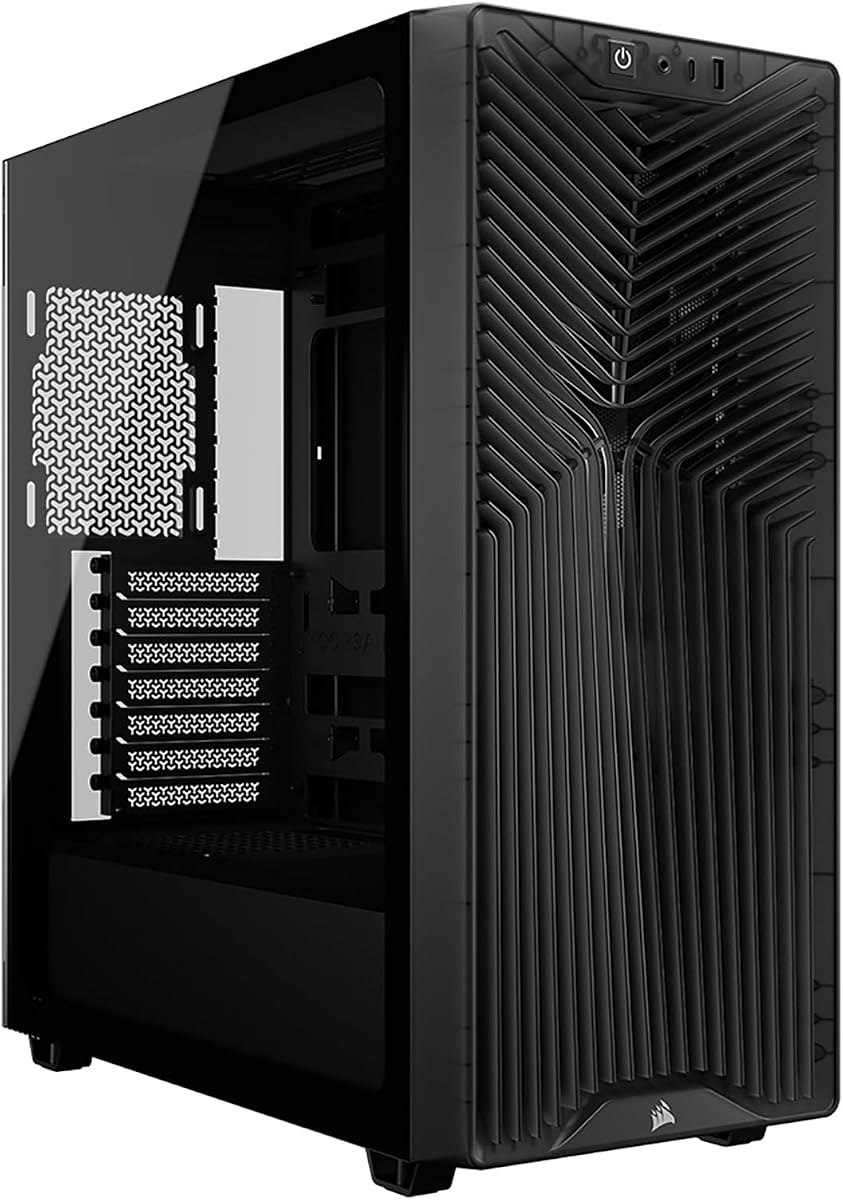





The Lian Li V100-ATX stands out as a top-tier choice for builders seeking performance and aesthetics. With a high rating from users, it delivers reliable cooling and easy access to components.
We may earn a commission when you buy through this link, at no additional cost to you.
Its standout feature is the inclusion of four PWM-controlled ARGB fans that ensure vibrant lighting and effective airflow. The tool-less mounting mechanism simplifies maintenance and upgrades significantly.
While the RGB options are extensive, they may not appeal to those preferring a stealthy look. The price reflects the premium materials and features included in the package.
This case is ideal for enthusiasts who want a balance of high-end aesthetics and functional cooling. It supports large hardware comfortably and is a strong recommendation for most builds.
Pre-installed fans provide immediate cooling capability without extra purchases. Daisy-chain connectivity simplifies wiring for a cleaner look.
Accommodates ATX and back-connect motherboards for cleaner cable routing. Large GPU clearance ensures compatibility with high-end graphics cards.
We may earn a commission when you buy through this link, at no additional cost to you.
The Lian Li LANCOOL 217 offers a unique blend of modern performance and classic styling. Its walnut wood accents provide a sophisticated look that stands out among standard cases.
We may earn a commission when you buy through this link, at no additional cost to you.
Performance is driven by five pre-installed fans that offer exceptional airflow. Users can customize fan placement for specific cooling needs without needing extra hardware.
The wood finish adds weight and requires careful handling during installation. It may not fit every gaming aesthetic but is perfect for office-friendly builds.
Buy this if you value premium aesthetics and high cooling potential. It is an excellent choice for those wanting a distinctive appearance.
Real wood accents create a timeless look. Multiple color finishes allow matching with interior decor.
Five fans ensure low temperatures even under load. Flexible mounting allows targeted airflow to CPU or GPU.
We may earn a commission when you buy through this link, at no additional cost to you.
The CORSAIR 3200D RS delivers impressive value for builders on a budget. It includes essential features like anti-sag support and ARGB fans without a high price tag.
We may earn a commission when you buy through this link, at no additional cost to you.
Cooling is robust with room for multiple fans and large radiators. The included GPU arm protects heavy cards from sagging over time.
The smoke finish looks sleek but may show smudges easily. Fan noise can increase at high speeds though it is manageable.
This case is perfect for entry-level builds seeking modern features. It supports reverse-connector motherboards and offers great versatility.
Space for multiple fans and top radiators ensures efficient heat removal. Includes three ARGB fans for immediate use.
Front USB Type-C port supports latest peripherals. Built-in cable shroud keeps wiring hidden and neat.
We may earn a commission when you buy through this link, at no additional cost to you.
The Fractal Design North sets a standard for build quality and aesthetics. Its wood front gives it a sophisticated look that appeals to both gaming and home environments.
We may earn a commission when you buy through this link, at no additional cost to you.
It focuses on airflow with mesh panels that are unobstructed. Two high-quality fans are included, but the case leaves room for customization.
The wood panel is a premium add-on that increases the cost. However, the design longevity and quality justify the investment for many.
Choose this if you want a case that looks timeless. It balances airflow and style perfectly for modern hardware.
Front panel uses sustainably sourced walnut. Unique texture adds elegance without sacrificing airflow.
Mesh panels allow air to flow freely. Easy access panels simplify component swaps quickly.
We may earn a commission when you buy through this link, at no additional cost to you.
The CORSAIR 4000D RS introduces a modular concept that allows for extensive customization. It is perfect for those who want to upgrade their case components later.
We may earn a commission when you buy through this link, at no additional cost to you.
Pre-installed fans provide solid airflow, and the rail system makes mounting easy. The case looks clean and supports reverse-connector boards well.
Full modularity often requires buying additional parts. Basic use is great, but unlocking all potential takes time.
This is ideal for users who love tinkering with their setup. It offers flexibility that few other cases provide.
Modular parts allow swapping panels and trays. Adapts to changing hardware and cooling needs easily.
Allows fans to slide for optimal positioning. Improves targeted airflow for critical components.
We may earn a commission when you buy through this link, at no additional cost to you.
The NZXT H5 Flow is designed for efficiency and clean lines. It fits smaller spaces while maintaining high cooling potential for modern components.
We may earn a commission when you buy through this link, at no additional cost to you.
Its perforated PSU shroud helps intake air directly. The mesh on all sides ensures airflow is never restricted.
Compact size might limit very large GPUs or radiators. It requires careful planning for builds with massive components.
Buy this if you need a sleek look in a smaller space. It works well for high-performance systems that fit the dimensions.
Mesh on three sides prevents hotspots. Perforated PSU shroud enhances intake efficiency.
Minimalist design looks great on desks. Dust filters keep internals clean over time.
We may earn a commission when you buy through this link, at no additional cost to you.
The CORSAIR 3500X RS offers an immersive view of your hardware. Its wraparound glass design highlights components without sacrificing cooling performance.
We may earn a commission when you buy through this link, at no additional cost to you.
Despite the glass, it supports massive radiator setups. The included fans help maintain thermal levels even during intense loads.
Glass panels are prone to smudges and scratches. They also add weight which makes the case harder to move.
Choose this if you want to showcase a beautiful build. It balances visual appeal with serious cooling capabilities.
Front and side glass offer wide viewing angles. Perfect for custom water cooling setups.
Handles larger motherboards with ease. Ideal for workstation-grade hardware configurations.
We may earn a commission when you buy through this link, at no additional cost to you.
The MUSETEX Y6 offers massive features for an affordable price. Its dual-chamber design helps isolate heat and improve airflow.
We may earn a commission when you buy through this link, at no additional cost to you.
The 270-degree glass gives you a near-complete view of your system. Fans are included though they lack RGB lighting.
Build quality is decent but may have minor imperfections. It is a strong choice for budget builders needing modern specs.
This is a solid option for those wanting a premium look without the premium price. It handles most components well.
Separates PSU from main components for better cooling. Reduces internal heat buildup effectively.
Panoramic glass shows off hardware clearly. Dust filters keep visibility clean over time.
We may earn a commission when you buy through this link, at no additional cost to you.
The DARKROCK EC2 is an excellent entry point for budget builders. It provides essential features like mesh panels and Type-C connectivity.
We may earn a commission when you buy through this link, at no additional cost to you.
Airflow is prioritized with a mesh front that supports large radiators. It is easy to work with thanks to standard dimensions.
Materials are basic to keep costs down. It may lack the premium feel of more expensive cases.
Buy this if you need functionality without breaking the bank. It is a practical choice for standard gaming PCs.
Includes Type-C for fast data transfer. Mesh front supports high-performance cooling setups.
Standard layout makes building easy. Magnetic filters simplify maintenance and dust removal.
We may earn a commission when you buy through this link, at no additional cost to you.
The MUSETEX K2 offers immense value with seven pre-installed ARGB fans. It provides a fully lit system right out of the box.
We may earn a commission when you buy through this link, at no additional cost to you.
The dual glass design ensures your hardware is always visible. Cooling is solid thanks to the high number of fans.
Too many cables can look messy without management. Fan quality varies but is sufficient for most users.
Choose this for a complete look at a low cost. It is perfect for gamers who love RGB lighting.
Seven fans provide full coverage and lighting. No extra purchases needed for basic RGB effects.
Panoramic glass shows off hardware. High cooling potential with multiple fan mounts.
We may earn a commission when you buy through this link, at no additional cost to you.
Selecting the right case involves balancing dimensions, airflow, and budget. This section helps you prioritize what matters most.
Ensure the case supports your motherboard size whether ATX or Micro-ATX. Check GPU length limits for your graphics card.
Always match board size to chassis space to avoid fit issues.
Look for mesh panels and included fans to maintain low temperatures. A good case should support multiple fan mounts.
Prioritize cases with open fronts for better system cooling.
Steel and aluminum chassis offer durability and better rigidity. Glass panels should be tempered for safety.
Check for tool-less mounting features for easier maintenance.
Hidden routing channels help keep the interior clean. Look for adequate space behind the motherboard tray.
Good management improves airflow and aesthetics significantly.
Verify USB Type-C and USB 3.0 port availability. Ensure headphone jacks are present for peripherals.
Modern ports are essential for future-proofing your setup.
Check the number of PCIe slots for graphics cards. Ensure space for multiple storage drives if needed.
More slots allow for future hardware additions.
Choose between mesh, glass, or wood fronts based on style. Ensure the color matches your desk or monitor setup.
Pick a design you will enjoy looking at daily.
Determine how much you are willing to spend on the case. Balance included features like fans against extra costs.
Avoid overspending on features you will not use.
Always place your PC on a flat stable surface to prevent tipping. Ensure there is space around the vents for airflow.
Clean dust filters weekly to maintain optimal cooling. Use a microfiber cloth to wipe glass panels to avoid scratches.
When upgrading components, unplug the PC and ground yourself. Use cable ties to secure wires and prevent blockage.
A Mid Tower case typically supports ATX, Micro-ATX, and Mini-ITX motherboards. It offers a balance of size and expandability for most users.
Many modern cases come with pre-installed fans. However, high-performance builds may require additional fans for better airflow.
Tempered glass is designed to be safe and durable. Handle it with care during installation to prevent accidents.
It is a design where connectors are hidden behind the tray. This results in cleaner cable management and better airflow.
Mesh offers better airflow while glass provides a view. Choose mesh for performance or glass for aesthetics.
Most do not support EATX. Check specific dimensions if you plan to use a large motherboard.
Yes, dust filters protect your hardware from debris. Magnetic filters are easy to remove and clean regularly.
Most include USB 3.0 and Type-C along with audio jacks. Ensure compatibility with your peripherals before buying.
We reviewed ten outstanding cases ranging from premium to budget options. Each brings unique strengths whether it is cooling or aesthetics.
Prioritize airflow and form factor when making your final decision. A solid foundation ensures a stable and long-lasting system.
Check current availability and verify compatibility before purchasing. Stock levels vary so confirm details directly with the seller.