
AWOL VISION LTV-3000 Pro
4.5Editor score
Triple laser light source
Dolby Vision Atmos support
Integrated center channel speaker
4K UHD content display
Short throw projectors deliver big screen visuals without needing deep rooms or complex setups. Ideal for classrooms and homes alike, these devices project wide images from minimal distances. Choosing the right one depends on brightness and resolution needs and intended use cases for reliable viewing comfort.
We compared leading short throw models based on their output quality and feature sets and design choices. Each device was evaluated for clarity under light and ease of setup and overall versatility. Our list includes budget options and premium units to help you find the perfect fit.
Every pick on this page includes real user ratings and detailed specs from official product listings. We explain key differences in performance and connectivity to guide your decision process. Please note that pricing and availability change frequently, so check current listings before buying.
4.5Editor score
4.4Editor score

4.4Editor score
As an Amazon Associate we earn from qualifying purchases.
This comparison table provides a side-by-side look at every model featured in our guide. Each entry lists core specifications and direct links to view full details and verified user ratings.




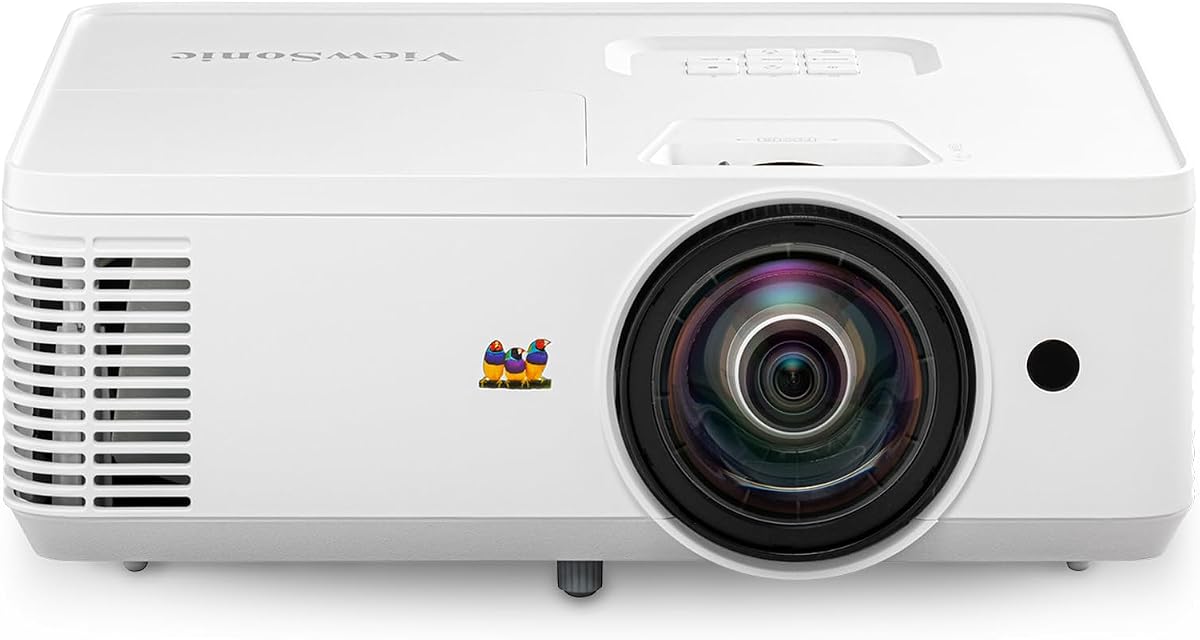
The ViewSonic PS502W delivers reliable performance for classrooms and small meeting rooms. With four thousand ANSI lumens, it maintains visibility even in moderate ambient light. Its WXGA resolution ensures text and graphics remain clear during presentations. The short throw design projects large screens from minimal distance, making it ideal for tight spaces.
We may earn a commission when you buy through this link, at no additional cost to you.
Setup is straightforward thanks to vertical auto-keystone correction. This allows presenters to adjust the image instantly without manual adjustments. Instant power on and off capabilities reduce wait time during meetings. Dual HDMI inputs offer flexible connections for laptops and media players. Overall it remains a strong choice for educational and business environments.
While it lacks wireless streaming features, the wired connection options are reliable. Manual lens zoom requires slight physical handling during installation. Some users may find the lamp replacement costs higher than expected over years. However, these trade-offs are acceptable given its robust brightness and clarity for professional use.
We recommend this for offices or classrooms needing stable, high brightness projection. It balances performance and ease of use well for daily tasks. Check current pricing before buying to ensure it fits your budget. Overall it stands out as a leading choice for short throw professional needs.
Four thousand ANSI lumens ensure visibility in daylight without curtains. Ideal for schools or conference rooms with windows.
0.5 throw ratio projects one hundred inch images from just four feet. Maximize limited floor space effectively.
We may earn a commission when you buy through this link, at no additional cost to you.
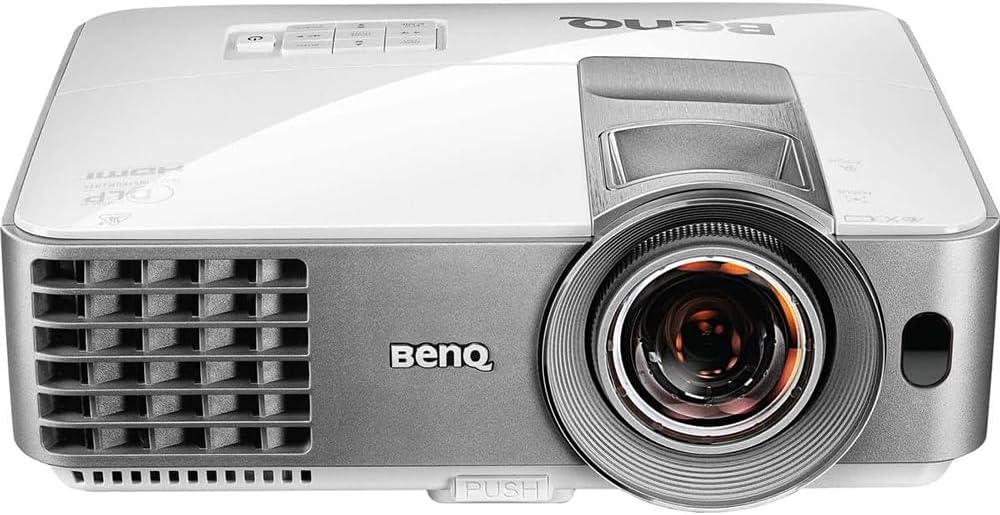
The BenQ TH671ST excels for home entertainment and gaming. It features Full HD 1080p resolution with Rec.709 color accuracy. Ultra-fast low input lag ensures smooth gameplay without motion blur. Three thousand lumens provide brightness sufficient for controlled environments. It projects up to three hundred inches for massive cinematic experiences.
We may earn a commission when you buy through this link, at no additional cost to you.
Gamers will appreciate the ultra-smooth refresh rates designed for consoles. The color performance delivers lifelike visuals for movies and sports. Built-in keystone correction aids setup flexibility in varied positions. Its compact frame fits easily on stands or shelves. A three-year warranty adds reliability for home users.
While not suited for bright daylight, it works well in dim living rooms. It lacks built-in apps so streaming devices are required. Some users may prefer more ports for media players. Still these limitations are minor given its focused optimization for visual performance.
We recommend this for gamers or movie fans wanting big screen immersion. Its balance of lag and color makes it stand out. Check current listings for availability. It remains a top choice for home entertainment focused setups.
Ultra-fast low input lag matches console refresh rates. Ensures smooth gaming without visible delay.
Rec.709 accuracy delivers accurate colors for movies. Matches professional broadcasting color standards.
We may earn a commission when you buy through this link, at no additional cost to you.
The BenQ MW632ST supports professional business and conference presentations. WXGA resolution ensures text and charts remain sharp. Built-in wireless allows easy sharing from laptops without cables. Three thousand two hundred lumens keep presentations visible. Its ten thousand hour lamp life minimizes maintenance needs.
We may earn a commission when you buy through this link, at no additional cost to you.
Wireless capability enhances mobility during meetings. It supports golf simulation modes for specialized industry use. Keystone correction simplifies alignment for quick setup. Dual HDMI provides connection options for multiple devices. Overall it is a versatile tool for corporate environments.
The lamp life claim assumes two-hour daily use. Wireless setup may require network configuration initially. Brightness may falter in very bright meeting rooms. These drawbacks are manageable given its functional focus for business use.
We recommend this for offices needing flexible, low-maintenance projection. It simplifies daily meetings with wireless sharing. Check current stock before purchasing. It remains a strong contender for business focused needs.
Built-in wireless allows cable free connection. Simplifies presentations in conference rooms.
Ten thousand hour lamp life reduces replacements. Ideal for daily office use cases.
We may earn a commission when you buy through this link, at no additional cost to you.
The Epson EpiqVision LS300 brings laser TV convenience without a dedicated screen. It delivers immersive viewing with HDR and Android TV built-in. Yamaha sound system rivals soundbars for audio quality. Ultra short throw laser technology ensures consistent color and brightness. It simplifies media streaming without extra boxes.
We may earn a commission when you buy through this link, at no additional cost to you.
Android TV allows direct access to streaming services. The laser source offers longevity and stable image performance. Scene adaptive color correction enhances picture naturalness. This projector works well in smaller living rooms. Its design fits modern decor with minimal footprint.
Its cost is higher than standard models. Best performance in dim rooms due to contrast. Some may prefer external speakers for surround sound. However, its all-in-one nature makes it a premium home choice.
We recommend this for smart home media setups. It removes need for separate streaming devices. Check current listings for availability. It stands out for integrated convenience and performance.
Android TV built-in removes need for boxes. Direct app access via remote.
Laser source ensures consistent brightness. Less degradation than traditional lamps.
We may earn a commission when you buy through this link, at no additional cost to you.
The AWOL VISION LTV-3000 Pro sets the bar for premium laser projectors. Triple laser delivers vivid colors and true 4K UHD quality. Dolby Vision and Atmos create immersive cinematic experiences. The integrated center speaker mapping adds unique audio direction. This is a complete theater replacement for serious users.
We may earn a commission when you buy through this link, at no additional cost to you.
Its color accuracy matches professional cinema standards. The 150 inch projection fills large walls easily. Energy savings are significant compared to LED TVs. For the best experience pair with an ALR screen. The setup is streamlined for fixed theater positions.
Cost is high but matched by performance. Best in dark rooms for contrast. Needs dedicated space for optimal placement. These are standard considerations for high end home theater gear.
We recommend this for home theater enthusiasts. It replaces traditional TVs with superior size and quality. Check current availability before purchasing. It is the top choice for premium setups.
Covers 107 percent BT.2020 color space. Delivers digital cinema accuracy.
Center speaker maps audio to image. Dialogue comes from screen.
We may earn a commission when you buy through this link, at no additional cost to you.
This portable projector combines convenience with smart features. It comes with Google TV system for direct app access. The auto setup system handles focus and keystone. It is lightweight for travel or dorm rooms. The small footprint makes it versatile.
We may earn a commission when you buy through this link, at no additional cost to you.
Its design supports ceiling projection with rotatable stand. Built-in Bluetooth 5.3 connects external audio. Screen mirroring works across devices. Ideal for casual entertainment or temporary setups. The compact frame fits anywhere.
Its brightness may fall short in bright rooms. Handling requires care due to small size. Still for mobility it is a strong choice. This model suits renters or travelers.
We recommend this for portable entertainment needs. Its smart setup saves time. Check current availability. It is a top pick for travel setups.
Weighs two point six pounds only. Easy to carry anywhere.
AI auto setup adjusts image instantly. Perfect rectangular picture each time.
We may earn a commission when you buy through this link, at no additional cost to you.
The Optoma GT2000HDR is a compact home laser projector. Its small size fits on tables easily. Full HD output keeps visuals sharp. The laser source ensures long performance life. Eco-friendly design reduces power usage.
We may earn a commission when you buy through this link, at no additional cost to you.
Setup is simple for standard home use. Quiet operation prevents distraction. Ideal for bedrooms or small spaces. It requires dark room conditions for best contrast. Good for casual movie watching.
Its brightness is moderate compared to models. Audio requires external support for surround. Still for compact needs it is a solid tool. This model suits space-constrained living.
We recommend this for small apartment living. Its size is the main benefit. Check current availability. It remains a top compact option.
Ultra compact fits on small tables. Ideal for bedrooms.
Eco design reduces power consumption. Environmentally friendly usage.
We may earn a commission when you buy through this link, at no additional cost to you.
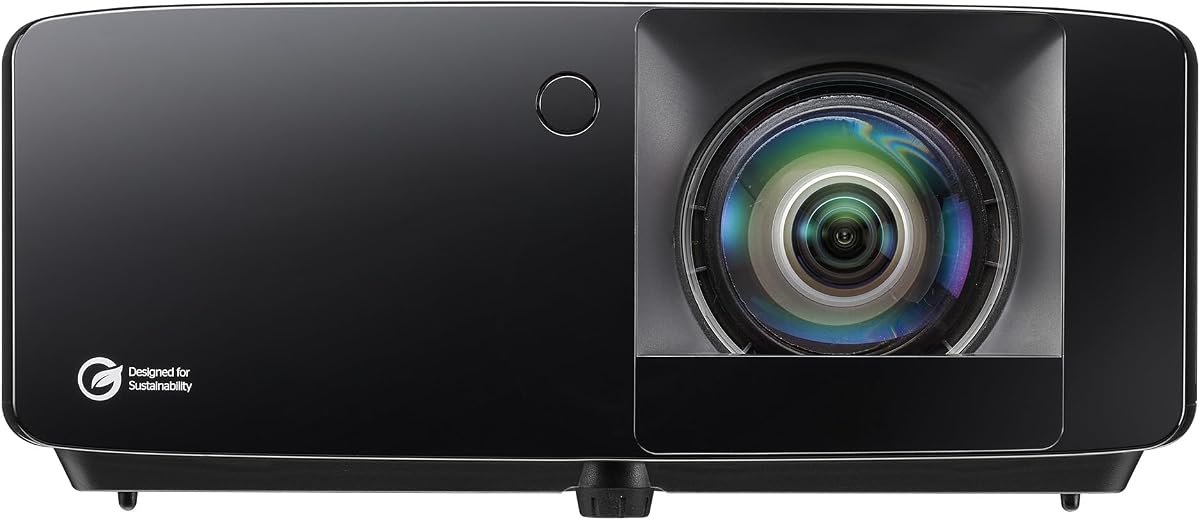
The Optoma GT2400HDR offers bright gaming and simulation support. Four thousand lumens ensure visibility. Low input lag keeps gaming smooth. Golf simulation mode adds unique sports support. Dust protection increases reliability in varied settings.
We may earn a commission when you buy through this link, at no additional cost to you.
Laser source offers stable long-term performance. Its brightness suits brighter rooms compared to others. Setup is easy for fixed positions. A solid pick for sport or game users. Good for professional or home use.
Lack of smart features requires external box. Cost is higher than basic models. But durability and brightness make it strong. This model suits active entertainment needs.
We recommend this for gaming and sports. Check current listings. It is a top versatile option.
Low input lag prevents motion delay. Ideal for fast-paced games.
IP6X dust rating protects internal parts. Longer lifespan in dust areas.
We may earn a commission when you buy through this link, at no additional cost to you.
The iSinbox projector brings smart streaming at a budget. It runs built-in apps like Netflix. Portable handle aids setup flexibility. Auto focus adjusts picture quickly. This makes it great for budget home theaters.
We may earn a commission when you buy through this link, at no additional cost to you.
Setup is fast without cables. Its sound supports Dolby for immersive audio. The compact build works for various rooms. Ideal for renters needing flexibility. Low cost but high utility.
Brightness is modest for daylight viewing. App updates are required for best performance. Still for the price, value is strong. This model suits budget conscious buyers.
We recommend this for budget home use. Check current availability. It is a top cost-effective option.
No external streaming devices needed. Saves money upfront.
Built-in OS offers many apps. Direct Netflix and YouTube access.
We may earn a commission when you buy through this link, at no additional cost to you.
The TOPTRO A2 supports live streaming and voice control. Its OS is optimized for speed. AirPlay2 support simplifies casting. The stand adjusts for various projections. Good for sports or home use.
We may earn a commission when you buy through this link, at no additional cost to you.
Setup is quick with auto focus. Sound output meets general home needs. Ideal for users wanting stability. Its design is intuitive for all ages. A reliable pick for daily use.
Its brightness may struggle in light. External power source required always. Still for OS stability it is strong. This model suits tech users.
We recommend this for smart streaming stability. Check current availability. It is a top OS option.
VIDAA OS is faster than Android. Smooth app transitions.
Official AirPlay2 supports iOS casting. Easy mobile integration.
We may earn a commission when you buy through this link, at no additional cost to you.
Selecting the best short throw projector involves balancing brightness, resolution, and smart features. This guide outlines the most important factors to consider for your specific needs.
Brightness is measured in ANSI lumens and determines visibility in ambient light. For dark rooms or nighttime viewing, a minimum of three thousand lumens will deliver clear images. If you plan to use the projector during the day or in rooms with windows, look for models with four thousand or more lumens. Higher brightness ensures text and video details remain visible without needing to dim lights. Always check the official lumens spec rather than marketing terms like 'light output'.
Choose higher lumens if your room has natural light. Match brightness to your room size and lighting conditions.
Resolution defines image sharpness and text clarity. WXGA (1280×800) and Full HD 1080p are common. For general presentations and casual movies, WXGA is acceptable. For gaming and high definition films, 1080p or 4K will provide more detail. True 4K projectors cost more but support higher quality content. Avoid fake 4K decoding if you want native sharpness.
Prioritize 1080p or higher for media consumption. Match resolution to your content sources.
Throw ratio determines how far the projector sits from the screen. Short throw models typically range from 0.5 to 0.8 ratio, allowing large images in small rooms. Ultra short throw models sit directly against the wall. Check the required distance for your desired screen size before buying. Proper distance ensures full images without distortion or cropping at the edges. Measure your room dimensions for best results.
Verify throw ratio matches your room depth. Ensure screen size fits within available space.
Smart OS integration removes the need for external streaming devices. Android TV, VIDAA, or Google TV systems offer built-in apps. Look for models that support major streaming apps like Netflix and YouTube. Built-in Wi-Fi and Bluetooth ensure easy connectivity to external audio. Check for voice remote support for easier navigation. Smart features add convenience but may affect performance if OS is slow.
Pick an OS you are familiar with. Ensure major streaming apps are supported.
Traditional lamp projectors are affordable but require replacement after several thousand hours. Laser sources last longer, maintain brightness over time, and offer instant on/off. LED units are bright but vary in color consistency. Laser models suit high use cases due to their longevity. Check warranty coverage on light sources as replacements add cost.
Choose laser for long life and stability. Check warranty terms for light sources.
Built-in speakers vary widely in quality. Dolby certified audio or high-wattage speakers can replace external soundbars. For movies, ensure speakers deliver clear vocals and bass. Check for HDMI ARC or Bluetooth to connect external audio easily. Poor built-in sound may require extra investment. Prioritize audio if sound quality matters to you.
Look for higher wattage or Dolby audio if sound matters. Check audio connection options.
Connectivity options determine what devices you can hook up. Multiple HDMI ports allow connections for consoles, streaming sticks, and computers. USB ports enable media playback from drives. Wi-Fi 6 ensures stable streaming. Bluetooth allows wireless audio. Check that your primary devices are supported. Limited inputs may force adapters which add clutter.
Ensure at least two HDMI inputs. Confirm Wi-Fi or Bluetooth support for your use.
Setup features like auto focus, keystone, and obstacle avoidance simplify installation. Manual lenses require physical adjustment but offer precision. Rotatable stands allow ceiling or angled projection. Auto systems reduce time spent setting up. For renters or travelers, flexibility matters. Permanent install may require ceiling mounts. Look for models that suit your mounting needs.
Prioritize auto adjustments for convenience. Ensure stand fits your mounting setup.
To use a short throw projector, position it within the recommended distance from the wall or screen. Check the throw ratio and adjust placement until the image fits your desired screen size. Turn on the device and allow it to stabilize brightness. If using auto focus or keystone, wait for the image to adjust automatically.
For best visual quality, clean the room of dust and ensure ambient lighting is controlled. Avoid direct sunlight hitting the projection surface during daytime viewing. Use a white wall or dedicated screen for sharp images. Regular cleaning of the lens with a soft cloth prevents scratches and maintains clarity.
To maintain longevity, ensure ventilation openings are not blocked by furniture. Allow cool down time after use to preserve light sources. Update software regularly to maintain OS stability. Keep firmware up to date for optimal performance. Store the unit securely when not in use to prevent damage.
Short throw projectors allow large images in compact rooms. They project wide screens from just a few feet away, reducing shadows and maximizing floor space. Ideal for small apartments or classrooms.
They work best in controlled lighting. Models with four thousand lumens or more can handle moderate daylight. For full daylight viewing, use an ambient light rejecting screen for best contrast.
Built-in apps save space and simplify setup. External sticks may offer more flexibility or newer apps. For convenience, built-in systems are generally preferable if they support your streaming needs.
Laser light sources typically last up to thirty thousand hours. They maintain brightness over time and require no replacements. This makes them cost-effective for long-term daily use compared to traditional lamps.
Short throw models project from about five feet for a 100-inch image. Ultra short throw units sit just inches from the wall. Both save space, but ultra short throw fits closer to furniture or cabinets.
Yes, many models offer low input lag for gaming. Check for gaming specific features and response times. Models with high refresh rates deliver smoother gameplay on consoles.
Use HDMI ARC, Bluetooth, or optical audio outputs. Most models support Bluetooth for wireless speakers. Ensure your system supports the required audio standard for lossless playback.
Auto focus and keystone adjust the image without manual effort. For renters or frequent moves, this saves time. For fixed installations, manual options are acceptable.
Our review covers the best short throw projectors for different needs and spaces. The top picks offer a range of brightness levels and smart features. Whether you need business presentation tools or home entertainment systems, there is a model for you.
Consider your room size, lighting conditions, and primary use cases before purchasing. Prioritize resolution and brightness for visual quality. Use smart features to simplify your daily streaming. Match your choice to long-term reliability needs.
Prices and availability change regularly. Always check the latest listings for accurate details before purchasing. Select a model that balances performance with budget. The right projector transforms any room into a media space.