
Thermalright Assassin X120 Refined SE
4.7Editor score
4 Heat Pipes
TL-C12C PWM Fan
AGHP Technology
Discover the top tower air CPU coolers for 2026. Compare ratings, specs, and performance to find the best cooling solution for your build.
Choosing the right tower air CPU cooler is essential for maintaining optimal system performance and longevity. Modern processors generate significant heat under load, and effective cooling ensures stable clocks without thermal throttling during intensive tasks like gaming or content creation.
We evaluated ten leading models based on cooling efficiency, noise levels, build quality, and compatibility. Our analysis focuses on real-world performance metrics, user feedback, and technical specifications to provide a comprehensive comparison for builders at any budget level.
Each selection highlights specific strengths and ideal use cases to help you match a cooler to your needs. Please note that availability and pricing can fluctuate frequently, so verify current details before making your final purchasing decision online.
4.7Editor score

4.6Editor score

4.8Editor score
The following table offers a side-by-side comparison of key specifications across all ten models. This overview allows you to quickly assess dimensions, fan configurations, heat pipe counts, and compatibility standards to narrow down your choices efficiently.


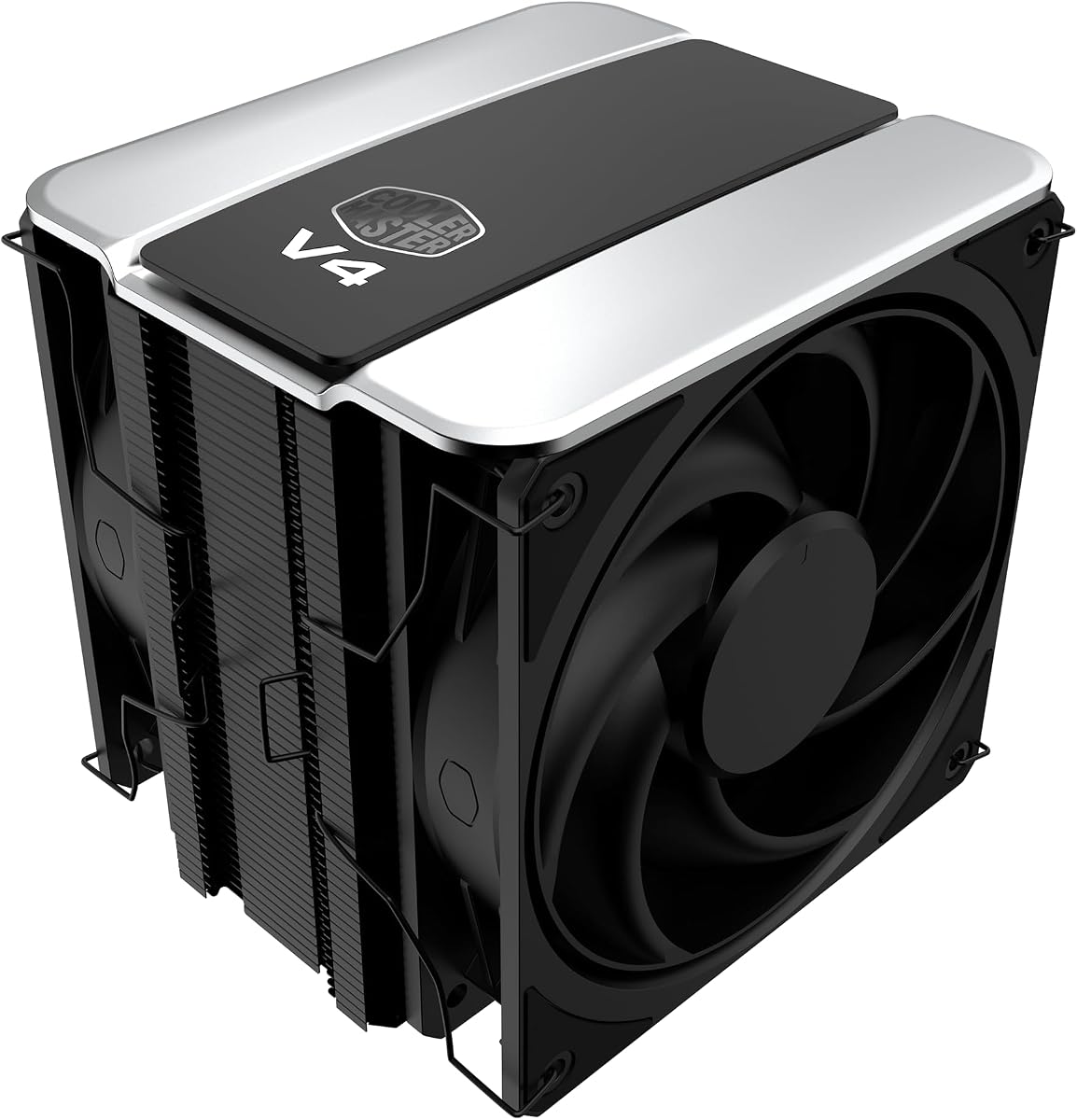


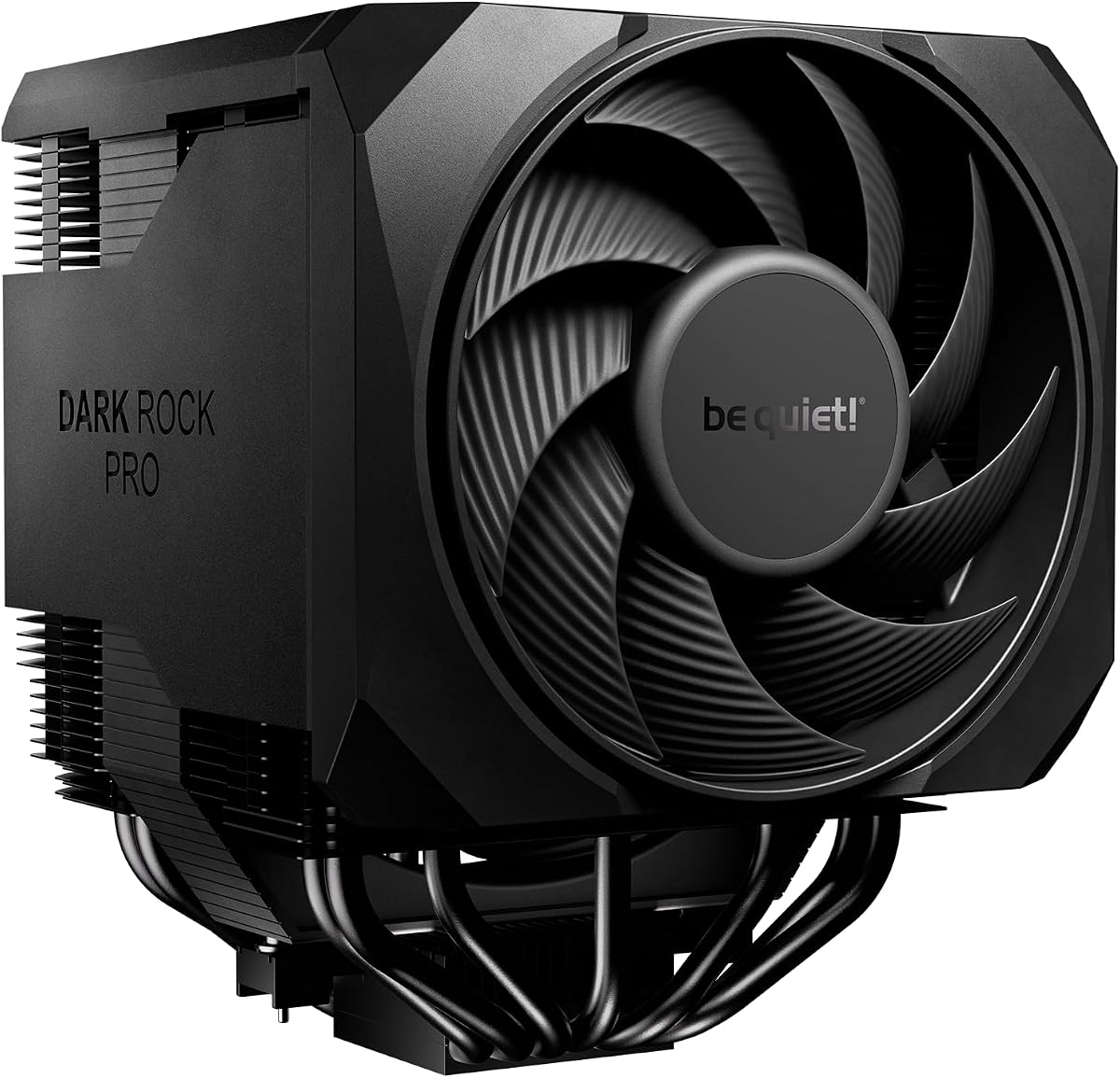
This model stands out for its unique 5-inch IPS LCD screen on the radiator top, offering system monitoring and custom themes. It holds a solid 4.6-star rating due to its innovative design and reliable thermal performance across various CPUs.
We may earn a commission when you buy through this link, at no additional cost to you.
The dual-tower heatsink with six copper heat pipes and AGHP technology ensures efficient heat transfer. Fans running at 2150 RPM provide significant airflow while maintaining noise below 27 dB, striking a balance between silence and cooling power.
While the TRCC software adds customization, it requires USB connectivity and setup that might be extra for some users. The visual flair comes at a premium compared to standard air coolers, justifying the cost for enthusiasts who value aesthetics.
Ideal for streamers and builders wanting visible system stats, this cooler delivers both looks and substance. Choose it if you want a high-end solution that keeps temperatures low while providing a distinct visual centerpiece for your PC.
The built-in display supports dynamic backgrounds and video playback through the TRCC control center software.
Nickel-plated copper base paired with reflow soldering enhances contact quality for optimal heat dissipation.
We may earn a commission when you buy through this link, at no additional cost to you.
This affordable option maintains a strong 4.7-star rating by offering reliable cooling in a small footprint. It is perfect for mid-tower cases where space is limited but thermal performance still matters.
We may earn a commission when you buy through this link, at no additional cost to you.
The 4 heat pipes use AGHP technology to handle gravity effects effectively. Its TL-C12C PWM fan runs quietly at under 25.6 dB, making it suitable for office builds or quiet gaming rigs.
While it lacks the dual-fan capacity of larger models, it suffices for standard CPUs without extreme overclocking. The simple mounting kit ensures straightforward installation on both Intel and AMD platforms.
Buy this if you need a no-fuss, effective cooler that fits most budgets. It delivers consistent performance for everyday computing without breaking the bank or requiring complex setup steps.
At 148mm tall, it fits easily into small form factor cases without obstructing other components.
S-FDB bearings reduce friction and vibration for long service life and steady low noise output.
We may earn a commission when you buy through this link, at no additional cost to you.
Achieving a high 4.8-star rating, this unit uses seven heat pipes and dual PWM fans to push cooling boundaries. Its frosted texture and anodized black finish give it a premium look that matches modern builds.
We may earn a commission when you buy through this link, at no additional cost to you.
The precision copper base and offset fin design maximize heat dissipation while avoiding RAM conflicts. Fans deliver 69 CFM airflow, ensuring CPUs stay cool even during demanding rendering tasks.
The weight and size may challenge smaller cases, but larger chassis benefit fully from its capabilities. It represents a significant upgrade over entry-level options for users with high TDP processors.
Choose this for superior thermal results and a sleek appearance. It is ideal for builders seeking top cooling power without moving to liquid solutions, ensuring system stability under heavy loads.
Combines with high thermal conductivity pastes to maximize heat transfer from CPU to heatsink.
TL-K12 fans balance performance and noise with industrial-grade bearings for reliability.
We may earn a commission when you buy through this link, at no additional cost to you.
This SE variant maintains a 4.7 rating by offering nearly identical performance to the EVO at a lower cost. The blackened nano coating protects fins while enhancing heat dissipation area for better efficiency.
We may earn a commission when you buy through this link, at no additional cost to you.
AGHP Gen 4 technology and 7 heat pipes ensure consistent cooling regardless of orientation. The TL-C12B V2 fans run at 1500 RPM, keeping noise levels manageable without sacrificing airflow.
It lacks some premium aesthetic details but focuses on raw thermal output. The design avoids memory conflicts with cut-out fins, fitting most standard RAM modules without requiring lower profiles.
Pick this for a balance of price and performance. It suits builders who want robust cooling without extra features, ensuring reliable thermal management for daily and gaming use.
Fully electroplated heat pipes increase effective surface area to spread heat faster.
Standard PWM fans provide precise control via motherboard headers for variable speed.
We may earn a commission when you buy through this link, at no additional cost to you.
With a 4.4 rating, this model uses patented 3DHP pipes to reduce turbulence and improve cooling by 30%. The single tower design fits more easily into smaller cases than dual-tower rivals.
We may earn a commission when you buy through this link, at no additional cost to you.
Pre-installed Mobius fans create a push-pull configuration that optimizes airflow through the fins. This setup reduces overall system noise while maintaining effective cooling for mid-range processors.
Its minimalist appearance blends seamlessly into many system designs without distraction. However, it lacks the sheer capacity of larger towers for extreme overclocking scenarios.
Opt for this if you need a compact cooler with modern aesthetics. It is a good match for SFF builds where space constraints prevent larger cooling solutions.
3DHP technology minimizes turbulence to reduce fan noise up to 2.2x compared to standard models.
Push-pull fan arrangement ensures consistent airflow across all fin sections.
We may earn a commission when you buy through this link, at no additional cost to you.
This unit holds a 4.8-star rating due to its consistent thermal results and robust build quality. The dual-fan setup provides significantly higher airflow than single-fan designs, improving cooling potential.
We may earn a commission when you buy through this link, at no additional cost to you.
Shock-absorbing silicone feet and anti-touch blade designs improve safety and reduce vibration. The included Y-adapter cable simplifies fan connections on motherboards with limited PWM headers.
While the aesthetics are straightforward, performance remains competitive with more expensive models. It offers a practical solution for those needing reliable cooling without advanced visual features.
Choose this for dependable performance and ease of installation. It is an excellent pick for standard high-performance systems that need strong cooling at a reasonable price point.
S-FDB bearings eliminate fan lifting vibration for smoother operation and longer life.
Electroplated heat pipes increase effective dissipation area for stable high TDP cooling.
We may earn a commission when you buy through this link, at no additional cost to you.
With a 4.7 rating, this model focuses on delivering efficient cooling with minimal noise. Its dual-tower structure supports up to 260W TDP, making it suitable for powerful CPUs.
We may earn a commission when you buy through this link, at no additional cost to you.
The blackout aesthetic helps it blend into dark interior PC designs. It includes 40mm clearance for standard RAM, allowing flexibility with high-profile memory modules.
At 157mm, it requires a spacious case but provides solid thermal performance within that constraint. PWM functionality allows automatic speed adjustments to balance noise and cooling.
Buy this for a quiet, high-capacity cooler that fits well in larger builds. It is ideal for users prioritizing low noise while maintaining effective thermal management.
Fans provide stable output with noise levels maxing at 27.2dB(A) for quiet environments.
Six 6mm copper pipes ensure efficient heat absorption and transfer to the fins.
We may earn a commission when you buy through this link, at no additional cost to you.
This model earns a 4.7 rating through its refined design and quiet operation. The offset layout enhances RAM and VRM compatibility, addressing common space issues in modern motherboards.
We may earn a commission when you buy through this link, at no additional cost to you.
HDT technology and six black copper pipes ensure efficient heat removal. Pure Wings 3 fan blades are optimized for air pressure, maximizing airflow over the fin array effectively.
Self-explanatory mounting kits make installation straightforward for beginners and pros. The height adjustment capability of the front fan adds flexibility for varied case constraints.
Select this for a compact yet powerful cooler that avoids component conflicts. It is great for users needing reliable thermal performance in a constrained or optimized layout.
Mounting kits are designed to be self-explanatory, reducing installation time and errors.
Funnel-shaped air outlets direct airflow efficiently across the entire heatsink surface.
We may earn a commission when you buy through this link, at no additional cost to you.
Achieving a 4.5 rating, this high-end cooler features two fans and seven heat pipes for extreme cooling power. The active mode switch lets users choose maximum performance or passive silent modes.
We may earn a commission when you buy through this link, at no additional cost to you.
Silent Wings fans use fluid-dynamic bearings and optimized blades for low noise and high efficiency. It supports liquid metal paste for enthusiasts seeking to unlock maximum thermal potential.
The rail-mounted front fan allows easy height adjustments during installation. However, its premium cost and size are justified only by demanding workstation or overclocked gaming builds.
Invest in this if you need the best cooling without water solutions. It provides unmatched thermal headroom for extreme loads while maintaining silence in a premium package.
Select between active maximum cooling or semi-passive operation for ultra-quiet idle performance.
Silent Wings fans ensure dependable operation with tight tip clearance for pressure.
We may earn a commission when you buy through this link, at no additional cost to you.
This iconic model holds a 4.8 rating with over 300 awards for its proven performance. The all-black design fits modern systems while maintaining the superior thermal qualities of the original.
We may earn a commission when you buy through this link, at no additional cost to you.
NF-A15 140mm fans offer maximum quiet efficiency comparable to watercoolers. Includes NT-H1 thermal paste and SecuFirm2 mounting for straightforward installation across latest Intel and AMD platforms.
Its large size demands room but ensures no thermal throttling even with overclocked chips. The six-year warranty reflects Noctua's confidence in build quality and longevity for daily use.
Choose this for the gold standard in air cooling. It offers a premium balance of performance, silence, and reliability for those who demand the best system longevity.
All-black design provides cooling on par with many all-in-one watercoolers.
SecuFirm2 mounting system ensures secure and safe installation with offset options.
We may earn a commission when you buy through this link, at no additional cost to you.
Selecting the right tower air CPU cooler involves evaluating several technical and physical factors. Understanding these elements ensures you get adequate cooling without fitting issues or unnecessary costs.
The Thermal Design Power (TDP) rating indicates how much heat the cooler can dissipate. Always choose a model rated higher than your CPU's maximum TDP to prevent thermal throttling during sustained loads.
Check your CPU's specs and select a cooler with a TDP rating that exceeds it by at least 20 to 30 percent for safety.
Tower coolers have significant height and width. Measure your case's maximum CPU cooler height to ensure the unit fits without blocking other components or side panels.
Verify that the cooler's width won't obstruct side-mounted fans or interfere with large GPU models inside your chassis.
Tall RAM heat spreaders can clash with dual-tower coolers. Look for models with notched fins or offset designs that provide clearance for standard or RGB memory sticks.
If using tall RAM, check the product specifications for RAM clearance distances and adjust fan mounts if necessary.
Dual fans usually provide better airflow and cooling than single ones. Consider models with push-pull setups for maximum efficiency in thermally constrained environments.
Ensure your motherboard has enough PWM headers to connect all fans or plan to use splitter cables for proper control.
High-quality materials like copper heat pipes and aluminum fins improve heat dissipation. Look for nickel-plated bases to prevent oxidation and ensure long-term thermal efficiency.
Investing in sturdy construction reduces vibration and increases the lifespan of your cooling solution over years of use.
Verify socket support for your specific CPU platform, such as LGA1700 or AM5. Some brands require original motherboard backplates for certain sockets like AMD.
Check that mounting kits include all necessary hardware to avoid extra costs or installation delays.
Noise ratings in decibels (dB) indicate how loud the cooler operates under load. Lower dB values mean quieter operation, which is vital for shared spaces or quiet builds.
Look for models with fluid-dynamic bearings and PWM control to balance noise with cooling performance.
Manufacturers often offer warranties ranging from three to six years. A longer warranty period suggests better quality control and reliability of the product.
Prioritize brands with strong warranty support to protect your investment against defects or mechanical failures.
Start by applying a thin layer of high-quality thermal paste to the CPU die. Use the pea method or a thin spread to ensure good contact without air gaps that reduce efficiency.
Install the mounting brackets first according to your motherboard manual. Secure the cooler evenly to avoid uneven pressure that could cause cold spots on the processor.
Periodically dust the fins and fans using compressed air to prevent airflow blockage. This simple maintenance step keeps cooling performance optimal and prevents overheating issues over time.
Tower air coolers often provide reliable performance without the complexity of pumps and tubing. They require less maintenance and avoid leak risks. However, liquid solutions may offer slightly better cooling for extreme overclocking.
Check the product's socket compatibility list for support like LGA1700 or AM5. Measure case clearance for height and ensure RAM spacing matches your memory modules to avoid physical conflicts.
Most modern tower coolers use PWM fans that run quietly at idle. Noise levels rise under load but stay below 30 dB for quality models. Bearing type also affects long-term acoustic performance.
No, old paste hardens and loses conductivity. Always clean the CPU and heatsink with isopropyl alcohol before applying new paste. This ensures optimal heat transfer and prevents hot spots.
Generally, taller coolers allow more surface area for heat dissipation. This results in better thermal performance. However, ensure your case has enough vertical space to accommodate the added height.
Top brands include Thermalright, be quiet!, Noctua, and ID-COOLING. Each offers strong value and performance in different price ranges. Choose based on your specific thermal and budget needs.
Clean the fins and fans every six months to a year. Accumulated dust restricts airflow and reduces cooling efficiency. Use compressed air to blow out debris without disassembling the unit.
Our top picks highlight models that balance performance, aesthetics, and value across different budgets. Whether you need a sleek display option or a rugged performer, there is a match available.
Prioritize TDP capacity, case clearance, and compatibility to avoid installation issues. Quality construction and bearing types also impact long-term reliability and noise levels significantly.
Verify current stock and details on official sites before finalizing your purchase. Conditions change rapidly so ensure the chosen model meets all your system requirements today.