
TP-Link AXE5400 Tri-Band
4.3Editor score
Tri-Band WiFi 6E technology
VPN Server and Client modes
TP-Link HomeShield security included
Compare the top 10 VPN routers of 2026. Find the best Wi-Fi 7, 6, and travel routers with OpenVPN, WireGuard, and real ratings.
In an age where digital privacy is paramount, a VPN router serves as the first line of defense for your entire home network. Unlike individual device applications, a router-based VPN encrypts all traffic automatically, protecting smart homes, gaming consoles, and legacy devices that lack native support.
To compile this list, we analyzed performance metrics, encryption protocols, and user feedback across ten top-tier models. We prioritized devices with robust processor speeds, support for modern WireGuard protocols, and flexible firmware options like OpenWrt for advanced customization needs.
Each pick below highlights specific strengths, from high-speed home hubs to compact travel companions. While pricing fluctuates based on market demand and seasonal sales, the technical specifications and user ratings provided offer a reliable snapshot of current value and performance.
4.3Editor score
4.4Editor score

4.4Editor score
The following table provides a side-by-side comparison of the ten leading VPN routers available in 2026. This overview helps you quickly identify key technical specifications, connectivity options, and protocol support to find the perfect match for your network requirements.





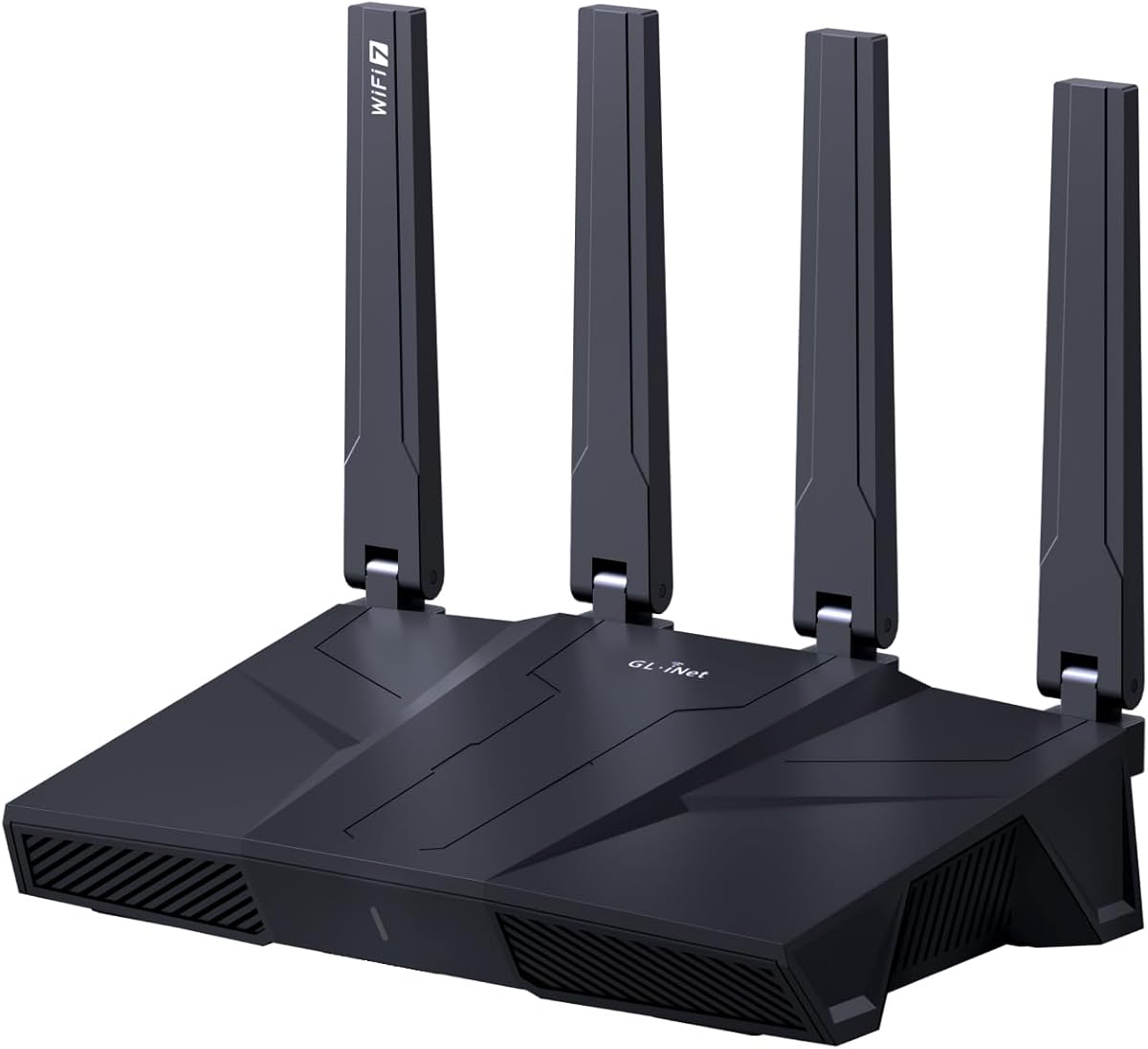
The GL.iNet GL-BE9300 Flint 3 stands out as the premier choice for users demanding high-speed connectivity and robust security. With its new Wi-Fi 7 standard, this router delivers incredible throughput while maintaining impressive VPN performance that often outpaces competitors.
We may earn a commission when you buy through this link, at no additional cost to you.
Its standout feature is the rapid tunneling speed, reaching up to 680 Mbps on WireGuard. This ensures that even with encryption overhead, your streaming and gaming sessions remain smooth. The inclusion of AdGuard Home further enhances privacy by blocking ads and trackers at the DNS level.
While the price is higher than entry-level options, the hardware investment pays off through longevity and versatility. The massive storage capacity supports over a hundred devices, making it ideal for dense smart homes where other routers might struggle to maintain stability.
We recommend this router for power users and tech enthusiasts who want the latest wireless standards without compromising on privacy. It balances cutting-edge speed with practical security features that protect your entire network effectively.
The Flint 3 utilizes a powerful processor to handle WireGuard encryption efficiently, minimizing latency during international streaming or gaming sessions.
AdGuard Home is supported natively, allowing you to filter unwanted tracking and ads for every device on your network without extra software.
We may earn a commission when you buy through this link, at no additional cost to you.
The TP-Link AXE5400 is a powerhouse for households seeking maximum wireless bandwidth. Its tri-band design separates traffic efficiently, ensuring that heavy downloads do not lag behind video calls or gaming traffic.
We may earn a commission when you buy through this link, at no additional cost to you.
Support for both VPN Server and Client modes provides flexibility for remote access and secure browsing. The included TP-Link HomeShield offers additional layers of protection, identifying IoT devices and providing parental controls out of the box.
Although specific VPN tunneling speeds are not detailed in marketing materials, the 1.0 GHz dual-core CPU provides ample processing headroom. The unique housing design ensures the router stays cool during sustained heavy loads, preserving performance over time.
This router is best suited for families with many connected devices who want a reliable, high-performance base for their home network. It is a solid investment for those already invested in the TP-Link ecosystem.
With dedicated bands for 2.4GHz, 5GHz, and 6GHz, this router reduces congestion significantly compared to dual-band models.
The built-in VPN server allows you to securely connect to your home network from anywhere, protecting your data on public Wi-Fi.
We may earn a commission when you buy through this link, at no additional cost to you.
For users seeking a balance of performance and affordability, the TP-Link AX3000 offers reliable Wi-Fi 6 speeds and essential security features. It supports both VPN server and client modes, allowing for flexible network configurations.
We may earn a commission when you buy through this link, at no additional cost to you.
The router utilizes OFDMA technology to handle multiple devices simultaneously without jitter. This is particularly beneficial for households where streaming and work-from-home activities overlap frequently. The high-gain antennas ensure strong signal throughout larger spaces.
While it may not offer the raw speed of tri-band models, the AX3000 excels in stability and ease of use. Its compatibility with Alexa allows for voice control, making it a convenient addition to a smart home setup.
This model is ideal for budget-conscious buyers who still want modern Wi-Fi 6 capabilities and basic VPN functionality. It delivers consistent performance for everyday tasks without complex configuration.
OFDMA allows multiple devices to share a single channel efficiently, reducing congestion and improving overall network responsiveness.
Control your network settings via voice commands using Amazon Alexa, adding a layer of convenience to your daily routine.
We may earn a commission when you buy through this link, at no additional cost to you.
The Flint 3e pushes the boundaries of VPN speed with WireGuard performance reaching up to 1100 Mbps. This makes it a top-tier choice for gaming and streaming enthusiasts who need minimal latency even when encrypted.
We may earn a commission when you buy through this link, at no additional cost to you.
Built for high-density environments, it supports over a hundred devices with seamless performance. The integration of AdGuard Home and Bark parental controls ensures a safer browsing experience for all family members without third-party software.
Multi-Link Operation (MLO) allows the router to connect to multiple frequencies simultaneously, improving reliability. This feature is crucial for maintaining stable connections during critical activities like online gaming or video conferencing.
If you prioritize top-tier speed and modern Wi-Fi 7 features, this router is an excellent investment. It offers a premium experience with robust customization options for advanced users.
With VPN speeds up to 1100 Mbps, the Flint 3e minimizes the performance penalty usually associated with encrypting all traffic.
MLO technology ensures consistent connectivity by bonding channels, reducing the risk of dropouts in crowded wireless environments.
We may earn a commission when you buy through this link, at no additional cost to you.
The Flint 2 bridges the gap between speed and stability with its dual 2.5G ports. This allows for faster wired connections to switches or access points, eliminating bottlenecks common in standard gigabit networks.
We may earn a commission when you buy through this link, at no additional cost to you.
Its reputation as a high-speed gaming router is well-earned, offering uninterrupted performance even during intense multiplayer sessions. The combination of 1GB RAM and eMMC storage ensures smooth handling of multiple plugins and connections.
Security is a priority with built-in AdGuard Home support, letting you manage DNS filtering easily. This makes it a safe choice for families concerned about online safety and data privacy across all devices.
We recommend this router for users who want high reliability and fast wired backbone support. It is a versatile choice for those building a comprehensive home network.
Dual 2.5G Ethernet ports allow you to connect compatible devices like NAS drives or PCs for faster data transfer speeds.
Optimized for gaming, this router maintains low latency and steady throughput, ensuring fair play in competitive online matches.
We may earn a commission when you buy through this link, at no additional cost to you.
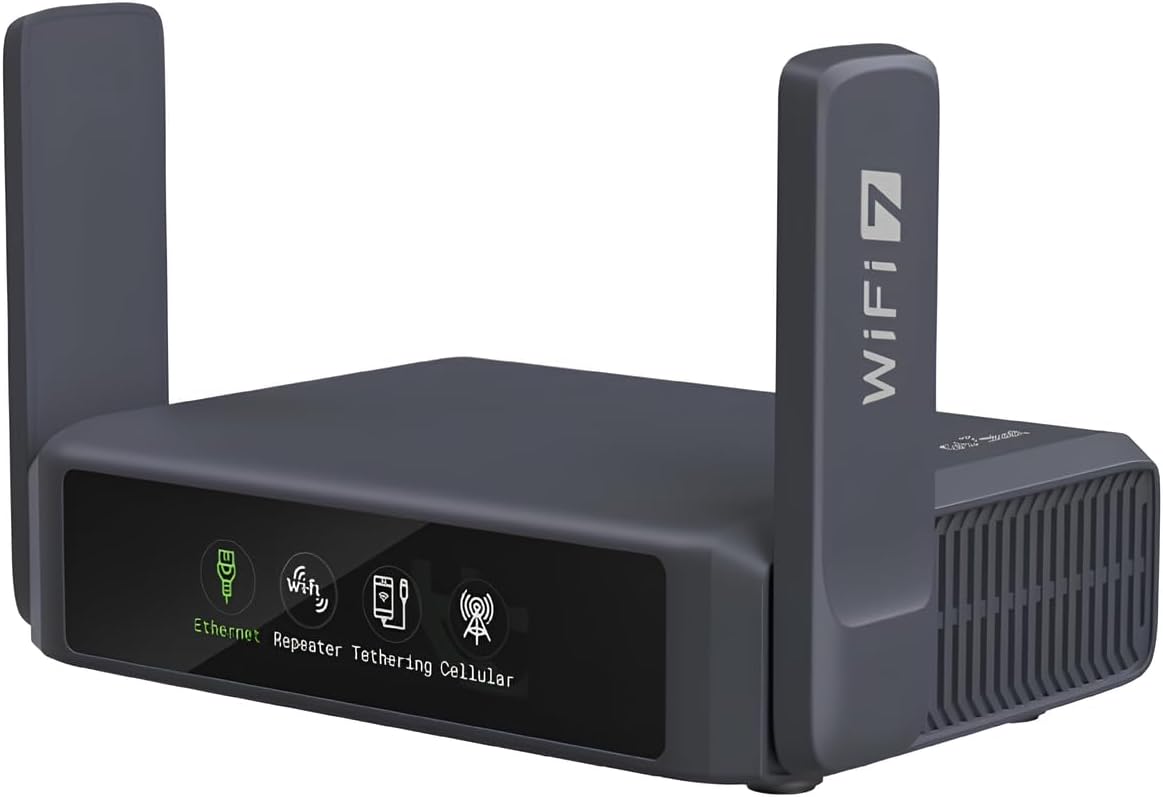
The Slate 7 redefines travel networking with a stunning touchscreen interface. It allows users to monitor speeds and toggle VPN modes directly on the device, offering unmatched convenience for those on the move.
We may earn a commission when you buy through this link, at no additional cost to you.
Despite its small size, it supports Wi-Fi 7 standards, delivering fast speeds to multiple devices in hotel rooms. The VPN cascading feature enables you to host a local server while simultaneously connecting to a public VPN client.
Built-in WPA3 ensures that your connection remains secure even when using public networks. Its mini size makes it easy to pack, ensuring you have a secure and private internet connection wherever you go.
This device is perfect for travelers and digital nomads who prioritize security and ease of use. It turns insecure hotel Wi-Fi into a private, encrypted network instantly.
The color-coded touchscreen lets you see network status at a glance and switch modes without needing a secondary device.
Supports Ethernet, cellular tethering, and repeater modes, ensuring you have multiple ways to get online in any situation.
We may earn a commission when you buy through this link, at no additional cost to you.
The TP-Link ER605 is an exceptional value for users who need robust VPN capabilities without the complexity of wireless features. It serves primarily as a secure gateway, capable of handling over 20 LAN-to-LAN and client connections simultaneously.
We may earn a commission when you buy through this link, at no additional cost to you.
Its five Gigabit ports allow for flexible network setups, including multiple WAN connections for failover and bandwidth aggregation. This makes it ideal for small offices that require reliable internet redundancy and data security.
While it lacks built-in Wi-Fi, pairing it with a standard access point creates a highly secure and affordable network. The extensive firewall features protect against DoS attacks and unauthorized access efficiently.
For budget-conscious users who want enterprise-grade VPN handling, this router is a standout choice. It delivers professional reliability at a fraction of the cost of consumer-grade alternatives.
Multiple WAN ports allow you to connect to different ISPs, ensuring you stay online even if one connection fails.
Advanced firewall policies and IP filtering protect your internal network from external threats and unauthorized access attempts.
We may earn a commission when you buy through this link, at no additional cost to you.
The Archer BE230 brings next-generation Wi-Fi 7 technology to a broader audience. Its dual-band design provides efficient traffic management, while the 2.5G port ensures you can utilize faster broadband plans without hardware bottlenecks.
We may earn a commission when you buy through this link, at no additional cost to you.
Designed for seamless integration, it works well with EasyMesh extenders to cover large homes. The Multi-Link Operation technology improves reliability by allowing devices to connect across multiple bands dynamically.
While it lacks the specific advanced VPN protocols seen in other models, it offers solid general performance for standard home security needs. Its intuitive Tether App makes setup and management a breeze for non-technical users.
This router is best for early adopters who want to upgrade to Wi-Fi 7 without overspending. It offers a good balance of modern features and practical usability.
The 2.5G WAN/LAN port allows you to take full advantage of gigabit and multi-gigabit internet plans.
Beamforming technology and EasyMesh compatibility help eliminate dead zones, ensuring strong signal everywhere in your home.
We may earn a commission when you buy through this link, at no additional cost to you.
The Beryl AX is a powerhouse in a compact form factor, designed for travelers who need secure access on the go. Its Wi-Fi 6 support ensures fast local networking, even when the internet connection is slow.
We may earn a commission when you buy through this link, at no additional cost to you.
A physical toggle switch allows quick enabling of VPN or AdGuard features without logging into the admin panel. This convenience is invaluable when you need instant privacy protection in public spaces.
Powered by OpenWrt, it supports thousands of plugins for customization. This makes it highly flexible for users who want to tailor their security and networking settings to specific needs.
We recommend this router for frequent travelers who need a secure and versatile connection. It transforms public Wi-Fi into a private network effortlessly.
The physical toggle switch lets you enable VPN or AdGuard instantly, providing immediate protection in public spaces.
Running OpenWrt allows you to install plugins and customize the interface, giving you full control over network behavior.
We may earn a commission when you buy through this link, at no additional cost to you.
The Opal is a budget-friendly entry point into secure travel networking. It offers essential VPN functionality and basic Wi-Fi capabilities, making it perfect for short trips or light usage.
We may earn a commission when you buy through this link, at no additional cost to you.
Its retractable antennas improve signal reception in crowded areas, ensuring you can connect reliably to hotel networks. The lightweight design ensures it fits easily into any carry-on or backpack.
With IPv6 support and Cloudflare encryption options, it provides necessary security against eavesdropping on public networks. It converts unsecured Wi-Fi into a private, encrypted channel for your devices.
For casual travelers or those on a tight budget, this router offers solid value. It delivers the core features needed for secure browsing without unnecessary complexity.
Weighing only 145g, the Opal is incredibly easy to carry, offering peace of mind and secure browsing while traveling.
It converts public networks into a private hotspot, protecting your data from potential snoopers on shared connections.
We may earn a commission when you buy through this link, at no additional cost to you.
Selecting the right VPN router requires evaluating hardware capabilities, supported protocols, and specific use cases. Understanding these factors ensures you choose a device that meets your speed, security, and flexibility needs.
Look for routers that support modern protocols like WireGuard, which offers faster speeds and lower latency than older standards like OpenVPN. Many devices support both, giving you flexibility depending on your provider.
Prioritize models with WireGuard for high-speed streaming and gaming, while ensuring OpenVPN compatibility for broader provider support.
VPN encryption is CPU-intensive, so a router with a powerful processor (GHz) and sufficient RAM (at least 512MB) is crucial for maintaining performance. Low-end hardware can lead to significant speed drops when VPN is active.
Choose a model with a quad-core CPU and at least 1GB RAM if you plan to run VPN constantly on many devices.
Newer standards like Wi-Fi 7 and Wi-Fi 6E offer wider channels and less congestion. While not strictly required for VPN functionality, they ensure your local network does not bottleneck your internet connection.
If your devices support it, opt for Wi-Fi 6E or 7 for the best local throughput and minimal latency.
Tri-band routers provide separate channels for 2.4GHz, 5GHz, and 6GHz, reducing interference in crowded areas. Dual-band models are more common and often sufficient for standard-sized homes.
Select tri-band for large homes with many connected devices to prevent slowdowns caused by network congestion.
A VPN client encrypts your outbound traffic, while a VPN server allows remote access to your home network. Some users need both for complete security and remote access capabilities.
Check the product specs to ensure it supports the modes you need, especially if you plan to access your home devices remotely.
Routers running OpenWrt offer extensive customization, allowing you to install advanced plugins or change default settings easily. This is ideal for tech-savvy users who want control over their network.
If you are not technically inclined, stick to routers with user-friendly interfaces like TP-Link HomeShield or GL.iNet's dashboard.
Modern routers often include 2.5G Ethernet ports, which allow for faster connections to wired devices. This prevents the router's internal bottleneck from limiting your internet speed.
Ensure the router has enough LAN ports for your wired devices, and check if it supports 2.5G for future-proofing.
VPN routers range from affordable travel units to high-end premium hubs. Determine your budget based on whether you need advanced features like Wi-Fi 7 or just basic encryption.
Balance your financial constraints with the performance requirements of your daily activities to find the best value.
Setting up a VPN router typically involves connecting it to your modem and accessing the admin panel via a browser or mobile app. Follow the initial setup video tutorial provided by the manufacturer to configure your internet connection and network settings correctly.
Once connected, enable the VPN client feature in the admin dashboard and select your preferred VPN service provider. Many models allow you to toggle this feature on or off instantly, so you can manage privacy levels as needed.
To maintain performance, keep the router in a well-ventilated area to prevent overheating. Regularly check for firmware updates in the settings menu, as these often include security patches and protocol improvements.
Yes, most routers require you to have an active subscription with a VPN service provider to function as a client. The router acts as the gateway, but the encryption service itself comes from the provider you choose.
Some advanced models, particularly from GL.iNet and high-end TP-Link units, support VPN cascading. This allows you to host a local server while connecting to a public client at the same time.
There is often some speed reduction due to encryption overhead. However, modern routers with powerful processors and WireGuard support minimize this impact, keeping speeds usable for most tasks.
Travel routers are designed to be compact and portable, often lacking Ethernet ports or high-speed Wi-Fi. They focus on securing public connections rather than providing extensive home coverage.
OpenWrt is an open-source operating system for embedded devices. Routers using it allow for extensive customization, plugin installation, and advanced network configuration by users.
Modern home routers can easily support dozens of devices simultaneously. High-end models with ample RAM can handle over a hundred devices without significant performance drops.
Yes, all these routers connect to an external modem provided by your ISP. They are not modems themselves and require a separate device to access the internet connection.
Choosing the right VPN router depends heavily on your specific needs, whether that is raw speed for gaming, portability for travel, or budget-friendly security. The Flint 3 stands out for performance, while the ER605 offers incredible value for wired networks.
Prioritize models with modern encryption protocols like WireGuard to ensure your privacy does not come at the cost of speed. Investing in a router with robust hardware guarantees that your network remains fast and secure for years to come.
Before making a final purchase, remember to verify current prices and availability. While this guide highlights the top models of 2026, market prices fluctuate frequently based on promotions and seasonal discounts.