
Omada AX1800 Access Point
4.6Editor score
Free Omada cloud management
Compact slim design for offices
Multiple PoE power options
Compare top WiFi 6E access points with real ratings. Find the best mesh, business, and home upgrades for speed and coverage.
WiFi 6E access points bring the new 6 GHz band to your network, reducing congestion and boosting speed for modern devices. These units work with existing routers or act as standalone hotspots to expand coverage across large homes and offices without complex wiring.
We evaluated eight leading models based on performance, ease of setup, and real-world reliability. Our analysis includes tri-band routers, mesh extenders, and dedicated access points from top brands like TP-Link, NETGEAR, and Ubiquiti to help you choose the right fit.
Each pick below shows key specs, pros, and cons so you can compare at a glance. Prices and stock change frequently, so check current listings on Amazon before buying to ensure you get the latest deal on your chosen model.
4.6Editor score

4.3Editor score

4.6Editor score
This side-by-side table lets you quickly compare specs, ratings, and key features across all eight models we reviewed to find the best match for your network needs.



This TP-Link router brings WiFi 6E to your home with tri-band speeds up to 5400 Mbps. It earned a 4.3 rating and is a PCMag Editors' Choice for 2025, proving its capability to handle modern high-bandwidth tasks.
We may earn a commission when you buy through this link, at no additional cost to you.
Its standout feature is the dedicated 6 GHz band which offers near-zero latency for gaming and video chatting. With OFDMA technology, it increases capacity by four times, allowing many devices to transmit simultaneously without slowing down.
The housing design helps with heat dissipation while the 1.0 GHz CPU and 512 MB memory ensure long-term reliability. EasyMesh compatibility means you can add extenders or other routers to eliminate dead zones as your needs grow.
Anyone needing a high-performance core router should buy this model for its balanced blend of speed and smart features. It works with all major ISPs and includes premium security services to keep your network safe from threats.
The dedicated 6 GHz band provides up to 2402 Mbps for ultrafast streaming and low latency gaming.
TP-Link HomeShield offers basic network security, parental controls, and weekly reports to keep your home safe.
We may earn a commission when you buy through this link, at no additional cost to you.
The Omada EAP610 is a powerful wireless access point that uses WiFi 6 technology to boost speeds up to 1800 Mbps. With a high 4.6 rating, it stands out as a top pick for small businesses looking for reliable connectivity on a budget.
We may earn a commission when you buy through this link, at no additional cost to you.
It features Free Omada Essentials Cloud Management so you can manage your network from anywhere without needing a hardware controller. The ultra-slim design blends into offices and hotels, while 1024-QAM technology increases throughput for more applications.
You can power it via 802.3at PoE, passive PoE, or the included DC adapter for flexible installation. The package also includes a solid 5-year warranty and technical support to give you confidence in your network infrastructure investment.
Ideal for small offices or classrooms, this access point delivers professional-grade features at an accessible price. Just ensure you have the Omada SDN controller if you need advanced roaming and management capabilities beyond basic settings.
Launch the Omada app to scan the code and start managing your network from the cloud instantly.
Supports WPA3, beamforming, and load balancing to optimize performance across all connected devices.
We may earn a commission when you buy through this link, at no additional cost to you.
The Ubiquiti U6+ delivers high-speed wireless data transfer rates with IEEE 802.11ax standards and up to 3 Gbit/s speed. It earned a 4.6 rating and is designed to create reliable wireless business networks for efficient communication.
We may earn a commission when you buy through this link, at no additional cost to you.
Its Gigabit Ethernet port ensures ultra-fast wired network speeds while PoE+ allows power and data over a single cable. This is perfect for spots without power outlets where you need clean cabling and maximum efficiency for your devices.
Data encryption protects your precious information from unauthorized access, and the wall-mountable form factor ensures comfortable usage without cables cluttering your space. It is a trusted choice for professional environments needing stability and performance.
Businesses upgrading their wireless network should prioritize this model for its robust build and advanced connectivity options. Pair it with UniFi software for full control over your network security and traffic management.
The 3 Gbit/s wireless transmission speed provides high and efficient communication for maximum office productivity.
Wall mountable design ensures maximum comfort and fatigue-free usage while keeping your space organized.
We may earn a commission when you buy through this link, at no additional cost to you.
This Arris adapter transforms your home network into a cutting-edge Wi-Fi 6E system with a dedicated 6 GHz band. It holds a 4.4 rating and allows customers to connect latest devices without replacing their existing Wi-Fi router or gateway.
We may earn a commission when you buy through this link, at no additional cost to you.
It quickly makes you one of the fastest wireless internet home networks by solving congestion on the 6GHz band. By deploying this adapter your home network can handle more devices simultaneously connected to your wireless internet without losing speed.
Reduced lag and jitter are key benefits for gaming and streaming as it eliminates disconnections caused by other devices. The setup is simple with just the adapter, cable, and power supply included in the box for immediate deployment.
Homeowners looking to future-proof their setup should choose this upgrade to sync with 8K TVs and AR tech. It works with all Internet service providers and ensures your network stays in sync with the latest technology standards.
Adapt with the future of Home Networking to support 8K TVs and AR devices seamlessly.
Transform your home wireless network into a Wi-Fi 6E network immediately for faster performance.
We may earn a commission when you buy through this link, at no additional cost to you.
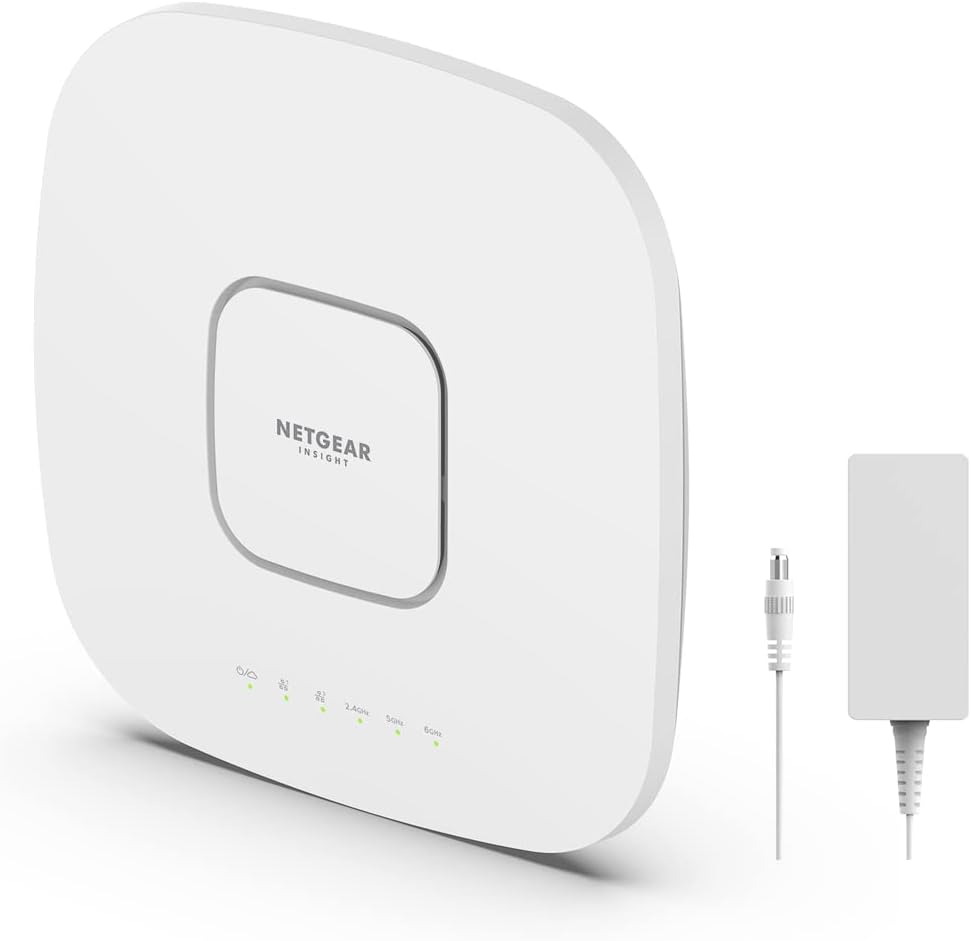
The NETGEAR WAX630EP is a managed access point that supports up to 256 client devices with WiFi 6 Dual-Band AX3000 speed. It offers a 1 year FREE Insight subscription for remote management so you can configure from anywhere.
We may earn a commission when you buy through this link, at no additional cost to you.
Connect wired Ethernet to the 2.5G port for maximum speed to ensure your bandwidth is not bottlenecked. Simplified deployment with PoE+ or power using the optional adapter makes it easy to securely install on a wall or ceiling.
Its mesh capabilities allow for expanded coverage across large areas like 2750 sq ft. The included mounting hardware helps in easy installation while keeping your network infrastructure secure and professional looking.
Businesses needing remote oversight should consider this model for its Insight app capabilities. Note that it is made for use in the U.S. only so check compatibility with your location before purchasing.
Setup, configure, and manage with the NETGEAR Insight app for remote management from anywhere.
With MU-MIMO technology it supports up to 2,750 sq ft. of coverage effectively.
We may earn a commission when you buy through this link, at no additional cost to you.
The Omada EAP650 boosts dual-band Wi-Fi speeds up to 2976 Mbps with 1024-QAM technology. With a 4.5 rating, it integrates into Omada SDN platforms offering multiple control options like hardware, software, or cloud controllers.
We may earn a commission when you buy through this link, at no additional cost to you.
Remote Cloud access enables centralized cloud management of the whole network from different sites controlled from a single interface. The compact design ensures simple installation while saving space in modern offices or hotels seamlessly.
EAP650 supports 802.3at PoE plus and Passive PoE for flexible deployment. It backs these features with a 5 Years Warranty and free technical support during business hours for confident working.
Enterprises needing centralized control across multiple sites should choose this unit for its SDN capabilities. Verify device compatibility with SDN firmware to ensure all advanced features work as intended.
Integrates network devices including access points, switches and gateways with multiple control options offered.
Supports Mesh WiFi, Seamless Roaming, WPA3 and Beamforming technologies for best performance.
We may earn a commission when you buy through this link, at no additional cost to you.
The RE813XE is a Tri-Band WiFi 6E Range Extender providing 2402 Mbps on 6 GHz and 5 GHz bands. It has a 4.2 rating and covers up to 2500 sq ft with four high-gain directional antennas boosting signal strength.
We may earn a commission when you buy through this link, at no additional cost to you.
Reduce interference from legacy networks using the new 6 GHz band which offers more channels and a wider spectrum. The 1 Gbps LAN port helps experience smoother streaming and lower latency for your connected wired device directly.
Seamlessly move throughout your home with automatic connections to the strongest signal via adaptive roaming. It is compatible with almost all Wi-Fi enabled devices and routers so you can expand network coverage easily.
Anyone looking to eliminate dead zones should use this extender to extend your home network speeds. Remember that it increases coverage not internet speed, but improving signal reliability often affects overall throughput positively.
Four high-gain antennas provide seamless whole-home Wi-Fi coverage up to 2500 sq ft.
TP-Link is a signatory of CISA's Secure-by-Design pledge for advanced security core requirements.
We may earn a commission when you buy through this link, at no additional cost to you.
This TP-Link access point delivers combined speeds of up to 1.8 Gbps with MIMO on both 5 GHz and 2.4 GHz bands. It has a 4.4 rating and functions as a desktop Wi-Fi bridge with HE80 support for versatile connectivity.
We may earn a commission when you buy through this link, at no additional cost to you.
Four external antennas ensure your devices stay reliably connected even across long distances with intelligent Beamforming. The access point can be powered with an Ethernet cable allowing flexible placement up to 100 feet away from outlets.
The latest security protocol WPA3 reinforces your network with enhanced encryption and robust protection for safety. Multiple Operation Modes let you adapt to your network needs like Access Point or Range Extender modes.
Small offices needing flexible placement should choose this model for its Passive PoE capabilities. It helps optimize network performance and reduce interference for different types of devices and applications simultaneously.
Four external antennas ensure your devices stay reliably connected even across long distances.
Supports Access Point, Client, Range Extender and Multi-SSID VLAN Support.
We may earn a commission when you buy through this link, at no additional cost to you.
Choosing the right access point involves understanding your network needs, the difference between WiFi 6 and WiFi 6E, and the features that matter most.
WiFi 6E adds a dedicated 6 GHz band which reduces congestion and increases speed for modern devices. If you have many compatible devices, choose a WiFi 6E model to future-proof your network.
Prioritize 6 GHz support if you need the lowest latency and fastest throughput for gaming or high-definition streaming.
Tri-band routers offer two 5 GHz bands and one 6 GHz band to handle more devices simultaneously. Dual-band units may suffice for smaller networks but tri-band is better for high capacity.
Look for AX1800 or AX3000 speeds to ensure your access point can handle daily browsing and streaming easily.
PoE allows you to power your access point via the Ethernet cable so you do not need an outlet nearby. This is crucial for ceiling or wall mounting to keep your setup clean and professional.
Check if your model supports passive PoE or standard PoE+ to match your existing network switch capabilities.
Cloud management lets you control your network from anywhere using an app which simplifies monitoring and changes. Free cloud options save money while still providing essential control over your devices.
Prioritize models with easy app access if you need remote oversight of your network security and settings.
A solid warranty ensures you are covered if your device fails within the first few years. Brands offering 5-year warranties often provide better long-term value and peace of mind for your investment.
Look for technical support availability during business hours to resolve any setup or connectivity issues quickly.
Seamless roaming allows your devices to switch between access points without dropping connections as you move. Mesh compatible units can form a single network across large homes for consistent coverage.
Choose systems that support roaming protocols if you need coverage across multiple rooms or floors.
WPA3 is the latest security protocol providing enhanced encryption and protection against brute force attacks. Advanced security features like built-in VPNs or parental controls help keep your data safe.
Prioritize WPA3 support to ensure your network is protected against modern cyber threats and vulnerabilities.
Access points with Gigabit or multi-gigabit ports ensure that your wired connection is not a bottleneck. A 2.5 Gbps port can maximize speed if your internet plan supports higher than 1 Gbps.
Check for enough Ethernet ports if you need to connect wired devices directly to the access point.
Start by connecting the access point to your router or switch using an Ethernet cable. If using PoE ensure your switch supports it or use the included power adapter for a quick setup.
Download the manufacturer app or log into the web interface to configure your SSID and password. Update the firmware immediately to ensure you have the latest security patches and performance improvements.
Place the device in a central location away from obstructions and electronics that cause interference. Regularly check for firmware updates and reset the device if you notice connectivity issues or drops.
WiFi 6E adds a new 6 GHz band that is less crowded and offers faster speeds compared to the 2.4 and 5 GHz bands used by WiFi 6. This means less interference and better performance for compatible devices.
No you can use these access points with your existing router to upgrade your network to WiFi 6E. They work as add-ons that connect via Ethernet to extend your current network's capabilities.
Most of these devices are compatible with all Internet service providers as they work on the standard network layer. However always check the specific model requirements to ensure it works with your modem setup.
PoE stands for Power over Ethernet which allows you to power the device via the network cable. It is useful for mounting devices on walls or ceilings where power outlets are not available nearby.
Many models support up to 256 devices which is more than enough for a typical home or small office network. The exact number varies by model so check the specs for your specific use case.
Yes several models support EasyMesh or similar protocols to allow you to add more units for whole-home coverage. This helps eliminate dead zones by creating a seamless network across multiple access points.
We have reviewed the top WiFi 6E access points available today to help you upgrade your network with confidence. The TP-Link AXE5400 offers the best all-round performance while the Omada models provide great value for businesses.
Prioritize features like cloud management and PoE support to ensure your setup is future-proof and easy to maintain. A solid warranty also plays a key role in ensuring you get long-term value from your investment.
Remember that prices change frequently so check current listings on Amazon to get the best deal available. Ensure you select a model that matches your internet speed and device count needs.