
Ubiquiti Networks UniFi 7 Pro | WiFi 7 Access Point | US Model | PoE+ Adapter not Included (U7-Pro-US)
4.7Editor score
6 Spatial Streams for High Density
6 GHz Support for Interference Free
Ceiling Mounted Professional Design
Discover the top WiFi 7 access points for 2026. Compare features, ratings, and performance to choose the right wireless AP for your network needs.
WiFi 7 access points represent the cutting edge of wireless networking technology, offering unprecedented speed and reliability. These devices are designed to handle the increasing demands of modern digital environments where multiple devices connect simultaneously without slowdowns.
We have carefully evaluated the leading models available in the market based on their technical specifications, user ratings, and feature sets. Our comparison focuses on key performance indicators like bandwidth capacity, port speeds, and management capabilities to ensure you get accurate information.
Each pick in this guide highlights specific strengths that cater to different networking scenarios from home offices to large enterprise deployments. Please note that availability and specific model configurations can change over time so verify details before purchasing.
4.7Editor score

4.6Editor score

4.4Editor score
This side-by-side comparison outlines the core specifications and capabilities of each leading WiFi 7 access point model. We focus on wireless standards, port configurations, power options, and unique features to help you distinguish between similar devices.


The Omada EAP720 stands out as a premier choice for those seeking robust wireless performance backed by reliable management tools. It carries a strong user rating and delivers on the promises of Wi-Fi 7 technology with impressive throughput numbers.
We may earn a commission when you buy through this link, at no additional cost to you.
Its dual-band architecture supports high data rates while the 2.5G port ensures your network can handle multi-gigabit internet plans without bottlenecks. The inclusion of advanced features like Zero Touch Provisioning makes deployment significantly easier for IT administrators.
While it requires the Omada ecosystem for centralized management which might be a hurdle for very small setups the flexibility in power options and warranty coverage makes it a solid investment. The ability to support over 250 clients ensures it scales well.
This access point is ideal for businesses or tech-savvy homes that need reliable high-speed connectivity and are ready to leverage cloud management features. It represents a balanced mix of performance and manageability in the current market.
The 2.5G port allows your network to grow with internet speeds without requiring immediate hardware upgrades.
Integration with the Omada Cloud Platform enables remote configuration and monitoring for efficient network administration.
We may earn a commission when you buy through this link, at no additional cost to you.
The Omada EAP723 offers a compelling value proposition by stripping away the power adapter while keeping all core Wi-Fi 7 features intact. This model is particularly attractive for users who already have PoE injectors or switches in their setup.
We may earn a commission when you buy through this link, at no additional cost to you.
Performance remains on par with the EAP720 with support for wide bandwidths and multi-link operations that enhance throughput and reduce latency. The centralized management system ensures that scaling up your network remains straightforward across multiple units.
Saving on the initial cost is clear but you must ensure you have the appropriate power infrastructure before purchasing. For those with existing PoE networks this unit delivers high-end performance without the extra expense of a bundled power brick.
Consider this model if you are budget-conscious but still require top-tier wireless speeds and professional management features. It is a smart choice for expanding an existing Omada network efficiently.
By omitting the power adapter this unit reduces costs for users who already have PoE infrastructure in place.
The 240 MHz bandwidth allows for more simultaneous transmissions which improves overall network efficiency.
We may earn a commission when you buy through this link, at no additional cost to you.
The Omada EAP772 pushes the boundaries of wireless performance with its tri-band design that leverages the 6 GHz band for cleaner connections. This model is engineered for environments where high density and heavy data usage are common.
We may earn a commission when you buy through this link, at no additional cost to you.
With support for 320 MHz channels it offers significantly more raw throughput than traditional Wi-Fi 6 devices. The inclusion of WPA3 encryption and captive portal support adds a layer of security that is essential for professional or guest networks.
The higher cost is justified by the extra radio and wider channels which reduce interference in crowded areas. However you will need to ensure your power infrastructure can support the higher wattage requirements for optimal performance.
This access point is best suited for offices or large homes where devices struggle with congestion on standard bands. It provides a substantial upgrade path for those needing maximum wireless capacity.
Dedicated 6 GHz radio helps minimize interference ensuring consistent speeds even in crowded wireless environments.
Built-in WPA3 encryption and captive portal features provide robust security controls for your network users.
We may earn a commission when you buy through this link, at no additional cost to you.
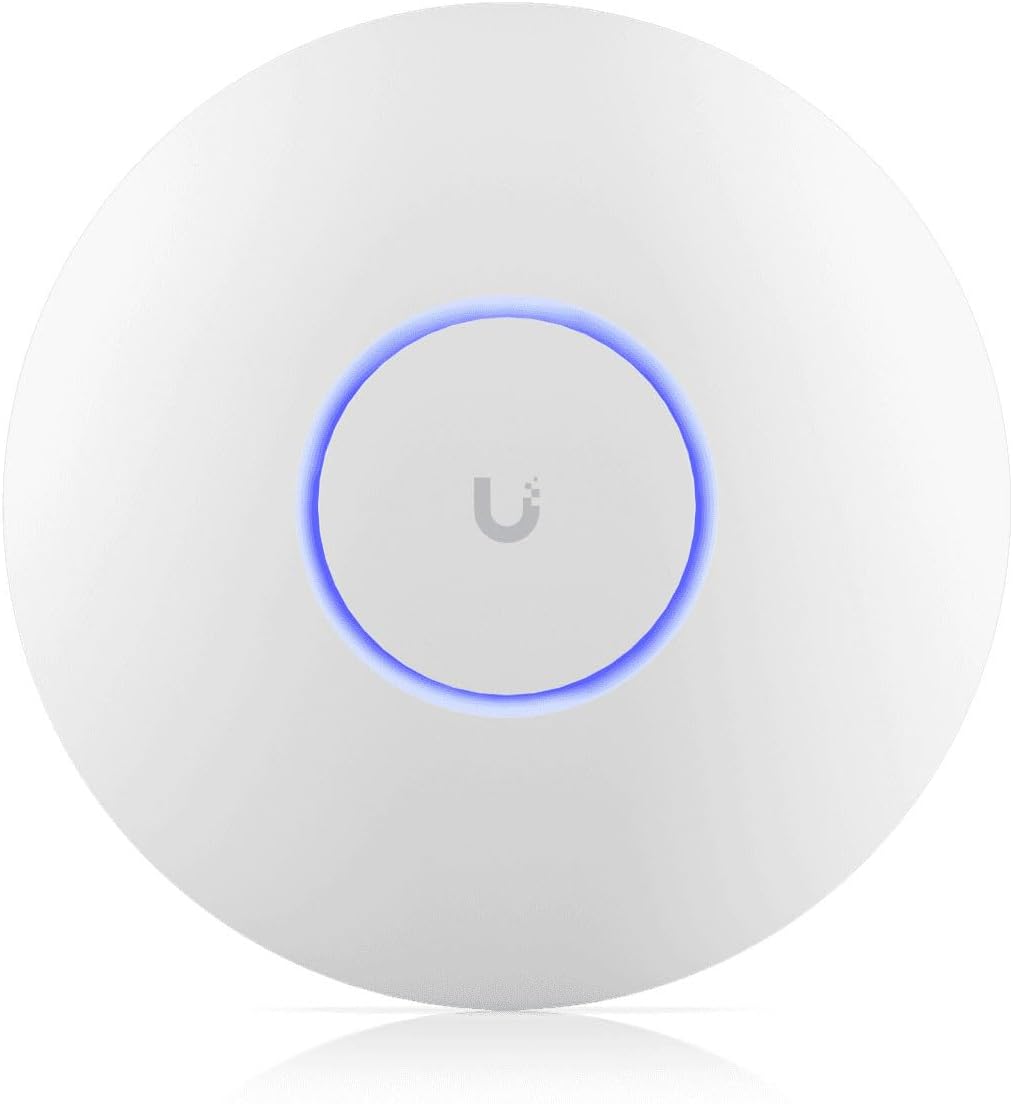
The UniFi U7 Pro is designed for demanding environments that require robust signal stability and extensive coverage areas. It earns a high rating for its ability to handle large-scale deployments without sacrificing speed or reliability.
We may earn a commission when you buy through this link, at no additional cost to you.
With six spatial streams and support for the 6 GHz band this unit provides a significant upgrade over standard access points. The integration with the broader UniFi ecosystem allows for deep customization and monitoring capabilities for network administrators.
The investment required is higher than many competitors but the performance gains in crowded networks justify the expense. Users should note that the power adapter is not included so budget accordingly for necessary peripherals.
Choose this model if you manage a business network where uptime and consistency are critical. It delivers premium performance tailored for professional IT needs and large spaces.
Six spatial streams allow for more efficient data handling which keeps connections stable even under heavy load.
Integration with UniFi Network software provides detailed insights and control over your entire network infrastructure.
We may earn a commission when you buy through this link, at no additional cost to you.
The Omada EAP725 brings the power of Wi-Fi 7 directly to individual rooms through a convenient wall-plate design. This unit is perfect for replacing traditional data jacks with modern high-speed wireless access in hotel rooms or offices.
We may earn a commission when you buy through this link, at no additional cost to you.
Its pass-through port ensures that wired devices can still connect without needing an extra switch at the wall. The 2.5G capabilities ensure that the wired backbone remains fast enough to support the wireless speeds offered by the AP.
While it does not cover as large an area as a ceiling mount it excels in targeted coverage scenarios. It is an excellent solution for ensuring every room has robust connectivity without running extra cables.
Consider this device if you are upgrading guest rooms or specific office spaces where aesthetic integration is key. It combines practical wiring benefits with next-generation wireless performance.
Designed to fit into wall plates this AP provides dedicated wireless access for specific rooms or small areas.
The Ethernet pass-through port allows you to connect laptops or TVs without needing a separate network switch.
We may earn a commission when you buy through this link, at no additional cost to you.
The Omada EAP772-Outdoor is engineered to withstand environmental elements while delivering high-speed wireless connectivity to exterior spaces. Its rugged build ensures durability in various weather conditions making it suitable for patios or parking areas.
We may earn a commission when you buy through this link, at no additional cost to you.
Supporting tri-band transmission it offers ample capacity for outdoor events or public spaces with heavy traffic. The 9.3 Gbps potential ensures that even large gatherings can stream and browse without network congestion.
Installation requires a PoE injector which is not included so plan for additional hardware. This model is a specialized tool for those extending their network beyond traditional building boundaries.
Use this access point for campus deployments or retail spaces that need reliable outdoor internet access. It bridges the gap between indoor quality and outdoor durability.
The housing is designed to withstand rain and dust allowing reliable operation in exposed outdoor locations.
Six-stream tri-band configuration provides the necessary capacity to support many simultaneous users outdoors.
We may earn a commission when you buy through this link, at no additional cost to you.
The UniFi U7 Pro Max takes performance to the next level with eight spatial streams and dedicated spectral scanning capabilities. This unit is built to handle the most demanding network environments where every bit of speed and reliability counts.
We may earn a commission when you buy through this link, at no additional cost to you.
Real-time spectral analysis helps identify and avoid interference automatically which is critical in high-density areas like conference centers. The 6 GHz band support ensures access to clean spectrum for the fastest possible connections.
While it is the most expensive option on the list it offers capabilities that justify the cost for large enterprise deployments. Ensure your controller software is updated to version 8.2.93 or later to enable all features.
Select this model for arenas large venues or dense office floors where standard APs may struggle. It provides the ultimate in wireless performance and network intelligence.
Built-in spectral scanning detects interference sources allowing the AP to adapt channels dynamically for better performance.
Eight spatial streams provide the highest data rate available in the current consumer and prosumer market.
We may earn a commission when you buy through this link, at no additional cost to you.
The Cudy AP3600 introduces Wi-Fi 7 technology at an accessible price point making it ideal for smaller businesses or homes. It supports key features like Multi-Link Operation to improve throughput and reduce latency without the high cost of premium brands.
We may earn a commission when you buy through this link, at no additional cost to you.
Its support for OpenWiFi allows for vendor-neutral cloud deployment which can simplify management for diverse hardware environments. The PoE passthrough feature enables easy chaining of devices which reduces the need for extra switches.
While it lacks some of the advanced security and management tools of higher-end models it covers the essentials well. It is a practical solution for users who want next-gen speeds on a strict budget.
Consider this device for small offices or startups looking to modernize their network without a huge upfront investment. It balances cost and performance effectively for entry-level Wi-Fi 7 adoption.
As one of the most affordable options this AP makes Wi-Fi 7 accessible to smaller deployments.
Compatibility with OpenWiFi ensures you are not locked into a single vendor ecosystem for future growth.
We may earn a commission when you buy through this link, at no additional cost to you.
Selecting the right access point requires understanding your specific network needs and technical constraints. We have outlined the critical factors to consider before making your purchase.
Ensure the access point supports Wi-Fi 7 and utilizes the 6 GHz band for optimal performance. Tri-band models offer better congestion handling than dual-band variants in crowded environments.
Look for devices that support 320 MHz channels to maximize throughput for data-heavy applications.
Check that the unit has at least one 2.5G Ethernet port to avoid bottlenecks when connecting to high-speed internet.
Ports faster than 1Gbps are essential to fully utilize the multi-gigabit speeds offered by Wi-Fi 7 radios.
Determine if the device requires PoE or a DC adapter and whether the power supply is included. Some models save cost by excluding adapters so plan accordingly.
Consider passthrough options if you need to connect additional wired devices to the access point location.
Review the software ecosystem required to manage the AP such as cloud controllers or local hardware. Ensure compatibility with your existing network tools.
Centralized management features allow for easier scaling and monitoring across multiple access points in a larger setup.
Estimate the number of devices that will connect simultaneously and choose an AP that supports that load. High density environments require models with more spatial streams.
Modern APs often support hundreds of concurrent clients but check specific limits to avoid performance degradation.
Decide if you need indoor, outdoor, or wall-plate units based on where the AP will be installed. Outdoor units must have proper weather ratings for durability.
Ceiling mounts provide wide coverage while wall plates are better for targeting specific rooms or small zones.
Verify that the device supports WPA3 encryption and captive portal for secure network access. Advanced security options are crucial for business or public usage.
Additional features like VPN support can add layers of protection for sensitive data traversing the wireless network.
Check the warranty length and technical support availability to ensure long-term reliability for your investment. A good warranty gives peace of mind for hardware failures.
Look for manufacturers that offer clear support channels in case you encounter configuration or hardware issues.
Install the access point in a central location away from obstructions to maximize signal coverage. Ensure it is securely mounted to allow proper airflow and avoid overheating.
Connect the device to your network using an Ethernet cable with sufficient speed to handle the wireless traffic. Configure the settings through the provided dashboard or controller software for optimal performance.
Regularly update the firmware to keep security patches current and enable new features. Monitor client connections and adjust channel settings if you notice interference or slow speeds.
Wi-Fi 7 offers significantly higher speeds through wider channels and supports more simultaneous connections efficiently. It reduces latency and improves stability in crowded environments where many devices connect at once.
You do not necessarily need a Wi-Fi 7 router but your internet plan and upstream hardware should support higher speeds. The access point will still function with older routers but you may not see full Wi-Fi 7 benefits.
Multi-Link Operation allows a device to use multiple frequency bands at the same time to send and receive data. This doubles throughput and slashes latency for demanding tasks like streaming or cloud gaming.
Yes they are backward compatible with older devices using Wi-Fi 6 or earlier standards. Your existing smartphones and laptops will still connect but they will operate at their own older speeds.
PoE delivers power over the Ethernet cable simplifying cabling while DC power uses a separate adapter. Choose based on your existing infrastructure; PoE is often cleaner for ceiling mounts but DC offers flexibility.
You typically need one access point for every 2,000 to 3,000 square feet for optimal coverage. The exact number depends on wall materials and the number of devices you plan to connect simultaneously.
Only specific outdoor-rated models should be used for outdoor coverage to withstand weather elements. Indoor units will not survive rain or extreme temperatures so check the housing type before installation.
Some access points can be managed standalone via a web interface while others require a dedicated controller. Check the product details to see if a controller subscription or hardware is necessary for full features.
We have explored the top models available in 2026 ranging from budget-friendly entry points to high-capacity professional solutions. Each device offers unique strengths that cater to different requirements for speed and network management.
When making your decision prioritize factors like client density and power options to ensure the device fits your specific environment. Balancing cost with performance is key to getting the most value from your wireless investment.
Prices and availability are subject to change so always verify current stock and shipping details before ordering. Select the option that aligns best with your current and future network needs for lasting performance.