
Liene PixCut S1 Color Sticker Printer
4.2Editor score
All-in-one print and cut
High-resolution dye-sublimation
AI image extraction tool
Discover the top AI sticker printer makers for kids and creators. Compare features, ratings, and AI capabilities to find the perfect custom sticker solution.
AI sticker printer makers are transforming how children and crafters bring imagination to life. These devices use voice commands and smart algorithms to generate unique designs instantly. They offer a mess-free way to create personalized stickers without needing artistic skills or expensive supplies.
We evaluated ten leading models based on their AI capabilities, ease of use, and output quality. Our analysis focuses on voice recognition accuracy, printing technology, and safety features for young users. This list covers options ranging from simple thermal printers to advanced all-in-one cutting machines.
Each selection highlights specific strengths like portability, app integration, or offline functionality. You will find detailed insights into how each device handles creative prompts and produces final prints. Keep in mind that availability and specifications may change, so verify details before purchasing.
4.2Editor score

4.8Editor score

5.0Editor score
This comparison table outlines the key specifications for each model. It helps you quickly identify the right device for your needs.
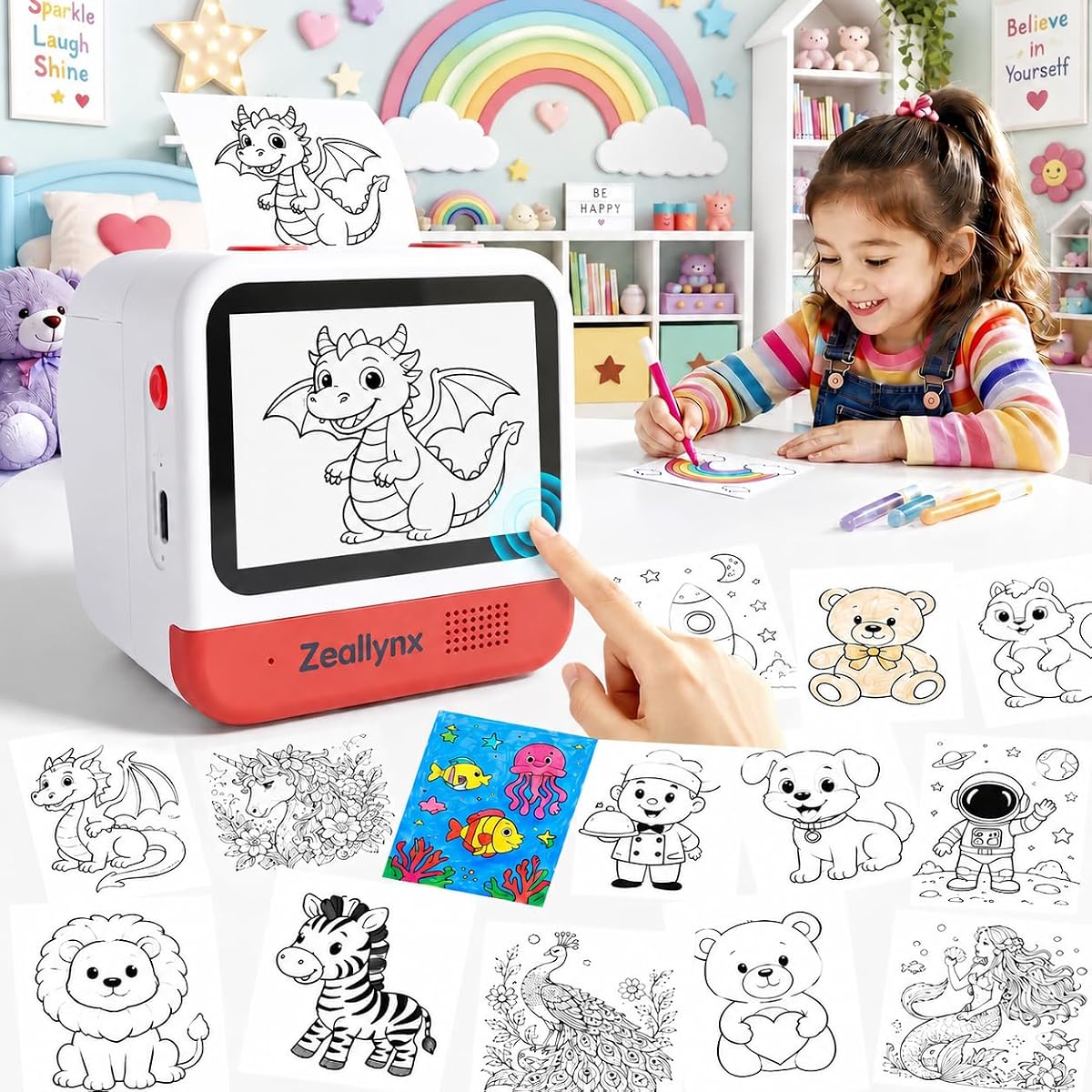

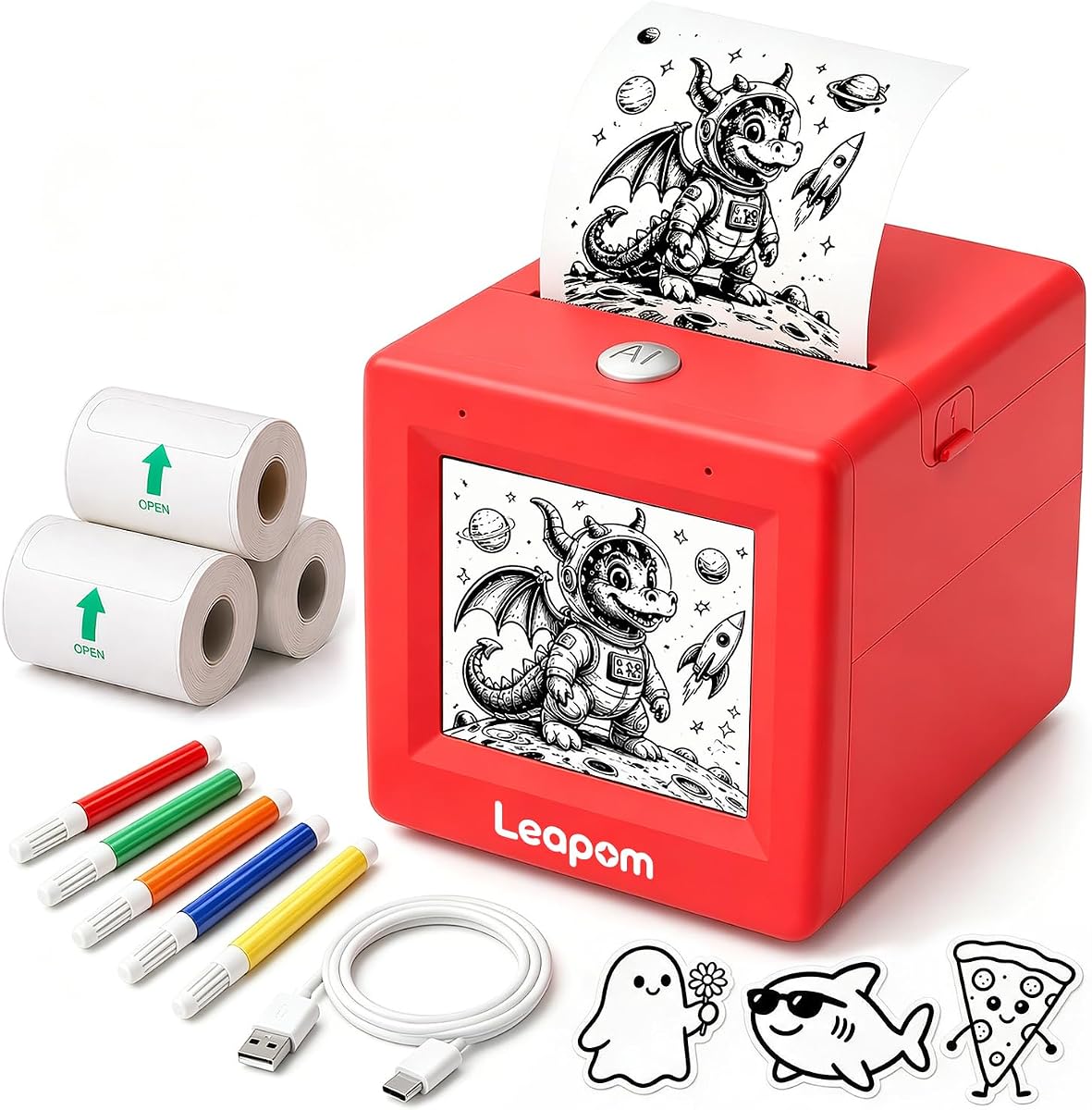


This AI sticker printer machine stands out for its seamless integration of voice recognition and creative output. It allows kids to simply speak their ideas and watch the device transform them into printable stickers. The process is designed to be intuitive and engaging for young users.
We may earn a commission when you buy through this link, at no additional cost to you.
The standout feature is its ability to generate cartoon stickers from spoken prompts without needing external apps. It uses thermal technology to produce crisp black-and-white images instantly. You can color these in with the included pens for a fully customized result.
One trade-off is that the prints are monochrome, which means coloring is required for vibrant effects. Additionally, it needs a Wi-Fi connection to function, limiting offline use. These are minor limitations considering the ease of use and safety features provided.
This device is ideal for parents seeking a safe, engaging gift that encourages creativity. It balances technology with hands-on art activities effectively. We recommend it for families who want to minimize screen time while maximizing imaginative play.
The device listens to voice prompts and instantly generates corresponding cartoon stickers. This allows children to create unique designs without needing drawing skills.
It connects via Wi-Fi without storing personal data. Strict content filtering ensures all prompts are appropriate for the target age group.
We may earn a commission when you buy through this link, at no additional cost to you.
The Liene PixCut S1 offers a comprehensive solution for serious crafters and DIY enthusiasts. It combines high-resolution printing with precise die-cutting in one device. This eliminates the need for multiple tools and streamlines the sticker creation process.
We may earn a commission when you buy through this link, at no additional cost to you.
Its AI image extraction feature allows users to turn photos into stickers with professional edges automatically. The thermal dye-sublimation technology ensures vibrant colors and durable results. Stickers are waterproof and scratch-resistant for long-lasting use.
While the performance is excellent, the device comes at a higher price point compared to basic models. It also relies on a companion app for operation which requires a smartphone or tablet. These factors may not suit casual users or tight budgets.
This machine is perfect for small businesses or hobbyists needing professional-grade stickers. It delivers consistent quality and saves time on manual cutting. We suggest it for those willing to invest in a robust creative tool.
The device seamlessly integrates printing and cutting in one step. This saves effort and ensures perfect alignment every time.
AI image extraction automatically recognizes subjects in photos. It guides the cutting system to follow edges with pinpoint accuracy.
We may earn a commission when you buy through this link, at no additional cost to you.
This mini thermal sticker maker delivers impressive functionality at an accessible price. It features a unique color LED display that previews designs before printing. This prevents waste and ensures users are happy with the result before committing to print.
We may earn a commission when you buy through this link, at no additional cost to you.
Users can speak ideas out loud to generate black-and-white line art instantly. It includes seven unique art styles to suit different creative preferences. The portable design makes it easy to take anywhere for on-the-go crafting.
The build quality is simple which reflects its budget-friendly positioning. It may not withstand heavy daily use like premium models. However, the core features work reliably for casual creative sessions and learning purposes.
It is an excellent entry point for families wanting to explore AI sticker making. The preview screen adds a layer of control that is rare in this category. We recommend it for those seeking value without sacrificing core AI features.
The vibrant color LED display shows designs in real-time. Users can regenerate versions before printing to avoid paper waste.
Users can choose from styles like anime, cartoon, or line art. This variety supports diverse creative projects and expressions.
We may earn a commission when you buy through this link, at no additional cost to you.
This printer simplifies the creation process by eliminating the need for app downloads. It features a direct Wi-Fi connection and an intuitive touchscreen for navigation. This makes it easy for children to use independently without technical hurdles.
We may earn a commission when you buy through this link, at no additional cost to you.
It offers ten creative modes including drawing, story collection, and sticker cutting. This variety keeps the experience fresh and engaging. Users can also save favorite designs directly to the device using the TF card slot.
The reliance on Wi-Fi can be a limitation if network access is unstable. Some may prefer a fully offline experience. The creative modes are good but may lack the depth of more advanced AI models.
Ideal for classrooms or home use where setup simplicity is key. It removes barriers to entry and gets kids creating immediately. We suggest it for those prioritizing ease of use over complex features.
The device combines an intuitive touchscreen with voice input. This delivers a smoother interactive experience for children.
Includes modes like anime, ink painting, and comic strip. This variety supports endless fun and exploration.
We may earn a commission when you buy through this link, at no additional cost to you.
This mini sticker printer focuses on a safe offline experience by removing screens. It uses advanced voice recognition to bring spoken words to life as physical stickers. The design encourages storytelling and hands-on play away from tablets.
We may earn a commission when you buy through this link, at no additional cost to you.
It is COPPA compliant and listens only when a button is pressed. This privacy-first approach ensures no data is stored. The thermal technology produces instant black-and-white stickers that can be colored with pencils.
The lack of a screen means users cannot preview designs before printing. This might lead to frustration if the output is not what was expected. However, the simplicity helps younger children focus on the creative process.
Perfect for parents seeking a screen-free creative gift. It balances safety with fun by removing digital distractions entirely. We recommend it for families prioritizing privacy and offline engagement.
This mini sticker printer encourages hands-on play away from tablets. It supports storytelling and coloring once printed.
Built with a kid-first philosophy and COPPA compliant. It only listens when pressed and never stores data.
We may earn a commission when you buy through this link, at no additional cost to you.
This device combines technology with creativity to help children develop communication skills. It is compact and lightweight making it easy for children to use independently. The design supports imaginative play and artistic expression anywhere.
We may earn a commission when you buy through this link, at no additional cost to you.
It uses advanced thermal printing to produce clear images without ink. The official app offers a 100% free experience without subscriptions. It supports photo printing and customized layouts for extra versatility.
While the app is free, some users may find third-party ads present. The AI recognition is functional but not as advanced as premium models. This is acceptable for casual use and learning purposes.
Ideal for students or young children who want a simple creative toy. It offers a balance of tech and traditional art activities. We suggest it for those seeking portability and educational value.
Combines technology and creativity to help kids develop skills. It encourages communication and artistic abilities through hands-on activities.
The official app is free with no subscription required. It never asks for credit cards to ensure peace of mind.
We may earn a commission when you buy through this link, at no additional cost to you.
This smart portable printing device offers both app and voice control for versatility. Users can speak or type ideas to turn them into black-and-white images. The HD screen helps visualize the design before it prints.
We may earn a commission when you buy through this link, at no additional cost to you.
It includes five rolls of paper offering both regular and adhesive options. This flexibility supports various projects like journaling, labeling, and stickers. The lightweight design makes it easy to carry for travel.
Some users may experience minor connectivity issues with the app. The print quality is functional but basic compared to high-end printers. These trade-offs are acceptable for the price and convenience offered.
Best for daily labeling and family activities. It supports parent-child engagement and creative expression. We recommend it for users needing a versatile tool for home and travel.
Kids can speak or type ideas to turn them into black-and-white images instantly. This encourages imagination and creative expression.
Includes both regular thermal and adhesive sticker paper. This offers more creative possibilities for different projects.
We may earn a commission when you buy through this link, at no additional cost to you.
This mini thermal printer is versatile enough for both play and study. It features a wide range of AI functions including photo cutout and image blending. This makes it useful for creating notes and educational aids.
We may earn a commission when you buy through this link, at no additional cost to you.
It connects via Bluetooth to smartphones and tablets easily. The compact size allows it to fit in pockets or backpacks. You can use it for everything from shopping lists to greeting cards.
It requires a Bluetooth pairing which may be tricky for younger users. It also does not support computer printing limiting some workflows. These are minor limitations for a highly portable device.
Ideal for students or small businesses needing quick labels. It offers great versatility in a tiny package. We suggest it for those who want one tool for multiple tasks.
Ideal for to-do lists, study aids, and greeting cards. It supports office home DIY learning needs.
The app features AI photo cutout, blending, and voice-to-image. This lets you experience the joy of printing.
We may earn a commission when you buy through this link, at no additional cost to you.
This device supports both Wi-Fi and Bluetooth to provide flexible connectivity. It features an AI chat function to inspire creative ideas. Each black-and-white sticker becomes a hands-on coloring activity.
We may earn a commission when you buy through this link, at no additional cost to you.
Users can choose from six distinct art styles to match their vision. This adds variety to the projects and results. The device is safe and portable with USB-C charging.
The reliance on an app for full functionality may be a hurdle. It comes with limited paper so refills are needed sooner. These are small trade-offs for its feature set.
Perfect for tech-savvy kids who want to experiment with design. It offers a good balance of tools and ease of use. We recommend it for creative families.
Choose from Anime Cartoon or Line Art. This supports diverse creative projects for kids and teens.
Wi-Fi enables direct voice printing. Bluetooth allows app printing with custom stickers and photos.
We may earn a commission when you buy through this link, at no additional cost to you.
This sticker printer lets children create directly from a 3.5 inch touchscreen. It connects via Wi-Fi without needing complicated Bluetooth pairing. This streamlines the process for quick creative sessions.
We may earn a commission when you buy through this link, at no additional cost to you.
It features a built-in voice companion to inspire creativity. Unlike template-only printers every prompt can become a new sticker. The thermal printing produces crisp smudge-resistant designs for DIY projects.
The lack of app installation is a significant convenience. However, it still relies on a Wi-Fi connection. The screen is small but sufficient for previewing simple designs.
Ideal for independent use by boys and girls. It encourages imagination without requiring parental phone access. We suggest it for users wanting a standalone device.
Kids speak their ideas and the AI creates original designs in seconds. Every prompt can become a new sticker to print and color.
Push-to-talk voice input activates only when kids choose to speak. No personal photo access is required for a private experience.
We may earn a commission when you buy through this link, at no additional cost to you.
Selecting the right AI sticker printer maker depends on your specific needs and technical comfort. This guide outlines the key factors to consider.
Look for devices that accurately convert spoken words into images. This ensures your ideas are translated correctly without constant retries.
Decide between Wi-Fi and Bluetooth based on your environment. Some models work without apps while others require smartphone integration.
Most use thermal printing which requires no ink. Verify if the output is black and white or supports color dye-sublimation.
Prioritize models with strict content filtering and no data storage. This is crucial for children using voice-to-image features.
Check what comes in the box such as paper rolls and markers. Some sets provide all materials while others require separate purchases.
For portable use, ensure the battery lasts long enough for your sessions. Rechargeable USB-C options are generally preferred for convenience.
Start by connecting your device to a network or pairing it with your phone. Follow the manufacturer instructions to set up the application if required.
Place a fresh roll of thermal paper into the tray ensuring it feeds smoothly. Press the voice or print button and speak your idea clearly for best results.
Store the printer in a cool dry place when not in use. Clean the exterior gently with a soft cloth to avoid damaging sensitive components.
No most of these printers use thermal technology which does not require ink. They produce black and white images directly from the paper.
Some models allow direct connection via Wi-Fi without an app. Others require a smartphone for setup or advanced design features.
Most include content filtering and do not store data. Always check for COPPA compliance or similar certifications before purchasing.
Print speeds vary but many devices can produce a sticker in about two minutes. Voice-to-image generation takes additional time for processing.
Standard thermal models print only in black and white. For color you will need a dye-sublimation printer with higher capabilities.
Most brands do not require subscriptions. However app features or advanced AI tools may sometimes have premium tiers.
Open the printer cover remove the empty roll and insert a new one. Ensure the paper feeds through the slot correctly before closing.
The device will either fail to generate an image or print a generic placeholder. Speak clearly and try simpler phrases for better results.
The market offers diverse options from simple voice devices to full cutting machines. Our top picks highlight the best overall budget and premium choices available today.
Prioritize models that match your privacy concerns and connectivity preferences. Safety and ease of use should guide your final decision for family use.
Prices and availability can change frequently so verify current details before buying. Always check the latest user reviews to ensure satisfaction.