
GL.iNet GL-E5800
4.4Editor score
Tri-Band Wi-Fi 7 support
Built-in eSIM with battery
2.5G Ethernet ports
Compare the top 5G routers with external antenna ports. Find reliable cellular modems, Wi-Fi 6/7 options, and industrial grade connectivity for remote and mobile use.
Reliable internet connectivity is no longer a luxury but a necessity for modern living and work. As wireless technology advances, finding a 5G router with external antenna ports becomes crucial for maximizing signal strength in remote areas.
We have analyzed ten top rated models based on user feedback, technical specifications, and real world performance data. This guide compares features like Wi-Fi standards, modem capabilities, and antenna compatibility to help you make an informed decision.
Each pick highlights key strengths and potential limitations to give you a clear picture of what to expect. Please note that availability and specifications can change over time, so verify current details before purchasing.
4.4Editor score

4.8Editor score

4.2Editor score
The following comparison table outlines the key technical specifications and features of each model to help you quickly identify which device fits your specific connectivity needs and budget constraints.



The GL.iNet GL-X3000 stands out as a versatile solution for users needing reliable high-speed internet in various environments. With a rating of 4.2, it is praised for its robust cellular capabilities and advanced security features that appeal to power users.
We may earn a commission when you buy through this link, at no additional cost to you.
Its support for both 5G and Wi-Fi 6 ensures that you get fast speeds even in crowded areas. The inclusion of OpenWrt firmware allows for deep customization, enabling you to install specific plugins or modify network settings to suit your unique requirements.
While the device offers incredible flexibility, the interface might feel complex for those who prefer a plug-and-play experience. However, the detailed documentation and no-code admin panel help bridge this gap for most users.
This router is ideal for remote workers, RV enthusiasts, or anyone needing a secure and reliable network backbone. If you value control and performance, the GL-X3000 is a top choice for your connectivity needs.
Pre-installed OpenVPN and WireGuard ensure your data remains encrypted across public networks, making it safe to work from cafes or hotels.
The ability to configure failover priorities among multiple connection methods ensures uninterrupted internet access even when one network drops.
We may earn a commission when you buy through this link, at no additional cost to you.
The RM520N AX3000 is designed to deliver lightning-fast speeds with its Qualcomm SDX62 modem. It aims to provide reliable high-speed internet to rural and remote locations where wired broadband is unavailable, making it a strong contender for off-grid users.
We may earn a commission when you buy through this link, at no additional cost to you.
One of its standout features is the provision of nine detachable high gain antennas, allowing you to optimize signal quality significantly. This hardware flexibility is rare and helps in areas where cellular signals might be weak or inconsistent.
Users have noted that while the potential is high, the actual performance can vary based on configuration. The learning curve involved in setting up the router to its full potential might deter casual users.
Despite some stability concerns, its raw power and adaptability make it a great option for tech-savvy users willing to tweak settings for maximum performance. If you need maximum signal flexibility, this model is worth considering.
The nine detachable antennas allow you to direct signal reception precisely, which is crucial for maintaining speeds in remote areas.
With support for up to 128 WiFi users simultaneously, this router handles crowded networks without significant degradation in performance.
We may earn a commission when you buy through this link, at no additional cost to you.
The Teltonika RUTM50 is a powerhouse in the industrial sector, designed for extreme environments where reliability is non-negotiable. With an impressive rating of 4.8, it is trusted for its ultra-fast 5G speeds and robust construction that withstands harsh conditions.
We may earn a commission when you buy through this link, at no additional cost to you.
Its dual SIM failover ensures that your connection never drops, automatically switching between carriers to maintain uptime. The RMS remote management platform allows administrators to monitor and update devices from anywhere, which is essential for large-scale deployments.
While it may be overkill for home use, its price reflects the durability and advanced features it offers. The reliance on RMS for some advanced configuration steps can be a hurdle for smaller setups without dedicated IT staff.
For businesses or critical applications where downtime costs money, this router is an investment in stability. Its ability to secure data with VPN support and firewall protection adds another layer of safety for sensitive industrial data.
Designed to operate in wide temperature ranges and extreme environments, making it perfect for outdoor or industrial machinery control.
The RMS platform allows you to manage multiple devices efficiently, pushing configurations and updates remotely to ensure consistency across your fleet.
We may earn a commission when you buy through this link, at no additional cost to you.
The Cudy P5 is designed for users who need straightforward and reliable connectivity without the complexity of industrial systems. It supports both 5G SA and NSA standards, ensuring compatibility with a wide range of modern cellular networks for high-speed data.
We may earn a commission when you buy through this link, at no additional cost to you.
A key feature is its triple failover system, which keeps you online by switching between WAN, Cellular 1, and Cellular 2 automatically. This redundancy makes it ideal for business continuity or remote work scenarios where internet access is critical.
While it may lack some of the fine-tuning options available in other routers, its user-friendly app and clear interface make it accessible. The wall-mountable design allows for flexible placement in offices or retail spaces without taking up desk space.
For small businesses or home offices needing a secure and simple solution, the P5 offers great value. Its balance of performance and ease of use makes it a standout choice in the mid-range category.
The triple failover mechanism ensures your operations never stop, even if one cellular network or your wired WAN line goes down.
The Cudy App allows for easy management of parental controls and network settings, making it accessible for non-technical users.
We may earn a commission when you buy through this link, at no additional cost to you.
The MikroTik D53G brings powerful connectivity features to a budget-friendly price. With a focus on efficiency, it offers a robust quad-core CPU that handles multiple connections smoothly, making it suitable for crowded household environments.
We may earn a commission when you buy through this link, at no additional cost to you.
Its five Gigabit Ethernet ports are a significant advantage for users who need wired connections for desktops, cameras, or gaming consoles. This extensive wired connectivity ensures that high-bandwidth devices do not compete for Wi-Fi airtime.
While it uses LTE6 technology rather than 5G, it still provides decent speeds for most general users. The learning curve associated with RouterOS can be steep, but the device is powerful enough to handle complex routing scenarios once configured.
For users prioritizing port count and processing power over the absolute latest cellular speeds, this router is a smart buy. It is a reliable workhorse for home networks needing a stable backbone.
Five Gigabit ports allow you to connect multiple high-speed devices directly, ensuring they get the full bandwidth they require without wireless interference.
The powerful quad-core CPU ensures that the router can handle heavy traffic loads without slowing down, maintaining stability during peak usage times.
We may earn a commission when you buy through this link, at no additional cost to you.
The NetBox 5 ax is a compact device designed to bring Wi-Fi 6 performance to outdoor or hard-to-reach locations. Its durable enclosure is built to withstand weather, making it ideal for patios, warehouses, or outdoor events.
We may earn a commission when you buy through this link, at no additional cost to you.
It supports PoE-in power, which simplifies installation by allowing you to run both power and data over a single Ethernet cable. This feature reduces the need for separate power outlets, making it easier to mount in distant locations.
While it offers strong performance in its niche, it is not a replacement for a whole-home indoor router. It is designed to extend coverage or serve as a specific point for devices that need to be outside the main building.
If you need to cover an outdoor area or a specific zone outside your home, this unit is a reliable solution. Its efficiency and rugged design make it a great companion for outdoor networking setups.
The durable enclosure ensures reliable operation in harsh weather conditions, protecting the internal electronics from rain and dust.
PoE-in support means you can power the device through your Ethernet cable, eliminating the need for an extra power outlet at the installation site.
We may earn a commission when you buy through this link, at no additional cost to you.
The MikroTik LHG XL is a specialized device designed for long-range point-to-point connections. With a perfect rating of 5.0, it is recognized for its ability to provide reliable wireless links up to 30 km, making it ideal for connecting buildings across large properties.
We may earn a commission when you buy through this link, at no additional cost to you.
Its integrated 27 dBi antenna is optimized for stability and interference resistance, ensuring consistent throughput over long distances. The outdoor IP54 rated enclosure protects it from rain and dust, allowing it to operate in harsh environments.
While it is not designed to provide Wi-Fi coverage inside a home, it acts as a powerful bridge between distant locations. Setting it up requires careful alignment, but the result is a stable and high-speed connection that replaces expensive trenching.
For remote farms, warehouses, or large estates needing to connect distant structures, this is a top-tier choice. Its efficiency and range make it a standout tool for rural connectivity.
The high-gain antenna allows you to bridge connections over vast distances, solving the problem of connecting buildings that are too far for standard Wi-Fi.
The outdoor IP54 enclosure ensures the device stays protected from the elements, providing consistent performance in rain or dust conditions.
We may earn a commission when you buy through this link, at no additional cost to you.
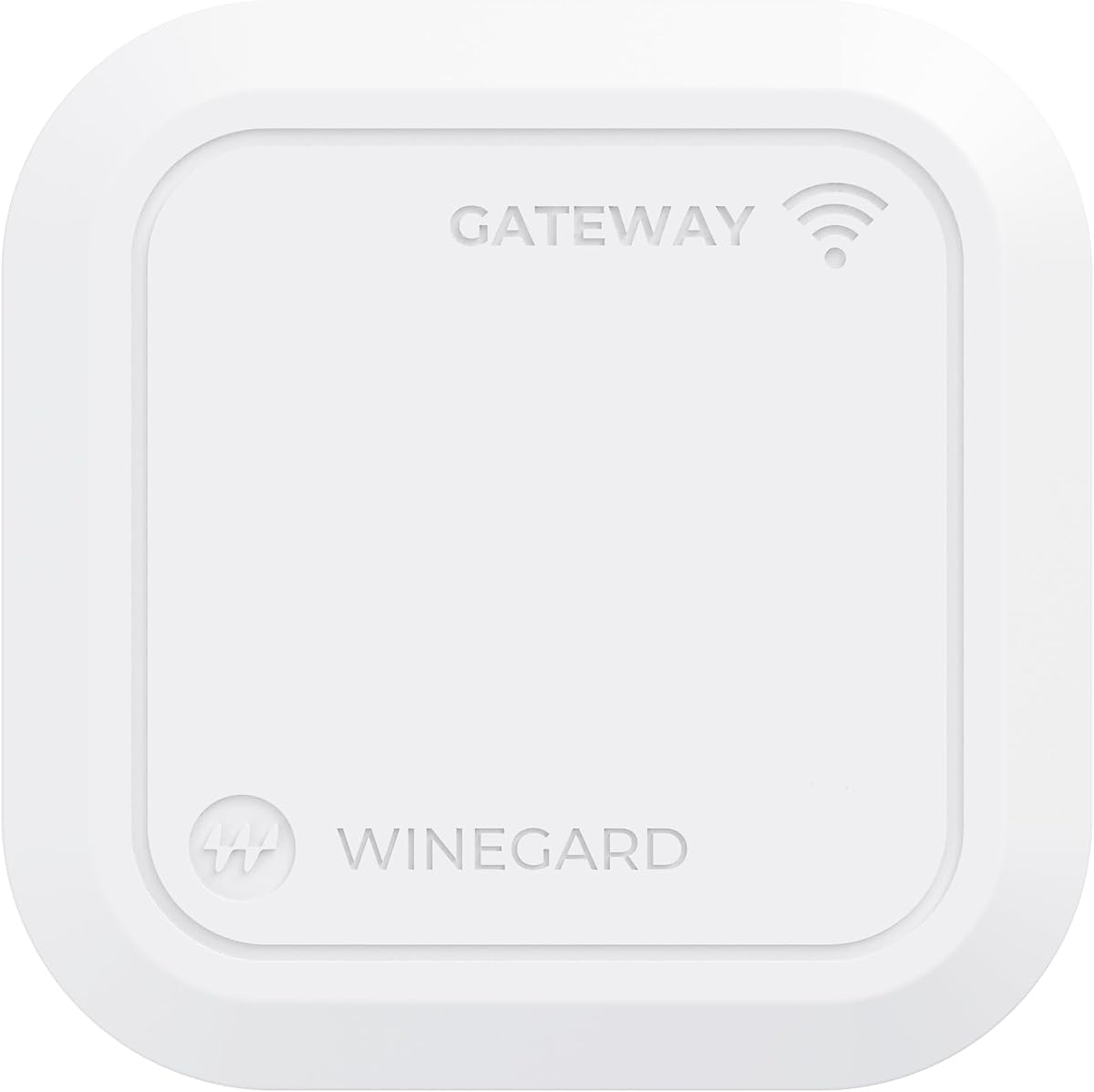
The Winegard Gateway 5G is specifically designed for RV users, integrating directly with the Air 360+ 5G system for ultra-fast backhaul while traveling. It supports hybrid internet connections, allowing you to add Starlink or other satellite networks for redundancy.
We may earn a commission when you buy through this link, at no additional cost to you.
While it offers seamless integration for RV setups, its specialized nature means it is less useful for standard home environments. The dual-band Wi-Fi provides reliable performance inside the vehicle, ensuring connected devices stay online.
Security is a priority here, with U.S.-based servers to eliminate foreign monitoring concerns. This makes it a trustworthy option for travelers who are cautious about data privacy while on the road.
For RV enthusiasts looking for a dedicated solution that simplifies complex networking needs, this gateway is a solid choice. It bridges the gap between cellular and satellite connectivity effectively.
The router is built to work seamlessly with existing Winegard dome antenna systems, simplifying the setup process for mobile users.
By supporting Ethernet WAN inputs, you can combine cellular with satellite internet, ensuring you stay connected even when one network is down.
We may earn a commission when you buy through this link, at no additional cost to you.
The GL.iNet GL-E5800 represents the cutting edge of mobile connectivity, featuring Tri-Band Wi-Fi 7 for unprecedented speeds. With a rating of 4.4, it appeals to professionals who need to run multiple heavy applications simultaneously without lag.
We may earn a commission when you buy through this link, at no additional cost to you.
Its built-in battery provides up to 13.5 hours of untethered freedom, meaning you can take your secure network anywhere without hunting for power outlets. The 2.8-inch touchscreen allows for quick configuration on the device itself, enhancing user convenience.
While it is an investment, the Quad-Path Multi-WAN failover ensures that if cellular drops, it switches to USB tethering or Wi-Fi repeater instantly. This makes it a reliable tool for live broadcasting or critical work on the go.
For content creators and business travelers needing top-tier performance, this router is worth the premium. Its ability to handle 4K/8K content and maintain high speeds makes it a future-proof choice.
The built-in battery allows you to use the router as a portable hotspot anywhere, without needing a separate power bank or outlet.
Tri-Band Wi-Fi 7 delivers speeds that support heavy data tasks like 4K streaming and large file transfers without any slowdown.
We may earn a commission when you buy through this link, at no additional cost to you.
The Waveform QuadMini is a specialized accessory designed to boost 5G data rates by improving signal strength and MIMO isolation. It offers up to 5.2 dBi gain with an ultra-thin profile, making it ideal for those who want better reception without bulky setups.
We may earn a commission when you buy through this link, at no additional cost to you.
Its omnidirectional design means you do not need to worry about aiming the antenna at a tower. You can simply place it on the side of your house that gets the best signal and let it work effectively.
While it requires a router with four antenna ports to work properly, the complete kit includes everything you need for installation. This makes it a convenient upgrade for existing setups that are struggling with weak signals.
For anyone looking to maximize their existing router's performance without replacing the whole unit, this antenna is a smart solution. It effectively reduces latency and increases data rates when the proper conditions are met.
The design ensures you get stable speeds without needing to adjust the antenna direction, making installation easier for non-experts.
Everything from cables to weatherproofing boots is included, so you can install the antenna and start enjoying better speeds immediately.
We may earn a commission when you buy through this link, at no additional cost to you.
Selecting the right router involves more than just checking the 5G label. You must consider how the device handles external antennas, its processing power, and how well it integrates with your existing network needs.
The most critical factor for this category is the presence of SMA or TS-9 connectors that allow you to attach external high-gain antennas. This is essential for improving signal strength in areas with weak cellular coverage or for mounting antennas on a roof for better line of sight.
Always check the router's documentation to confirm it supports detachable antennas and has the correct connectors for the antenna kit you plan to buy.
The modem inside your router dictates the maximum theoretical speeds you can achieve. Look for devices with Qualcomm SDX62 or newer modems that support SA (Standalone) and NSA (Non-Standalone) networks to ensure compatibility with all carriers.
Verify that the modem supports carrier aggregation to combine multiple frequency bands for higher throughput and better stability.
While 5G brings fast cellular data, your local network speed depends on the Wi-Fi standard. Choose Wi-Fi 6 or Wi-Fi 7 routers to ensure your devices can handle high-speed traffic without bottlenecking the connection.
Prioritize dual or tri-band routers to allow you to separate smart home devices from high-bandwidth tasks like streaming or gaming.
For users relying on this internet for work or critical tasks, failover capabilities are non-negotiable. Multi-WAN support allows the router to switch between wired broadband, cellular, or USB tethering instantly if one connection drops.
Look for routers that support dual SIM slots to have two different cellular providers active, ensuring you stay online even if one tower goes down.
If you are managing devices remotely, such as in RVs or industrial sites, the ability to configure the router without physical access is key. Look for cloud management tools or RMS platforms that allow you to update firmware and monitor status from your phone.
A user-friendly app or web interface will save you time and frustration when troubleshooting issues or changing network settings.
If you plan to install your router outdoors or in a mobile environment, durability is essential. Look for devices with IP65 ratings or specifically designed rugged enclosures to protect against dust, rain, and extreme temperatures.
For indoor use, ensure the device has adequate cooling vents to prevent overheating during long periods of high data usage.
Consider the number and type of Ethernet ports available. While wireless is convenient, some devices like desktop PCs or smart TVs perform better on a wired connection. At least one Gigabit WAN/LAN port is standard for high-speed routers.
Some routers offer USB ports for storage or tethering, which can be useful for creating a local backup or connecting a 4G stick as a backup.
Security is paramount when connecting to public cellular networks. Look for routers with built-in VPN clients like WireGuard or OpenVPN to encrypt your traffic. Firewall support and DNS over HTTPS are also important features to protect your data.
Choose a device that receives regular firmware updates to ensure you are protected against the latest security vulnerabilities and threats.
Start by inserting your SIM cards correctly into the designated slots. Ensure you have activated your data plans with your carrier before turning on the device. Power up the router and wait for the cellular LED to turn green, indicating a successful connection.
Once the router is online, connect your devices via Wi-Fi or Ethernet. Use the web admin panel or mobile app to configure settings like changing the Wi-Fi password, setting up parental controls, or enabling VPN clients for secure browsing.
Regularly check your signal strength using the admin panel. If the signal is weak, consider attaching the external antennas provided or upgrading to a high-gain antenna kit. Keep the device clean and dust-free to maintain optimal performance and prevent overheating.
Most modern 5G routers support multiple frequency bands used by major carriers like T-Mobile, AT&T, and Verizon. However, you should verify the device supports your specific carrier's 5G bands to ensure full speed.
External antennas allow you to place the receiver in a location with better signal, such as a roof, away from interference inside the house. This significantly improves signal strength and data speeds in rural or weak coverage areas.
Yes, most modern routers with Wi-Fi 6 or 7 are capable of handling multiple 4K streams simultaneously without buffering, provided your cellular data plan has enough speed and no data caps.
Many of these routers are specifically designed for mobile use, featuring battery options or easy mounting. They handle the vibration and power needs of RVs better than standard home routers.
Change default login credentials, enable WPA3 encryption, keep firmware updated, and use built-in VPN clients. These steps ensure your data remains private even when using public cellular networks.
Many routers feature failover capabilities that automatically switch to a backup connection, such as a second SIM, a wired line, or USB tethering. This keeps your devices online even when the primary connection goes down.
Some routers come with detachable antennas, while others may require you to purchase them separately. Check the product specifications to see if antennas are included or if you need to buy a compatible kit.
Yes, industrial-grade options with dual SIM and failover are perfect for businesses needing reliable uptime. Even consumer models can serve as primary connections for small offices if they have enough bandwidth.
Choosing the right 5G router with external antenna ports depends largely on your specific connectivity needs. Whether you need the industrial ruggedness of the Teltonika RUTM50 or the portability of the GL.iNet GL-E5800, there is a solution for every scenario.
Prioritize features like multi-WAN failover and external antenna support to ensure your connection remains stable even in challenging environments. These features are essential for remote work and living where internet access is critical.
Remember to verify current prices and availability before making a purchase. Technology evolves quickly, and the market often sees new updates that can offer better value or performance than previous models.